Page 2 - Contents; ENITEN; Instructions
Contents 17 ENITEN 1 Instructions 18 1.1 Introduction 18 1.2 This user manual 18 1.3 Intended use 18 1.4 General safety instructions 19 1.5 Manufacturer liability 20 1.6 Identification plate 20 1.7 Disposal 20 2 Description 21 2.1 Product description 21 2.2 Control panel 22 3 Use 23 3.1 Before first...
Page 3 - Instructions; Instructions
Instructions 18 1 Instructions 1.1 Introduction Key information for the user: 1.2 This user manual This user manual is an integral part of the appliance and must therefore be kept in its entirety and within the user’s reach for the whole working life of the appliance. 1.3 Intended use • Use the appl...
Page 4 - For this appliance
Instructions 19 ENITEN 1.4 General safety instructions Follow all safety instructions in order to be able to use the appliance safely.• Do not immerse the appliance, the power cord or the plug in water or any other liquid. • Do not use the appliance when the power cord or the plug is damaged or when...
Page 5 - Manufacturer liability; Old appliances do not belong in
Instructions 20 1.5 Manufacturer liability The manufacturer declines all liability for damage to persons or property caused by:• Use of the appliance other than the one envisaged; • Not having read the user manual;• Tampering with any part of the appliance; • Use of non-original spare parts;• Not fo...
Page 6 - Description; Product description; Extra-wide slots with self-centring racks
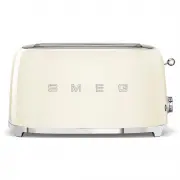
Description 21 ENITEN 2 Description 2.1 Product description TSF01 Model - 2 Slice Toaster TSF02 Model - 4 Slice Toaster 1 Extra-wide slots with self-centring racks 2 Breadlift 3 Control panel 4 Crumb tray
Page 7 - Defrost function button
Description 22 2.2 Control panel 1. Defrost function button This function is useful when using frozen bread. During toasting the defrost button will light up to indicate that the cycle is activated. 2. Browning control knob This control is used to select one of the 6 different browning levels or the...
Page 8 - Use; Electrical Shock Hazard
Use 23 ENITEN 3 Use 3.1 Before first use 1. Remove all stickers and labels and clean the outside of the toaster with a damp cloth. 2. Use the toaster for the first time without any bread in it. 3. Turn the browning control to the maximum position and press the breadlift down. In this way you will bu...
Page 9 - Warning
Use 24 3.2 Operation 1. If necessary, shorten the cord by wrapping it under the base. 2. Plug in the toaster. 3. Insert the bread in the slot. Please note that as bread is not normally square you may need to turn the bread on its side to get a better fit and optimize the toasting surface area.4. Cho...
Page 10 - Cancelling/stopping the toasting cycle
Use 25 ENITEN 3.3 Special functions Cancelling/stopping the toasting cycle At any time, it is possible to cancel or stop the toasting cycle by pushing the button. Defrost This function gently defrosts frozen bread and toasts it at the selected browning level. To activate it, insert the bread into th...
Page 11 - Using optional accessories; Sandwich racks; Hot appliance
Use 26 3.4 Using optional accessories Sandwich racks TSSR01 Model suitable for TSF01 Toaster TSSR02 Model suitable for TSF02 Toaster The sandwich racks are ideal for toasting filled sandwiches, or for easy access of smaller items such as bagels. Accessories may differ according to specification. Hot...
Page 12 - How to use
Use 27 ENITEN How to use : 1. Open the rack with the handles.2. Place the sandwich inside the rack. 3. Close the sandwich rack handles together to grip the sandwich in the middle of the racks. 4. Insert the sandwich rack into the slot and select a browning level. If a little more browning is require...
Page 13 - Cleaning and care; Cleaning the surfaces; Improper use
Cleaning and care 28 4 Cleaning and care 4.1 Instructions 4.2 Cleaning the surfaces To keep the surfaces in good condition, they should be cleaned regularly after use. Let them cool first. 4.3 Ordinary daily cleaning Always use products that do not contain abrasives or chlorine-based acids.Pour the ...
Page 14 - Push the Crumb Tray to unlock it, then pull; Cleaning the optional sandwich
Cleaning and care 29 ENITEN 4.5 Cleaning the crumb tray 1. Push the Crumb Tray to unlock it, then pull to slide it out to empty it. The Crumb Tray should be emptied after each use. 2. Return the Crumb Tray to Toaster. Press it in firmly until it clicks into position. Do not use the Toaster without t...