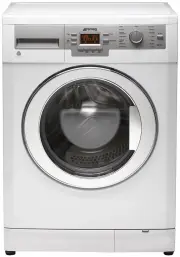
Page 2 - Important instructions for safety and; Authorized Service Agent; Package information
2 / EN Washing Machine / User’s Manual 1 Important instructions for safety and environment This section contains safety instructions that will help protect from risk of personal injury or property damage. Failure to follow these instructions shall void any warranty. 1.1 General safety • This product...
Page 3 - Installation; Appropriate installation location
3 / EN Washing Machine / User’s Manual 2 Installation Refer to the nearest Authorised Service Agent for installation of the product. To make the product ready for use, review the information in the user manual and make sure that the electricity, tap water supply and water drainage systems are approp...
Page 4 - Connecting to the drain; Adjusting the feet; Electrical connection; Transportation of the product
4 / EN Washing Machine / User’s Manual points. If any leaks occur, turn off the tap and remove the nut. Retighten the nut carefully after checking the seal. To prevent water leakages and damages caused by them, keep the taps closed when the machine is not in use. 2.5 Connecting to the drain • The en...
Page 5 - Preparation; Sorting the laundry; Laundry type; Loading the laundry
5 / EN Washing Machine / User’s Manual 3 Preparation 3.1 Sorting the laundry • Sort laundry according to type of fabric, colour, and degree of soiling and allowable water temperature. • Always obey the instructions given on the garment tags. 3.2 Preparing laundry for washing • Laundry items with met...
Page 6 - Using detergent and softener
6 / EN Washing Machine / User’s Manual C The loading door is locked while a programme is running. The door can only be opened a while after the programme comes to an end. A warning : In case of misplacing the laundry, noise and vibration problems may occur in the machine. 3.7 Using detergent and sof...
Page 7 - Tips for efficient washing; Clothes
7 / EN Washing Machine / User’s Manual Using starch • Add liquid starch, powder starch or the fabric dye into the softener compartment. • Do not use softener and starch together in a washing cycle. • Wipe the inside of the machine with a damp and clean cloth after using starch. Using bleaches • Sele...
Page 8 - Operating the product; Preparing the machine
8 / EN Washing Machine / User’s Manual 4 Operating the product 4.1 Control panel 1 6 7 8 2 3 4 5 1 - Spin Speed Adjustment button 2 - Display 3 - Temperature Adjustment button 4 - Programme Selection knob 5 - On / Off button 6 - Delayed Start buttons (+ / -) 7 - Auxiliary Function buttons 8 - Start ...
Page 9 - Additional programmes
9 / EN Washing Machine / User’s Manual 4.5 Main programmes Depending on the type of fabric, use the following main programmes. • Cottons Use this programme for your cotton laundry (such as bed sheets, duvet and pillowcase sets, towels, bathrobes, underwear, etc.). Your laundry will be washed with vi...
Page 10 - Special programmes; • Rinse; Temperature selection; Economy symbol; Spin speed selection
10 / EN Washing Machine / User’s Manual C Do not run the programme when there is something in the machine. If you try to do so, the machine detects that there is a load inside and aborts the programme. 4.7 Special programmes For specific applications, select any of the following programmes. • Rinse ...
Page 11 - Programme and consumption table
11 / EN Washing Machine / User’s Manual 4.10 Programme and consumption table • : Selectable * : Automatically selected, no cancelling. ** : Energy Label programme (EN 60456 Ed.3) *** If maximum spin speed of the machine is lower then this value, you can only select up to the maximum spin speed. - : ...
Page 12 - Auxiliary function selection; • Prewash; Changing the delayed start period
12 / EN Washing Machine / User’s Manual 4.11 Auxiliary function selection Select the desired auxiliary functions before starting the programme. Furthermore, you may also select or cancel auxiliary functions that are suitable to the running programme by pressing the Start / Pause / Cancel button when...
Page 13 - Prewash
13 / EN Washing Machine / User’s Manual Cancelling the Delayed Start function If you want to cancel the delayed start countdown and start the programme immediately: Press Start / Pause / Cancel button. “:” sign in the middle of the delayed start time on the display stops flashing. Start symbol disap...
Page 14 - Maintenance and cleaning; Drum Cleaning
14 / EN Washing Machine / User’s Manual 5 Maintenance and cleaning Service life of the product extends and frequently faced problems decrease if cleaned at regular intervals. 5.1 Cleaning the detergent drawer Clean the detergent drawer at regular intervals (every 4-5 washing cycles) as shown below i...
Page 15 - Cleaning the body and control panel
15 / EN Washing Machine / User’s Manual C Repeat Drum Cleaning process in every 2 months. C Use an anti-limescale suitable for the washing machines. After every washing make sure that no foreign substance is left in the drum. If the holes on the bellow shown in the figure is blocked, open the holes ...
Page 17 - Main model code; Technical specifications
17 / EN Washing Machine / User’s Manual Models (EN) SAW 816 Maximum dry laundry capacity (kg) 8 Height (cm) 84 Width (cm) 60 Depth (cm) 62 Net weight (±4 kg.) 76 Electrical input (V/Hz) 220-240 V / 50Hz Total current (A) 10 Total power (W) 2000-2300 Spin speed (rpm/ min., max.) 1600 Main model code ...
Page 18 - Troubleshooting
18 / EN Washing Machine / User’s Manual 7 Troubleshooting Programme cannot be started or selected. • Washing machine has switched to self protection mode due to a supply problem (line voltage, water pressure, etc.). >>> Press and hold Start / Pause button for 3 seconds to reset the machine ...