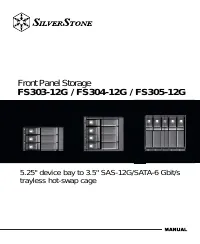
Page 3 - Installation and system optimization guide:; Product Overview
The following manual and guides were carefully prepared by the SilverStone engineering team to help you maximize the potential of your SilverStone product. Please keep this manual for futurereference when upgrading or performing maintenance on your system. A copy of this manual can also be downloade...
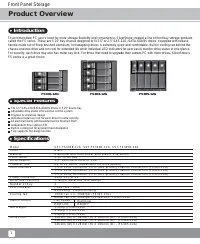
Page 4 - Front Panel Storage; Specifications; Introduction
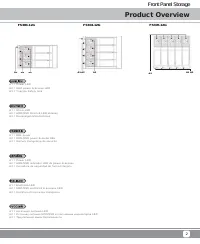
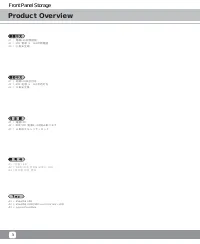
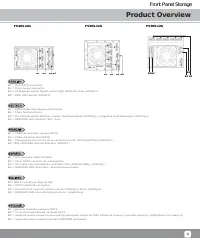
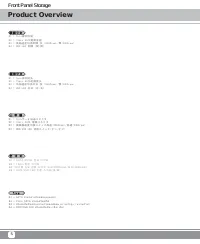
Product Overview Front Panel Storage 1 Specifications To accommodate PC user’s need for more storage flexibility and convenience, SilverStone created a line of front bay storage products called the FS series. These are 5.25” bay chassis designed to fit 3.5” or 2.5” SAS-12G /SATA-6Gbit/s drives. Equi...
Page 9 - Installation Chart; Install drive; Open drive door; Install drive
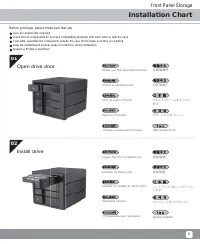
Front Panel Storage 6 Installation Chart have all components collectedcheck that all components do not have compatibility problems with each other or with the caseif possible, assemble the components outside the case first to make sure they are workingkeep the motherboard manual ready for reference ...
Page 10 - Install drive chassis into case; Connect SATA and power cable
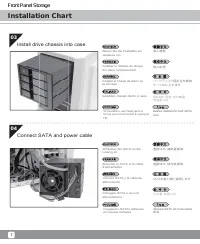
Front Panel Storage 7 Installation Chart 03 04 Bauen Sie die Festplatte ins Gehäuse ein Installer le châssis du disque dur dans l’emplacement Instalar el chasis de disco en la carcasa Installare chassis dischi in caso Install drive chassis into case Установить жесткий диск в отсек для носителей в ко...
Page 11 - Secure with screws; Close drive door
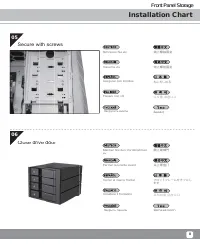
Front Panel Storage 8 Installation Chart 05 06 Schrauen Sie ein Visser la vis Asegurar con tornillos Fissare con viti Secure with screws Закрутить винты 나사를 채웁니다 ล็อคสกรู 鎖上螺絲固定 锁上螺丝固定 ねじをしめる Machen Sie den Vorderrahmen zu Fermer la lunette avant Cerrar el marco frontal Chiudere il frontalino Close ...
Page 12 - Installation complete
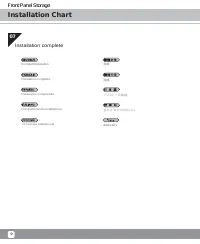
Front Panel Storage 9 Installation Chart 07 Komplettinstallation Installation complète Instalación completada Completamento installazione Установка завершена 설치가 완성되었습니다 ติดตั้งเสร็จ 完成 完成 インストール完成 Installation complete
Page 13 - Indicator Status
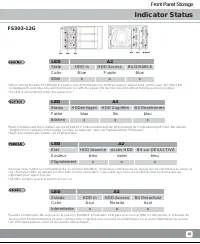
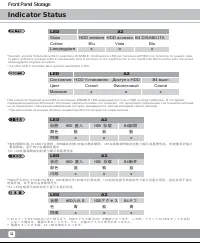
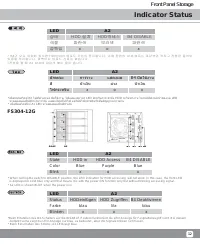
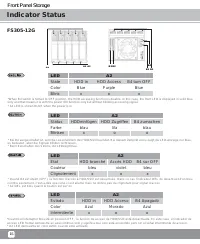
Front Panel Storage 10 Indicator Status B1 B2 B3 B4 A2 A1 A3 *Beim Einstellen des B4-Schalters auf die DISABLE-Position funktioniert die LED-Anzeige für Festplattenzugriff nicht. Bei diesem Zeitpnkt vorne zeigt die LED-Anzeige nur blau, es bedeutet , aber die Signale blinken nicht lesen. * Beim Eins...
Page 16 - 狀態
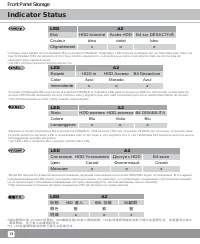
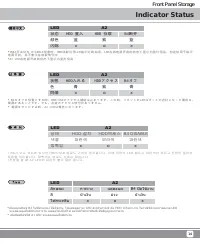
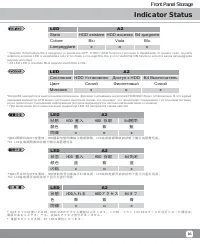
Front Panel Storage 13 Indicator Status *Cuando el interruptor B4 se pone en la posición DISABLE el indicador LED para el acceso al HDD no funcionará, el indicador de acceso LED frontal demuestra en azul continuo solo y significa que solo está encendido pero sin el señal intermitente de acceso.* A2 ...
Page 21 - Warranty
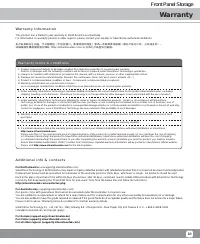
Front Panel Storage 18 Warranty Warranty Information This product has a limited 1 year warranty in North America and Australia. For information on warranty periods in other regions, please contact your reseller or SilverStone authorized distributor. 本产品自购买之日起,于中国地区(不包含澳门,香港特别行政区)享有一年有限责任保固(部分产品为二年,三...
Page 22 - 产品合格证; This device complies with Part 15 of the FCC Rules.
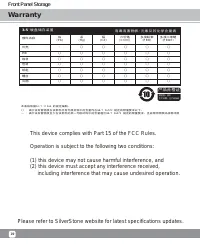
Front Panel Storage 19 Warranty 3 . 5 " 硬 盘 储 存 装 置 有 毒 有 害 物 质 / 元 素 及 其 化 学 含 量 表 本表格依据SJ/T 11364 的规定编制。○ : 表示该有害物质在该部件所有均质材料中的含量均在GB/T 26572 规定的限量要求以下。— : 表示该有害物质至少在该部件的某一均质材料中的含量超出GB/T 26572 规定的限量要求。且該限用物質為排除項目 部件名称 外壳 PCB 线材 包材 钥匙 螺丝 风扇 汞 (Hg) 镉 (Cd) 六价铬 (Cr(VI)) 多溴联苯 (PBB) 多溴二苯醚 (PBDE) 铅 (...