Page 2 - Contents; HOW IT WORKS
Contents HOW IT WORKS 060708091012 How to WearVolumeMultifunction ButtonCheck Battery Status ON/OFFPairing Storage and Maintenance Moisture Detection Alert Charging Tips Warranty CARE AND MAINTENANCE Changing Languages Multipoint Pairing EQ Modes Turn Multipoint Pairing Off EXTRA FEATURES 05 Headphon...
Page 4 - How It Works
Page 5 - Download the Shokz App; Manage multipoint pairing, upgrade firmware,
SHOKZ APP Apple and the Apple logo are trademarks of Apple Inc., registered in the U.S. and other countries.Google Play is a trademark of Google LLC. Download the Shokz App Manage multipoint pairing, upgrade firmware, change EQ modes, and more! Download the Shokz App to easily control headphone sett...
Page 6 - Headphone Controls
Power/Volume + Button Magnetic Charging Port LED Indicator Volume - Button Multifunction Button Headphone Controls 05 HEADPHONE CONTROLS
Page 7 - Turn on the headphones:; Turn off the headphones:
ON/OFF Turn on the headphones: Press and hold the Power/Volume + Button until the LED Indicator flashes blue. *Audrey will say: “Welcome to Shokz” Turn off the headphones: Press and hold the Power/Volume + Button until the LED Indicator flashes red. *Audrey will say: “Power off” Power/Volume + Button ON...
Page 8 - Pairing
1. Start with OpenRun Pro turned off.2. Press and hold the Volume + Button until the LED Indicator flashesred and blue alternately. 3.Open your device's Bluetooth settings and select " Open Run Proby Shokz." Audrey will say "connected." Settings BLUETOOTH OpenRun Pro by Shokz Connected...
Page 9 - How to Wear
*Wearing your headphones the wrong way could causediscomfort. The transducers should rest in front of your ears. Pick up the headphones, bring them behind the back of the base of your neck, position the earhooks on your ears, then enjoy your music! How to Wear 08 HOW TO WEAR
Page 10 - How to change volume:; Volume
How to change volume: While your audio is playing, adjust headphone volume bypushing either the Volume + or Volume ‒ buttons. Operate volume controls while audio is playing. Volume *Listening with headphones at high volume may affect your hearing and the audio will be distorted. *A “beep” will sound ...
Page 11 - Multifunction Button; Answer call; Next song; Previous song
Multifunction Button Multifunction Button Click once End call Click once Answer call Click once Play/pause music Double-click while music is playing Next song Triple-click while music is playing Previous song MULTIFUNCTION BUTTON 10
Page 13 - Check Battery Status; How to check battery status:
Operate controls whileaudio is not playing Check Battery Status Power/Volume + Button Volume - Button How to check battery status: Click the Volume + or Volume - button while music is paused,Audrey will tell you the battery status: * "Battery high/Battery medium/Battery low/Charge me" CHECK ...
Page 14 - Extra Features
Page 15 - EQ Modes
Vocal Booster Mode: Enhanced intermediate frequencies for audiobooks, podcasts, etc. Standard Mode: Balanced frequency for listening to music EQ Modes EQ MODES 14
Page 16 - How to switch EQ mode:; Switching EQ Modes
Operate controls while musicis playing How to switch EQ mode: Press and hold both buttons (Power/Volume + Button and Volume - Button)while music is playing until you hear a beep. *Audrey will say: “Standard Mode/Vocal Booster Mode” *You can also use the shokz App to change the EQ mode Power/Volume +...
Page 17 - Pair Two Devices; Multipoint Pairing
Switch between two devices seamlessly with multipoint pairing Pair Two Devices Multipoint Pairing MULTIPOINT PAIRING 16
Page 20 - First Device
First Device 4.Open first device's Bluetooth® menu and select "OpenRun Pro by Shokz."Audrey will say "connected".5.Turn your headphones off. Settings BLUETOOTH OpenRun Pro by Shokz Connected Audrey will say "connected". MULTIPOINT PAIRING 19
Page 21 - Second Device
Second Device Bluetooth:turn on OpenRun Pro by Shokz connected 6.Re-enter pairing mode by pressing and holding Volume + untilAudrey says “pairing”and the LED indicator flashes red and blue alternately.7.Open second device's Bluetooth® menu and select "OpenRunPro by Shokz."Audrey will say "...
Page 23 - Turn Multipoint Pairing Off
Turn Multipoint Pairing Off Operate controls withheadphones powered off. *You can also use the Shokz App for easy switching between devices 1. Start with your headphones powered off.2. Press and hold Volume + until Audrey will say “pairing”and the LED indicator flashes red and blue alternately. Audrey w...
Page 25 - Changing Languages
Follow the instruction whenheadphones powered off 1. Start with your headphones powered off.2. Press and hold Volume + until Audrey will say “pairing”and the LED indicator flashes red and blue alternately. *You can also use the Shokz App to change the language. Audrey will say “pairing” 24 Changing Lan...
Page 27 - Care and Maintenance
Page 28 - Charging Tips
When the headphones are at low battery, there will be a “chargeme” prompt and the red light will flash intermittently. Use thecorresponding magnetic charging cable for charging.The LED indicator will turn red during the charging process and theheadphones will automatically turn off. The LED indicator ...
Page 29 - Moisture Detection Alert
Moisture Detection Alert How it Works: These headphones can detect liquid such as water, sweat, or rain.If the headphones are plugged into the charger while wet, the LEDindicator will flash red and blue. The headphones will then emit abeep. If this happens, remove the charging cable, dry themcomplete...
Page 30 - Storage and Maintenance; Note
Storage and Maintenance · Store the headphones in a cool, dry place. The working temperature should be 0~45°C(32~113°F).Working in a cold/hot temperature, highly humid area, or low air pressure environment may reduce the battery life. · Keep the product away from heat sources, direct sunlight, combu...
Page 31 - Warranty
Your headphones are covered by a warranty.Visit our website at https://shokz.com/pages/warranty-landingfor details of the limited warranty. To register your product, download the Shokz App.*Failure to register will not affect your limited warranty rights. Warranty 30 WARRANTY
Page 32 - Troubleshooting
If you have any trouble or problems,please visithttps://shokz.com/pages/faqfor more support! Troubleshooting 31 TROUBLESHOOTING
Page 33 - What’s in the Box
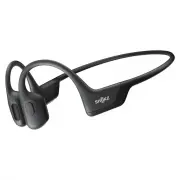
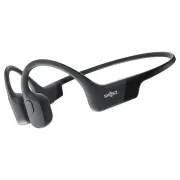
What’s in the Box If any part of your product is damaged or missing, do not use it.Contact authorized Shokz dealer or Shokz customer service. *Please note that the packaging envelope may vary depending on the sales region. 32 WHAT’S IN THE BOX OPENRUN PRO OpenRun Pro headphones OpenRun Pro Package O...
Page 34 - Regulatory and Legal Information
FCC Caution Any changes or modifications not expressly approved by the party responsible for compliance could void the user's authority to operate the equipment. This device complies with Part 15 of the FCC Rules. Operation is subject to the following two conditions: (1) this device may not cause har...
Page 35 - Industry Canada
Frequency Range Max. Transmit Power 2400-2483.5MHz 10dBm(EIRP) Resposible party (contact for FCC matters only): AfterShokz LLC. 3200 Gracie Kiltz Lane, Suite 400 Austin, TX 78758 USA https://shokz.com Industry Canada This device complies with Industry Canada licence-exempt RSS standard(s): Operation...
Page 36 - Manufacturer Declarations
DA107248 as household waste, and should be delivered to an appropriate collection facility for recycling. Proper disposal and recycling helps protect natural resources, human health and the environment. For more information on disposal and recycling of this product, contact your local municipality, ...