Page 3 - CONTENTS
3 English Important Safety Instructions .....................................................................................................................................4 Features .......................................................................................................................
Page 4 - READ AND SAVE THESE INSTRUCTIONS; IMPORTANT SAFETY INSTRUCTIONS; WARNING: Risk to Children and Impaired Persons
4 English READ AND SAVE THESE INSTRUCTIONS IMPORTANT SAFETY INSTRUCTIONS This owner’s guide and any additional inserts are considered part of the product. They contain important information about safety, use and disposal. Before using the product, please familiarize yourself with all operating and s...
Page 8 - DISPOSAL WARNING
8 English harmful interference in a residential installation. This product generates, uses and can radiate radio frequency energy and, if not installed and used in accordance with the instructions, may cause harmful interference to radio communications. However, there is no guarantee that interferen...
Page 9 - Supplier’s FCC Declaration of Conformity; SAVE THESE INSTRUCTIONS
9 English Supplier’s FCC Declaration of Conformity Unique Identifier: Sharper Image Model MIST 6 Responsible Party: Vornado Air LLC Mailing Address : 415 E. 13th St., Andover, KS 67002 Contact: www.sihomecomfort.com WARNING: Batteries may pose a choking hazard. Do not let children handle batteries. ...
Page 10 - FEATURES
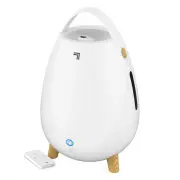
10 English ROTATING MIST NOZZLE Manually rotate the nozzle 360° for mist where you need it most. WATER TANK Easy to fill, install, clean and view water level. 1.0 gallon capacity. CARRY HANDLE Integrated carry handle for lifting and carrying. BASE Durable and easy to clean. WATER TANK CAP Removeable...
Page 12 - HOW TO USE
12 English HOW TO USE FILLING WATER TANK 1. Unplug humidifier and place on level surface. Note: Spills can occur during cleaning, moving or refilling water tank, so be careful to avoid spills. 2. Remove water tank by grasping water tank handle and pulling toward you. 3. Remove mist nozzle and set as...
Page 15 - REMOTE CONTROL
15 English 1. Press ( ) to power unit on and off. 2. Select desired mist setting by pressing . 3. Enter Sleep Mode by pressing . REMOTE CONTROL Note: The remote requires a line-of-sight path to allow for the signal to be received by the humidifier. Position the humidifier so the receiver lens (locat...
Page 17 - CLEANING
17 English Proper cleaning is essential to the air quality and performance of your humidifier. The frequency in which your humidifier will need to be cleaned will vary depending on use, water hardness and outside environmental factors. It is recommended, assuming average use, to thoroughly clean wee...
Page 18 - STORAGE
18 English STORAGE During the off-season or after extended periods of non-use, you may choose to store your humidifier. To ensure long life of the product, it is recommended to store your humidifier by following these instructions: TIP: Cleaning is recommended before storage. 1. Unplug power cord an...
Page 19 - TROUBLESHOOTING
19 English POSSIBLE CAUSE AND SOLUTION PROBLEM TROUBLESHOOTING The unit fails to power on. Unit is not plugged in. Plug power cord into electrical outlet.Household circuit breaker/ground fault circuit interrupter has tripped or blown fuse. Reset circuit breaker/ground fault circuit interrupter, or r...
Page 21 - WARRANTY
21 English Vornado Air, LLC warrants to the original consumer or purchaser this Sharper Image® Humidifier (“Product”) is free from defects in material or workmanship for a period of two (2) years from the date of purchase. If any such defect is discovered within the warranty period, Vornado, at its ...