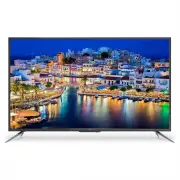
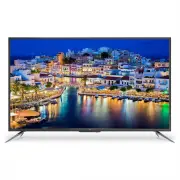
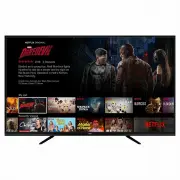
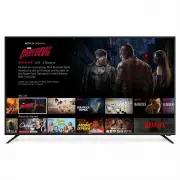
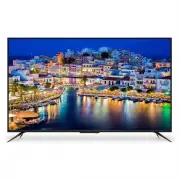
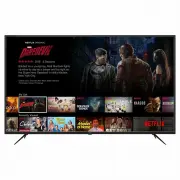
Page 3 - CONTENTS
General Safety 4 Installation 8 Controls and Connections 10 Remote Control 12 Basic Operations 15 Media 16 Getting Started 17 Menus 18 Channel Settings 18 Picture Settings 18 Sound Settings 19 Time Settings 19 Lock Settings 20 Setup Settings 20 HDMI CEC 21 Electronic Program Guide (EPG) 22 Recording...
Page 4 - IMPORTANT INFORMATION; GENERAL SAFETY
4 Read this manual thoroughly before you start using the TV.Store this manual, the completed warranty card, your receipt and the product packaging.The safety precautions instructions reduces the risk of fire, electric shock and injury when correctly complied to. Please follow all instructions and ta...
Page 5 - Installation
5 Installation Please follow instruction when installing this product in accordance with the instruction manual. This product must be positioned in a sufficiently stable location, it can be potentially hazardous due to falling and can cause injury, particularly to children if it positioned incorrect...
Page 6 - It is STRONLY RECOMMENDED that you ANCHOR this product.
6 GENERAL SAFETY INSTRUCTIONS (Cont.) • Please beware that Dust could accumulate over time on the unit and cause it to generate heat and or deteriorate insulation, which in turn may result in an electrical fire. • The product is not intended for use by persons (including children) with reduced physi...
Page 8 - INSTALLATION; Attaching the stand
8 INSTALLATION Install the stand as described below, or if you want to mount it to a wall, please contact a professional installer. Please ensure the TV is not plugged into the wall socket and furthermore we recommend to get another person to assist in the following task. Attaching the stand Step 1 ...
Page 10 - CONTROLS AND CONNECTIONS
Page 12 - REMOTE CONTROL
Page 14 - Using the Remote Control
14 Using the Remote Control • Battery should normally last for about one year.• Do not mix old and new batteries in the remote• Do not use different types of battery• If you do not intend to use the unit for a long time, please remove batteries from the remote to avoid accident.• Keep batteries away...
Page 15 - BASIC OPERATIONS
15 BASIC OPERATIONS BASIC OPERATIONS • Press the SOURCE button to display the input source list. • Press the buttons to select the input source, and then perss OK to confirm.• You can access connected USB drives by selecting MEDIA . • Press the P-MODE to select the picture mode: Standard, Mild, Pers...
Page 16 - MEDIA
16 MEDIA MEDIA PLAYBACK • First insert a USB Device into the TV• Press “MEDIA” on the remote control. • Use the directional arrow keys to go through folders within your USB device to access Photo’s or Movies.• Press the EXIT button to return to previous page
Page 17 - GETTING STARTED
17 TURN THE POWER ON OR OFF: • Plug the power cord into a suitable power point,• Turn on the power switch.• Press the STANDBY/ON button• When you switch on the TV for the first time, the First Time Setup menu will be displayedon the screen, as per the image below. • Press the buttons to select optio...
Page 18 - MENUS
Page 20 - SYSTEM MENU
20 LOCK MENU (DTV MODE) SYSTEM MENU Parental Lock: No Block, Block All, Block G andabove, Block PG and above,Block M and above, BlockMA and above, Block AVand above, Block Rand above. Key Lock: On/Off OSD Language: Select from options TT Language : Not available in Australia Audio Language • Press t...
Page 23 - RECORDING
23 NOTE: Before you can record with this TV, make sure you have the USB you wish to use formatted as a FAT32 USB storage device. Then insert the device into your TV.` 1. Insert your USB device into the USB Port 2. When watching Digital TV, Press the RECORD button on the remote control to start recor...
Page 24 - FAQs; GENERAL PROBLEMS WITH TV SET
24 FAQs GENERAL PROBLEMS WITH TV SET PROBLEM SOLUTION No Power. Make sure power plug is inserted correctly into power outlet. No Picture. Make sure the following is connected correctly • Adjust the antenna • Move TV away from any products that may cause interference. • Autotune the unit again • Go t...
Page 25 - SPECIFICATIONS
25 SPECIFICATIONS Display Device 49” Ultra HD LED LCD TV Resolution 3840 x 2160 Display Colours 16.7M Contrast ratio: 6000 : 1 Aspect Ratio 16 : 9 Multimedia PlaybackFormat underUSB Mode Movie: AVI, MPEG1/2, MPEG-4, TS, MKV, DIVX, MJPEG, H.264,H.263, AVS, AVS+, WMV3, HEVC Music: MP3, WMA, AAC Photo:...