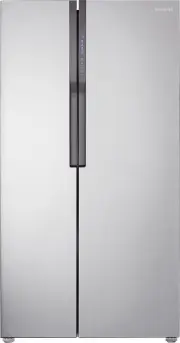
Page 2 - KEY FEATURES OF YOUR NEW REFRIGERATOR
2_ features features of your new refrigerator KEY FEATURES OF YOUR NEW REFRIGERATOR Your Samsung Refrigerator comes equipped with various innovative storage and energy-efficient features. • Inverter compressor Its imported high effective inverter compressor reduces power consumption of the refrigera...
Page 3 - safety information; SAFETY INFORMATION; and retain it for your reference.; OTHER SYMBOLS USED
safety information _3 safety information SAFETY INFORMATION • Before operating the appliance, please read this manual thoroughly and retain it for your reference. • Because these following operating instructions cover various models, the characteristics of your refrigerator may differ slightly from ...
Page 4 - SEVERE WARNING SIGNS
4_ safety information • In order to avoid the creation of a flammable gas-air mixture if a leak in the refrigerating circuit occurs, the size of the room in which the appliance may be sited depends on the amount of refrigerant used. • The room must be 1m 3 in size for every 8g of R600a refrigerant i...
Page 5 - CAUTION SIGNS
safety information _5 • The refrigerator must be grounded. - You must ground the refrigerator to prevent any power leakages or electric shocks caused by current leakage from the refrigerator. • Never use gas pipes, telephone lines or other potential lightening rods as ground. - Improper use of the g...
Page 6 - CAUTION SIGNS FOR CLEANING
6_ safety information • Do not store volatile or flammable substances in the refrigerator.- The storage of benzene, thinner, alcohol, ether, LP gas and other such products may cause explosions. • You are recommended to empty the refrigerator and turn it off when you have a long term journey. • Do no...
Page 7 - ADDITIONAL TIPS FOR PROPER USAGE; SAVING ENERGY TIPS
safety information _7 It is hazardous for anyone other than an Authorised Service Person to service thisappliance. In Queensland - the authorized Service Person MUST hold a Gas WorkAuthorisation or Licence for hydrocarbon refrigerants, to carry out Servicing or repairs which involve the removal of c...
Page 8 - contents; REFRIGERATOR
8_ contents contents SETTING UP YOUR SIDE-BY-SIDE REFRIGERATOR 9 09 Getting ready to install the refrigerator 10 Removing the refrigerator doors 12 Leveling the refrigerator 12 Making minor adjustments to the doors 12 Setting up the refrigerator OPERATING THE SAMSUNG SIDE-BY- SIDE REFRIGERATOR 13 13...
Page 9 - refrigerator; GETTING READY TO INSTALL THE REFRIGERATOR
setting up _9 01 SETTING UP setting up your side-by-side refrigerator GETTING READY TO INSTALL THE REFRIGERATOR Congratulations on the purchase of your Samsung Side-By-Side Refrigerator. We hope you will enjoy the many state-of-the-art features and efficiencies that this new appliance has to offer. ...
Page 10 - REMOVING THE REFRIGERATOR DOORS; Removing and Installing the Freezer door
10_ setting up REMOVING THE REFRIGERATOR DOORS If your entrance won’t allow the refrigerator to pass easily through it, you can remove the doors. Removing and Installing the Freezer door A few things to mention first. • Make sure that you lift the door straight up so the hinges are not bent or broke...
Page 11 - Removing and Installing the Fridge door
setting up _11 01 SETTING UP REMOVING THE REFRIGERATOR DOORS If your entrance won’t allow the refrigerator to pass easily through it, you can remove the doors. Removing and Installing the Fridge door A few things to mention first. • Make sure that you lift the door straight up so the hinges are not ...
Page 12 - LEVELING THE REFRIGERATOR; MAKING MINOR ADJUSTMENTS TO THE DOORS
12_ setting up LEVELING THE REFRIGERATOR Now that the doors are back on the refrigerator, you will want to make sure the refrigerator is level so you can then make final adjustments. If the refrigerator is not level, it will not be possible to get the doors perfectly even. The front leg of the refri...
Page 13 - USING THE CONTROL PANEL; operating the SAMSUNG
operating _13 02 OPERA TING FRIDGE BUTTON Press the Fridge button to set the fridge to your desired temperature, You can set the temperature from 1°C to 7ºC . POWER FREEZE BUTTON Speeds up the time needed to freeze products in the freezer. This canbe helpful if you need to quickly freeze items that ...
Page 14 - USING THE DIGITAL DISPLAY; CONTROLLING THE TEMPERATURE
14_ operating operating the SAMSUNG side-by-side refrigerator USING THE DIGITAL DISPLAY “ 88 ” segment on Freezer part indicates the current Freezer temperature. “ 88 ” segment on Fridge part indicates the current Fridge temperature. Power Freeze This icon will light up when you activate the Power F...
Page 15 - USING THE TWIST ICE MAKER
operating _15 02 OPERA TING USING THE TWIST ICE MAKER 1. Pull out the twist ice maker. 2. Pour cool water into the twist ice maker until it reaches the water level indicator on the ice maker 4. Turn twist ice maker button and the ice automatically full into the below ice compartment after release. P...
Page 16 - STORING FOOD
16_ operating STORING FOOD Storing Food in the Freezer • The Samsung Side-By-Side Refrigerator has been designed to provide you with maximum spacesaving features and functions. Here are some of the customized compartments we have created to keep your food fresher, longer. Remember, in order to preve...
Page 18 - REMOVING THE FREEZER ACCESSORIES; REMOVING THE FRIDGE ACCESSORIES
18_ operating REMOVING THE FREEZER ACCESSORIES Cleaning and rearranging the interior of the freezer is a snap. 1. Remove the Glass Shelf by pulling the shelf out as far as it will go. Then, gently lift it up and remove it. In case it does not have hooks itself in the back side for not being tilted,a...
Page 19 - CLEANING THE REFRIGERATOR; USING THE DOORS
operating _19 02 OPERA TING CLEANING THE REFRIGERATOR Caring for your Samsung Side-By-Side Refrigerator prolongs the life of your appliance and helps keep it odor and germ-free. Cleaning the Interior Clean the inside walls and accessories with a mild detergent and then wipe dry with a soft cloth. Yo...
Page 20 - troubleshooting
20_ troubleshooting troubleshooting PROBLEM SOLUTION The Refrigerator does not work at all or it does not chill sufficiently. • Check that the power plug is properly connected. • Is the temperature control on the display panel set to the correct temperature? Try setting it to a higher temperature. •...
Page 21 - memo
Page 22 - English; Ambient Room Temperature Limits; Contact SAMSUNG WORLD WIDE
English Correct Disposal of This Product (Waste Electrical & Electronic Equipment) (Applicable in countries with separate collection systems) This marking on the product, accessories or literature indicates that the product and its electronic accessories (e.g. charger, headset, USB cable) should...