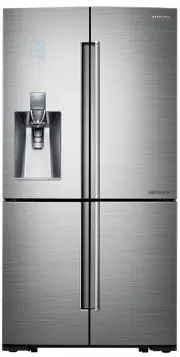
Page 2 - SAFETY INFORMATION; • Before operating the; Safety information
English - 2 SAFETY INFORMATION • Before operating the appliance, please read this manual thoroughly and retain it in a safe place near the appliance for your future reference. • Use this appliance only for its intended purpose as described in this instruction manual. This appliance is not intended f...
Page 3 - • Warnings and Important; severe personal; minor personal
English - 3 SAFETY INFORMA TION • Warnings and Important Safety Instructions in this manual do not cover all possible conditions and situations that may occur. It is your responsibility to use common sense, caution, and care when installing, maintaining, and operating your appliance. • Because the f...
Page 4 - CE Notice
English - 4 These warning signs are here to prevent injury to you and others. Please follow them carefully. After reading this section, keep it in a safe place for future reference. CE Notice This product has been determined to be in compliance with the Low Voltage Directive (2006/95/ EC), the Elect...
Page 5 - • Refrigerant squirting out of
English - 5 SAFETY INFORMA TION refrigerating circuit occurs, the size of the room in which the appliance may be sited depends on the amount of refrigerant used. - Never start up an appliance showing any signs of damage. If in doubt, consult your dealer. The room where the refrigerator will be sited...
Page 14 - Saving Energy Tips
English - 14 • Do not store food which spoils easily at low temperature, such as bananas, melons. • Your appliance is frost free, which means there is no need to manually defrost your appliance, as this will be carried out automatically. • Temperature rise during defrosting can comply with ISO requi...
Page 15 - This appliance is intended
English - 15 SAFETY INFORMA TION refrigerator. - Do not keep the door of the appliance open for too long when putting food in or taking food out. The shorter time for which the door is open, the less ice will form in the freezer. - Clean the rear of the refrigerator regularly. Dust increases energy ...
Page 17 - When moving your refrigerator
English - 17 SETTING UP When moving your refrigerator To prevent floor damage, be sure the front leveling legs are in the up position (above the floor).Refer to “HOW TO LEVEL THE REFRIGERATOR” in the manual on page 21. FLOORING For proper installation, you must place this refrigerator on a level, ha...
Page 19 - How to Re-attach the Freezer Door
English - 19 SETTING UP DISASSEMBLE THE FREEZER DOORS • Be sure to remove the Fridge Door before removing the Freezer Door. • Be careful with the wires attached to the bottom of the Freezer Door while disassembling. 1. With the door open, remove the screw holding the cover (A) of the Adjustable Leg ...
Page 20 - How to Re-attach Fridge Door; Attach the detached Fridge Door to the Mid
English - 20 3. With the door open, join the connectors on the bottom of the door. - Be careful not to step on or damage the connectors. 4. Attach the Adjustable Leg Cover using a Phillips (+) Screwdriver. 5. Repeat Steps 1 through 4 to re-attach the other Freezer Door. How to Re-attach Fridge Door ...
Page 21 - HOW TO LEVEL THE REFRIGERATOR
English - 21 SETTING UP 6. Attach the front of the Top Cover, and then press down on its back until it lies flat. Re-attach the screws. • Assemble the Fridge and Freezer doors in the reverse order of disassembly. • If the Wire Connectors are cross-assembled, the display will not work properly. Cente...
Page 22 - Snap Rings included with the refrigerator:; HOW TO ADJUST THE DOOR GAP
English - 22 HOW TO ADJUST THE DOOR HEIGHT If any one of the doors is lower than the other:• Check if the Refrigerator is level before adjusting the door. • Adjust the door height difference by inserting a Snap Ring ( 1 ) as shown between the door and the hinge. You can use the rings to raise the ri...
Page 23 - Parts for water line Installation; Connecting to the water supply line; the installation kit.; After connecting the water supply to the water
English - 23 SETTING UP 2. Turn the bolt with a 4 mm hexagonal L-wrench to adjust the gap. (Not provided) 3. Turn the bolt clockwise to ( ) widen the gap. Turn the bolt counter clockwise ( ) to narrow the gap. INSTALLING THE WATER DISPENSER LINE A water dispenser with a filter is one of the help...
Page 25 - INSTALLING A SODASTREAM 60 L CO; Purchasing Sodastream 60 L CO
English - 25 SETTING UP INSTALLING A SODASTREAM 60 L CO 2 CARBONATOR (FOR SPARKLING WATER REFRIGERATORS ONLY - OPTIONAL) To use the Sparkling Water feature on your refrigerator, you need to install a Sodastream 60 L CO 2 Carbonator. If you don't have a sparkling water refrigerator, go to page 22. Pu...
Page 26 - Sparkling Water and empty them into a sink.
English - 26 3. Push the SodaStream 60 L Carbonator into the Support. 4. Lock the SodaStream 60 L Carbonator into place by pressing the Lever.• The inner pressure of the Carbonator may make it difficult to press the lever down. Hold the lever as shown in the illustration on the right, and then push ...
Page 27 - COMPLETING THE SET UP; wall. Refer to installation instructions in this manual.
English - 27 SETTING UP COMPLETING THE SET UP Now that you have your new refrigerator installed in place, you are ready to set up and enjoy the features and functions of the appliance. By completing the following steps, your refrigerator should be fully operational. 1. Make sure your refrigerator is...
Page 28 - The Fridge button serves two purposes:; The Freezer button serves two purposes:; USING THE MAIN CONTROL PANEL
English - 28 Operating your French Door Refrigerator ( 1 ) Fridge (Hold 3sec for Power Cool) The Fridge button serves two purposes: - To set the Fridge to your desired temperature. - To turn the Power Cool function on and off. 1. To set the Fridge temperature, touch the Fridge button to set the refr...
Page 29 - Chef Pantry; Filter; Water filter usage
English - 29 OPERA TING ( 3 ) Chef Pantry Chef Pantry Chef pantry will change to Fish/Meat or Fridge Mode automatically depending on the set fridge temperature. The Fish/Meat Mode lets you store fish and meat at its freshest for a short period of time. To store fish or meat for longer, put it into t...
Page 30 - Vacation; Door Alarm; Door; Control; • The Main Control Panel locks
English - 30 ( 5 ) Vacation(3 sec) Vacation Touching this button for 3 seconds to turn Vacation mode on and off. If you are going on vacation or business trip or you do not need to use the refrigerator, press the Vacation button. When you select vacation button for fridge compartment(including chef ...
Page 31 - STAR DISPLAY INDICATORS
English - 31 OPERA TING STAR DISPLAY INDICATORS 1 2 4 5 6 3 The Star Display contains indicators and icons that graphically display the state of your refrigerator. For example, the Power Cool indicator lights when the Power Cool mode is on. ( 1 ) Fridge 1. Fridge temperature display (°C/°F).2. ‘Powe...
Page 33 - Sparkling Level
English - 33 OPERA TING ( 2 ) Sparkling Level The refrigerator can make sparkling water in three sparkling levels: low (1), medium (2), and high (3). To set the sparkling level, tap the Sparkling Level button. Each time you tap the button, the small numbers on the right side ( , , ) change. Stop ...
Page 34 - CHANGING THE WATER FILTER; • To reduce the risk of water damage; TO CHANGE THE WATER FILTER; Shut off the water supply. Pull down the filter
English - 34 ( 6 ) Ice Maker (3 sec, On/Off) To turn off or on the ice maker, touch and hold the Ice Maker button for 3 second.The ‘Off’ LED lights and the Ice-Maker stops making ice. To turn the ice maker on, touch and hold the Ice Maker button again for 3 seconds. The ‘Off’ LED turns off. We recom...
Page 35 - “CoolSelect”
English - 35 OPERA TING • When you pull out the water filter, a little water can leak from the opening. This is normal. To minimize the water leaks, keep the filter cartridge horizontal when you pull it. 3 2 • To prevent overflow, empty the water filter tray ( 3 ) and dry around the filter case ( ...
Page 36 - • The Freezer or Fridge temp indicator; Power Freeze
English - 36 CONTROLLING THE TEMPERATURE RECOMMENDED FREEZER AND REFRIGERATOR COMPARTMENT TEMPERATURES The recommended temperatures for the Freezer and Refrigerator Compartments are -19 °C and 3 °C respectively. If the temperature of the Freezer and Refrigerator Compartments are too high or low, adj...
Page 37 - Using the Ice & Water Dispenser together
English - 37 OPERA TING CONTROLLING THE FRIDGE TEMPERATURE The fridge temperature can be set between 1 °C and 7 °C to suit your particular needs. Press the Fridge button repeatedly until the desired temperature is shown in the temperature display. The temperature will change by 1 °C with each press....
Page 39 - USING THE ICE OFF FUNCTION; ICE MAKER DO’S AND DON’TS; Water clouding phenomenon
English - 39 OPERA TING USING THE ICE OFF FUNCTION When you select the Ice Off mode, remove all ice cubes from the bucket. If you leave the ice cubes in the bucket, the ice cubes may clump together, making it difficult to remove them. To remove the ice bucket safely and avoid injury, hold the bottom...
Page 40 - With a Sodastream CO; Making Sparkling Water; gas; Dispensing Sparkling Water
English - 40 USING THE SPARKLING WATER FUNCTION (FOR SPARKLING WATER REFRIGERATORS ONLY - OPTIONAL) With a Sodastream CO 2 cylinder installed, your refrigerator can make and dispense sparkling (carbonated) water. Making Sparkling Water To produce sparkling water, press and hold the Sparkling Maker b...
Page 41 - Water Dripping; • The lifetime of the CO
English - 41 OPERA TING After dispensing Sparkling water, lift the Sparkling-selector lever up. Do not hang on the Sparkling-selector lever and do not use excessive force to pull it down or lift it up. Water Dripping Some time after you have dispensed sparkling water, a few drops of sparkling water ...
Page 42 - Turning Off the Sparkling Water Function; Replacing a SodaStream Carbonator; Lift up the Lever holding the SodaStream 60 L Carbonator in place.
English - 42 Turning Off the Sparkling Water Function To turn off the Sparkling Water function, press the Sparkling Maker button for 3 seconds. Press for 3 seconds Any sparkling water remaining in the Sparkling Water tank after you have turned off the Sparkling Water function can still be dispensed....
Page 43 - Notes; ) is dispensed by the
English - 43 OPERA TING Notes • If you open the refrigerator door while the refrigerator is making sparkling water, it will stop. When you close the door, it will resume making sparkling water in about a minute. • If you keep dispensing sparkling water, the water stream may become unstable or break ...
Page 44 - PARTS AND FEATURES
English - 44 PARTS AND FEATURES Use this page to become more familiar with the parts and features of the Refrigerator. RF34H9960S4, SRF1028CCRS Ice Maker Cylinder Cover Crisper Drawer Full Extension Tray ( 1 ) ( 2 ) Freezer Drawer ( 6 ) Foldable Shelf Full Extension Tray Easy Slide ( 4 ) ( 5 ) Water...
Page 46 - MULTI-PURPOSE DOOR BIN; How to Use the FLEX DIVIDER; CHEF PAN; Using the chef pan for the first time
English - 46 MULTI-PURPOSE DOOR BIN A detachable divider makes it convenient to store food. How to Use the FLEX DIVIDER • When not in use, leave the Flex Divider flipped over as shown in the diagram. • Flip the Flex Divider to posltion (1) to prevent items from falling out and over. ( 1 ) • Flip the...
Page 50 - Freezer / Fridge LED Lamp; Sparkling Water: Operational Notes
English - 50 CLEANING THE REFRIGERATOR Do not use benzene, thinner, Clorox, or car detergent to clean the refrigerator. They can damage the surface of the appliance and may cause a fire. Do not spray the refrigerator with water while it is plugged in. This can cause an electric shock.To clean the re...
Page 52 - Troubleshooting; hinged section of the refrigerator to prevent condensation.
English - 52 Troubleshooting PROBLEM SOLUTION The refrigerator does not work at all or it does not chill sufficiently. • Check if the power plug is properly connected.• Check if the set temperature on the digital display is warmer than the freezer or fridge inner temperature. If it is, set the freez...
Page 57 - TROUBLESHOOTING; OPTIMUM OPERATING ENVIRONMENT FOR SPARKLING WATER; Item; concentration of
English - 57 TROUBLESHOOTING OPTIMUM OPERATING ENVIRONMENT FOR SPARKLING WATER Item Descriptions [Water temperature] “We recommend that you only drink sparkling water after it is sufficiently cooled.” • Since the temperature of the sparkling water greatly affects the taste of the water, if the tempe...
Page 58 - pressure and water; is fully open and if the water line is kinked or bent.
English - 58 Item Descriptions [The water supply pressure and water taste ] “If a water purifier is connected to the refrigerator, we recommend that you do not dispense water from the water purifier less than five minutes before you start a sparkling water production cycle.” • If water pressure to t...
Page 59 - OPEN SOURCE ANNOUNCEMENT; The following URL
English - 59 OPEN SOURCE ANNOUNCEMENT The software included in this product contains open source software. You may obtain the complete corresponding source code for a period of three years after the last shipment of this product by sending an email to mailto:[email protected] . It is also possible t...
Page 60 - Ambient Room Temperature Limits; English; Correct Disposal of This Product; Contact SAMSUNG WORLD WIDE
Ambient Room Temperature Limits This refrigerator is designed to operate in ambient temperatures specified by its temperature class marked on the rating plate. Class Symbol Ambient Temperature range (°C) IEC 62552 (ISO 15502) ISO 8561 Extended Temperate SN +10 to +32 +10 to +32 Temperate N +16 to +3...