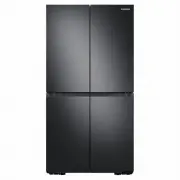
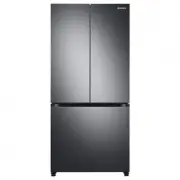
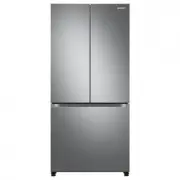
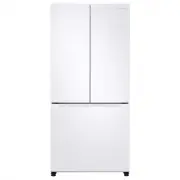
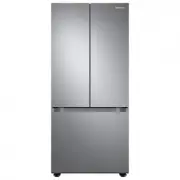
Page 2 - Contents; Safety information
English 2 Contents Contents Safety information 3 What you need to know about the safety instructions 3 Important safety symbols and precautions: 4 Important safety precautions 5 Severe warning signs for transportation and site 8 Critical installation warnings 9 Installation cautions 12 Critical usag...
Page 3 - What you need to know about the safety instructions
English 3 Safety information Before using your new Samsung Refrigerator, please read this manual thoroughly to ensure that you know how to operate the features and functions that your new appliance offers safely and efficiently. What you need to know about the safety instructions • Warnings and Impo...
Page 4 - • It is hazardous for anyone other than an Authorized Service; Important safety symbols and precautions:; CAUTION; Hazards or unsafe practices that may result in; NOTE; These warning signs are here to prevent injury to you and others.
Safety information English 4 Safety information • Refrigerant squirting out of the pipes could ignite or cause an eye injury. When refrigerant leaks from the pipe, avoid any naked flames and move anything flammable away from the product and ventilate the room immediately.- Failing to do so may resul...
Page 5 - Important safety precautions; Warning Risk of fire / flammable materials; WARNING; • When positioning the appliance, ensure the supply cord is not
English 5 Safety information Important safety precautions Warning; Risk of fire / flammable materials WARNING • When positioning the appliance, ensure the supply cord is not trapped or damaged. • Do not locate multiple portable socket-outlets or portable power supplies at the rear of the appliance. ...
Page 7 - How to minimize the energy consumption
English 7 Safety information • To get the best energy efficiency of this product, please leave all shelves, drawers and baskets on their original position. How to minimize the energy consumption • Install the appliance in a cool, dry room with adequate ventilation.• Ensure that it is not exposed to ...
Page 8 - Severe warning signs for transportation and site
Safety information English 8 Safety information This appliance is intended to be used in household and similar applications such as - staff kitchen areas in shops, offices and other working environments; - farm houses and by clients in hotels, motels and other residential type environments; - bed an...
Page 9 - Critical installation warnings
English 9 Safety information Critical installation warnings WARNING • Do not install the refrigerator in a damp location or place where it may come in contact with water.- Deteriorated insulation on electrical parts may cause an electric shock or fire. • Do not place this refrigerator in direct sunl...
Page 12 - Installation cautions
Safety information English 12 Safety information Installation cautions CAUTION • Allow sufficient space around the refrigerator and install it on a flat surface.- If your refrigerator is not level, cooling efficiency and durability can be declined. • Allow the appliance to stand for 2-3 hours before...
Page 16 - • If your refrigerator needs to be repaired or reinstalled, contact
Safety information English 16 Safety information • If your refrigerator needs to be repaired or reinstalled, contact your nearest service center.- Failing to do so may result in an electric shock, fire, problems with the product, or injury. • If the refrigerator emits a burning smell or smoke, unplu...
Page 17 - Usage cautions
English 17 Safety information Usage cautions CAUTION • Do not refreeze thawed food. - Frozen and thawed food will develop harmful bacteria faster than fresh. - The second thaw will break down even more cells, leaching out moisture and changing the integrity of the product. • Do not thaw meat at room...
Page 19 - Cleaning cautions
English 19 Safety information • Fill the water tank and ice cube trays with potable water only (tap water, mineral water, or purified water).- Do not fill the tank with tea or a sports drink. This may damage the refrigerator. • Be careful that your fingers are not caught in.• If the refrigerator is ...
Page 21 - Critical disposal warnings
English 21 Safety information Critical disposal warnings WARNING • Please dispose of the packaging material from this product in an environmentally friendly manner. • Ensure that none of the pipes on the back of the refrigerator are damaged prior to disposal. • R-600a or R-134a is used as a refriger...
Page 22 - Additional tips for proper usage; - Should the power failure last more than 24 hours, remove and
Safety information English 22 Safety information Additional tips for proper usage • In the event of a power failure, call the local office of your electric company and ask how long the failure is going to last.- Most power failures that are corrected in an hour or two will not affect your refrigerat...
Page 23 - Instructions about the WEEE; (For products sold in European countries and in the UK only)
English 23 Safety information Instructions about the WEEE Correct Disposal of This Product (Waste Electrical & Electronic Equipment) (Applicable in countries with separate collection systems) This marking on the product, accessories or literature indicates that the product and its electronic acc...
Page 24 - Installation
English 24 Installation Follow these instructions carefully to ensure a proper installation of this refrigerator and to prevent accidents before using it. WARNING • Use the refrigerator only for its intended purpose as described in this manual.• Any servicing must be performed by a qualified technic...
Page 25 - Refrigerator at a glance; Type A
English 25 Installation Refrigerator at a glance The actual refrigerator and provided component parts of your refrigerator may differ from the illustrations in this manual, depending on the model and the country. Type A 01 02 03 10 06 08 07 12 09 11 05 13 04 A B C Untitled-2 25 2021-03-23 8:11:46
Page 26 - Type B
Installation English 26 Installation Type B 03 10 14 12 11 05 04 A C 13 06 Untitled-2 26 2021-03-23 8:11:46
Page 28 - Door bins
Installation English 28 Installation Door bins Your refrigerator ships with door bins of different types and sizes. If the door bins for your refrigerator were packaged separately, use the figure below to help you position the bins properly. NOTE The actual refrigerator and provided component parts ...
Page 29 - STEP 1; Select a site
English 29 Installation Step-by-step installation STEP 1 Select a site The site must: • Have a solid level surface without carpeting or flooring that may obstruct ventilation• Be out of direct sunlight• Have adequate room for opening and closing the door• Be away from any heat source• Provide room f...
Page 31 - STEP 2; Flooring
English 31 Installation STEP 2 Flooring If the refrigerator cannot pass through the entrance due to its size, see Door removal for entrance . NOTE To prevent floor damage, make sure the front leveling legs are in the upright position.• The surface you install the refrigerator on must support a fully...
Page 32 - STEP 3; Door removal for entrance
Installation English 32 Installation STEP 3 Door removal for entrance If the refrigerator cannot pass through the entrance to your home or kitchen due to its size, follow these instructions to remove and then re-install the refrigerator's doors. If you do not need to remove the doors, go to page 40 ...
Page 40 - STEP 4; Leveling the refrigerator
Installation English 40 Installation STEP 4 Leveling the refrigerator CAUTION • When installed, the refrigerator must be leveled on a flat, solid floor. Not leveling the refrigerator can cause damage to the refrigerator or physical injury. • Leveling must be performed with the refrigerator empty. Ma...
Page 41 - STEP 5; Adjust the door height
English 41 Installation STEP 5 Adjust the door height Adjusting the height with the height lever (applicable models only) • Before aligning the door height, make sure the refrigerator is level. Use the leveling legs for this purpose. • You can use the height lever at the bottom of the right-side doo...
Page 45 - STEP 6; Connect to a water source (applicable models only)
English 45 Installation STEP 6 Connect to a water source (applicable models only) CAUTION • The new hose-sets supplied with the appliance are to be used and that old hose-sets should not be reused. • The water line must be connected by a qualified technician.• The warranty for your refrigerator does...
Page 47 - STEP 7; Initial settings; STEP 8; Final check
English 47 Installation STEP 7 Initial settings By completing the following steps, the refrigerator should be fully functioning. 1. Plug the power cord into the wall socket to turn the refrigerator on. 2. Open the door, and check if the interior light lights up. 3. Set the temperature to the coldest...
Page 48 - Operations; Control panel
English 48 Operations Control panel TYPE A TYPE B 01 02 07 03 01 02 03 04 05 06 07 01 Fridge indicator • Displays the current or desired temperature of the fridge.• indicates that the Power Cool function is on. • indicates that the Vacation function is on. 02 Freezer indicator • Displays the current...
Page 50 - Setting the desired temperature or function
Operations English 50 Operations Setting the desired temperature or function Select the fridge or freezer and set the desired temperature or function of your choice. 1. Tap any button ( , , or ) to wake up the display. - This step may not apply to some models. 2. Tap until the fridge or freezer indi...
Page 51 - Turning on or off the AutoFill Pitcher
English 51 Operations • The temperature in the refrigerator may rise if you open the door frequently or put a large amount of food into the refrigerator. If this happens, the temperature display blinks until the refrigerator returns to the specified temperature settings. If the blinking continues fo...
Page 52 - Resetting or dismissing the water filter replacement alarm
Operations English 52 Operations Resetting or dismissing the water filter replacement alarm The water filter replacement icon ( ) blinks to alert the user that it is time to replace the water filter. You can replace the water filter immediately and reset the water filter replacement alarm, or dismis...
Page 53 - Special features
English 53 Operations Special features Water pitcher (Autofill Pitcher) (applicable models only) Cold, purified water is always ready in the AutoFill Pitcher. You can put tea or fruits in the infuser to enjoy the various infused water you like. 01 02 03 04 01 Lid 02 Infuser holder 03 Infuser 04 Body...
Page 56 - Water clouding
Operations English 56 Operations Water dispenser (applicable models only) To dispense chilled water, open the Beverage Center and press the dispenser lever. NOTE • The dispenser will stop dispensing if you keep pushing the dispenser lever for about 1 minute. To dispense more water, release and push ...
Page 60 - Maintenance; Handling and care; Autofill pitcher (applicable models only)
English 60 Maintenance Handling and care Ice bucket (applicable models only) If you do not dispense ice for an extended period, ice may form clumps inside the bucket. If this happens, remove and empty the ice bucket. CAUTION • To prevent injury, make sure to clean up any ice or water that has fallen...
Page 62 - Fridge shelves
Maintenance English 62 Maintenance Fridge shelves The appearance of the shelves differs by model. • To remove a shelf, fully open the corresponding door. Hold the front of the shelf, and then gently lift up and pull out. NOTE Do not lift up the shelf fully when removing or reinserting the shelf. The...
Page 63 - Fridge drawers
English 63 Maintenance Door bins • To remove the door bin , hold the front sides of the bin, and then gently lift up to remove. • To reinsert, insert the door bin slightly above its final location making sure that the back of the bin is against the door. Hold the rear of the door bin with both hands...
Page 64 - Cleaning; Interior and exterior
Maintenance English 64 Maintenance Cleaning Interior and exterior WARNING • Do not use benzene, thinner, home/car detergent, or Clorox™ to clean the refrigerator. They may damage the surface of the refrigerator and cause a fire. • Do not spray water onto the refrigerator. This may cause electric sho...
Page 65 - Rubber seals; Replacement
English 65 Maintenance Rubber seals If the rubber seals of a door become dirty, the door may not close properly and reducing refrigerator performance and efficiency. Use a mild detergent and damp cloth to clean the rubber seals. Then, dry well with a cloth. Rear panel To keep cords and exposed parts...
Page 67 - LED Lamps
English 67 Maintenance Reverse osmosis water filtration system The water pressure of the water supply system to a reverse osmosis water filtration system must be between 206-861 kPa.The water pressure of the reverse osmosis water filtration system to the refrigerator’s cold water line must be at lea...
Page 68 - Troubleshooting; General; Temperature
English 68 Troubleshooting Before calling for service, review the checkpoints below. Any service calls regarding normal situations (No Defect Cases) will be charged to users. General Temperature Symptom Possible causes Solution Fridge/freezer does not operate.Fridge/freezer temperature is warm. • Po...
Page 69 - Odors
English 69 Troubleshooting Odors Symptom Possible causes Solution Refrigerator has odors. • Spoiled food. • Clean the refrigerator and remove any spoiled food. • Food with strong odors. • Make sure strong smelling food is wrapped airtight. Frost Symptom Possible causes Solution Frost around the vent...
Page 72 - Do you hear abnormal sounds from the refrigerator?; These sounds are normal.
Troubleshooting English 72 Troubleshooting Do you hear abnormal sounds from the refrigerator? Before calling for service, review the checkpoints below. Any service calls related to normal sounds will be charged to the user. These sounds are normal. • When starting or ending an operation, the refrige...
Page 74 - Memo