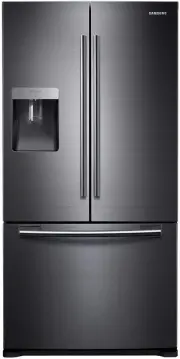
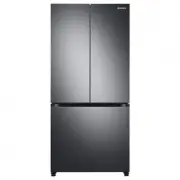
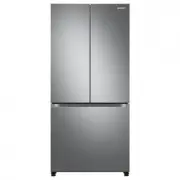
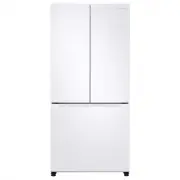
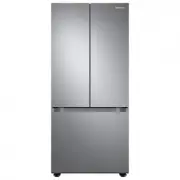
Page 2 - features of your new refrigerator; KEY FEATURES OF YOUR NEW REFRIGERATOR; • Twin Cooling System
02_ features features of your new refrigerator KEY FEATURES OF YOUR NEW REFRIGERATOR Your Samsung Refrigerator comes equipped with various innovative storage and energy-efficient features. • Twin Cooling System The Refrigerator and Freezer have separate evaporators. Due to this independent cooling s...
Page 3 - safety information; SAFETY INFORMATION; Important safety symbols and precautions :
safety information _03 safety information SAFETY INFORMATION • Before operating the appliance, please read this manual thoroughly and retain it at a safe place near the appliance for your future reference. • Use this appliance only for its intended purpose as described in this instruction manual. Th...
Page 4 - SEVERE WARNING SIGNS FOR TRANSPORTATION AND SITE
04_ safety information safety information SEVERE WARNING SIGNS FOR TRANSPORTATION AND SITE • When transporting and installing the appliance, care should be taken to ensure that no parts of the refrigerating circuit are damaged. - Refrigerant leaking from the pipe work could ignite or cause an eye in...
Page 5 - CAUTION SIGNS FOR INSTALLATION
safety information _05 safety information - You must ground the refrigerator to prevent any power leakages or electric shocks caused by current leakage from the refrigerator. • Never use gas pipes, telephone lines or other potential lightening rods as ground. - Improper use of the ground plug can re...
Page 7 - CAUTION SIGNS FOR USING
safety information _07 safety information CAUTION SIGNS FOR USING • If the refrigerator is disconnected from the power supply, you should wait for at least five minutes before plugging it back in. • If you will be away for more than three weeks or the refrigerator will not be used for a long period ...
Page 8 - SEVERE WARNING SIGNS FOR DISPOSAL; ADDITIONAL TIPS FOR PROPER USAGE
08_ safety information safety information • Do not spray cleaning products directly on the display. - Printed letters on the display may come off. • Remove any foreign matter or dust from the power plug pins. But do not use a wet or damp cloth when cleaning the plug, remove any foreign material or d...
Page 9 - contents; SETTING UP YOUR
contents _09 contents SETTING UP YOUR REFRIGERATOR 10 10 Getting ready to install the refrigerator11 Installation of the water line (Auto Ice Maker Model) 14 Setting up the refrigerator14 Removing the refrigerator doors23 Adjusting the doors24 making minor adjustments between doors OPERATING YOUR SA...
Page 10 - setting up your refrigerator; GETTING READY TO INSTALL THE REFRIGERATOR; Selecting the best location for the Refrigerator; When moving your refrigerator
10_ setting up setting up your refrigerator GETTING READY TO INSTALL THE REFRIGERATOR Congratulations on your purchase of this Samsung Refrigerator. We hope you enjoy the state-of-art features and efficiencies that this new appliance offers. Selecting the best location for the Refrigerator • A locat...
Page 11 - INSTALLATION OF THE WATER LINE (AUTO ICE MAKER MODEL); Before you install the water line; Connecting to water supply line
setting up _11 01 SETTING UP setting up your refrigerator INSTALLATION OF THE WATER LINE (AUTO ICE MAKER MODEL) Before you install the water line • The water line installation is not warranted by the refrigerator manufacturer. So before you install the water line, read the whole steps for installing...
Page 12 - Connect the water line to the fridge; TO USE WITHOUT THE WATER FILTER SECTION; Connecting to the water supply line
12_ setting up Connect the water line to the fridge • Connect the plastic line on the back of your fridge to the cartridge holder outlet (fully insert the plastic line to the cartridge holder outlet). • Insert plastic clip to the cartridge holder inlet and outlet. • Turn water on and check for any l...
Page 13 - Connecting the water line to the refrigerator
setting up _13 01 SETTING UP setting up your refrigerator Connecting the water line to the refrigerator 1. Remove the cap from water line on the unit and insert compression nut to the water line on the unit after disassembling from provided water line. 2. Connect both water line from the unit and wa...
Page 14 - SETTING UP THE REFRIGERATOR
14_ setting up SETTING UP THE REFRIGERATOR Now that you have your new Refrigerator installed in place, you are ready to set up and enjoy the features and functions of the appliance. By completing the following steps, your Refrigerator should be fully operational. 1. Place the Refrigerator in an appr...
Page 15 - DISASSEMBLING THE FRIDGE DOOR
setting up _15 01 SETTING UP setting up your refrigerator DISASSEMBLING THE FRIDGE DOOR Be careful not to drop and scratch the fridge door while removing the fridge door! 1. Remove the 3 screws holding down the top table and remove it. 2. Disconnect electric wire on the top of the refrigerator. 3. R...
Page 16 - DISASSEMBLING THE FREEZER DOOR (DRAWER TYPE)
16_ setting up DISASSEMBLING THE FREEZER DOOR (DRAWER TYPE) 1. Separate the cap on the middle hinge. 2. Remove the screw attached to the left and right middle hinges with a philips screwdriver(+). Remove the 2 hex head bolts attached to the left and right middle hinges with an allen wrench(Ø5mm). 3....
Page 17 - DISASSEMBLING THE FREEZER DOOR (SWING TYPE)
setting up _17 01 SETTING UP DISASSEMBLING THE FREEZER DOOR (SWING TYPE) 1. Separate the Cap on the Middle Hinge. 2. Remove the screw attached to the left and right middle hinges with a philips screwdriver(+). Remove the 2 hex head bolts attached to the left and right middle hinges with an allen wre...
Page 18 - REASSEMBLING THE FRIDGE DOOR
18_ setting up setting up your refrigerator REASSEMBLING THE FRIDGE DOOR 1. Insert and tighten the screw into the left and right middle hinges with a philips screwdriver(+). 2. Insert and tighten the 2 hex head bolts into the left and right middle hinges with an allen wrench(Ø5mm). 3. Replace the mi...
Page 19 - REASSEMBLING THE FREEZER DOOR (DRAWER TYPE); REASSEMBLING THE FREEZER DOOR (SWING TYPE)
setting up _19 01 SETTING UP REASSEMBLING THE FREEZER DOOR (DRAWER TYPE) 1. Pull out the rails to the full length on each sidle of the cabinet evenly. 2. Hang the freezer door front onto open slot on the sides. 3. With the 10mm wrench, reattach 4 bolts to connect the rail with the door. 4. Replace t...
Page 23 - ADJUSTING THE DOORS
setting up _23 01 SETTING UP setting up your refrigerator ADJUSTING THE DOORS After putting the doors back on the Refrigerator, make sure the Refrigerator is level so that you can make final adjustments.If the Refrigerator is not level, it will not be possible to get the doors perfectly even.Also it...
Page 24 - MAKING MINOR ADJUSTMENTS BETWEEN DOORS
24_ setting up setting up your refrigerator MAKING MINOR ADJUSTMENTS BETWEEN DOORS Remember, a level Refrigerator is necessary for getting the doors perfectly even. If you need help, review the previous section on leveling the Refrigerator. 1. Pull out the freezer drawer ( 1 ), then you can see the ...
Page 25 - operating your samsung; PARTS AND FEATURES; Fridge; Freezer; Drawer Type
operating _25 02 OPERA TING operating your samsung refrigerator PARTS AND FEATURES Use this page to become more familiar with the parts and features of the Refrigerator. Fridge option Freezer Drawer Type Swing Type
Page 26 - USING THE CONTROL PANEL; Temperature & Function select / control panel; For normal ice maker model
26_ operating USING THE CONTROL PANEL Temperature & Function select / control panel ( 1 ) Ice Off Button (Option) When the Ice Off button is pressed, ice will not be produced.Use this function only when it is needed. ( 1 ) Alarm Off Button (Option) When the Alarm Off Button is pressed, alarm wil...
Page 27 - CONTROLLING THE TEMPERATURE; SETTING THE FREEZER TEMPERATURE; SETTING THE FRIDGE TEMPERATURE
operating _27 02 OPERA TING operating your samsung refrigerator CONTROLLING THE TEMPERATURE SETTING THE FREEZER TEMPERATURE If you want to control the freezer temperature, follow as below.Press the Freezer Button (Refer the picture) - The temperature can be set in 1ºC interval between -25ºC and -14º...
Page 29 - operating your samsung refrigerator; MAKING ICE; AUTO ICE MAKER MODEL; Saving Energy Tips
operating _29 02 OPERA TING operating your samsung refrigerator MAKING ICE AUTO ICE MAKER MODEL The ice maker will produce 8 cubes per cycle - approximately 100~130 cubes in a 24-hour period, depending on freezer compartment temperature, room temperature, number of door openings and other use condit...
Page 30 - STORING FOOD IN THE REFRIGERATOR; STORING FOOD IN THE FREEZER DRAWER
30_ operating STORING FOOD IN THE REFRIGERATOR The Samsung Refrigerator has been designed to provide you with maximum space saving features and functions. Here are some of the customized compartments we have created to keep your food fresher longer. In order to further prevent odor from seeping into...
Page 31 - REMOVING AND RELOCATING THE FRIDGE ACCESSORIES
operating _31 02 OPERA TING operating your samsung refrigerator REMOVING AND RELOCATING THE FRIDGE ACCESSORIES 1. Door Bins To remove - Simply lift the bin up and pull straight out. To replace - Slide it in above the desired location and push down until it stops. Injury may occur if the door bins ar...
Page 32 - REMOVING THE FREEZER ACCESSORIES
32_ operating REMOVING THE FREEZER ACCESSORIES 1. Pull Out Drawer To remove - Pull the drawer out to full extension. Tilt up rear of drawer and lift straight out. (Refer to picture 1 & 2) Open the freezer door fully and remove the drawer. To replace - Place the drawer onto the rails by tilting i...
Page 33 - Filling the water tank; Getting water from the dispenser
operating _33 02 OPERA TING operating your samsung refrigerator USING THE WATER DISPENSER (OPTION) You can easily obtain chilled water with the water dispenser without opening the refrigerator door. In addition, you can save electricity by reducing the number of times the door is opened by more than...
Page 34 - CLEANING THE REFRIGERATOR; Cleaning the Interior
34_ operating CLEANING THE REFRIGERATOR Caring for your Samsung Refrigerator prolongs the life of your appliance and helps keep it odor and germ free. Cleaning the Interior Clean the inside walls and accessories with a mild detergent and then wipe dry with a soft cloth. You can remove the drawers an...
Page 35 - REPLACING THE INTERIOR LIGHT
operating _35 02 OPERA TING operating your samsung refrigerator REPLACING THE INTERIOR LIGHT For LED lamp, please contact service eneineer to replace it.
Page 36 - troubleshooting; PROBLEM
36_ troubleshooting troubleshooting PROBLEM SOLUTION The Refrigerator does not work at all or it does not chill sufficiently. • Check that the power plug is properly connected. • Is the temperature control on the display panel set to the correct temperature? Try setting it to a lower temperature. • ...
Page 38 - memo
Page 40 - Ambient Room Temperature Limits; English
Ambient Room Temperature Limits This fridge/freezer is designed to operate in ambient temperatures specified by its temperature class marked on the rating plate. NOTE: Internal temperatures may be affected by such factors as the location of the fridge/freezer, ambient temperature and the frequency w...