Page 2 - Table of contents; Before Using the Product
Table of contents Before Using the Product Safety Precautions 6 Safety symbols 6 Electricity and Safety 7 Installation 8Precautions for installation 8 Installation requirements 8 Operation 9Cleaning 10 Preparations Checking the Components 11 Parts 12 Front Side 12 Reverse Side 13 Remote Control 14 2...
Page 3 - Network; Screen Adjustment
Table of contents 3 Network Network Status 60 Open Network Settings 60 Network Settings (Wired) 61 IPv6 63 IPv6 Status 63 Server Network Settings 63 Connect to server 63MagicInfo Mode 63Server Access 63FTP Mode 64Proxy server 64 IP Remote 64 Device Name 64 Picture Options 53 Colour Tone 53Digital Cl...
Page 4 - Support; System
Table of contents 4 Support Software Update 81 Update Now 81 Contact Samsung 81 Terms & Conditions 81 Reset All 81 Troubleshooting Guide Requirements Before Contacting Samsung Customer Service Centre 82 Testing the Product 82 Checking the Resolution and Frequency 82 Check the followings. 83 Fan ...
Page 5 - Specifications; Appendix
Table of contents 5 Specifications General 87 Preset Timing Modes 88 Appendix Responsibility for the Pay Service (Cost to Customers) 90 Not a product defect 90 A Product damage caused by customer's fault 90Others 90 Licence 91
Page 6 - Safety Precautions; Safety symbols; Symbol
6 Before Using the Product Chapter 01 Safety Precautions The following safety instructions are to ensure your personal safety and prevent property damage. Please read the following to ensure the proper use of the product. Safety symbols Symbol Name Meaning Warning A serious or fatal injury may resul...
Page 7 - Electricity and Safety
7 Electricity and Safety " The following images are for reference only. Real-life situations may differ from what is shown in the images. Warning Do not touch the power plug with wet hands. Otherwise, an electric shock may result. Do not bend or pull the power cable with force. Be careful not to...
Page 8 - Installation; Precautions for installation; Installation requirements
8 Installation Warning Keep an enough gap around the product to be ventilated well. A temperature increase inside the product may cause fire or malfunction. Install the product to maintain a space as shown in the figure.Before moving the product, turn off the power switch and disconnect the power ca...
Page 9 - Operation
9 Operation Warning If the product generates a strange noise, a burning smell, or smoke, unplug the power plug immediately and contact your Samsung Customer Service Centre. An electric shock or fire may result. If a gas leakage is found, do not touch the product or the power plug, and ventilate the ...
Page 10 - Caution; Cleaning
10 Caution Insert each battery so that its polarity (+, –) is correct. If the polarity is not correct, the battery may rupture or the internal fluid may leak, causing contamination and damage to the surroundings, fire, or personal injury. When you do not use the product for a long time due to vacati...
Page 11 - Preparations; Checking the Components
11 Preparations Chapter 02 " Contact the vendor where you purchased the product if any components are missing. " The appearance of the components may differ from the images shown. " The RS232C adapter can be used to connect using the D-SUB(9-pin) to Stereo type RS232C cable. " The ex...
Page 12 - Front Side; Parts; Parts
12 Parts Front Side " The colour and shape of parts may differ from what is shown. Specifications are subject to change without notice to improve quality. Parts Description SERVICE PORT Dedicated to service technicians. " This port is for servicing only and has no user function. Do not conne...
Page 13 - Reverse Side
13 Parts Description RS232C IN Used for service purposes. USB ¨ Connect to a USB memory device. HDMI IN Connects to a source device using a HDMI cable or HDMI-DVI cable. RJ45 Connect to a network using the LAN cable. (10/100 Mbps) Parts Description DATA IN (Reverse) Connects to the DATA OUT port on ...
Page 14 - Remote Control
14 " Remote control button functions may differ for different products. " Press a button on the remote control pointing at the sensor of the IR cable to perform the corresponding function. " Use the remote control within 7 m to 10 m from the sensor on the product at an angle of 30° from ...
Page 15 - To place batteries in the remote control (AAA x 2)
15 Display information about the MagicInfo mode. Move to the upper, lower, left or right menu, or adjust an option's setting.Confirm a menu selection.Exit the current menu. Manually select a connected input source from HDMI . POWER ON / POWER OFF Turn on or off the Smart Signage device. SOURCE View ...
Page 16 - Connecting and using devices; Before Connecting; Pre-connection Checkpoints; Connecting to a PC; Connection Using an HDMI Cable
16 Connecting and using devices Chapter 03 Before Connecting Pre-connection Checkpoints " Also refer to the user guide for the source device you want to connect with.The number and location of ports available on the source device may vary. " Do not connect the power cable until all connectio...
Page 17 - Connecting to a Video Device; Connection Using an HDMI-DVI Cable
17 Connection Using an HDMI-DVI Cable " Connecting parts may differ in different products. HDMI IN Connecting to a Video Device • Do not connect the power cable before connecting all other cables. Ensure you connect a source device first before connecting the power cable. • You can connect a vid...
Page 18 - Using an HDMI Cable or HDMI to DVI Cable; Connecting the LAN Cable
18 Connection Using an HDMI Cable " Connecting parts may differ in different products. Using an HDMI Cable or HDMI to DVI Cable • For better picture and audio quality, connect to a digital device using an HDMI cable. • If the product is connected to an external device that is compatible with an ...
Page 19 - Changing the Input source; Edit
19 Changing the Input source Source s SOURCE → Source Source HDMI MagicInfo S Web Browser " The displayed image may differ depending on the model. Source allows you to select a variety of sources and change source device names. You can display the screen of a source device connected to the produ...
Page 20 - Web Browser; Settings; Refresh Interval; Advanced Settings
20 Web Browser s SOURCE → Web Browser → E " Connect the network to access the Internet from the product like accessing the Internet from a computer. Settings s SOURCE → Web Browser → u → Settings → E Refresh Interval Set the time for the web browser to wait before returning to the home page. • O...
Page 21 - Read Before Using the Web Browser Function
21 Privacy & Security Do Not Track Ask websites not to track you. • Use / Do not use Delete History Delete your entire browsing history. JavaScript Allow all sites to run JavaScript for a better browsing experience. • Use / Do not use Delete browsing data Delete all browsing data such as cookies...
Page 22 - Cable Connection; LAN Cable; Pin No; Multiple Display Control
22 Cable Connection LAN Cable • Pin assignment 1 2 3 4 5 6 7 8 Pin No Standard Colour Signal 1 White and orange TX+ 2 Orange TX- 3 White and green RX+ 4 Blue NC 5 White and blue NC 6 Green RX- 7 White and brown NC 8 Brown NC • Connector: RJ45 Direct LAN cable (PC to HUB) RJ45 HUB P1 P1 P2 P2 Signal ...
Page 23 - Connection
23 Cross LAN cable (PC to PC) RJ45 P1 P2 RJ45 Signal P1 P2 Signal TX+ 1 3 RX+ TX- 2 6 RX- RX+ 3 1 TX+ RX- 6 2 TX- Connection " Depending on the connection method, some MDC features may be restricted. Connection with RJ45 is recommended. • Connection 1 " Ensure that you connect the RS232C(IN)...
Page 24 - Control Codes; Viewing control state (Get control command); Command type
24 • Connection 2 RJ45 DATA OUT (Forward) DATA IN DATA OUT DATA IN Control Codes Viewing control state (Get control command) Header Command ID Data length Checksum 0xAA Command type 0 Controlling (Set control command) Header Command ID Data length Data Checksum 0xAA Command type 1 Value Command No. ...
Page 26 - Input source control
26 Input source control • Function The input source of a product can be changed using a PC. • Viewing input source state (Get Input Source Status) Header Command ID Data length Checksum 0xAA 0x14 0 • Setting the input source (Set Input Source) Header Command ID Data length Data Checksum 0xAA 0x14 1 ...
Page 27 - Safety Lock
27 Safety Lock • Function PC can be used to turn the Safety Lock On function on or off on a product. This control is available regardless of whether or not the power is turned on. • Viewing the safety lock state (Get Safety Lock Status) Header Command ID Data length Checksum 0xAA 0x5D 0 • Enabling o...
Page 28 - Using LED Signage Manager; Installing / Uninstalling the software; Installing
28 Using LED Signage Manager The LED Signage Manager software allows you to easily control multiple display devices from your computer.For details on how to use the LED Signage Manager software, refer to the Help after installing the software. The LED Signage Manager software is available on the web...
Page 29 - Player feature; Player; Description; Viewing content
29 Player feature Player → Player → E Play a range of content such as channels with schedules assigned, templates or files. Player Filter By: All Options No channels Network Channel Network File My Templates Internal Memory " The displayed image may differ depending on the model. " To use th...
Page 30 - When content is running; Control buttons on the remote control; Button; Available menu; Menu
30 When content is running Control buttons on the remote control You can play, pause, or skip the content on the playlist by pressing buttons on the remote control. Button Function TOOLS Brings up the menu bar. INFO Displays the information of device and server connection. ► Goes to next file or pag...
Page 31 - File Formats Compatible with Player; Network Schedule Multiframe; Playback restrictions
31 File Formats Compatible with Player • Supported file systems include FAT32 and NTFS. • A file with a vertical and horizontal resolution larger than the maximum resolution cannot be played. Check the vertical and horizontal resolution of the file. • Check supported video codec types and versions. ...
Page 32 - Content
32 Content File Extension Container Video Codec Resolution Frame rate (fps) Bit rate (Mbps) *.avi *.mkv *.asf *.wmv *.mp4 *.mov *.3gp *.vro *.mpg *.mpeg *.ts *.tp *.trp *.mov *.flv *.vob *.svi *.m2ts *.mts AVI MKV ASF MP4 3GP MOV FLV VROVOB PS TS SVAF H.264 BP/MP/HP 4096x2160 4096x2160: 303840x2160:...
Page 35 - Schedule
35 Schedule → Schedule → E Schedule Internal Memory Send Delete Schedule your content on a local channel. Select to create a new schedule on this channel CH 2 CH 3 The default content will be played when there is no programme scheduled. You can change the default content from the Options menu. Sunda...
Page 36 - Clone Product; When a duplicate file is not found on the external storage device
36 Clone Product → Clone Product → E Clone Product MENU " The displayed image may differ depending on the model. Export settings on the product to an external storage device. You can also import settings from an external storage device.This option is useful when assigning the same settings to se...
Page 37 - ID Settings; Device ID; PC Connection Cable
37 ID Settings → ID Settings → E ID Settings " The displayed image may differ depending on the model. Assign an ID to a set. Device ID Set a unique ID number for each product. (Range: 1~225) " Press u / d to select a number, and press E . " Enter the number you want using the number butt...
Page 38 - Network Status
38 Network Status → Network Status → E Network Status " The displayed image may differ depending on the model. Check the current network and Internet connection.
Page 39 - Picture Mode
39 Picture Mode → Picture Mode → E Picture Mode " The displayed image may differ depending on the model. Select the picture mode that best suits your viewing environment. • Dynamic • Natural • Movie • Live • Calibration In this mode, the brightness, colour, gamma and uniformity settings customis...
Page 40 - On Timer
40 On/Off Timer → On/Off Timer → E On/Off Timer " The displayed image may differ depending on the model. " You must set Clock Set before you can use this feature. On Timer Set On Timer so that your product turns on automatically at a time and on a day of your choice. The product turns on acc...
Page 42 - Ticker
42 Ticker → Ticker → E Ticker " The displayed image may differ depending on the model. Input text while a video or image is displayed and display the text on the screen. • Off / On : Set whether or not to use Ticker . • Message : Enter a message to display on the screen. • Time : Set the Start T...
Page 43 - URL Launcher
43 URL Launcher → URL Launcher → E URL Launcher URL Launcher " The displayed image may differ depending on the model. For details on how to use the URL Launcher feature, contact the dealer the product was purchased from. " To use the URL Launcher feature, set Play via to URL Launcher in Syst...
Page 44 - URL Launcher Settings
44 URL Launcher Settings → URL Launcher Settings → E URL Launcher Settings " The displayed image may differ depending on the model. " For details on how to use the URL Launcher feature, contact the dealer the product was purchased from. • Install Web App : Enter URL to install the web applic...
Page 45 - Picture
45 Screen Adjustment Configure the Picture settings ( Brightness , Colour Tone , etc.). The layout of the Picture menu options may vary depending on the product. Picture Mode m MENU → Picture → Picture Mode → E Picture Picture Mode Brightness Contrast Sharpness Colour Temperature Advanced Settings L...
Page 47 - Colour Temperature
47 Colour Temperature m MENU → Picture → Colour Temperature → E Picture Colour Temperature 6500 K " The displayed image may differ depending on the model. It sets colour temperature. The value and temperature increase simultaneously, so the ratio of blue colour rises. (Range: 2800K–10000K) "...
Page 48 - Picture Enhancer; Colour
48 Advanced Settings m MENU → Picture → Advanced Settings → E Advanced Settings Picture Enhancer Colour Tint (G/R) White Balance Gamma Contrast Enhancer Black Tone Flesh Tone RGB Only Mode Colour Space Settings On 50 0 BT.1886 0 Off Off 0 Off Custom BT.1886 " The displayed image may differ depen...
Page 49 - White Balance; Point; Gamma
49 White Balance Adjust the colour temperature of the picture so that white objects appear brighter. 2 Point Adjust red, green, and blue luminosity levels in two sections for precise white balance optimisation. • R-Offset / G-Offset / B-Offset : Adjust the proportion of each of red, green and blue c...
Page 50 - Colour Space Settings; Colour Space
50 Flesh Tone Adjust the flesh tone colour by increasing or decreasing red levels. RGB Only Mode Fine-tune the saturation and tint of the red, green, and blue colour channels. • Off / Red / Green / Blue " Enabled when Picture Mode is set to Movie . Colour Space Settings Configure colour space se...
Page 51 - LED Picture Size; Resolution; Output Resolution; Screen Position; Fit to screen
51 LED Picture Size m MENU → Picture → LED Picture Size → E Advanced Settings LED Picture Size Resolution Screen Position Fit to screen Original 1920 x 1080 (0, 0) Off " The displayed image may differ depending on the model. Set the details of the picture size. LED Picture Size Choose size and a...
Page 52 - LED HDR; Dynamic Peaking; Dynamic Peaking
52 LED HDR m MENU → Picture → LED HDR → E LED HDR Dynamic Peaking On " The displayed image may differ depending on the model. Set options to provide an optimal HDR effect.When using multiple S-Boxes, if you set LED HDR to On , the images qualities of the S-Box outputs may differ. To prevent this...
Page 53 - Picture Options; Colour Tone; Digital Clean View; HDMI Black Level
53 Picture Options m MENU → Picture → Picture Options → E Picture Options Colour Tone Digital Clean View HDMI Black Level Film Mode Off Off Auto Off " The displayed image may differ depending on the model. Colour Tone Select the colour tone that best suits your viewing preferences. • Off / Cool ...
Page 54 - Apply Picture Settings; Reset Picture
54 Apply Picture Settings m MENU → Picture → Apply Picture Settings → E Picture Apply Picture Settings All Sources " The displayed image may differ depending on the model. Apply the picture settings to all external devices connected to the device or to the current source only. • All Sources / Cu...
Page 55 - OnScreen Display; Display Orientation; Onscreen Menu Orientation
55 OnScreen Display Display Orientation m MENU → OnScreen Display → Display Orientation → E Display Orientation Onscreen Menu Orientation Source Content Orientation Landscape Landscape " The displayed image may differ depending on the model. Onscreen Menu Orientation Select whether the onscreen ...
Page 56 - Screen Protection; Auto Protection Time
56 Auto Protection Time If the screen displays a still image for a certain period of time you define, the product activates the screen saver to prevent the formation of burnt in ghost images on the screen. • Off / 2 hours / 4 hours / 6 hours / 8 hours / 10 hours Screen Protection m MENU → OnScreen D...
Page 57 - Message Display; Source Info
57 Message Display m MENU → OnScreen Display → Message Display → E Message Display Source Info No Signal Message MDC Message Download Status Message On On On Off " The displayed image may differ depending on the model. Source Info Select whether to display the source OSD when the input source ch...
Page 58 - Language; Menu Size
58 Language m MENU → OnScreen Display → Language → E OnScreen Display Language ---- " The displayed image may differ depending on the model. Set the menu language. " A change to the language setting will only be applied to the onscreen menu display. It will not be applied to other functions ...
Page 59 - Reset OnScreen Display
59 Reset OnScreen Display m MENU → OnScreen Display → Reset OnScreen Display → E OnScreen Display Reset OnScreen Display " The displayed image may differ depending on the model. This option returns the current settings under OnScreen Display to the default factory settings.
Page 60 - Open Network Settings
60 Network Network Status m MENU → Network → Network Status → E You can check the current network and Internet status. Open Network Settings m MENU → Network → Open Network Settings → E Configure network settings to connect to an available network. Chapter 08
Page 61 - Connecting to a Wired Network
61 Network Settings (Wired) Connecting to a Wired Network There are three ways to attach your product to your LAN using cable. • You can attach your product to your LAN by connecting the LAN port on the back of your product to an external modem using a LAN cable. See the diagram below. The Modem Por...
Page 62 - How to set up manually
62 Set the network connection to use Internet services such as perform software upgrades. Automatic Open Network Settings (Wired) Connect to the network using a LAN cable.Make sure a LAN cable is connected first. How to set up automatically 1 Select Open Network Settings . The Open Network Settings ...
Page 63 - IPv6 Status; Server Network Settings; Connect to server; MagicInfo Mode
63 IPv6 m MENU → Network → IPv6 → E Enable or disable IPv6. • Off ( ) / On ( ) IPv6 Status m MENU → Network → IPv6 Status → E Check the status of your IPv6 Internet connection. Server Network Settings m MENU → Network → Server Network Settings → E Connect to server Connect to MagicInfo server. • Ser...
Page 64 - FTP Mode; Proxy server; IP Remote; Device Name
64 FTP Mode Specify the FTP operating mode. • Active / Passive Proxy server Set up your proxy server connection and related functions. Off / On • Address / Port / ID / Password " Address / Port / ID and Password are enabled only when Proxy server is set to On . IP Remote m MENU → Network → IP Re...
Page 65 - Accessibility; High Contrast
65 System Accessibility m MENU → System → Accessibility → E System Accessibility Start Setup Time Auto Source Switching Power Control Eco Solution Fan and Temperature 77 " The displayed image may differ depending on the model. Chapter 09 High Contrast Set the background and font to high-contrast...
Page 66 - Start Setup
66 Start Setup m MENU → System → Start Setup → E System Start Setup " The displayed image may differ depending on the model. Go through the initial setup steps like you did the first time you used this product. " Enter your 4 digit PIN number. The default PIN number is "0-0-0-0".If y...
Page 67 - Time; Clock Set
67 Time m MENU → System → Time → E Time Clock Set NTP Settings DST Power On Delay Off 0 " The displayed image may differ depending on the model. You can configure Clock Set or DST . Configure various time-related settings. Clock Set Select Clock Set . Select Date or Time , and then press E . Use...
Page 68 - Auto Source Switching; Auto Source Switching; Primary Source
68 Auto Source Switching m MENU → System → Auto Source Switching → E Auto Source Switching Auto Source Switching Primary Source Recovery Primary Source Secondary Source Default Input Off Off HDMI MagicInfo S Last Input " The displayed image may differ depending on the model. With Auto Source Swi...
Page 69 - Power Control; Auto Power On
69 Power Control m MENU → System → Power Control → E Power Control Auto Power On Max. Power Saving Standby Control Network Standby Power Button Off On On Off Power on only " The displayed image may differ depending on the model. Auto Power On This feature automatically turns on the product as so...
Page 70 - Network Standby; Power Button
70 Power Control Auto Power On Max. Power Saving Standby Control Network Standby Power Button Off On On Off Power on only " The displayed image may differ depending on the model. Network Standby This feature keeps the network power on when the product turns off. • Off / On Power Button The power...
Page 71 - Eco Sensor; Minimum Brightness; No Signal Power Off; Eco Solution
71 Eco Sensor Automatically adjust the picture brightness based on the ambient light level. • Off / On " If the screen contrast is not sufficient, set the Eco Sensor to Off . If the Eco Sensor is Off , it may not comply with energy standards. Minimum Brightness Automatically optimise the screen ...
Page 72 - Temperature Control; Fan and Temperature; Fan Control
72 It sets items related to the speed and temperature of the fan in each set. Fan Control Selects auto or manual for the fan speed settings. • Auto / Manual Temperature Control It sets items related to the speed and temperature of the fan in each set.This function detects the internal temperature of...
Page 73 - Play via
73 Change PIN m MENU → System → Change PIN → E System Change PIN " The displayed image may differ depending on the model. Change your 4-digit Personal Identification Number (PIN).Choose any 4 digits for your PIN and enter it in Enter a new PIN. . Reenter the same 4 digits in Enter the PIN again....
Page 74 - Security; Power On Button; Button Lock
74 Security m MENU → System → Security → E Security Safety Lock On Button Lock USB Auto Play Lock Remote Management Secured Protocol Network Lock USB Lock On Off Off Allow Off Off Off Power On Button " The displayed image may differ depending on the model. Safety Lock On " Enter your 4 digit...
Page 76 - General; Smart Security; Scan
76 General m MENU → System → General → E General Smart Security Anynet+ (HDMI-CEC) HDMI Hot Plug Custom Logo Empty Storage Audio Delay On Off 30 " The displayed image may differ depending on the model. Smart Security The security provided to protect your display device and connected storage devi...
Page 78 - HDMI Hot Plug
78 General Smart Security Anynet+ (HDMI-CEC) HDMI Hot Plug Custom Logo Empty Storage Audio Delay On Off 30 " The displayed image may differ depending on the model. HDMI Hot Plug This feature is used to activate the time delay to turn on a HDMI source device. • Off / On Custom Logo You can downlo...
Page 79 - Empty Storage
79 General Empty Storage Audio Delay Digital Output Audio Format 30 PCM " The displayed image may differ depending on the model. Empty Storage Delete files to make space for new content. Recently played files will not be deleted. Audio Delay Adjust the delay time between the audio and video trac...
Page 80 - Reset System
80 Reset System m MENU → System → Reset System → E System Reset System " The displayed image may differ depending on the model. Reset all system settings to default.
Page 81 - Software Update; Update Now; Contact Samsung; Reset All
81 Support Software Update m MENU → Support → Software Update → E The Software Update menu lets you upgrade your product software to the latest version. " Be careful not to turn off the power until the upgrade is complete. The product will turn off and on automatically after completing the softw...
Page 82 - Troubleshooting Guide; Checking the Resolution and Frequency
82 Troubleshooting Guide Requirements Before Contacting Samsung Customer Service Centre Testing the Product Check if your product is operating normally by using the product test function.If the screen remains blank while the power indicator blinks even when the product is correctly connected to a PC...
Page 83 - Check the followings.; Screen issue
83 Check the followings. Installation issue (PC mode) The screen keeps switching on and off. Check that the cable between the product and the PC is connected correctly. Blank spaces are found on all four sides of the screen when an HDMI, or an HDMI-DVI cable is connected between the product and PC. ...
Page 85 - Remote control issue
85 Screen issue The brightness and colour do not look normal. Go to Picture and adjust the screen settings such as Picture Mode , Colour , Brightness and Sharpness . Reset the screen settings to the default settings. ( P.54 ) I see red, green, and blue. Check the cable connections. This issue may ha...
Page 87 - Model Name
87 Specifications General Chapter 12 Model Name SNOW-RAF Power Supply AC100-240V~ 50/60HzBased on the AC voltage of the adapter. For the DC voltage of the product, refer to the product label. Environmental considerations Operating Temperature: 0 °C - 40 °C (32 °F - 104 °F)Humidity: 10% - 80%, non-co...
Page 90 - Not a product defect; A Product damage caused by customer's fault; Others
90 Appendix Responsibility for the Pay Service (Cost to Customers) " When the service is requested, in spite of in warranty, we may charge you for a visit from a service technician in the following cases. Not a product defect Cleaning of the product, Adjustment, Explanation, Re-installation and ...
Page 91 - Licence
91 Licence The terms HDMI, HDMI High-Definition Multimedia Interface, HDMI trade dress and the HDMI Logos are trademarks or registered trademarks of HDMI Licensing Administrator, Inc. Open Source License NoticeIn the case of using open source software, Open Source Licenses are available on the produ...


 Samsung 820DXN-2
User Manual
Samsung 820DXN-2
User Manual
 Samsung BE43A-H
User Manual
Samsung BE43A-H
User Manual
 Samsung BE43C-H
User Manual
Samsung BE43C-H
User Manual
 Samsung BE43T-H
User Manual
Samsung BE43T-H
User Manual
 Samsung BE50A-H
User Manual
Samsung BE50A-H
User Manual
 Samsung BE50C-H
User Manual
Samsung BE50C-H
User Manual
 Samsung BE50T-H
User Manual
Samsung BE50T-H
User Manual
 Samsung BE55A-H
User Manual
Samsung BE55A-H
User Manual
 Samsung BE55C-H
User Manual
Samsung BE55C-H
User Manual
 Samsung BE55T-H
User Manual
Samsung BE55T-H
User Manual
 Samsung BE65A-H
User Manual
Samsung BE65A-H
User Manual
 Samsung BE65C-H
User Manual
Samsung BE65C-H
User Manual
 Samsung BE65T-H
User Manual
Samsung BE65T-H
User Manual
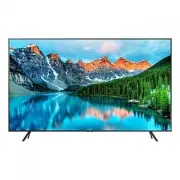 Samsung BE70T-H
User Manual
Samsung BE70T-H
User Manual