Page 2 - features of your new; KEY FEATURES OF YOUR NEW REFRIGERATOR; BLACK CLEAR LED DISPLAY
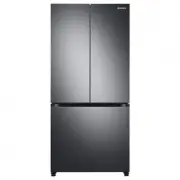
2_ features features of your new refrigerator KEY FEATURES OF YOUR NEW REFRIGERATOR Your Samsung Side-By-Side Refrigerator comes equipped with many space-saving, innovative storage and energy-efficient features. • HIDDEN HINGES & DOOR S/W Slick-covered hidden hinges & door s/w helps Neat &am...
Page 3 - safety information; SAFETY INFORMATION; CAUTION/WARNING SYMBOLS USED; These warning signs are here to prevent injury to you
safety information _3 safety information SAFETY INFORMATION • Before operating the appliance, please read this manual thoroughly and retain it for your reference. • Because these following operating instructions cover various models, the characteristics of your refrigerator may differ slightly from ...
Page 5 - SEVERE WARNING SIGNS
safety information _5 shown on the identification plate inside the appliance. • Please dispose of the packaging material for this product in an environmentally friendly manner. • Pull the power plug out of the socket before changing the interior light of the refrigerator. - Otherwise, there is a ris...
Page 8 - supervision or instruction
8_ safety information • Children should be supervised to ensure that they do not play with the appliance. • The appliance is not to be used by persons (including children) with reduced physical, sensory or mental capabilities, or lack of experience and knowledge, unless they have been given supervis...
Page 9 - CAUTION SIGNS
safety information _9 CAUTION SIGNS • This product is intended only for the storage of food in a domestic environment. • Manufacturer’s recommended storage times should be adhered to. Refer to relevant instructions • Bottle should be stored tightly together so that they do not fall out. • Do not pla...
Page 10 - glass may result in a personal injury and/or; CAUTION SIGNS FOR CLEANING
10_ safety information • Do not re-freeze frozen foods that have thawed completely. • Do not store pharmaceuticals products, scientific materials or temperature-sensitive products in the refrigerator. - Products that require strict temperature controls must not be stored in the refrigerator. • Do no...
Page 11 - WARNING SIGNS FOR DISPOSAL; • When disposing of this or other refrigerator/s,
safety information _11 WARNING SIGNS FOR DISPOSAL • When disposing of this or other refrigerator/s, remove the door/door seals, door latch so that small children or animals cannot become trapped inside. • Leave the shelves in place so that children may not easily climb inside. • R600a or R134a is us...
Page 12 - For doors or lids; ADDITIONAL TIPS FOR PROPER USAGE
12_ safety information safety information openings while the power is off.But should the powerfailure last more than 24hours, remove all frozen food. For doors or lids with locks and keys, the keys be kept out of the reach of children and not in thevicinity of the refrigerating appliance, in order t...
Page 14 - SAVING ENERGY TIPS
14_ safety information safety information with ISO requirement. But If you want to prevent an undue rise in the temperature of the frozen food while defrosting the appliance, please wrap the frozen food in several layers of paper such as newspaper. • Any increase in temperature of frozen food during...
Page 15 - cover air vent openings.
safety information _15 safety information cover air vent openings. • Allow clearance to the right, left, back and top when installing. This will help reduce power consumption and keep your energy bills lower. • For the most efficient use of energy, please keep the all inner fittings such as baskets,...
Page 16 - contents; RefRIGeRATOR
1_ contents contents seTTING UP yOUR sIde-by-sIde RefRIGeRATOR 17 17 Getting ready to install the refrigerator18 Removing the refrigerator doors21 Reattaching the refrigerator doors24 Leveling the refrigerator seTTING UP yOUR sIde-by-sIde RefRIGeRATOR 25 Making minor adjustments to the doors26 Check...
Page 17 - refrigerator; GETTING READY TO INSTALL THE REFRIGERATOR; Selecting the best location for the refrigerator
setting up _ setting up your side-by-side refrigerator GETTING READY TO INSTALL THE REFRIGERATOR Congratulations on the purchase of your Samsung Side-By-Side Refrigerator. We hope you will enjoy the many state-of-the-art features and efficiencies that this new appliance has to offer. Selecting the be...
Page 18 - REMOVING THE REFRIGERATOR DOORS; Removing the Front Leg Cover
1 _ setting up REMOVING THE REFRIGERATOR DOORS If your entrance won’t allow the refrigerator to pass easily through it, you can remove the doors. 1. Removing the Front Leg Cover First, open both the freezer and refrigerator doors, and then take off the front leg cover by turning the three screws cou...
Page 19 - Removing the freezer door
setting up _1 setting up your side-by-side refrigerator 2. Removing the freezer door A few things to mention first. • Make sure that you lift the door straight up so the hinges are not bent or broken. • Be careful not to pinch the water tubing and wire harness on the door. • Place doors on a protect...
Page 20 - Removing the Fridge Door
0_ setting up Removing the Fridge Door 1. With the door closed, remove the upper hinge cover 1 using a screwdriver. . Remove hinge screws and the ground screw by turning counter-clockwise, and take off the upper hinge . Be careful that the door does not fall on you as you are removing it. . Remove t...
Page 21 - rEattaCHing tHE rEfrigErator Doors; Reattaching the Freezer Door
setting up _ 1 setting up your side-by-side refrigerator rEattaCHing tHE rEfrigErator Doors Once you have safely placed your refrigerator where you plan for it to stay, it is time to put the doors back on. Reattaching the Freezer Door 1. Insert the upper hinge shaft into the hole on the corner of th...
Page 22 - Reattaching the Fridge Door
_ setting up Reattaching the Fridge Door 1. Fit the hole in the corner of the fridge door over the lower hinge . . Insert the upper hinge shaft into the hole on the hinge . Make sure the hinge is level between the upper hinge hole and the hole on the top of the cabinet . Then, reattach hinge screws ...
Page 23 - Reattaching the Water Supply Line; Reattaching the Front Leg Cover
setting up _2 setting up your side-by-side refrigerator Reattaching the Water Supply Line 1. Insert the water line 1 into the coupler 2 . Reattaching the Front Leg Cover Before attaching the cover, check water connector for leakage.Replace the front leg cover by turning the three screws clockwise, a...
Page 24 - LEVELING THE REFRIGERATOR; When the Freezer door is lower than the fridge
24_ setting up LEVELING THE REFRIGERATOR Now that the doors are back on the refrigerator, you will want to make sure the refrigerator is level so you can then make final adjustments. If the refrigerator is not level, it will not be possible to get the doors perfectly even. The front of the refrigera...
Page 25 - MAKING MINOR ADJUSTMENTS TO THE DOORS
setting up _25 setting up your side-by-side refrigerator MAKING MINOR ADJUSTMENTS TO THE DOORS Remember, a leveling refrigerator is necessary for getting the doors perfectly even. If you need help, review the previous section on leveling the refrigerator. When the door of the freezer is higher than ...
Page 26 - CHECKING THE WATER DISPENSER LINE (OPTIONAL); Parts for water line Installation
26_ setting up 3. After adjusting the doors, turn the nut 1 clockwise until it reaches the lower end of the bolt, then tighten the bolt again with the wrench 3 to fix the nut in place 1 . If you do not secure the nut firmly, the bolt may release. CHECKING THE WATER DISPENSER LINE (OPTIONAL) A water ...
Page 27 - Remove any residual matter inside the; select the location where the
setting up _ Remove any residual matter inside the filter . (Model with the filter ) - Open the main water tap to check whether water is running through the water tube on the water inlet side of the filter . - If water does not come out through the line, check whether the tap is open. - Leave the ta...
Page 28 - Connect the water line to the refrigerator.; Secure the water line.
_ setting up Connect the water line to the refrigerator. - Remove the compressor cover of the refrigerator.- Connect the water line to the valve, as shown in the figure. - When connected, check if there is any leakage. If any, repeat the connection. - Reattach the compressor cover of the refrigerato...
Page 29 - Check the amount of water supplied to the ice tray. (Optional)
setting up _2 setting up your side-by-side refrigerator Removing any residual matter inside the water supply line after installing filter. 1. Turn ON the main water supply & turn OFF the valve to the water supply line. 2. Run water through the dispenser until the water runs clear (approx. 1L). Th...
Page 30 - operating the SAMSUNG; sEtting uP tHE rEfrigErator
operating the SAMSUNG side-by-side refrigerator sEtting uP tHE rEfrigErator Now that you have your new refrigerator installed and in place, you are ready to set up and enjoy the full features and functions of the appliance.By completing the following steps, your refrigerator should be fully operatio...
Page 31 - OPERATING THE REFRIGERATOR; Using the Control Panel
operating _31 OPERATING THE REFRIGERATOR Using the Control Panel 20 OE P G NI TA R 5 6 7 1 2 4 POWER FREEZE BUTTON Speeds up the time needed to freeze products in the freezer. This can be helpful if you need to quickly freeze items that spoil easily or if the temperature in the freezer has warmed dr...
Page 32 - USING THE DIGITAL DISPLAY
2_ operating operating the SAMSUNG side-by-side refrigerator USING THE DIGITAL DISPLAY “88” segment on Freezer part indicates the current Freezer temperature. “88” segment on Fridge part indicates the current Fridge temperature. Power Freeze This icon will light up when you activate the “ Power Free...
Page 33 - Filter Indicator; Child Lock; CONTROLLING THE TEMPERATURE; Controlling the Freezer temperature; Controlling the Fridge temperature
operating _33 Filter Indicator When the filter indicator light is on, it is time to change the filter. Typically this happens about every 6 months.After removing the old water filter and installing a new one (see page 26 for instructions on how to do this), reset the indicator status light by pressi...
Page 34 - using tHE iCE anD CoLD watEr DisPEnsEr; Dispensing ice; No Ice
_ operating operating the SAMSUNG side-by-side refrigerator using tHE iCE anD CoLD watEr DisPEnsEr Press the Ice Type button to select the type of ice you want Ice is made in cubes. When you select “Crushed”, the icemaker grinds the ice cubes into crushed ice. Dispensing ice Place your glass underne...
Page 35 - sHELVEs anD Bins
operating _ 02 o PErating sHELVEs anD Bins Freezer Fridge Ice Maker Bucket (Optional) Door Bins Ice Chute (Optional) Lamp Cover Glass Shelves Drawers(Optional) Front Leg Cover Dairy Bin Lamp Cover Glass Shelf Door Bins CoolSelect Duo (Optional) Vegetable &Fruit Drawers (Optional) Tray Utility Be...
Page 36 - storing fooD; Storing Food in the Freezer
_ operating operating the SAMSUNG side-by-side refrigerator storing fooD Storing Food in the Freezer The Samsung Side-By-Side Refrigerator has been designed to provide you with maximum spacesaving features and functions. Here are some of the customized compartments we have created to keep your food ...
Page 38 - Meat; Vegetable
_ operating operating the SAMSUNG side-by-side refrigerator using tHE Coolselect Duo (oPtionaL) The CoolSelect Duo is designed to make your busy life just a little bit easler. Meat When MEat is selected, the temperature of the CoolSelect Duo is suitable for storing meat or ham by entering chill of f...
Page 39 - REMOVING THE FREEZER ACCESSORIES
operating _3 REMOVING THE FREEZER ACCESSORIES Cleaning and rearranging the interior of the freezer is a snap. 1. Remove the Glass Shelf by pulling the shelf out as far as it will go. Then, gently lift it up and remove it. 2. Remove the Door Bin by holding the door bin with both hands and then gently...
Page 40 - REMOVING THE FRIDGE ACCESSORIES
4 _ operating REMOVING THE FRIDGE ACCESSORIES 1. Remove the Glass Shelf by pulling the shelf out as far as it will go. Then, gently lift it up and gently remove it. 2. Remove the Vegetable & Fruit Drawer by pressing on the indentations found on the inside left and right sides of the Veggie Box/D...
Page 41 - CLEaning tHE rEfrigErator; Cleaning the Interior
operating _1 operating the SAMSUNG side-by-side refrigerator CLEaning tHE rEfrigErator Caring for your Samsung Side-By-Side Refrigerator prolongs the life of your appliance and helps keep it odor and germ-free. Cleaning the Interior Clean the inside walls and accessories with a mild detergent and th...
Page 42 - CHANGING THE INTERIOR LIGHTS
42_ operating operating the SAMSUNG side-by-side refrigerator CHANGING THE INTERIOR LIGHTS WARNING Do not replace LED lamp privately and please contact the specialized repair staff if necessary.And make it sure that the new LED lamp is the same as the old one.Do not break the lamp cover .
Page 43 - using tHE Doors
operating _ using tHE Doors The refrigerator doors are equipped with a door opening and closing feature that ensures that the doors close all the way and are securely sealed.After opening beyond a certain point, the door will “catch” and remain open. When the door is ajar ahead of the catch that all...
Page 45 - English; Correct Disposal of This Product
English Correct Disposal of This Product (Waste Electrical & Electronic Equipment) (Applicable in countries with separate collection systems) This marking on the product, accessories or literature indicates that the product and its electronic accessories (e.g. charger, headset, USB cable) should...
Page 46 - MEMO