Page 5 - severe warNINg sIgNs for INsTallaTIoN
WARNING 2012-11-20 safety instructions _ 5 severe warNINg sIgNs for INsTallaTIoN WARNING safe T y IN s T ruCTIo N s
Page 10 - over without warning
over without warning 2012-11-20 10 _ safety instructions
Page 11 - CauTIoN sIgNs for usINg
CauTIoN sIgNs for usINg CAUTION 2012-11-20 safety instructions _ 11 safe T y IN s T ruCTIo N s
Page 13 - CauTIoN sIgNs for CleaNINg
WARNING CauTIoN sIgNs for CleaNINg WARNING 2012-11-20 safe T y IN s T ruCTIo N s safety instructions _ 13
Page 14 - CorreCT dIsposal of ThIs produCT
CorreCT dIsposal of ThIs produCT (wasTe eleCTrICal & eleCTroNIC equIpmeNT) WARNING WARNING 2012-11-20 14 _ disposal instructions
Page 16 - safeTy INsTruCTIoNs for The INsTaller
safeTy INsTruCTIoNs for The INsTaller • • • • • WARNING 2012-11-20 16 _ installing the hob
Page 17 - shut off power to circuit before connecting wires to
casing of the hob. shut off power to circuit before connecting wires to circuit. WARNING WARNING WARNING 2012-11-20 installing the hob _ 17 INsTallINg The hob
Page 18 - Separate the wires before connection.
WARNING WARNING • 1N ~ • 2N ~ : separate the 2-phase wires (l1 and l2) before connection. L N 1N ~ N 2N ~ L1 L2 Brown Black Green/Yellow 220-240V ~ 380-415V ~ Brown Black Green/Yellow 220-240V ~ Blue Gray Blue Gray attached near the terminals. WARNING 2X1N~ For correct supply connection, follow the ...
Page 19 - INs
INs 560 min. 20 50 490 600 Min. 50 mm Min. 2 mm 560 mm Induction Hob ventilation gap min. 2 mm Insulation Panel Oven +4 +1 +4 +1 mm 20 x 4 ø 6 90° 2012-11-20 before installation. installing the hob _ 19 INsTallINg The hob max. 50
Page 21 - parts and features; CooKINg zoNes
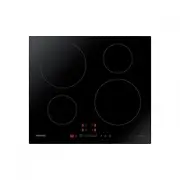
parts and features CooKINg zoNes CoNTrol paNel 1 3 4 5 2 220mm 220mm 140mm 140mm 2012-11-20 parTs aNd feaTures 1 6 3 5 7 4 2 6
Page 25 - resIdual heaT; ther reasons why a cooking zone can switch itself off
o the appliance will need to be switched on again using the main On/Off control sensor after the liquid or the cloth has been removed . resIdual heaT INdICaTor presence of residual heat is shown with an (for “hot”) in the If the power supply is interrupted, the symbol will go out WARNING WARNING 201...
Page 26 - INITIal CleaNINg
WARNING INITIal CleaNINg Wipe the ceramic glass surface with a damp cloth and ceramic hob glass cleaner. Do not use caustic or abrasive cleaners. The surface could be damaged. CooKware for INduCTIoN CooKINg zoNes The induction hob can only be turned on when a cookware with a magnetic base is placed ...
Page 28 - energy saving tips
u • • • • • energy saving tips • • • • Right! Wrong! 2012-11-20 28 _ hob use
Page 29 - selectors; eat
1. Touch the sensor for approximately 1 seconds. 2. After the On/Off control sensor has been actuated to switch on your appliance, a heat setting must be selected within approximately 1 minutes. Otherwise, the appliance will switch itself off for safety reasons. seleCT CooKINg zoNe aNd heaT seTTINg ...
Page 30 - usINg The ChIld safeTy loCK; control
swITChINg The applIaNCe off To completely switch off the appliance, use the On/Off control sensor. After switching off a single cooking zone or the entire cooking surface, the presence of residual heat will be indicated in the digital displays of the corresponding cooking zones in the form of an (fo...
Page 31 - switching the child safety lock on / off; lock control; TImer; setting the safety shutoff
switching the child safety lock on / off 1. Touch the lock control sensor for approximately 3 seconds. An acoustic signal will sound as confirmation. 2. will appear in the displays, indicating the child safety lock has been activated. 3. For switching the child safety lock off, touch the lock contro...
Page 32 - Countdown timer; Timer control
display will show " " Countdown timer For the countdown timer to be used, the appliance must be switched on but all the cooking zones do not be selected. 1. Touch the Timer control sensor. will appear in the timer display. 2. Set the desir The countdown timer function is now activated and th...
Page 35 - cleaning and care; hob; light soiling
cleaning and care hob Cleaning agents must not come into contact with a heated ceramic glass surface: All cleaning agents must be removed with adequate amounts of clean water after cleaning because they can have a caustic effect when the surface becomes WARNING Clean the ceramic glass surface after ...
Page 36 - problem dirt; To avoId damagINg your applIaNCe
_cleaning and care 36 problem dirt 1. Remove burnt-on sugar, melted plastic, aluminium foil or other materials with a glass scraper immediately and while still hot. There is a risk of burning yourself when the glass scraper is used on a hot cooking zone: WARNING 2012-11-20 Scratches or dark blemishe...
Page 38 - warranty and service; faqs aNd TroubleshooTINg; What should I do if the cooking zones are not functioning?
38 _ warranty and service warranty and service faqs aNd TroubleshooTINg A fault may result from a minor error that you can correct yourself with the help of the following instructions. Do not attempt any further repairs if the following instructions do not help in each specific case. Repairs to the ...
Page 39 - sensor for resetting.
warranty and service _ 39 w arra NTy aN d ser v IC e What should I do if, after the cooking zones have been Check for the following possibility: • The cooking zone was only briefly used and therefore did not become hot enough. If the cooking zone is hot, please call the customer service centre. What...
Page 40 - servICe; Is it a technical fault?; When do you incur costs even during the warranty period?
40 _ warranty and service servICe Before calling for assistance or service, please check the section “Troubleshooting.” If you still need help, follow the instructions below. Is it a technical fault? If so, please contact your customer service centre. Always prepare in advance for the discussion. Th...
Page 41 - technical data; TeChNICal daTa
technical data _ 41 T e C h NICal da Ta technical data TeChNICal daTa CooKINg zoNes Position Diameter Power Rear left 220 mm 2350 W / Boost 2600 W Front left 140 mm Front right 2350 W / Boost 2600 W Rear right 220 mm 140 mm 1250 W / Boost 1500 W 1250 W / Boost 1500 W NZ64H37070K NZ64H37075 K applian...
Page 42 - note