Page 2 - Contents
2 English C ontents Contents Contents Using this manual 3 The following symbols are used in this User Manual: 3 Safety instructions 3 Important safety precautions 3 Correct Disposal of This Product (Waste Electrical & Electronic Equipment) 6 Auto energy saving function 6 Installation 6 What’s in...
Page 3 - Safety instructions; The following symbols are used in this User Manual:; IMPORTANT SAFETY PRECAUTIONS; Using this manual
English 3 Using this manual Safety instructions Thank you for choosing Samsung Built-In Oven. This User Manual contains important information on safety and instructions intended to assist you in the operation and maintenance of your appliance. Please take the time to read this User Manual before usi...
Page 6 - What’s included; Auto energy saving function
6 English Safety ins truc tions Safety instructions Installation WARNING This product is dedicated to built-in products.This oven must be installed by a qualified technician. The installer is responsible for connecting the oven to the main power, while observing the relevant safety regulations of yo...
Page 7 - Prepare to install the oven
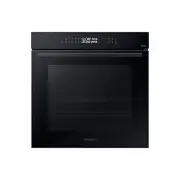
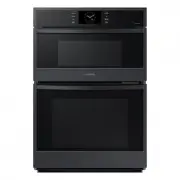
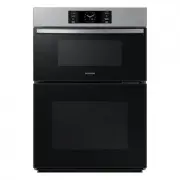
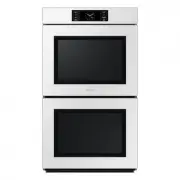
English 7 Installation NOTE Depending on the model, this oven comes in two types: single door and dual door. Accessories The oven comes with different accessories that help you prepare different types of food. Wire rack Wire rack insert * Baking tray * Universal tray * Extra-deep tray * Divider Meat...
Page 8 - Installation; Cabinet mount
8 English Installation Installation WARNING Do not step on or twist the wires during installation, and keep them away from heat-emitting parts of the oven. Cabinet mount If installing the oven in a built-in cabinet, the cabinet must have its plastic surfaces and adhesive parts resistant up to 90 °C....
Page 10 - New oven smell; Smart safety mechanism; Before you start; Initial settings
10 English Befor e you s tar t New oven smell Before using the oven for the first time, clean inside the oven to remove the new oven smell. 1. Remove all accessories from inside the oven. 2. Run the oven with Convection 200 °C or Conventional 200 °C for an hour. This will burn any remaining producti...
Page 11 - Soft closing door (applicable models only)
English 11 Befor e you s tar t Soft closing door (applicable models only) The Samsung Built-in Oven features a soft closing door that gently, safely, and silently closes.When closing the door, the specially designed hinges catch the door a few centimetres before the final position. This is the perfe...
Page 13 - Dual cook mode
English 13 Befor e you s tar t Dual cook mode You can use both the upper and lower zones to cook two different recipes, or simply choose one zone to cook with. Insert the divider in level 3 to separate the cooking chamber in two zones. The oven senses the divider and activates the upper zone by defa...
Page 14 - Operations; Control panel
14 English Oper ations Operations 03 Upper/Lower zone The indicators turn on when the divider is inserted. You can choose Upper or Lower for your recipe. 04 Display Shows necessary information of selected modes or settings. 05 Up / Down Use to adjust the setting value for your selection. 06 OK Press...
Page 15 - Common settings
English 15 Oper ations Common settings It is common to change the default temperature and/or cooking time across all cooking modes. Follow the steps below to adjust the temperature and/or cooking time for the selected cooking mode. Temperature 1. On the feature panel, press to choose a cooking mode....
Page 18 - Cooking modes
18 English Oper ations Operations Cooking modes 1. On the feature panel, press to choose a cooking mode. 2. Set the cooking time and/or temperature if necessary. For more information, see Common settings . 3. Optionally, you can fast preheat the oven. To do this, press , and set the target temperatu...
Page 22 - Dual cook mode temperature setting range
22 English Oper ations Operations Dual cook mode temperature setting range You can use both the upper and lower zones simultaneously for different cooking operations.In Dual Cook mode, the temperature range of one zone is affected by the temperature settings of the other zone. For instance, broiling...
Page 25 - To stop cooking; Special function
English 25 Oper ations To stop cooking 1. While cooking is in process, press . 2. Press OK to cancel cooking. Special function Add special or additional functions to improve your cooking experience. Special functions are not enabled in Dual cook mode. 1. Press on the feature panel. 2. Press again to...
Page 27 - Auto cook
English 27 Oper ations NOTE • Do not refill the water during cooking or when the oven is hot. • When the oven cools down completely after using the Natural Steam function, use a wet cloth to wipe the bottom of the compartment. • To remove water scale that forms after using the oven for an extended t...
Page 28 - Cleaning
28 English Oper ations Operations Dual cook mode 1. Insert the divider in level 3 to activate Dual cook mode. 2. Press to select the upper zone, or press to select the lower zone. An indicator appears next to the selected zone. 3. On the feature panel, press . 4. Use the / buttons to select a progra...
Page 30 - Timer
30 English Oper ations Operations Sound on/off 1. To mute the sound, press and hold down for 3 seconds. Then 1 is blinking. 2. Select 1 and press OK . and use / buttons to set on and press OK . 3. To unmute the sound, repeat step 1 , 2 , set off and press OK . Wi-Fi on/off 1. To set the Wi-Fi on, pr...
Page 31 - Cooking smart; Manual cooking
English 31 C ooking Smar t Cooking smart Manual cooking WARNING on acrylamide Acrylamide produced while baking starch-contained food such as potato chips, French fries, and bread may cause health problems. It is recommended to cook these foods at low temperatures and avoid overcooking, heavy crispin...
Page 32 - Cooking Smart
32 English C ooking Smar t Cooking Smart Food Accessory Level Type of heating Temp. (°C) Time (min.) Homemade pizza, 1-1.2kg Universal tray 2 190-210 10-15 Frozen puff pastry, filled Universal tray 2 180-200 20-25 Quiche Wire rack, 22-24 cm oven dish 2 180-190 25-35 Apple pie Wire rack, Ø 20 cm tin ...
Page 42 - Test dishes
42 English C ooking Smar t Cooking Smart Test dishes According to standard EN 60350-1 1. Baking The recommendations for baking refer to a preheated oven. Do not use the Fast Preheat function. Always put trays the slanted side to the door front. Type of food Accessory Level Type of heating Temp. (°C)...
Page 43 - Collection of frequent auto cook recipes
English 43 C ooking Smar t Collection of frequent auto cook recipes Potato gratin Ingredients 800 g potatoes, 100 ml milk, 100 ml cream, 50 g beaten whole egg, 1 tbsp each of salt, pepper, nutmeg, 150 g grated cheese, butter, thyme Directions Peel potatoes and slice them to 3 mm thickness. Rub the b...
Page 47 - Maintenance
English 47 Maint enanc e Catalytic enamel surface (applicable models only) The removable parts are coated with dark grey catalytic enamel. They can be soiled with oil and fat spattered by the circulating air during convection heating. However, these impurities burn off at oven temperatures of 200 °C...
Page 50 - Replacement; Detaching the door
50 English Maint enanc e Maintenance Replacement Bulbs 1. Remove the glass cap by turning anti-clockwise. 2. Replace the oven light. 3. Clean the glass cap. 4. When done, follow step 1 above in the reverse order to reinsert the glass cap. WARNING • Before replacing a bulb, turn off the oven and unpl...
Page 51 - Troubleshooting; Checkpoints
English 51 Tr ouble shoo ting Problem Cause Action There is no power to the oven. • If there is no power supplied. • Check whether there is power supplied. The oven exterior is too hot during operation. • If the oven is installed in a place without good ventilation. • Keep the gaps specified in the ...
Page 53 - Information codes
English 53 Tr ouble shoo ting Code Meaning Action -dC- If the divider is removed during cooking in Dual cook mode.If the divider is inserted during cooking in Single cook mode. The divider must not be removed during cooking in Dual cook mode.Turn off the oven and then restart. If the problem continu...
Page 54 - Technical specifcations; Product data sheet
54 English Technic al specif cations Technical specifcations Samsung strives to improve its products at all times. Both the design specifications and these user instructions are thus subject to change without notice. Connection voltage 230–240 V ~ 50 Hz Maximum connected load power 3650-3950 W Dimen...
Page 55 - Open Source Announcement
English 55 Appendix Overall Standby Power consumption (W) (All network ports is "on" condition) 1.9 W Period of time for the power management (min) 20 min. WIFI Standby-mode Power Consumption (W) 1.9 W Period of time for the power management (min.) 20 min. Off mode Power consumption 0.5 W Pe...