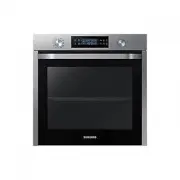
Page 2 - Contents
2 English C ontents Contents Using this manual 3 The following symbols are used in this User Manual: 3 Safety instructions 3 Important safety precautions 3 Correct Disposal of This Product (Waste Electrical & Electronic Equipment) 6 Auto energy saving function 6 Installation 6 What’s included 6 ...
Page 3 - Safety instructions; Important safety precautions; Using this manual; The following symbols are used in this User Manual:; or property damage; personal injury and/or property
English 3 Using this manual Safety instructions Installation of this oven must be performed only by a licensed electrician. The installer is responsible for connecting the appliance to the mains power supply in observance of the relevant safety recommendations. Important safety precautions WARNING T...
Page 6 - What’s included; Auto energy saving function
6 English Installation Safety instructions Installation WARNING This oven must be installed by a qualified technician. The installer is responsible for connecting the oven to the main power, while observing the relevant safety regulations of your area. What’s included Make sure all parts and accesso...
Page 7 - Power connection
English 7 Installation Power connection 01 02 03 L N 01 BROWN or BLACK 02 BLUE or WHITE 03 YELLOW and GREEN Plug the oven into an electrical socket. If a plug-type socket is not available due to allowable current limitations, use a multi-pole isolator switch (with at least 3 mm spacing in-between) i...
Page 8 - Installation; Cabinet mount
8 English Installation Installation Cabinet mount If installing the oven in a built-in cabinet, the cabinet must have its plastic surfaces and adhesive parts resistant up to 90 °C, and adjacent furniture must be resistant up to 75 °C. Samsung is not responsible for damage to furniture from the oven’...
Page 10 - Before you start; Initial settings; OK; New oven smell
10 English Befor e you s tar t Before you start Initial settings When you power on the oven for the first time, the default time of “12:00” appears on the display where the hour element (“12”) blinks. Follow the steps below to set the current time. 1. With the hour element blinking, turn the value d...
Page 12 - Dual cook mode; Operations; Control panel
12 English Oper ations Before you start Dual cook mode You can use both the upper and lower compartments to cook two different recipes, or simply choose one compartment to cook with. Insert the divider in level 3 to separate the cooking chamber in two compartments. The oven senses the divider and ac...
Page 13 - Common settings
English 13 Oper ations Common settings It is common to change the default temperature and/or cooking time across all cooking modes. Follow the steps below to adjust the temperature and/or cooking time for the selected cooking mode. Temperature 1. Turn the mode selector to choose a mode or function. ...
Page 19 - Dual cook mode temperature setting range
English 19 Oper ations Dual cook mode temperature setting range You can use both the upper and lower compartments simultaneously for different cooking operations.In Dual Cook mode, the temperature range of one compartment is affected by the temperature settings of the other compartment. For instance...
Page 20 - To stop cooking
20 English Oper ations Operations To stop cooking While cooking is in process, turn the mode selector to “ ”. The oven turns off in a few seconds. This is because, to avoid accepting incorrect commands by users, the oven waits a few seconds so that they can correct their selection. To stop cooking f...
Page 21 - Special function; Auto cook
English 21 Oper ations Special function Add special or additional functions to improve your cooking experience. Special functions are not enabled in Dual cook mode. 1. Turn the mode selector to select . 2. Turn the value dial to select a function, and then press OK . The default temperature appears....
Page 22 - Steam cleaning
22 English Oper ations Operations Steam cleaning This is useful for cleaning light soiling with steaming. This function saves you time by removing the need for regular manual cleaning. The remaining time appears on the display during this process. 1. Pour 400 ml ( 3 / 4 pint) of water onto the botto...
Page 23 - Timer
English 23 Oper ations Timer Timer helps you check the time or operating duration while cooking. 1. Press . 2. Turn the value dial to set the time, and then press OK . You can set the time to a max of 23 hours and 59 minutes. NOTE • When the time has elapsed, the oven beeps with a blinking message o...
Page 24 - Cooking smart; Manual cooking; Accessory tips
24 English C ooking smar t Cooking smart Manual cooking WARNING on acrylamide Acrylamide produced while baking starch-contained food such as potato chips, French fries, and bread may cause health problems. It is recommended to cook these foods at low temperatures and avoid overcooking, heavy crispin...
Page 25 - Roasting
English 25 C ooking smar t Food Accessory Level Type of heating Temp. (°C) Time (min.) Poultry(Chicken/Duck/Turkey) Chicken, Whole, 1.2 kg* Wire rack + Universal tray (to catch drippings) 31 205 80-100 Chicken pieces Wire rack + Universal tray 31 200-220 25-35 Duck breast Wire rack + Universal tray ...
Page 26 - Grilling
26 English C ooking smar t Cooking smart Frozen ready-meal Food Accessory Level Type of heating Temp. (°C) Time (min.) Frozen pizza, 0.4- 0.6 kg Wire rack 3 200-220 15-25 Frozen lasagne Wire rack 3 180-200 45-50 Frozen oven chips Universal tray 3 220-225 20-25 Frozen Croquettes Universal tray 3 220-...
Page 27 - ECO convection
English 27 C ooking smar t ECO convection This mode uses the optimized heating system so that you save the energy during cooking your dishes. The times of this category are suggested to not be preheated before cooking for saving more energy.You can increase or decrease the cooking time and/or temper...
Page 28 - Dual cook
28 English C ooking smar t Cooking smart You can also use upper or lower compartment only to save power. The cooking time can be extended when you use separated compartment. We recommend preheat the oven for best results. Upper Food Accessory Level Type of heating Temp. (°C) Time (min.) Small cakes ...
Page 29 - Auto cook programmes; Single cook
English 29 C ooking smar t Code Food Weight (kg) Accessory Level A 5 Ratatouille 1.2-1.5 Wire rack 3 Put ingredients for Ratatouille in casserole dish with lid. Start programme, after preheating beep sounds, put dish in the centre of rack. Bake covered. Stir before serving. A 6 Apple pie 1.2-1.4 Wir...
Page 33 - Test Dishes
English 33 C ooking smar t Test Dishes According to standard EN 60350-1 1. Baking The recommendations for baking refer to a preheated oven. Do not use the fast preheat function. Always put trays the slanted side to the door front. Type of food Accessory Level Type of heating Temp. (°C) Time (min.) S...
Page 34 - Collection of frequent Auto cook recipes
34 English C ooking smar t Cooking smart Collection of frequent Auto cook recipes Potato gratin Ingredients 800 g potatoes, 100 ml milk, 100 ml cream, 50 g beaten whole egg, 1 tbsp each of salt, pepper, nutmeg, 150 g grated cheese, butter, thyme Directions Peel potatoes and slice them to 3 mm thickn...
Page 37 - Maintenance; Cleaning
English 37 Maint enanc e Rack of Pork rib Ingredients 2 racks pork spare ribs, 1 tbsp black peppercorns, 3 bay leaves, 1 onion (chopped), 3 garlic cloves (chopped), 85 g brown sugar, 3 tbsp Worcestershire sauce, 2 tbsp Tomato puree, 2 tbsp olive oil Directions Make a barbecue sauce. Heat oil in a sa...
Page 40 - Replacement
40 English Maint enanc e Maintenance Replacement Bulbs 1. Remove the glass cap by turning anti-clockwise. 2. Replace the oven light. 3. Clean the glass cap. 4. When done, follow step 1 above in the reverse order to reinsert the glass cap. WARNING • Before replacing a bulb, turn off the oven and unpl...
Page 41 - Troubleshooting; Checkpoints
English 41 Tr ouble shoo ting Troubleshooting Checkpoints If you encounter a problem with the oven, first check the table below and try the suggestions. If the problem continues, contact a local Samsung service centre. Problem Cause Action The buttons cannot be pressed properly. • If there is foreig...
Page 43 - Information codes
English 43 Tr ouble shoo ting Code Meaning Action -dC- If the divider is removed during cooking in Dual cook mode.If the divider is inserted during cooking in Single cook mode. The divider must not be removed during cooking in Dual cook mode.Turn off the oven and then restart. If the problem continu...
Page 44 - Appendix; Product data sheet
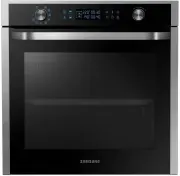
44 English Appendix Appendix Product data sheet SAMSUNG SAMSUNG Model identification NV75K5541RS / NV75K5541RB / NV75K5541BS / NV75K5541BB Cavity type Single Upper Lower Energy Efficiency Index per cavity (EEI cavity) 95.4 100.0 101.5 Energy Efficiency Class per cavity A A A Energy consumption requi...
Page 45 - Memo
Memo NV75K5541RB_EU_DG68-00745A-01_EN.indd 45 2016-12-12 8:44:10