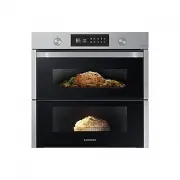
Page 2 - Contents
2 English C ontents Contents Using this manual 3 The following symbols are used in this User Manual: 3 Safety instructions 3 Important safety precautions 3 Correct Disposal of This Product (Waste Electrical & Electronic Equipment) 6 Auto energy saving function 6 Installation 7 What’s included 7 ...
Page 3 - Using this manual; The following symbols are used in this User Manual:; Safety instructions; Important safety precautions
English 3 Using this manual Using this manual Thank you for choosing SAMSUNG Built-In Oven. This User Manual contains important information on safety and instructions intended to assist you in the operation and maintenance of your appliance. Please take the time to read this User Manual before using...
Page 6 - Auto energy saving function
6 English Safety ins truc tions Safety instructions For your safety, do not use high-pressure water cleaners or steam jet cleaners.Children should be kept at a safe distance when the oven is in use.Frozen foods such as pizzas should be cooked on the big grid. If the baking tray is used, it may becom...
Page 7 - Installation; What’s included
English 7 English 7 Installation Accessories The oven comes with different accessories that help you prepare different types of food. Wire rack Wire rack insert * Baking tray * Universal tray * Extra-deep tray * Telescopic rail * Divider Meat probe * 2 screws (M4 L25) Install Handle NOTE Availabilit...
Page 8 - Power connection; Cabinet mount
8 English 8 English Installation Installation Power connection 01 02 03 L N 01 BROWN or BLACK 02 BLUE or WHITE 03 YELLOW and GREEN Plug the oven into an electrical socket. If a plug-type socket is not available due to allowable current limitations, use a multi-pole isolator switch (with at least 3 m...
Page 11 - Before you start; Initial settings
English 11 Befor e you s tar t Before you start Initial settings When you turn on the oven for the first time, the First Use Guide screen appears. Complete the on-screen instructions, and the First Use Guide will not appear again.Once you complete the First Use Guide, the default time and date (12:0...
Page 12 - New oven smell
12 English Befor e you s tar t Before you start NOTE You cannot change the clock time while the oven is operating. New oven smell Before using the oven for the first time, clean inside the oven to remove the new oven smell. 1. Remove all accessories from inside the oven. 2. Run the oven with Convect...
Page 13 - Flexible Door
English 13 Befor e you s tar t Flexible Door This oven has a unique Flexible Door that is hinged in the middle, so you only need to open the top half to access the upper zone. When you’re using the Dual Cook capability, you can access the top oven space much more easily and with greater energy effic...
Page 15 - Operations; Control panel; Dual cook mode
English 15 Oper ations Operations Control panel The front panel comes in a wide range of materials and colours. For improved quality, the actual appearance of the oven is subject to change without notice. 01 02 03 06 08 10 11 04 05 07 09 01 Mode Dial Turn the Mode Dial to wake the control panel or t...
Page 16 - Common settings
16 English Oper ations Operations 07 Smart Control Set the Smart Control function on or off. NOTE Easy Connection must be set before using this function. 08 Options Tap to see the Options list.Tap and hold 3 seconds to see the System settings. 09 OK Select the current value. 10 Back Tap to move to t...
Page 18 - Cooking modes
18 English Oper ations Operations End time 1. Select a cooking mode and set the temperature.- See the “ Mode and temperature ” section for detailed instructions 2. Set the cooking time.- See the “ Cooking time ” section for detailed instructions. 3. Turn the Value Dial to select Ready at (time) , an...
Page 22 - Dual cook mode temperature setting range
22 English Oper ations Operations WARNING • To prevent damage, do not use the meat probe with the spit accessory. • When cooking is complete, the meat probe becomes very hot. To prevent burns, use oven gloves to take out the food. NOTE Not all modes support using the meat probe. If you use the meat ...
Page 23 - To stop cooking
English 23 Oper ations To stop cooking • While cooking is in process, you can turn the Mode Dial to “ ” position to turn the oven off. However, the oven will not turn off immediately to avoid any unintended manipulation. If you turn the Mode Dial to “ ” by mistake, you can turn it back on within 3 s...
Page 24 - Special Function
24 English Oper ations Operations Special Function Additional functions improve your cooking experience. Special functions are not enabled in Dual cook mode. 1. Turn the Mode Dial to select Special Function . 2. Turn the Value Dial to select a function, and then tap OK . 3. Set the cooking time and/...
Page 25 - Cleaning
English 25 Oper ations Dual cook mode 1. Insert the divider in level 3 to activate Dual cook mode. 2. Tap to select the upper zone or tap to select the lower zone. The button activates fo the selected zone. 3. Turn the Mode Dial to select Auto Cook . 4. Turn the Value Dial to select a programme for ...
Page 27 - More Functions
English 27 Oper ations CAUTION • Do not touch the oven because the oven becomes very hot during the cycle. • To avoid accidents, keep children away from the oven. • After the cycle is complete, do not power off while the cooling fan is operating to cool the oven down. NOTE • Once the cycle starts, t...
Page 28 - System Settings; Smart Control
28 English Oper ations Operations System Settings Tap and hold for 3 seconds to enter the System Settings menu, and then turn the Value Dial to change various settings for your oven. Please refer to the following table for detailed descriptions. System Setting Description Wi-Fi You can turn the Wi-F...
Page 29 - Cooking smart; Manual cooking
English 29 C ooking smar t Cooking smart Manual cooking WARNING on acrylamide Acrylamide produced while baking starch-contained food such as potato chips, French fries, and bread may cause health problems. It is recommended to cook these foods at low temperatures and avoid overcooking, heavy crispin...
Page 34 - Auto cook programmes
34 English C ooking smar t Cooking smart You can also use upper or lower zone only to save power. The cooking time can be extended when you use separated zone. We recommend preheat the oven for best results. Upper Food Accessory Level Type of heating Temp. (°C) Time (min.) Small cakes Universal tray...
Page 40 - Test dishes
40 English C ooking smar t Cooking smart Test dishes According to standard EN 60350-1. 1. Baking The recommendations for baking refer to a preheated oven. Do not use the Fast Preheat function. Always put trays the slanted side to the door front. Type of food Accessory Level Type of heating Temp. (°C...
Page 41 - Collection of frequent Auto cook recipes
English 41 C ooking smar t Collection of frequent Auto cook recipes Potato gratin Ingredients 800 g potatoes, 100 ml milk, 100 ml cream, 50 g beaten whole egg, 1 tbsp each of salt, pepper, nutmeg, 150 g grated cheese, butter, thyme Directions Peel potatoes and slice them to 3 mm thickness. Rub the b...
Page 44 - Maintenance; Detaching the door
44 English Maint enanc e Maintenance Detaching the door WARNING The oven door is heavy. 1. Open the door and flip open the clips at both hinges. 2. Close the door approximately 70°. Hold the oven door by the sides using both hands, and lift and pull upwards until the hinges are removed. 3. When done...
Page 46 - Checkpoints; Replacement
46 English Tr ouble shoo ting Maintenance Troubleshooting Checkpoints If you encounter a problem with the oven, first check the table below and try the suggestions. If the problem continues, contact a local Samsung service centre. Problem Cause Action The buttons cannot be pressed properly. • If the...
Page 48 - Troubleshooting; Information codes
48 English Tr ouble shoo ting Troubleshooting Problem Cause Action Steam cleaning does not work. • This is because the temperature is too high. • Let the oven cool and then use. Dual cook mode does not work. • If the divider is not properly assembled • Insert the divider correctly and use. Single co...
Page 49 - Technical specifications
English 49 Appendix Technical specifications SAMSUNG strives to improve its products at all times. Both the design specifications and these user instructions are thus subject to change without notice. Connection voltage 230-240 V ~ 50 Hz Maximum connected load power 3650-3950 W Dimensions (W x H x D...
Page 50 - Product data sheet
50 English Appendix Overall Standby Power consumption (W) (All network ports is "on" condition) 1.9 W Period of time for the power management (min) 20 min. WIFI Standby-mode Power Consumption (W) 1.9 W Period of time for the power management (min.) 20 min. Off mode Power consumption 0.5 W Pe...
Page 51 - Open Source Announcement; Memo
English 51 Appendix Open Source Announcement The software included in this product contains open source software. The following URL http://opensource.samsung.com/opensource/SMART_TP2_0/seq/0 leads to open source license information as related to this product. Memo NV75A6679RS_EU_DG68-01361H-00_EN.in...