Page 2 - Contents; Using this manual
2 English C ontents Contents Using this manual 4 The following symbols are used in this User Manual: 4 Safety instructions 5 Important safety precautions 5 Correct Disposal of This Product (Waste Electrical & Electronic Equipment) 9 Auto energy saving function 9 Installation 10 What’s included 1...
Page 3 - Cooking Smart; Maintenance
English 3 C ontents Cooking Smart 40 Manual cooking 40 Auto cook programmes 49 Test Dishes 55 Collection of frequent Auto cook recipes 57 Maintenance 61 Cleaning 61Replacement 68 Troubleshooting 69 Checkpoints 69Information codes 72 Appendix 73 Product data sheet 73 NV73J7740RS_EU_DG68-00614E-03_EN....
Page 4 - The following symbols are used in this User Manual:; WARNING; severe personal injury, death and/or property; CAUTION; personal injury and/or property damage; NOTE
4 English Using this manual Using this manual Thank you for choosing SAMSUNG Built-In Oven. This User Manual contains important information on safety and instructions intended to assist you in the operation and maintenance of your appliance. Please take the time to read this User Manual before using...
Page 5 - truc; Safety instructions; Important safety precautions
English 5 Safety ins truc tions Safety instructions Installation of this oven must be performed only by a licensed electrician. The installer is responsible for connecting the appliance to the mains power supply in observance of the relevant safety recommendations. Important safety precautions WARNI...
Page 6 - A steam cleaner is not to be used.
6 English Safety ins truc tions Safety instructions This appliance can be used by children aged from 8 years and above and persons with reduced physical, sensory or mental capabilities or lack of experience and knowledge if they have been given supervision or instruction concerning use of the applia...
Page 9 - cooking process is completed.; : Do not leave the door open while oven is cooking.; Auto energy saving function
English 9 Safety ins truc tions WARNING : Do not disconnect the appliance from the main power supply even after the cooking process is completed. WARNING : Do not leave the door open while oven is cooking. Correct Disposal of This Product (Waste Electrical & Electronic Equipment) (Applicable in ...
Page 10 - Installation; What’s included; Oven at a glance
10 English Installation Installation WARNING This oven must be installed by a qualified technician. The installer is responsible for connecting the oven to the main power, while observing the relevant safety regulations of your area. What’s included Make sure all parts and accessories are included i...
Page 12 - Power connection; BROWN or BLACK
12 English Installation Installation Power connection 01 02 03 L N 01 BROWN or BLACK 02 BLUE or WHITE 03 YELLOW and GREEN Plug the oven into an electrical socket. If a plug-type socket is not available due to allowable current limitations, use a multi-pole isolator switch (with at least 3 mm spacing...
Page 13 - Cabinet mount; Required Dimensions for Installation
English 13 Installation Cabinet mount If installing the oven in a built-in cabinet, the cabinet must have its plastic surfaces and adhesive parts resistant up to 90 °C. Samsung is not responsible for damage to furniture from the oven’s heat emission.The oven must be properly ventilated. For ventilat...
Page 16 - tar; Before you start; Initial settings; . The minute element; OK
16 English Befor e you s tar t Before you start Initial settings When you power on the oven for the first time, the default time of “12:00” appears on the display where the hour element (“12”) blinks. Follow the steps below to set the current time. 1. Use the arrow buttons to set the hour, and then ...
Page 17 - New oven smell; Remove all accessories from inside the oven.; Smart safety mechanism
English 17 Befor e you s tar t New oven smell Before using the oven for the first time, clean inside the oven to remove the new oven smell. 1. Remove all accessories from inside the oven. 2. Run the oven with Convection 200 °C or Conventional 200 °C for an hour. This will burn any remaining producti...
Page 18 - Accessories; Level 1
18 English Befor e you s tar t Before you start Accessories For first time use, clean the accessories thoroughly with warm water, detergent and a soft clean cloth. 050403 0201 01 Level 1 02 Level 2 03 Level 3 04 Level 4 05 Level 5 • Insert the accessory to the correct position inside of the oven. • ...
Page 20 - Water drawer
20 English Befor e you s tar t Before you start Water drawer The water drawer is used for Vapour functions. Fill it with water in advance of Vapour cooking. 1. Locate the water drawer in the top-right corner. Push in the drawer to open and remove. 2. Open the drawer cap, and fill the drawer with 500...
Page 21 - Operations; Control panel
English 21 Oper ations Operations Control panel The front panel comes in a wide range of materials and colours. For improved quality, the actual appearance of the oven is subject to change without notice. 01 02 04 03 05 06 07 08 09 10 11 12 01 Power Press to turn the oven on. To turn it off, hold do...
Page 22 - Common settings; Temperature; to confirm your changes.
22 English Oper ations Operations Common settings It is common to change the default temperature and/or cooking time across all cooking modes. Follow the steps below to adjust the temperature and/or cooking time for the selected cooking mode. Temperature 1. On the feature panel, press to choose a co...
Page 24 - End time
24 English Oper ations Operations End time 1. On the feature panel, press to choose a cooking mode. 2. Press twice, and use the / buttons to set a desired end time. 3. Press OK to confirm your changes. NOTE To change the end time, press twice, and follow the above steps. NV73J7740RS_EU_DG68-00614E-0...
Page 26 - To clear the cooking time; . The oven continues to cook
26 English Oper ations Operations To clear the cooking time You can clear the cooking time. This is useful if you want to stop the oven manually at any time during the process. 1. While the oven is cooking, press to display the remaining cooking time. 2. Use the / buttons to set the cooking time to ...
Page 28 - Cooking mode; Common Settings
28 English Oper ations Operations Cooking mode 1. On the feature panel, press to choose a cooking mode. 2. Set the cooking time and/or temperature if necessary. For more information, see Common Settings . 3. Optionally, you can fast preheat the oven. To do this, press , and set the target temperatur...
Page 29 - Use the / buttons to select a
English 29 Oper ations Vapour cooking The oven is featured by the Vapour function. The Vapour cooking function allows you to use of a wide range of recipes. 1. Fill the water drawer with 500 ml of water. 2. On the feature panel, press . 3. Use the / buttons to select a function. Then, press OK . 4. ...
Page 30 - Cooking with the meat probe
30 English Oper ations Operations Cooking with the meat probe The meat probe measures the internal temperature of meat while it’s cooking. When the temperature reaches the target temperature, the oven stops and finishes cooking. • Use only the meat probe that comes with your oven. • You cannot set t...
Page 33 - Special function; Press
English 33 Oper ations Special function Add special or additional functions to improve your cooking experience. 1. Press on the feature panel. 2. Use the / buttons to select a function, and then press OK . 3. Set the cooking time and/or temperature if necessary. For more information, see Common Sett...
Page 34 - Auto cook; On the feature panel, press
34 English Oper ations Operations Auto cook For inexperienced cooks, the oven offers a total of 40 auto cooking recipes. Take advantage of this feature to save you time or shorten your learning curve. The cooking time and temperature will be adjusted according to the selected programme and serving s...
Page 35 - Cleaning; Function
English 35 Oper ations Cleaning Two cleaning modes are available for you. This function saves you time by removing the need for regular manual cleaning. Function Instructions C 1 Steam cleaning This is useful for cleaning light soiling with steaming. C 2 Descale Clean inside the steam generator to p...
Page 36 - Use a dry cloth to clean inside the oven.
36 English Oper ations Operations 4. Use a dry cloth to clean inside the oven. WARNING • Do not open the door before the cycle is complete. The water inside the oven is very hot, and it can cause a burn. NOTE • If the oven is heavily soiled with grease, for example, after roasting or grilling, it is...
Page 37 - Out
English 37 Oper ations 1. Empty and clean the water drawer, and then fill it with 50 ml of descaling agent, and 400 ml of water. 2. On the feature panel, press . 3. Use the / buttons to select Descale ( C2 ), and then press OK . 4. The oven starts descaling. The descaling cycle breaks down to 5 step...
Page 38 - . Descaling is complete with a
38 English Oper ations Operations 8. Press OK . Descaling is complete with a beep. WARNING Use only descaling agents that are specific to steam ovens or coffee machines. CAUTION • The indicator blinks and the oven stops operation if the water drawer runs out of water during the decaling cycle. When ...
Page 39 - Timer
English 39 Oper ations Timer Timer helps you check the time or operating duration while cooking. 1. On the feature pane, press . 2. Use the / buttons to set the desired duration, and then press OK . Sound On/Off • To mute the sound, tap and hold down Oven Light for 3 seconds. • To unmute the sound, ...
Page 40 - ooking Smar; WARNING on acrylamide; Accessory tips; We recommend to preheat the oven for best results.
40 English C ooking Smar t Cooking Smart Manual cooking WARNING on acrylamide Acrylamide produced while baking starch-contained food such as potato chips, French fries, and bread may cause health problems. It is recommended to cook these foods at low temperatures and avoid overcooking, heavy crispin...
Page 41 - Roasting
English 41 C ooking Smar t Food Accessory Level Type of heating Temp. (°C) Time (min.) Fruit crumble Wire rack, 22- 24 cm oven dish 3 170-180 25-30 Scones Universal tray 3 180-190 30-35 Lasagne Wire rack, 22- 24 cm oven dish 3 190-200 25-30 Meringues Universal tray 3 80-100 100-150 Soufflé Wire rack...
Page 43 - Grilling
English 43 C ooking Smar t Grilling We recommend preheat the oven using large grill mode. Turn over after half of time. Food Accessory Level Type of heating Temp. (°C) Time (min.) Bread Toast Wire rack 5 270-300 2-4 Cheese toast Universal tray 4 200 4-8 Beef Steak* Wire rack insert + universal tray ...
Page 45 - Vapour cooking
English 45 C ooking Smar t Vapour cooking With Vapour enabled, the oven generates vapour and evenly distributes inside the cooking chamber, covering the whole area every racks and corners. This helps brown food, giving a crispy top and soft, juicy inside.Fill the water tank with drinkable water up t...
Page 48 - ECO convection
48 English C ooking Smar t Cooking Smart ECO convection This mode uses the optimized heating system so that you save the energy during cooking your dishes. The times of this category are suggested to not be preheated before cooking for saving more energy. Food Accessory Level Temp. (°C) Time (min.) ...
Page 49 - Auto cook programmes
English 49 C ooking Smar t Auto cook programmes The following table presents 40 auto programmes for cooking, roasting and baking. It contains its quantities, weight ranges and appropriate recommendations. Cooking modes and times have been pre-programmed for your convenience. You will find some recip...
Page 54 - Universal tray
54 English C ooking Smar t Cooking Smart No. Food Weight (kg) Accessory Level A 37 Frozen potato wedges 0.3-0.5 Universal tray 3 0.5-0.7 Distribute frozen potato wedges evenly on tray. A 38 Frozen pizza 0.3-0.6 Wire rack 3 0.6-0.9 Put the frozen pizza in the middle of the wire rack.Start programme, ...
Page 55 - Test Dishes
English 55 C ooking Smar t Test Dishes According to standard EN 60350-1 1. Baking The recommendations for baking refer to a preheated oven. Do not use the fast preheat function. Always put trays the slanted side to the door front. Type of food Accessory Level Type of heating Temp. (°C) Time (min.) S...
Page 57 - Collection of frequent Auto cook recipes
English 57 C ooking Smar t Collection of frequent Auto cook recipes Potato gratin Ingredients 800 g potatoes, 100 ml milk, 100 ml cream, 50 g beaten whole egg, 1 tbsp each of salt, pepper, nutmeg, 150 g grated cheese, butter, thyme Directions Peel potatoes and slice them to 3 mm thickness. Rub the b...
Page 58 - tbsp salt, 125 g white castor sugar, 8 g vanilla
58 English C ooking Smar t Cooking Smart Lasagne Ingredients 2 tbsp olive oil, 500 g minced beef, 500 ml tomato sauce, 100 ml beef stock, 150 g dried lasagne sheets, 1 onion (chopped), 200 g grated cheese, 1 tbsp each of dried parsley flakes, oregano, basil Directions Prepare tomato meat sauce. Heat...
Page 62 - Door
62 English Maint enanc e Maintenance Door Do not remove the oven door unless for cleaning purposes. To remove the door for cleaning, follow these instructions. WARNING The oven door is heavy. 1. Open the door and flip open the clips at both hinges. 2. Close the door approximately 70°. Hold the oven ...
Page 64 - Support clip 1
64 English Maint enanc e Maintenance 01 02 03 01 Support clip 1 02 Support clip 2 03 Support clip 3 6. When done, reinsert the sheets as follows:• Insert sheet 2 between support clip 1 and 2, and sheet 1 into support clip 3 in this order. 7. Check if the glass rubbers fit into and secure the glass s...
Page 66 - Clean both side runners.
66 English Maint enanc e Maintenance Side runners (applicable models only) 1. Press the top line of the left side runner, and lower by approximately 45 º. 2. Pull and remove the bottom line of the left side runner. 3. Remove the right side runner in the same way. 4. Clean both side runners. 5. When ...
Page 68 - Replacement; Bulbs
68 English Maint enanc e Maintenance Replacement Bulbs 1. Remove the glass cap by turning anti-clockwise. 2. Replace the oven light. 3. Clean the glass cap. 4. When done, follow step 1 above in the reverse order to reinsert the glass cap. WARNING • Before replacing a bulb, turn off the oven and unpl...
Page 69 - Troubleshooting; Checkpoints; Problem; If the lock function is set
English 69 Tr ouble shoo ting Troubleshooting Checkpoints If you encounter a problem with the oven, first check the table below and try the suggestions. If the problem continues, contact a local Samsung service centre. Problem Cause Action The buttons cannot be pressed properly. • If there is foreig...
Page 70 - There is water dripping.
70 English Tr ouble shoo ting Troubleshooting Problem Cause Action The interior light is dim or does not turn on. • If the lamp turns on and then off • The lamp automatically turns off after a certain amount of time to save power. • You can turn it on again by pressing the oven light button. • If th...
Page 71 - During initial operation
English 71 Tr ouble shoo ting Problem Cause Action Smoke comes out during operation. • During initial operation • Smoke may come from the heater when you first use the oven. This is not a malfunction, and if you run the oven 2-3 times, it should stop happening. • If there is food on the heater • Coo...
Page 72 - Information codes; Code; Sensor malfunctions
72 English Tr ouble shoo ting Troubleshooting Information codes If the oven fails to operate, you may see an information code on the display. Check the table below and try the suggestions. Code Meaning Action C-20 Sensor malfunctions Turn off the oven and then restart. If the problem continues, turn...
Page 73 - Appendix; SAMSUNG; electricity
English 73 Appendix Appendix Product data sheet SAMSUNG SAMSUNG Model identification NV73J7740RS Energy Efficiency Index per cavity (EEI cavity) 81.4 Energy Efficiency Class per cavity A+ Energy consumption (electricity) required to heat a standardised load in a cavity of an electric heated oven dur...
Page 74 - Memo
Memo NV73J7740RS_EU_DG68-00614E-03_EN.indd 74 2018-04-17 5:27:26


 Samsung NE63T8951SS
User Manual
Samsung NE63T8951SS
User Manual
 Samsung NQ50J5530BS
User Manual
Samsung NQ50J5530BS
User Manual
 Samsung NQ50J9530BS
User Manual
Samsung NQ50J9530BS
User Manual
 Samsung NQ70CB700D12
User Manual
Samsung NQ70CB700D12
User Manual
 Samsung NQ70CG600DMT
User Manual
Samsung NQ70CG600DMT
User Manual
 Samsung NQ70CG600DSR
User Manual
Samsung NQ70CG600DSR
User Manual
 Samsung NQ70CG700DMT
User Manual
Samsung NQ70CG700DMT
User Manual
 Samsung NQ70CG700DSR
User Manual
Samsung NQ70CG700DSR
User Manual
 Samsung NQ70T5511DG/AA
User Manual
Samsung NQ70T5511DG/AA
User Manual
 Samsung NV51CB700D12
User Manual
Samsung NV51CB700D12
User Manual
 Samsung NV51CB700S12
User Manual
Samsung NV51CB700S12
User Manual
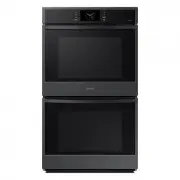 Samsung NV51CG600DMT
User Manual
Samsung NV51CG600DMT
User Manual
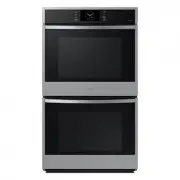 Samsung NV51CG600DSR
User Manual
Samsung NV51CG600DSR
User Manual
 Samsung NV51CG600SMT
User Manual
Samsung NV51CG600SMT
User Manual
 Samsung NV51CG600SSR
User Manual
Samsung NV51CG600SSR
User Manual
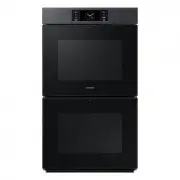 Samsung NV51CG700DMT
User Manual
Samsung NV51CG700DMT
User Manual
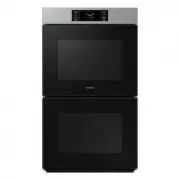 Samsung NV51CG700DSR
User Manual
Samsung NV51CG700DSR
User Manual
 Samsung NV51CG700SMT
User Manual
Samsung NV51CG700SMT
User Manual
 Samsung NV51CG700SSR
User Manual
Samsung NV51CG700SSR
User Manual