Page 2 - contents
English - 2 contents USING THIS MANUAL 3 03 Using this manual SAFETY INSTRUCTIONS 3 6 Bulb exchange 8 Door removal 8 Door glass removal 9 Auto energy saving function 9 Correct disposal of this product (Waste electrical & Electronic equipment) INSTALLATION 10 10 Installation OVEN CONTROLS 11 11 O...
Page 3 - using this manual; safety instructions; WARNING
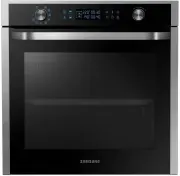
English - 3 using this manual Thank you for choosing SAMSUNG Built - In Oven.This user Manual contains important information on safety and instructions intended to assist you in the operation and maintenance of your appliance.Please take the time to read this Owner’s Manual before using your oven an...
Page 5 - CAUTION
English - 5 The temperature of accessible surfaces may be high when the appliance is operating.The door or the outer surface may get hot when the appliance is operating.Keep the appliance and its cord out of reach of children less than 8 years.Appliances are not intended to be operated by means of a...
Page 6 - BULB EXCHANGE; Danger of electric shock! Before replacing any of; • Disconnect the oven from the mains.
English - 6 Children should be kept at a safe distance when the oven is in use.Frozen foods such as pizzas should be cooked on the big grid. If the baking tray is used, it may become deformed due to the great variation in temperatures.Do not pour water into the bottom of the oven when it is hot.The ...
Page 8 - DOOR REMOVAL; DOOR GLASS REMOVAL
English - 8 DOOR REMOVAL For normal use, the oven door must not be removed but if removal is necessary, for example, for cleaning purposes, follow these instructions. CAUTION : The oven door is heavy. 70 2 1 1. Open the door and flip open the clips at both hinges completely. 2. Close the door by app...
Page 10 - installation; Power connection; Installation in the cabinet
English - 10 installation Safety instructions for the installation This oven may be installed only by an approved electrician. The installer is responsible for connecting the appliance to the main supply, while observing the relevant safety regulations. • Ensure protection from live parts when insta...
Page 13 - before you begin; SETTING THE CLOCK
English - 13 before you begin SETTING THE CLOCK If the power is connected for the first time, set the time before using device. 1. Press the Clock key. The “ ” and “12: ” will blink. 2. Press the Time/Temperature Control Key to set the hour of the day. Example: To set 1:30 3. Press the Clock key. Th...
Page 14 - INITIAL CLEANING; To clean the oven
English - 14 INITIAL CLEANING Clean the oven thoroughly before using for the first time. Do not use sharp or abrasive cleaning materials. These could damage the oven surface. For ovens with enamel fronts, use commercially available cleaning agents. To clean the oven 1. Open the door. 2. Clean all ov...
Page 15 - oven use; SETTING THE MODE
English - 15 oven use SETTING THE MODE 1. Press the Cooking Mode Select key. 2. Press the Time/Temperature Control key to select the desired oven function. Convection Top Heat + Convection Conventional Large Grill Eco Grill Bottom Heat + Convection Steam Cleaning Auto Cook 04 O VEN USE Prezio Airv_N...
Page 16 - SETTING THE OVEN TEMPERATURE; SWITCHING THE OVEN OFF
English - 16 SETTING THE OVEN TEMPERATURE 1. Press the Temperature key. 2. Press the Time/Temperature Control key to adjust the temperature in increments of 5 ºC. 40 °C – 250 °C40 °C – 300 °C (Large & Small Grill) The temperature may be adjusted during cooking. In the oven mode settings, the top...
Page 18 - DELAY START; Case 1 - Cooking time is entered first
English - 18 DELAY START Case 1 - Cooking time is entered first If the end time is entered after the cooking time has already been set, the cooking time and the end time are calculated and if necessary the oven sets a delayed start point. 1. Press the End Time key. Example: Current time is 3:00 and ...
Page 20 - LOCKING FUNCTION
English - 20 LAMP ON/OFF 1. Press the Lamp button to turn the lamp of the active cavity (Single/ Upper/Lower) on or off. In Twin mode, the lamp lights up in the following sequence. 1 time On : 2 times few minutes. LOCKING FUNCTION You can use the locking function in standby mode. 1. Press the Clock ...
Page 21 - OVEN FEATURES
English - 21 OVEN FEATURES The oven functionality includes the following features. 1. Conventional mode Recommended temperature: 200 °С Conventional mode is best for roasting and frying food located on the same level. The temperature inside the oven is maintained by top and bottom heating elements. ...
Page 26 - TEST DISHES
English - 26 TEST DISHES According to standard EN 60350 1. Baking The recommendations for baking refer to preheated oven. Insert baking tray with bevelled side towards the back side of oven. Type of food Dish & Notes Shelf level Cooking mode Temp. (°C) Cooking time (min) Shortbread Baking tray 3...
Page 27 - automatic cooking
English - 27 automatic cooking The following table presents 25 Auto Programmes for Cooking, Roasting and Baking. It contains its quantities, weight ranges and appropriate recommendations. Cooking modes and times have been pre-programmed for your convenience. You can refer to these guidelines for coo...
Page 30 - cleaning and cares; STEAM CLEANING
English - 30 cleaning and cares STEAM CLEANING 1. Remove all accessories from the oven. 2. Pour approximately 400 ml (3/4 pint) of water onto the bottom of the empty oven. Use normal water only, no distilled water. 3. Close the oven door. WARNING: The steam cleaning system can be switched on only wh...
Page 31 - After deactivating the steam cleaning; RAPID DRYING
English - 31 After deactivating the steam cleaning TIPS• Take care when opening the door before the end of the steam cleaning procedure; the water on the bottom is hot. • Never leave the residual water in the oven for any length of time, for example, overnight. • Open the oven door and remove the re...
Page 32 - HAND CLEANING; Oven Interior; CATALYTIC ENAMEL SURFACE
English - 32 HAND CLEANING WARNING: Make sure the oven and accessories are cool before cleaning. Do not use abrasive cleaning agents, hard brushes, scouring pads or cloths, steel wool, knives or other abrasive materials. Oven Interior • For cleaning the interior of the oven, use a clean cloth and a ...
Page 33 - SIDE RUNNERS; Detaching the side runners
English - 33 SIDE RUNNERS (OPTIONAL) To clean the interior of the oven, the both side runners can be removed. Detaching the side runners 1. Press central part of the side runner top portion. 2. Rotate the side runner by approximately 45 º. 3. Pull and remove the side runner from bottom two holes. AT...
Page 34 - TROUBLESHOOTING; INFORMATION CODES
English - 34 TROUBLESHOOTING PROBLEM SOLUTION What should I do if the oven doesn’t heat up? • The oven may not be switched on. Switch the oven on. • Check to see if the required settings have been applied. • A household fuse may have blown or a circuit breaker may has tripped. Replace the fuses or r...
Page 35 - PRODUCT DATA SHEET
English - 35 PRODUCT DATA SHEET SAMSUNG SAMSUNG Model identification NV70H5587CB Energy Efficiency Index per cavity (EEI cavity ) 103.6 Energy Efficiency Class per cavity A Energy consumption required to heat a standardised load in a cavity of an electric heated oven during a cycle in conventional ...