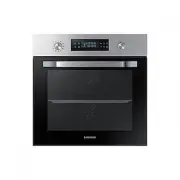
Page 2 - Contents
2 English C ontents Contents Contents Using this manual 3 The following symbols are used in this User Manual: 3 Safety instructions 3 Important safety precautions 3 Correct Disposal of This Product (Waste Electrical & Electronic Equipment) 6 Auto energy saving function 6 Installation 6 What’s in...
Page 3 - Safety instructions; The following symbols are used in this User Manual:; Important safety precautions; Using this manual
English 3 Using this manual Safety instructions Thank you for choosing SAMSUNG Built-In Oven.This User Manual contains important information on safety and instructions intended to assist you in the operation and maintenance of your appliance.Please take the time to read this User Manual before using...
Page 6 - What’s included; Installation; Auto energy saving function
6 English Installation Installation Safety instructions WARNING This oven must be installed by a qualified technician. The installer is responsible for connecting the oven to the main power, while observing the relevant safety regulations of your area. What’s included Make sure all parts and accesso...
Page 7 - Power connection
English 7 Installation Accessories The oven comes with different accessories that help you prepare different types of food. Wire rack Wire rack insert * Baking tray * Universal tray * Extra-deep tray * Rotisserie spit * Rotisserie spit and Shashlik * Divider NOTE Availability of accessories with an ...
Page 8 - Cabinet mount
8 English Installation Installation D C B A E Built-in cabinet (mm) A Min. 550 B Min. 560 C Min. 50 D Min. 590 - Max. 600 E Min. 460 x Min. 50 NOTE The built-in cabinet must have vents ( E ) to ventilate heat and circulate the air. D C B A Under-sink cabinet (mm) A Min. 550 B Min. 560 C Min. 600 D M...
Page 9 - Before you start; Initial settings; New oven smell
English 9 Befor e you s tar t Mounting the oven A Make sure to leave a gap ( A ) of at least 5 mm between the oven and each side of the cabinet. Fit the oven into the cabinet and fix the oven firmly on both sides using 2 screws. After installation is complete, remove the protective film, tape, and o...
Page 10 - Smart safety mechanism
10 English Befor e you s tar t Before you start Basic use For better cooking experience, familiarise yourself with how to use each accessory. Wire rack The wire rack is designed for grilling and roasting. Insert the wire rack into position with the protruding parts (stoppers on both sides) towards t...
Page 11 - Dual cook mode
English 11 Befor e you s tar t Dual cook mode You can use both the upper and lower compartments to cook two different recipes, or simply choose one compartment to cook with. Insert the divider in level 3 to separate the cooking chamber in two compartments. The oven senses the divider and activates t...
Page 12 - Control panel; Operations
12 English Oper ations Operations Control panel The front panel comes in a wide range of materials and colours. For improved quality, the actual appearance of the oven is subject to change without notice. 01 02 04 06 08 10 03 05 07 09 11 12 01 Mode selector Turn to select a cooking mode or function....
Page 13 - Common settings
English 13 Oper ations Common settings It is common to change the default temperature and/or cooking time across all cooking modes. Follow the steps below to adjust the temperature and/or cooking time for the selected cooking mode. Temperature 1. Turn the mode selector to choose a mode or function. ...
Page 19 - Dual cook mode temperature setting range
English 19 Oper ations Dual cook mode temperature setting range You can use both the upper and lower compartments simultaneously for different cooking operations.In Dual Cook mode, the temperature range of one compartment is affected by the temperature settings of the other compartment. For instance...
Page 20 - To stop cooking; Special function
20 English Oper ations Operations To stop cooking While cooking is in process, turn the mode selector to “ ”. The oven turns off in a few seconds. This is because, to avoid accepting incorrect commands by users, the oven waits a few seconds so that they can correct their selection. To stop cooking f...
Page 21 - Auto cook
English 21 Oper ations Auto cook For inexperienced cooks, the oven offers a total of 25 auto cooking recipes. Take advantage of this feature to save you time or shorten your learning curve. The cooking time and temperature will be adjusted according to the selected recipe. 1. Turn the mode selector ...
Page 22 - Cleaning
22 English Oper ations Operations NOTE For more information, see the Auto cook programmes section in this manual. Cleaning Two cleaning modes are available for you. This function saves you time by removing the need for regular manual cleaning. The remaining time appears on the display during this pr...
Page 24 - Timer; Cooking smart; Manual cooking
24 English C ooking smar t Cooking smart Timer Timer helps you check the time or operating duration while cooking. 1. Press . 2. Turn the value dial to set the time, and then press OK . You can set the time to a max of 23 hours and 59 minutes. NOTE • When the time has elapsed, the oven beeps with a ...
Page 29 - Auto cook programmes
English 29 C ooking smar t Lower Food Accessory Level Type of heating Temp. (°C) Time (min.) Small cakes Universal tray 1 170 30-35 Marble cake Wire rack 1 160-170 60-70 Apple pie Wire rack 1 160-170 70-80 Homemade pizza, 1.0-1.2 kg Universal tray 1 190-210 13-18 Auto cook programmes Single cook The...
Page 32 - Test dishes
32 English C ooking smar t Cooking smart Test dishes According to standard EN 60350-1 1. Baking The recommendations for baking refer to a preheated oven. Do not use the fast preheat function. Always put trays the slanted side to the door front. Type of food Accessory Level Type of heating Temp. (°C)...
Page 33 - Collection of frequent auto cook recipes
English 33 C ooking smar t Collection of frequent auto cook recipes Potato gratin Ingredients 800 g potatoes, 100 ml milk, 100 ml cream, 50 g beaten whole egg, 1 tbsp each of salt, pepper, nutmeg, 150 g grated cheese, butter, thyme Directions Peel potatoes and slice them to 3 mm thickness. Rub the b...
Page 35 - Maintenance
English 35 Maint enanc e Cleaning WARNING Make sure the oven and accessories are cool before cleaning.Do not use abrasive cleaning agents, hard brushes, scouring pads or cloths, steel wool, knives or any other abrasive materials. Oven interior • For cleaning the interior of the oven, use a clean clo...
Page 37 - Replacement; Checkpoints; Troubleshooting
English 37 Tr ouble shoo ting Water collector 01 01 Water collector The water collector collects not only excess moisture from cooking but also food residue. Regularly empty and clean the water collector. WARNING If you encounter a water leak from the water collector, contact us at a local Samsung s...
Page 39 - Information codes
English 39 Tr ouble shoo ting Problem Cause Action The oven does not cook properly. • If the door is often opened during cooking. • Do not frequently open the door unless you are cooking things that need to be turned. If you frequently open the door, the interior temperature will be lower and this m...
Page 40 - Technical specifcations
40 English Technic al specif cations Troubleshooting Code Meaning Action -dC- If the divider is removed during cooking in Dual cook mode.If the divider is inserted during cooking in Single cook mode. The divider must not be removed during cooking in Dual cook mode.Turn off the oven and then restart....
Page 41 - Appendix; Product data sheet
English 41 Appendix Energy saving tips • During cooking, the oven door should remain closed except for turning food over. Do not open the door frequently during cooking to maintain the oven temperature and to save energy. • Plan oven use to avoid turning the oven off between cooking one item and the...
Page 42 - Memo
42 English Memo NV66M3571BS_EU_DG68-00891A-01_EN.indd 42 2016-12-13 11:43:05