Page 2 - contents
English - 2 contents SAFETY INFORMATION 3 3 Safety information BEFORE YOU BEGIN 20 20 Setting the clock 21 Setting the energy save mode OVEN USE 22 22 Types of heating 23 How a microwave oven works 24 Using the microwave mode 34 Using the auto menu mode CLEANING AND CARE 38 38 Using the steam clean ...
Page 3 - safety information; IMPORTANT SAFETY INSTRUCTIONS; READ CAREFULLY AND KEEP FOR FUTURE; Make sure that these safety precautions are obeyed at all; Before using the oven, confirm that the following; WARNING
01 SAFET Y INFORMA TION safety information USING THIS INSTRUCTION BOOKLET You have just purchased a SAMSUNG microwave oven. Your Owner’s Instructions contain valuable information on cooking with your microwave oven: • Safety precautions• Suitable accessories and cookware• Useful cooking tips• Cookin...
Page 5 - Children should be supervised to ensure that they do
01 SAFET Y INFORMA TION WARNING: The contents of feeding bottles and baby food jars shall be stirred or shaken and the temperature checked before consumption, in order to avoid burns.Eggs in their shell and whole hard-boiled eggs should not be heated in microwave ovens since they may explode, even a...
Page 7 - This product is a Group 2 Class B ISM equipment. The; Technical Information
01 SAFET Y INFORMA TION Do not use harsh abrasive cleaners or sharp metal scrapers to clean the oven door glass since they can scratch the surface, which may result in shattering of the glass.The temperature of accessible surfaces may be high when the appliance is operating.The door or the outer sur...
Page 8 - Kitchen Cabinets in contact with the oven must be heat-
This appliance complies with EU regulations. Disposal of Packaging and Appliance Packaging is recyclable. Packaging may consist of the following materials: - cardboard; - polyethylene film (PE); - CFC-free polystyrene(PS rigid foam). Please dispose of these materials in a responsible manner in accor...
Page 9 - Fig1. Slide the oven partly into the recess. Lead the
01 SAFET Y INFORMA TION Fig1. Slide the oven partly into the recess. Lead the connection cable to the power source. Fig2. Slide the oven completely into the recess.Fig3. Fasten the oven using the two screws (4 X 25 mm) provoded. Fig4. Make the electrical connection. Check that the appliance works. F...
Page 10 - dimensions; Built-under Dimensions
Be sure to hold the appliance with 2 side handles and door handle when unpacking the product. Side handle Side handle Door handle Building-in dimensions 600 min 564 max 568 min 446 max 450 min 550 200 cm² 50 200 cm² Built-under Dimensions min 550 min 564 max 568 min 446 max 450 50 200 cm² English - ...
Page 11 - WIRING INSTRUCTIONS; WARNING THIS APPLIANCE MUST BE EARTHED.
01 SAFET Y INFORMA TION English - 11 INSTALLATION & WIRING INSTRUCTIONSIMPORTANT NOTE : The mains lead on this equipment is supplied with a moulded plug incorporating a fuse. The value of the fuse is indicated on the pin face of the plug and, if it requires replacing, a fuse approved to BS1363 o...
Page 13 - CLEANING YOUR MICROWAVE OVEN
01 SAFET Y INFORMA TION CLEANING YOUR MICROWAVE OVEN The following parts of your microwave oven should be cleaned regularly to prevent grease and food particles from building up: • Inside and outside surfaces • Door and door seals • Turntable and Roller rings (Turntable type model only) ALWAYS ensur...
Page 14 - STORING AND REPAIRING YOUR MICROWAVE OVEN; • Broken hinge; NEVER; • Unplug it from the wall socket
STORING AND REPAIRING YOUR MICROWAVE OVEN A few simple precautions should be taken when storing or having your microwave oven serviced. The oven must not be used if the door or door seals are damaged: • Broken hinge • Deteriorated seals • Distorted or bent oven casing Only a qualified microwave serv...
Page 18 - oven features; OVEN
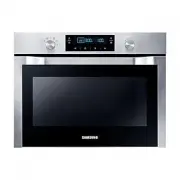
English - 18 oven features OVEN When you cook some food, you should use the ceramic tray and place the ceramic tray on the Support Rack. Door Handle Control Panel Door Support Rack Safety Door Lock NQ50H7235AS_EU_DG68-00523D-00_EN.indb 18 2014-03-07 �� 3:31:54
Page 19 - CONTROL PANEL
English - 19 02 OVEN FEA TURES CONTROL PANEL 1. OFF 2. AUTO REHEAT MODE 3. AUTO DEFROST MODE 4. MICROWAVE MODE 5. AUTO COOK MODE 6. STEAM CLEAN 7. MODE SELECTOR 8. DISPLAY 9. LAMP 10. CLOCK 11. +30s (quick start) 12. CHILD LOCK 13. DEODORIZATION 14. SELECT 15. START 16. STOP/CANCEL 17. MULTI-FUNCTIO...
Page 20 - before you begin; SETTING THE CLOCK
English - 20 before you begin When the appliance is first plugged in, the DISPLAY lights up. After three seconds, the Clock symbol and “12:00” blink on the DISPLAY. SETTING THE CLOCK 1. Press CLOCK . The “12” starts blinking. 2. Turn the MULTI-FUNCTION SELECTOR to set hour. 3. Press CLOCK again. The...
Page 21 - SETTING THE ENERGY SAVE MODE; Standby mode
03 BEFORE Y OU BEGIN English - 21 SETTING THE ENERGY SAVE MODE The oven has an energy save mode. This facility saves electricity when the oven is not in use. Standby mode The oven will default to Standby mode after 10 minutes if not operated. ECO mode 1. Press the SELECT for 3 seconds. While in ECO ...
Page 22 - oven use; TYPES OF HEATING; Microwave mode
English - 22 oven use TYPES OF HEATING The following chart summarizes the various heating modes and settings available on your oven. Use the Cooking Guides in the pages that follow to determine the appropriate mode and setting for all your recipes. Microwave mode Microwave energy is used to cook and...
Page 23 - HOW A MICROWAVE OVEN WORKS; Cooking principle
English - 23 04 OVEN USE HOW A MICROWAVE OVEN WORKS Microwaves are high - frequency electromagnetic waves; the energy released enables food to be cooked or reheated without changing either the form or the colour. You can use your microwave to: • Microwave mode Cooking principle 1. The microwaves gen...
Page 24 - USING THE MICROWAVE MODE; Setting microwave mode
English - 24 USING THE MICROWAVE MODE Microwaves are high frequency electromagnetic waves. In microwave cooking, microwave energy penetrates food, attracted and absorbed by its water, fat and sugar content. The microwaves cause the molecules in the food to move rapidly. The rapid movement of these m...
Page 27 - Microwave cooking guide; General guidelines; Cooking guide for frozen vegetables
English - 27 04 OVEN USE Microwave cooking guide General guidelines Food suitable for microwave cooking Many kinds of food are suitable for microwave cooking, including fresh or frozen vegetables, fruit, pasta, rice, grains, beans, fish, and meat. Sauces, custard, soups, steamed puddings, preserves,...
Page 28 - Cooking guide for fresh vegetables
English - 28 Cooking guide for fresh vegetables Use a suitable glass Pyrex bowl with lid. Add 30-45 ml cold water (2-3 tbsp.) for every 250 g unless another water quantity is recommended (see table) Cook covered for the minimum time (see table) Continue cooking to get the result you prefer. Stir onc...
Page 29 - Cooking guide for rice and pasta
English - 29 04 OVEN USE Cooking guide for rice and pasta Rice: Use a large glass Pyrex bowl with lid. (Note that rice doubles in volume during cooking.) Cook covered. After cooking time is over, stir before letting stand. Add salt or herbs and butter. Note that rice may not have absorbed all water ...
Page 30 - Reheating; Reheating liquids
English - 30 Reheating Your microwave oven will reheat food in a fraction of the time a conventional oven takes. Arranging and covering Avoid reheating large items such as joints of meat since they tend to overcook and dry out before the centre is piping hot. You will have more success reheating sma...
Page 31 - Reheating baby food
English - 31 04 OVEN USE Reheating baby food Baby food Extra caution should also be exercised when reheating baby foods. Put food into a deep ceramic plate. Cover with plastic lid. Stir well after reheating. Let stand for 2-3 minutes before serving. Stir again and check temperature. Recommended serv...
Page 32 - Defrosting
English - 32 Reheating liquids and food Use the power levels and times in this table as guide lines for reheating. Food Portion Power Time Standing time (min.) Instruction Drink 250 ml (1 mug) 500 ml (2 mugs) 900 W 1½-2 2-3 1-2 Pour into a ceramic cup and reheat uncovered. Place cup in the center of...
Page 34 - USING THE AUTO MENU MODE; Setting auto menu mode
English - 34 USING THE AUTO MENU MODE Auto Menu Mode allows you to choose from 20 pre-programmed settings (6 Auto Cook, 5 Auto Defrost and 9 Auto Reheat) to conveniently cook,or reheat your favorite foods. Cooking time and power level are automatically set. Simply select one of the 20 settings and s...
Page 35 - Guide to auto cook menu setting
English - 35 04 OVEN USE Guide to auto cook menu setting The following table presents 6 Auto Programmes Cooking. It contains its quantities, standing times and appropriate recommendations. These auto programmes contain special cook modes, which have been developed for your convenience. No Food item ...
Page 36 - Guide to auto defrost setting
English - 36 Guide to auto defrost setting The following table presents the various Auto Defrost programmes, quantities, standing times and appropriate recommendations. These programmes use microwave energy only. Remove all packaging material before defrosting. Place meat, poultry and fish on the ce...
Page 37 - Guide to auto reheat setting
English - 37 04 OVEN USE Guide to auto reheat setting No Food Item Weight (kg) Recommendation r:01 Drink 0.25 - 0.5 Pour the liquid into ceramic mugs and reheat uncovered. Place one mug in the centre, place 2 mugs side by side on ceramic tray. Leave them to stand in the microwave oven. Stir well aft...
Page 38 - cleaning and care; USING THE STEAM CLEAN MODE
cleaning and care USING THE STEAM CLEAN MODE The Steam Clean allows you to sanitize your oven in just 15 minutes. 1. Turn the MODE SELECTOR to Steam Clean position. • Pour about 100 ml water onto the floor of the empty oven. 2. Press the START . The oven will start automatically. • After 15 minutes,...
Page 39 - USING THE DEODORIZATION MODE; Deodorization mode setting
05 CLEANING AND C ARE USING THE DEODORIZATION MODE In the Deodorization setting, the fans are operated for cooling and deodorization. Deodorization mode setting 1. Turn the MODE SELECTOR to “OFF” position. 2. Press DEODORIZATION. The time is displayed (Default : 5 minutes). 3. Turn the MULTI-FUNCTIO...
Page 40 - SWITCHING OFF THE BEEPER
SWITCHING OFF THE BEEPER The oven’s Switching Off The Beeper allows you to switch the beeper on and off. 1. Turn the MODE SELECTOR to “OFF” position. 2. To switch the beeper off, press CHILD LOCK and DEODORIZATION at the same time and hold for 3 seconds. 3. To switch the beeper back on, press CHILD ...
Page 41 - CHILD SAFETY LOCK; To lock the oven; To unlock the oven
05 CLEANING AND C ARE CHILD SAFETY LOCK The oven’s Child Safety Lock allows you to lock the control panel to protect the oven against unintended use. To lock the oven 1. Turn the MODE SELECTOR to “OFF” position. 2. Press CHILD LOCK button for 1 second. 3. A lock symbol appears on the DISPLAY indicat...
Page 42 - TROUBLESHOOTING; Neither the oven’s display nor the oven operate.; The oven’s display works, but the power won’t come on.
English - 42 troubleshooting and information code STORING AND REPAIRING YOUR MICROWAVE OVEN Repairs should only be made by a qualified service technician. If oven requires servicing, unplug the oven and contact SAMSUNG Customer Service. When calling, please have the following information ready: • Th...
Page 44 - INFORMATION CODES
English - 44 The fan continues to operate after the oven has been turned off. • This is a normal occurrence. Cooling fan may continue to operate for up to cooling down the oven after oven has been turned off. Condensation inside the oven. • This is normal condition. Simply wipe away after cooking. A...
Page 45 - technical data; TECHNICAL SPECIFICATIONS
English - 45 07 TECHNIC AL D AT A technical data SAMSUNG strives to improve its products at all times. Both the design specifications and these user instructions are thus subject to change without notice. TECHNICAL SPECIFICATIONS Model NQ50H7235AS Power Source 230 V / 50 Hz Power Consumption Microwa...