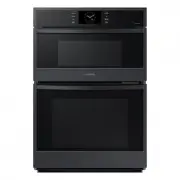
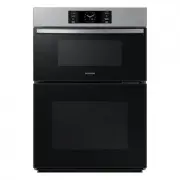
Page 2 - Contents
2 English C ontents Contents Safety instructions 3 Important safety instructions 3 General safety 7 Microwave operation precautions 8 Limited warranty 9 Product group definition 9 Correct Disposal of This Product (Waste Electrical & Electronic Equipment) 9 Installation 10 What’s included 10 Inst...
Page 3 - Safety instructions; IMPORTANT SAFETY INSTRUCTIONS
English 3 Safety ins truc tions Safety instructions IMPORTANT SAFETY INSTRUCTIONS READ CAREFULLY AND KEEP FOR FUTURE REFERENCE. WARNING : If the door or door seals are damaged, the oven must not be operated until it has been repaired by a competent person. WARNING : It is hazardous for anyone other ...
Page 5 - WARNING
English 5 Safety ins truc tions WARNING : When the appliance is operated in the combination mode, children should only use the oven under adult supervision due to the temperatures generated.During use the appliance becomes hot. Care should be taken to avoid touching heating elements inside the oven....
Page 7 - General safety
English 7 Safety ins truc tions Microwave warning Microwave heating of beverages may result in delayed eruptive boiling; always use caution when handling the container. Always allow beverages to stand at least 20 seconds before handling. If necessary, stir during heating. Always stir after heating.I...
Page 8 - Microwave operation precautions
8 English Safety ins truc tions Safety instructions Microwave operation precautions Failure to observe the following safety precautions may result in harmful exposure to microwave energy. • Do not operate the oven with the door open. Do not tamper with the safety interlocks (door latches). Do not in...
Page 9 - Limited warranty
English 9 Safety ins truc tions Correct Disposal of This Product (Waste Electrical & Electronic Equipment) (Applicable in countries with separate collection systems) This marking on the product, accessories or literature indicates that the product and its electronic accessories (e.g. charger, he...
Page 10 - Installation; What’s included
10 English Installation Accessories The oven comes with different accessories that help you prepare different types of food. Ceramic tray (Useful for microwave mode.) Baking tray (Do not use for microwave mode.) Wire tray insert (Useful for speed menu and grill mode.) Oven rack (Do not use for micro...
Page 14 - Before you start; Control panel
14 English Befor e you s tar t Before you start Control panel The oven’s control panel features a display (non-touch), dial knob and touch buttons to control the oven. Please read the following information to learn about the oven’s control panel. 07 02 03 04 05 06 01 01 Screen Displays the menu, inf...
Page 15 - Side racks
English 15 Befor e you s tar t Side racks 01 02 03 04 05 • Insert the accessory to the correct position inside of the oven. • Take caution in removing cookware and/or accessories out of the oven. Hot meals or accessories can cause burns. 01 Level 1 Microwave function 02 Level 2 Oven function 03 Leve...
Page 16 - Cookware for microwave; About microwave energy
16 English Befor e you s tar t Before you start Cookware for microwave Cookware used for Microwave Mode must allow microwaves to pass through and penetrate food. Metals such as stainless steel, aluminum and copper reflect microwaves. Therefore, do not use cookware made of metallic materials. Cookwar...
Page 18 - Operations; Oven modes
18 English Oper ations Operations Oven modes 12:00 Convection 160°C Cook Time START 1. On the main screen, select Convection , and then press the Dial Knob . 2. Select the desired cook mode, and then press the Dial Knob . (For detailed information of each mode, see “ Oven mode descriptions ” section...
Page 20 - Microwave modes
20 English Oper ations Operations Microwave modes 12:00 Convection 160°C Cook Time START 1. On the main screen, select Convection , and then press the Dial Knob . 2. Select the desired cook mode, and then press the Dial Knob . (For detailed information of each mode, see “ Microwave mode descriptions...
Page 24 - Auto Defrost
24 English Oper ations Operations Speed Cook The oven offers Speed Cook programmes. Take advantage of this feature to conveniently defrost items. The cooking time, power level and temperature will be adjusted according to the selected programme. 12:00 Convection 160°C Cook Time START 1. On the main ...
Page 25 - Cleaning
English 25 Oper ations Cleaning Steam Clean This is useful for cleaning light soiling with steam.This automatic function saves you time by removing the need for regular manual cleaning. 1. Touch the button on the control panel. 2. Select Cleaning , and then press the Dial Knob . 3. Select Steam Clea...
Page 26 - Settings
26 English Oper ations Operations Settings Touch the button on the control panel, select Settings , and then press the Dial Knob to change various settings for your oven. Please refer to the following table for detailed descriptions. Menu Submenu Description Connections Wi-Fi You can turn the Wi-Fi ...
Page 28 - Cooking Smart
28 English C ooking smar t Cooking Smart Auto Cook The following table presents 31 Auto programmes including reheating, cooking, roasting and baking. It contains its quantities, standing times, and appropriate recommendations. These auto programmes contain special cook modes, which have been develop...
Page 33 - Manual cooking
English 33 C ooking Smar t Manual cooking Microwave cooking guide • Do not use metal containers with Microwave mode. Always put food containers on the cavity. • It is recommended to cover the food for best results. • After cooking is complete, let the food settle in its own steam. Frozen vegetables ...
Page 45 - Maintenance
English 45 Maint enanc e Maintenance Cleaning Clean the oven regularly to prevent impurities from building up on or inside the oven. Also pay special attention to the door and door sealing (applicable models only).If the door won’t open or close smoothly, first check if the door seals have built up ...
Page 46 - Care against an extended period of disuse; Troubleshooting; Checkpoints
46 English Tr ouble shoo ting Replacement (repair) WARNING This oven has no user-removable parts inside. Do not try to replace or repair the oven yourself. • If you encounter a problem with hinges, sealing, and/or the door, contact a qualified technician or a local Samsung service centre for technic...
Page 51 - Information codes; Technical specifications
English 51 Technic al speci fications Information codes If the oven fails to operate, you may see an information code on the display. Check the table below and try the suggestions. Code Description Action C-20 The temperature sensor is open. Unplug the power cord of the oven, and contact a local Sam...
Page 52 - Appendix; Open Source Announcement
52 English Appendix Appendix NOTE Hereby, Samsung declares that this radio equipment is in compliance with Directive 2014/53/EU and with the relevant statutory requirements in the UK. The full text of the EU declaration of conformity and the UK declaration of conformtiy is available at the following...
Page 53 - Memo