Page 2 - Contents
2 English C ontents Contents Using this manual 3 The following symbols are used in this user manual 3 Safety instructions 3 Important safety precautions 3 Correct Disposal of This Product (Waste Electrical & Electronic Equipment) 6 Installation 7 What’s included 7 Installation instructions 8 Ins...
Page 3 - Using this manual; The following symbols are used in this user manual; Safety instructions; Important safety precautions
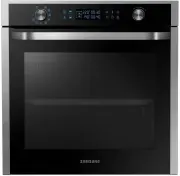
English 3 Using this manual Using this manual Thank you for choosing SAMSUNG Built-In Oven.This User Manual contains important information on safety and instructions intended to assist you in the operation and maintenance of your appliance.Please take the time to read this User Manual before using y...
Page 7 - Installation; What’s included
English 7 Installation Accessories The oven comes with different accessories that help you prepare different types of food. Baking trays Oven rack Steam dish NOTE See the Cooking Smart on page 26 to determine the appropriate accessory for your dishes. Installation What’s included Make sure all parts...
Page 8 - Install in the cabinet; Installation instructions
8 English Installation Installation Install in the cabinet Kitchen cabinets in contact with the oven must be heatresistant up to 100 °C. Samsung will take no responsibility for damage of cabinets from the heat. Required dimensions for installation A B C D E F G I H Oven (mm) A 560 F 595 B 446 G 359....
Page 11 - Before you start; Control panel
English 11 Befor e you s tar t Before you start Control panel The oven’s control panel features a full touch display, dial knob and touch buttons to control the oven. Please read the following information to learn about the oven’s control panel. 07 02 03 04 05 06 01 01 Full Touch Screen Displays the...
Page 12 - Side racks
12 English Befor e you s tar t Before you start Side racks 01 02 03 04 01 Level 1 02 Level 2 03 Level 3 04 Level 4 • Insert the accessory to the correct position inside of the oven. • Take caution in removing cookware and/or accessories out of the oven. Hot meals or accessories can cause burns. 6. S...
Page 13 - Water reservoir
English 13 Befor e you s tar t NOTE Do not exceed the MAX line. A NOTE Make sure the upper case (A) of the water reservoir is closed before using the oven. Water reservoir The water reservoir is used for steam functions. Fill it with water in advance of steam cooking. 1. Locate the water reservoir i...
Page 14 - Operations; Oven modes
14 English Oper ations Operations Oven modes 12:00 Convection 160°C Cook Time START 1. On the main screen, tap Convection to select the desired cook mode.(For detailed information of each mode, see “ Oven mode descriptions ” section on page 15 .) 12:00 Fan Conventional 180°C Cook Time START 2. Set t...
Page 16 - Steam assisted modes
16 English Oper ations Operations Steam assisted modes CAUTION Make sure the water reservoir is filled before using the steam assisted modes. 12:00 Convection 160°C Cook Time START 1. On the main screen, tap Convection to select the desired cook mode. (For detailed information of each mode, see “ St...
Page 21 - Timer
English 21 Oper ations Timer Adding the new Timer1. Touch the button on the control panel, and then tap Timer . 2. On the Timer screen tap . NOTE If you are adding a timer for the first time, disregard this step. 3. Set the time. Editing the existing Timer1. Touch the button on the control panel, an...
Page 22 - Cleaning
22 English Oper ations Operations Cleaning Steam Clean This is useful for cleaning light soiling with steam.This automatic function saves you time by removing the need for regular manual cleaning. 1. Touch the button on the control panel, and then tap Cleaning . 2. Tap Steam Clean . 3. Follow the in...
Page 26 - Cooking Smart
26 English C ooking Smar t Cooking Smart Auto Cook The following table presents 35 Auto Programmes for Steam cooking, Baking, Grilling, Roasting and Reheat. The tables contains its quantities and appropriate recommendations.Before using those programmes always fill water reservoir up to maximum leve...
Page 31 - Manual cooking
English 31 C ooking Smar t Food Item Weight (kg) Standing time (min.) Shelf level Frozen bread (-18 °C) 0.1-0.30.4-0.6 5-10 Put bread horizontally, lengthways to the door on the baking tray, shelf level 2.This programme is suitable for all kinds of sliced bread, as well as for bread rolls and baguet...
Page 38 - Test dishes
38 English C ooking Smar t Cooking Smart Test dishes According to standard EN 60350 1. Baking The recommendations for baking refer to preheated oven. Insert baking tray with slanted side towards the door front. Type of food Dish & Notes Shelf level Cooking mode Temp. (°C) Cooking time (min.) Sma...
Page 39 - Maintenance
English 39 Maint enanc e Maintenance Cleaning Clean the oven regularly to prevent impurities from building up on or inside the oven. Also pay special attention to the door and the door sealing (applicable models only).If the door won’t open or close smoothly, first check if the door seals have built...
Page 40 - Care against an extended period of disuse; Troubleshooting; Checkpoints
40 English Tr ouble shoo ting Replacement (repair) WARNING This oven has no user-removable parts inside. Do not try to replace or repair the oven yourself. • If you encounter a problem with hinges, sealing, and/or the door, contact a qualified technician or a local Samsung service centre for technic...
Page 44 - Information codes
44 English Tr ouble shoo ting Troubleshooting Problem Cause Action The oven does not cook properly. The oven door is frequently opened during cooking. Do not frequently open the door unless you are cooking things that need to be turned. If you open the door often, the interior temperature will be lo...
Page 45 - Technical specifcations; Product data sheet
English 45 Technic al specif cations Technical specifcations SAMSUNG strives to improve its products at all times. Both the design specifications and these user instructions are thus subject to change without notice. Power Source 230 V ~ 50 Hz Power Consumption Maximum power 2850 W Grill 2550 W Conv...
Page 46 - Appendix; Open Source Announcement
46 English Appendix Appendix Energy saving tips • During cooking, the oven door should remain closed except for turning food over. Do not open the door frequently during cooking to maintain the oven temperature and to save energy. • If cooking time is more than 30 minutes, the oven may be switched o...
Page 47 - Memo
Memo NQ8300T_NQ50T9939BD_EU_DG68-01194D-00_EN.indd 47 2020-01-23 12:26:16