Page 2 - Contents
2 English C ontents Contents Using this manual 3 The following symbols are used in this user manual 3 Safety instructions 3 Important safety instructions 3 Correct Disposal of This Product (Waste Electrical & Electronic Equipment) 9 Installation 10 What’s included 10 Installation instructions 11...
Page 3 - Using this manual; The following symbols are used in this user manual; Safety instructions; Important safety instructions
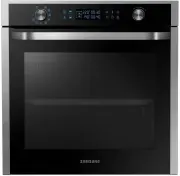
English 3 Using this manual Using this manual Thank you for choosing SAMSUNG Built-In Oven.This User Manual contains important information on safety and instructions intended to assist you in the operation and maintenance of your appliance.Please take the time to read this User Manual before using y...
Page 4 - bed and breakfast type environments.
4 English Safety ins truc tions Safety instructions Eggs in their shell and whole hard-boiled eggs should not be heated in microwave ovens since they may explode, even after microwave heating has ended.The oven should be cleaned regularly and any food deposits removed.Failure to maintain the oven in...
Page 6 - WARNING
6 English Safety ins truc tions Safety instructions WARNING : The appliance and its accessible parts become hot during use.Care should be taken to avoid touching heating elements.Children less than 8 years of age shall be kept away unless continuously supervised. CAUTION : The cooking process has to...
Page 7 - General safety
English 7 Safety ins truc tions This appliance can be used by children aged from 8 years and above and persons with reduced physical, sensory or mental capabilities or lack of experience and knowledge if they have been given supervision or instruction concerning use of the appliance in a safe way an...
Page 8 - Microwave operation precautions
8 English Safety ins truc tions Safety instructions Microwave warning Microwave heating of beverages may result in delayed eruptive boiling; always use caution when handling the container. Always allow beverages to stand at least 20 seconds before handling. If necessary, stir during heating. Always ...
Page 9 - Limited warranty
English 9 Safety ins truc tions Limited warranty Samsung will charge a repair fee for replacing an accessory or repairing a cosmetic defect if the damage to the unit or accessory was caused by the customer. Items this stipulation covers include: • Door, handles, out-panel, or control panel that are ...
Page 10 - Installation; What’s included
10 English Installation Accessories The oven comes with different accessories that help you prepare different types of food. Baking trays Oven rack Steam dish NOTE See the Cooking Smart on page 27 to determine the appropriate accessory for your dishes. Installation What’s included Make sure all part...
Page 11 - Install in the cabinet; Installation instructions
English 11 Installation Install in the cabinet Kitchen cabinets in contact with the oven must be heatresistant up to 100 °C. Samsung will take no responsibility for damage of cabinets from the heat. Required dimensions for installation A B C D E F G I H Oven (mm) A 560 F 595 B 446 G 359.5 C 549 H 85...
Page 14 - Before you start; Control panel
14 English Befor e you s tar t Before you start Control panel The oven’s control panel features a display (non-touch), dial knob and touch buttons to control the oven. Please read the following information to learn about the oven’s control panel. 07 02 03 04 05 06 01 01 Screen Displays the menu, inf...
Page 15 - Side racks
English 15 Befor e you s tar t Side racks 01 02 03 04 01 Level 1 02 Level 2 03 Level 3 04 Level 4 • Insert the accessory to the correct position inside of the oven. • Take caution in removing cookware and/or accessories out of the oven. Hot meals or accessories can cause burns. 5. Set the time zone....
Page 16 - Water reservoir
16 English Befor e you s tar t Before you start NOTE Do not exceed the MAX line. A NOTE Make sure the upper case (A) of the water reservoir is closed before using the oven. Water reservoir The water reservoir is used for steam functions. Fill it with water in advance of steam cooking. 1. Locate the ...
Page 17 - Operations; Oven modes
English 17 Oper ations Operations Oven modes 12:00 Convection 160°C Cook Time START 1. On the main screen, select Convection , and then press the Dial Knob . 2. Select the desired cook mode, and then press the Dial Knob . (For detailed information of each mode, see “ Oven mode descriptions ” section...
Page 19 - Steam assisted modes
English 19 Oper ations Steam assisted modes CAUTION Make sure the water reservoir is filled before using the steam assisted modes. 12:00 Convection 160°C Cook Time START 1. On the main screen, select Convection , and then press the Dial Knob . 2. Select the desired cook mode, and then press the Dial...
Page 23 - Timer
English 23 Oper ations Timer Adding the new Timer1. Touch the button on the control panel. 2. Select Timer , and then press the Dial Knob . 3. On the Timer screen, select , and then press the Dial Knob . • Skip this step if you are adding the timer for the first time. 4. Set the time. Editing the ex...
Page 24 - Cleaning
24 English Oper ations Operations Descale Clean inside the steam generator to prevent affecting the food quality and taste. NOTE • The oven counts the time of steam assisted modes and notifies you to run the Descale function when required. You can still use the steam assisted modes for the next two ...
Page 25 - Settings
English 25 Oper ations Settings Touch the button on the control panel, select Settings , and then press the Dial Knob to change various settings for your oven. Please refer to the following table for detailed descriptions. Menu Submenu Description Connections Wi-Fi You can turn the Wi-Fi on or off. ...
Page 27 - Cooking Smart
English 27 C ooking Smar t Menu Submenu Description About device Model name You can check the model name of our oven. SW version You can check the current version of the firmware.When you have new software available, SW update button will appear on this menu. Legal information You can check the lega...
Page 33 - Manual cooking
English 33 C ooking Smar t Manual cooking Steam assisted mode Steam Cook Use settings and times in this table as guide lines for steaming.We recommend to always fill the water reservoir with fresh water to the maximum level.Sometimes you can use the baking tray on bottom for collecting condensation,...
Page 39 - Test dishes
English 39 C ooking Smar t Test dishes According to standard EN 60350 1. Baking The recommendations for baking refer to preheated oven. Insert baking tray with slanted side towards the door front. Type of food Dish & Notes Shelf level Cooking mode Temp. (°C) Cooking time (min.) Small cakes Bakin...
Page 40 - Maintenance
40 English Maint enanc e Maintenance Cleaning Clean the oven regularly to prevent impurities from building up on or inside the oven. Also pay special attention to the door and the door sealing (applicable models only).If the door won’t open or close smoothly, first check if the door seals have built...
Page 41 - Care against an extended period of disuse; Troubleshooting; Checkpoints
English 41 Tr ouble shoo ting Replacement (repair) WARNING This oven has no user-removable parts inside. Do not try to replace or repair the oven yourself. • If you encounter a problem with hinges, sealing, and/or the door, contact a qualified technician or a local Samsung service centre for technic...
Page 45 - Information codes
English 45 Tr ouble shoo ting Problem Cause Action The oven does not cook properly. The oven door is frequently opened during cooking. Do not frequently open the door unless you are cooking things that need to be turned. If you open the door often, the interior temperature will be lowered and this m...
Page 46 - Technical specifications; Product data sheet
46 English Technic al speci fications Technical specifications SAMSUNG strives to improve its products at all times. Both the design specifications and these user instructions are thus subject to change without notice. Power Source 230 V ~ 50 Hz Power Consumption Maximum power 2850 W Grill 2550 W Co...
Page 47 - Open Source Announcement
English 47 Appendix Energy saving tips • During cooking, the oven door should remain closed except for turning food over. Do not open the door frequently during cooking to maintain the oven temperature and to save energy. • If cooking time is more than 30 minutes, the oven may be switched off 5-10 m...