Page 2 - English; Contents
2 English C ontents Contents Using this manual 4 The following symbols are used in this User Manual: 4 Safety instructions 5 Important safety instructions 5 Correct disposal of this product (waste electrical & electronic equipment) 13 Installation & wiring instructions 14 Wiring instructions...
Page 3 - English 3; Cooking smart; Auto cooking; Troubleshooting
English 3 C ontents Cooking smart 49 Auto cooking 49 Manual cooking 56 Quick & Easy 70 Troubleshooting 71 Checkpoints 71Information codes 78 Technical specifications 79 NQ50J9530BS_EU_DE68-04354B-03_EN.indd 3 10/19/2017 4:52:36 PM
Page 4 - English; Using this manual; The following symbols are used in this User Manual:; WARNING; severe personal injury or death; CAUTION; minor personal injury or property damage; NOTE
4 English Using this manual Using this manual You have just purchased a SAMSUNG microwave oven. Your Owner’s Instructions contains valuable information on cooking with your microwave oven: • Safety precautions • Suitable accessories and cookware • Useful cooking tips • Cooking tips The following sym...
Page 5 - English 5; truc; Safety instructions; IMPORTANT SAFETY INSTRUCTIONS
English 5 Safety ins truc tions Safety instructions IMPORTANT SAFETY INSTRUCTIONS READ CAREFULLY AND KEEP FOR FUTURE REFERENCE. MAKE SURE THAT THESE SAFETY PRECAUTIONS ARE OBEYED AT ALL TIMES. BEFORE USING THE OVEN, CONFIRM THAT THE FOLLOWING INSTRUCTIONS ARE FOLLOWED. Microwave function only WARNIN...
Page 6 - English; : This appliance can be used by children aged from 8 years; : Microwave heating of beverages can result in delayed; : The contents of feeding bottles and baby food jars shall be
6 English Safety ins truc tions Safety instructions WARNING : This appliance can be used by children aged from 8 years and above and persons with reduced physical, sensory or mental capabilities or lack of experience and knowledge if they have been given supervision or instruction concerning use of ...
Page 7 - English 7; The appliance should not be cleaned with a water jet.
English 7 Safety ins truc tions Failure to maintain the oven in a clean condition could lead to deterioration of the surface that could adversely affect the life of the appliance and possibly result in a hazardous situation. The appliance is not intended for installing in road vehicles, caravans and...
Page 8 - English; Oven function only - Optional
8 English Safety ins truc tions Safety instructions Oven function only - Optional WARNING : When the appliance is operated in the combination mode, children should only use the oven under adult supervision due to the temperatures generated. During use the appliance becomes hot. Care should be taken ...
Page 9 - English 9; Do not use oven rack for microwave oven mode.
English 9 Safety ins truc tions The temperature of accessible surfaces may be high when the appliance is operating. The door or the outer surface may get hot when the appliance is operating. Keep the appliance and its cord out of reach of children less than 8 years. Appliances are not intended to be...
Page 12 - door seals and sealing surfaces
12 English Safety ins truc tions Safety instructions Precautions to avoid possible exposure to excessive microwave energy. (Microwave function only) Failure to observe the following safety precautions may result in harmful exposure to microwave energy. A. Under no circumstances should any attempt be...
Page 13 - Product group definition; (Applicable in countries with separate collection systems)
English 13 Safety ins truc tions Product group definition This product is a Group 2 Class B ISM equipment. The definition of group 2 which contains all ISM equipment in which radio-frequency energy is intentionally generated and/or used in the form of electromagnetic radiation for the treatment of m...
Page 14 - INSTALLATION & WIRING INSTRUCTIONS; WARNING THIS APPLIANCE MUST BE EARTHED.; IMPORTANT; Green and yellow : Earth
14 English Safety ins truc tions Safety instructions INSTALLATION & WIRING INSTRUCTIONS IMPORTANT NOTE: The mains lead on this equipment is supplied with a moulded plug incorporating a fuse. The value of the fuse is indicated on the pin face of the plug and, if it requires replacing, a fuse appr...
Page 15 - GREEN AND YELLOW; : Ensure that the plug and power; CIRCUITS; : Your microwave oven should be
English 15 Safety ins truc tions IMPORTANT : Consult a qualified electrician or service technician if in doubt about any of these instructions. The manufacturer of this oven will not accept any liability for damage to persons or material for non observance of these requirements. There are no user-se...
Page 16 - Installation; What’s included
16 English Installation Installation What’s included Make sure all parts and accessories are included in the product package. If you have a problem with the oven or accessories, contact a local Samsung customer centre or the retailer. Oven at a glance 01 02 03 04 05 05 Control panel 06 Side runners ...
Page 18 - Installation instructions
18 English Installation Installation Installation instructions General Technical Information Electrical Supply 230 V ~ 50 Hz Dimensions (W × H × D) Set size 595 x 454.2 x 570 mm Built in size 555 x 445 x 548.8 mm This appliance complies with EU regulations. Disposal of Packaging and Appliance Packag...
Page 20 - Install in the Cabinet
20 English Installation Installation Install in the Cabinet Kitchen Cabinets in contact with the oven must be heatresistant up to 100 °C. Samsung will take no responsibility for damage of cabinets from the heat. Required Dimensions for Installation A B C D E F G I H Oven (mm) A 555 F 595 B 445 G 358...
Page 21 - Mounting the oven
English 21 Installation A B C D E Under-sink cabinet (mm) A Min. 550 B Min 564 / Max. 568 C Min. 446 / Max 450 D 50 E 200 cm 2 Mounting the oven 1. Slide the oven partly into the recess. Lead the connection cable to the power source. 2. Slide the oven completely into the recess. NQ50J9530BS_EU_DE68-...
Page 22 - Door handle
22 English Installation Installation 3. Fasten the oven using the two screws (4 x 25 mm) provoded. 4. Make the electrical connection. Check that the appliance works. 02 02 01 01 Door handle 02 Side handle Be sure to hold the appliance with 2 side handles and door handle when unpacking the product. N...
Page 23 - Maintenance; Cleaning
English 23 Maint enanc e Maintenance Cleaning Clean the oven regularly to prevent impurities from building up on or inside the oven. Also pay special attention to the door, door sealing, and turntable and roller ring (applicable models only).If the door won’t open or close smoothly, first check if t...
Page 25 - tar; Before you start; Initial settings; Choose a preferred menu language.; OK; OK; Specify the current time.; OK; To return to the previous screen, tap
English 25 Befor e you s tar t Before you start Initial settings When you turn on the oven for the first time, the Welcome screen appears with the Samsung logo. Follow the onscreen instructions to complete the initial settings. You can change the initial settings later by accessing the Settings scre...
Page 26 - Side runners
26 English Befor e you s tar t Before you start Side runners 01 02 03 04 05 • Insert the accessory to the correct position inside of the oven. • Take caution in removing cookware and/or accessories out of the oven. Hot meals or accessories can cause burns. 01 Level 1 Microwave function 02 Level 2 Ov...
Page 27 - Cookware for microwave; Flat bottom and straight sides
English 27 Befor e you s tar t Cookware for microwave Cookware used for Microwave Mode must allow microwaves to pass through and penetrate food. Metals such as stainless steel, aluminum and copper reflect microwaves. Therefore, do not use cookware made of metallic materials. Cookware marked microwav...
Page 29 - Operations; Control panel; Power
English 29 Oper ations Operations The oven offers 10 top-level menus that cover all aspects of using and maintaining the oven, from which you can access any cooking modes, options, or advanced functions or settings. Control panel The front panel comes in a wide range of materials and colours. For im...
Page 30 - Display; Convection; Start; Convection
30 English Oper ations Operations Display Start For baking on one or more levels at the same time 12:00 AM 00:05 Convection 04 05 06 7 01 02 03 01 The current or selected menu is displayed with a specific symbol. 02 Brief description of the current or selected menu. 03 Indication bar: from the left,...
Page 31 - Common settings; Temperature; Tap; to start cooking, or press to
English 31 Oper ations Common settings It is common to change the default temperature, power level and/or cooking time across all cooking modes. Follow the steps below to adjust the temperature and/or cooking time for the selected cooking mode. Temperature Start For baking on one or more levels at t...
Page 32 - Power level; Microwave; to select power level.; watt; watt
32 English Oper ations Operations Power level Start watt 12:00 AM 30sec For fast efficient cooking without changing the colour or from of food Microwave 1. Tap watt to select power level. Adjust power level 100W-900W 12:00 AM 100w 180w 300w 450w 600w 750w 900w Start watt 30sec 2. Select a desired po...
Page 33 - Ready at
English 33 Oper ations Cooking time Start For baking on one or more levels at the same time 12:00 AM Convection 1. Tap to display the digital clock screen. Start 0 :00 12:00 Start at 12:00 AM AM h min Set end time (max 10 h) 2. Tap any time element to display the onscreen number pad. Use the number ...
Page 34 - Delay End
34 English Oper ations Operations Delay End Delay End is designed to make cooking more convenient.Real-life case: Suppose you select a one-hour recipe at 14:00 and you want the oven to finish cooking at 17:00. To set the end time, change the Ready At time to 17:00. The oven will start cooking at 16:...
Page 35 - Oven function; Your cuisine is ready; ” appears with a
English 35 Oper ations Oven function Convection Conventional Top heat + Convection Bottom heat + Convection 1. On the main screen, You can see oven function. Select a cooking mode. Start 12:00 AM Convection For baking on one or more levels at the same time You can tap the List icon in the bottom-lef...
Page 37 - MW Combi function; AUTO; Menu; Microwave + Convection
English 37 Oper ations MW Combi function Oven function MW Combi function Auto cook Auto defrost AUTO 1. Press Menu , and then tap MW Combi function . Microwave Microwave + Roast Microwave + Grill Microwave + Convection 2. Select a desired cooking mode from the list that appears. Start watt 12:00 AM ...
Page 38 - Cooking modes
38 English Oper ations Operations Cooking modes Mode Temperature (°C)/ power level (w) range Suggested temperature (°C)/ power level (w) Microwave -/100-900 -/900 The microwave energy enables food to be cooked or reheated without changing either the form or the colour. Microwave + Convection 40-230/...
Page 40 - Press
40 English Oper ations Operations Auto defrost For inexperienced cooks, the oven offers a total of 5 auto defrost features. Take advantage of this feature to save your time or shorten your learning curve. The cooking time, power level and temperature will be adjusted according to the selected recipe...
Page 41 - Select a desired function.; Keep warm
English 41 Oper ations Special function Add special or additional functions to improve your cooking experience. Favourites Timer Special function Steam cleaning 1. Press Menu , and then tap Special function . Special function Keep warm 12:00 AM Multi level cook 2. Select a desired function. Start 12...
Page 42 - How To 1 – Create a custom recipe; Create your own recipe; A message of “; Create your own recipe; . Your settings will be added to
42 English Oper ations Operations Favourites Add a frequent recipe to the Favourites list for future reference. This will save your time for searching for a past recipe that you want to use. The oven provides two ways to do this: How To 1 – Create a custom recipe Favourites Timer Special function St...
Page 43 - Save this recipe to Favourites?; Save this recipe to; to create a; . The current recipe will be added
English 43 Oper ations How To 2 – Add the current recipe to the Favourites You can use the current recipe to add to the Favourites as a new item. 12:00 AM OK +5min Your cuisine is ready Tap ‘+5min’ to prolong your cook 1. When cooking the current recipe is complete, tap . OK Cancel Convection | 180°...
Page 44 - To use a favourite recipe
44 English Oper ations Operations To use a favourite recipe Favourites Timer Special function Steam cleaning 1. Press Menu , and then tap Favourites . Favourites Favourite 1 12:00 AM + Create a Favourite 2. Tap a desired recipe in the list that appears. Detailed information on the selected recipe wi...
Page 45 - Time is up; to confirm your settings.
English 45 Oper ations Timer Timer helps you check the time or operating duration while cooking. Favourites Timer Special function Steam cleaning 1. Press Menu , and then tap Timer . 0 :00:00 Timer 12:00 AM Start 2. Tap any time element to display the onscreen number pad. 3. Use the number pad to se...
Page 46 - Steam cleaning; Access; tap; . It takes 15 minutes to
46 English Oper ations Operations Steam cleaning This is useful for cleaning light soiling with steam.This automatic function saves you time by removing the need for regular manual cleaning. Favourites Timer Special function Steam cleaning 1. Access Menu > Steam cleaning , and then tap Start . 2....
Page 47 - Settings
English 47 Oper ations Settings You may want to change the default settings to your preference, or to check the network connection for diagnosis. The oven offers you with 8 different setting items. Language Choose a display language. • Access Menu > Settings , and then tap a preferred language. V...
Page 48 - Help; Useful tips and explanations on a specific item that you select.
48 English Oper ations Operations Help Useful tips and explanations on a specific item that you select. Troubleshooting Tap a checkpoint directly on the screen, and try the suggestions. Guide for first use You will be provided with simple instructions on basic use of the oven. NQ50J9530BS_EU_DE68-04...
Page 49 - ooking smar; Auto cook guide; Food
English 49 C ooking smar t Cooking smart Auto cooking Auto cook guide 1. Auto Reheat Food Serving size (kg) Accessory Level Drink 0.25 0.5 Ceramic tray 1 Pour the liquid into ceramic mugs and reheat uncovered. Place one mug in the centre, Place 2 mugs side by side on ceramic tray. Leave them to stan...
Page 55 - Auto Defrost guide; Ceramic tray
English 55 C ooking smar t Auto Defrost guide The following table presents the various Auto Defrost programmes, quantities, standing times and appropriate recommendations. These programmes use microwave energy only. Remove all packaging material before defrosting. Place meat, poultry and fish on the...
Page 56 - Manual cooking; Microwave cooking guide; It is recommended to cover the food for best results.
56 English C ooking smar t Cooking smart Manual cooking Microwave cooking guide • Do not use metal containers with Microwave mode. Always put food containers on the turntable. • It is recommended to cover the food for best results. • After cooking is complete, let the food settle in its own steam. F...
Page 58 - Cut pepper into small slices.
58 English C ooking smar t Cooking smart Food Serving size (g) Cooking time (min.) Standing time (min.) Onions 250 4-5 3 Cut onions into slices or halves. Add only 15 ml (1 tbsp.) water. Peppers 250 4-5 3 Cut pepper into small slices. Potatoes 250500 4-57-8 3 Weigh the peeled potatoes and cut them i...
Page 62 - Convection guide
62 English C ooking smar t Cooking smart Convection guide Convection Use temperatures and times in this table as guidelines for baking.We recommend to preheat the oven with Convection mode. Food Temp. (°C) Accessory Level Cooking time (min.) Hazelnut cake square mould 160-170 Oven rack 2 60-70 Lemon...
Page 64 - Grilling guide
64 English C ooking smar t Cooking smart Grilling guide Large grill Use temperatures and times in this table as guidelines for grilling.Set 220 °C grill temperature, preheat for 5 minutes. Food Accessory Level Cooking time 1st side (min.) Cooking time 2nd side (min.) Kebab spits Oven rack + Baking t...
Page 65 - Combination cooking guide
English 65 C ooking smar t Combination cooking guide • Do not use metal containers with Microwave mode. Always put food containers on the turntable. • It is recommended to cover the food for best results. • After cooking is complete, let the food settle in its own steam. Microwave + Grill Use power ...
Page 66 - Grill insert
66 English C ooking smar t Cooking smart Food Power level (W) Temp. (°C) Accessory Level Cooking time 1st side (min.) Cooking time 2nd side (min.) Roast beef/ Lamb (Medium) 300 180-200 Ceramic tray+ Grill insert 3 15-20 15-20 Frozen lasagne/ Pasta gratin 600 170-190 Ceramic tray+ Grill insert 3 20-2...
Page 68 - Conventional guide
68 English C ooking smar t Cooking smart Conventional guide Use temperatures and times in this table as guidelines for baking.We recommend to preheat the oven with Conventional mode. Food Temp. (°C) Accessory Level Cooking time (min.) Lasagne 200-220 Oven rack 3 20-25 Vegetables gratin 180-200 Oven ...
Page 71 - Checkpoints; Problem
English 71 Tr ouble shoo ting Troubleshooting You may encounter a problem using the oven. In that case, first check the table below and try the suggestions. If a problem persists, or if any information code keeps appearing on the display, contact a local Samsung service centre. Checkpoints If you en...
Page 78 - Information codes; Code
78 English Tr ouble shoo ting Troubleshooting Information codes If the oven fails to operate, you may see an information code on the display. Check the table below and try the suggestions. Code Description Action C-20 The temperature sensor is open. Unplug the power cord of the oven, and contact a l...
Page 79 - Technical specifications; Cooling fan motor
English 79 Technic al speci fications Technical specifications SAMSUNG strives to improve its products at all times. Both the design specifications and these user instructions are thus subject to change without notice. Power Source 230 V ~ 50 Hz Power Consumption Maximum power 13 A Microwave 1650 W ...
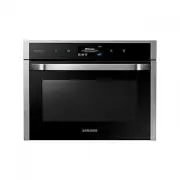


 Samsung NE63T8951SS
User Manual
Samsung NE63T8951SS
User Manual
 Samsung NQ50J5530BS
User Manual
Samsung NQ50J5530BS
User Manual
 Samsung NQ50J9530BS
User Manual
Samsung NQ50J9530BS
User Manual
 Samsung NQ70CB700D12
User Manual
Samsung NQ70CB700D12
User Manual
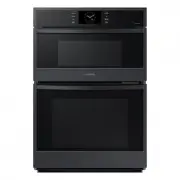 Samsung NQ70CG600DMT
User Manual
Samsung NQ70CG600DMT
User Manual
 Samsung NQ70CG600DSR
User Manual
Samsung NQ70CG600DSR
User Manual
 Samsung NQ70CG700DMT
User Manual
Samsung NQ70CG700DMT
User Manual
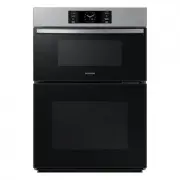 Samsung NQ70CG700DSR
User Manual
Samsung NQ70CG700DSR
User Manual
 Samsung NQ70T5511DG/AA
User Manual
Samsung NQ70T5511DG/AA
User Manual
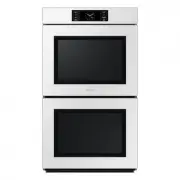 Samsung NV51CB700D12
User Manual
Samsung NV51CB700D12
User Manual
 Samsung NV51CB700S12
User Manual
Samsung NV51CB700S12
User Manual
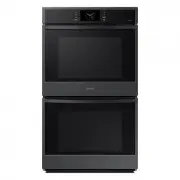 Samsung NV51CG600DMT
User Manual
Samsung NV51CG600DMT
User Manual
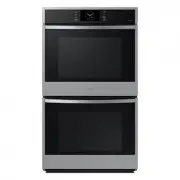 Samsung NV51CG600DSR
User Manual
Samsung NV51CG600DSR
User Manual
 Samsung NV51CG600SMT
User Manual
Samsung NV51CG600SMT
User Manual
 Samsung NV51CG600SSR
User Manual
Samsung NV51CG600SSR
User Manual
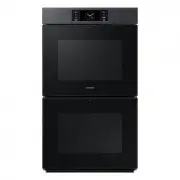 Samsung NV51CG700DMT
User Manual
Samsung NV51CG700DMT
User Manual
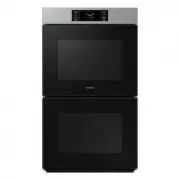 Samsung NV51CG700DSR
User Manual
Samsung NV51CG700DSR
User Manual
 Samsung NV51CG700SMT
User Manual
Samsung NV51CG700SMT
User Manual
 Samsung NV51CG700SSR
User Manual
Samsung NV51CG700SSR
User Manual