Page 2 - contents
English - 2 contents SAFETY INFORMATION 3 3 Safety Information OVEN FEATURES 18 18 Control panel 19 Oven 20 Accessories BEFORE YOU START 21 21 Clock settings 22 Setting the energy save mode 22 Turning the beeper on/off OVEN USE 23 23 Types of heating 24 How a microwave oven works 25 Using the microw...
Page 3 - safety information; IMPORTANT SAFETY INSTRUCTIONS; READ CAREFULLY AND KEEP FOR FUTURE; Make sure that these safety precautions are obeyed at all; Before using the oven, confirm that the following; WARNING
safety information USING THIS INSTRUCTION BOOKLET You have just purchased a SAMSUNG microwave oven. Your Owner’s Instructions contains valuable information on cooking with your microwave oven: • Safety precautions• Suitable accessories and cookware• Useful cooking tips• Cooking tips LEGEND FOR SYMBO...
Page 7 - Technical Information
Do not use harsh abrasive cleaners or sharp metal scrapers to clean the oven door glass since they can scratch the surface, which may result in shattering of the glass.The temperature of accessible surfaces may be high when the appliance is operating.The door or the outer surface may get hot when th...
Page 10 - Building-in dimensions; Built-under Dimensions
Building-in dimensions Min. 550 Min. 564~568 341 555 200 cm² 454.2 Min. 50 200 cm² Min. 446 Max. 450 Space for power outlet (30 ¢ Hole) 445 358 85 595 549 21 600 Be sure to hold the appliance with 2 side handles and door handle when unpacking the product. Side handle Side handle Door handle Built-un...
Page 11 - WIRING INSTRUCTIONS
01 SAFET Y INFORMA TION English - 11 INSTALLATION & WIRING INSTRUCTIONSIMPORTANT NOTE : The mains lead on this equipment is supplied with a moulded plug incorporating a fuse. The value of the fuse is indicated on the pin face of the plug and, if it requires replacing, a fuse approved to BS1363 o...
Page 18 - oven features; CONTROL PANEL
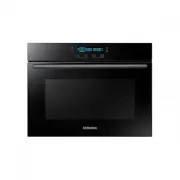
English - 18 oven features CONTROL PANEL 1. LAMP ON/OFF 2. DISPLAY 3. START BUTTON 4. MODE BUTTON 5. COOK TIME BUTTON 6. DOWN BUTTON 7. UP BUTTON 8. SELECT BUTTON 9. STOP/CANCEL BUTTON 4 5 6 7 8 9 2 1 3 4 5 6 7 8 9 1 2 3 NQ50H5537KB_EU_DE68-04306N-03_EN.indd 18 9/6/2017 2:07:22 PM
Page 19 - OVEN
English - 19 02 OVEN FEA TURES OVEN • Shelf levels are numbered from the bottom up. • The levels 4 and 5 are mainly used for grill function. • The level 1 is mainly used for microwave function with the ceramic tray. • Please refer to Cooking Guides provided throughout this booklet to determine appro...
Page 20 - ACCESSORIES
English - 20 ACCESSORIES The following accessories are provided with your microwave oven: 1. Ceramic tray. (Useful for microwave mode.) 2. Baking trays. (DO NOT use for microwave mode.) 3. Grill insert for ceramic tray. (Useful for speed menu and grill mode.) 4. Pure steam cooker, refer to page 52 t...
Page 21 - before you start; CLOCK SETTINGS
English - 21 03 BEFORE Y OU S TART before you start When the appliance is first plugged in, the display lights up. After three seconds, the clock symbol and “12:00” blink on the display. CLOCK SETTINGS 1. Simultaneously press the UP button and SELECT button. “12:00” blinks. 2. Press the UP or DOWN b...
Page 22 - SETTING THE ENERGY SAVE MODE; Standby mode; TURNING THE BEEPER ON/OFF
English - 22 SETTING THE ENERGY SAVE MODE Energy save mode saves electricity when the oven is not being used. Standby mode The oven will default to Standby mode after 2 minutes of no activity. ECO mode 1. Press and hold the SELECT button for 3 seconds. When the oven is in ECO mode, the display turns...
Page 23 - oven use; TYPES OF HEATING; Microwave mode; Automatic functions
English - 23 04 OVEN USE oven use TYPES OF HEATING The following chart summarizes the various heating modes and settings available on your oven. Use the Cooking Guides in the pages that follow to determine the appropriate mode and setting for all your recipes. Microwave mode Microwave energy is used...
Page 24 - HOW A MICROWAVE OVEN WORKS; Cooking principle
English - 24 HOW A MICROWAVE OVEN WORKS Microwaves are high - frequency electromagnetic waves; the energy released enables food to be cooked or reheated without changing either the form or the colour. You can use your microwave to: • Microwave mode • Combi-functions Cooking principle 1. The microwav...
Page 25 - USING THE MICROWAVE MODE; Setting microwave mode
English - 25 04 OVEN USE USING THE MICROWAVE MODE Microwave cooking uses high-frequency waves to cook food. The waves cause molecules in the food to move rapidly, creating friction and the resulting energy cooks the food. For Microwave mode, use the ceramic tray on the first level. Setting microwave...
Page 28 - Microwave cooking guide; General guidelines; Cooking guide for frozen vegetables
English - 28 Microwave cooking guide General guidelines Food suitable for microwave cooking Many kinds of food are suitable for microwave cooking, including fresh or frozen vegetables, fruit, pasta, rice, grains, beans, fish, and meat. Sauces, custard, soups, steamed puddings, preserves, and chutney...
Page 29 - Cooking guide for fresh vegetables
English - 29 04 OVEN USE Cooking guide for fresh vegetables Use a suitable glass Pyrex bowl with lid. Add 30-45 ml cold water (2-3 tbsp.) for every 250 g unless another water quantity is recommended (see table) Cook covered for the minimum time (see table) Continue cooking to get the result you pref...
Page 30 - Cooking guide for rice and pasta
English - 30 Cooking guide for rice and pasta Rice: Use a large glass Pyrex bowl with lid. (Note that rice doubles in volume during cooking.) Cook covered. After cooking time is over, stir before letting stand. Add salt or herbs and butter. Note that rice may not have absorbed all water after the co...
Page 31 - Reheating; Reheating liquids
English - 31 04 OVEN USE Reheating Your microwave oven will reheat food in a fraction of the time a conventional oven takes. Arranging and covering Avoid reheating large items such as joints of meat since they tend to overcook and dry out before the centre is piping hot. You will have more success r...
Page 32 - Reheating baby food
English - 32 Reheating baby food Baby food Extra caution should also be exercised when reheating baby foods. Put food into a deep ceramic plate. Cover with plastic lid. Stir well after reheating. Let stand for 2-3 minutes before serving. Stir again and check temperature. Recommended serving temperat...
Page 33 - Defrosting
English - 33 04 OVEN USE Reheating liquids and food Use the power levels and times in this table as guide lines for reheating. Food Portion Power Time Standing time (min.) Instruction Drink 250 ml (1 mug) 500 ml (2 mugs) 800 W 1½-2 2-3 1-2 Pour into a ceramic cup and reheat uncovered. Place cup in t...
Page 35 - USING THE OVEN MODE; To set an oven mode
English - 35 04 OVEN USE USING THE OVEN MODE To set an oven mode 1. Press the MODE button 3 times for Grill mode or 2 times for Convection mode. The oven mode and recommended temperature are displayed. Grill Convection 2. Press the SELECT button and then press the UP or DOWN buttons to set the desir...
Page 36 - Grill setting; Cooking guide
English - 36 Grill setting Food is heated by the top heating element. For grilling, Grill insert with Ceramic Tray on level 5 . * Temperatures Setting: 150-230 °C * Please ensure that glass baking dishes are suitable for 150-230 °C cooking temperatures. Cooking guide Use temperatures and times in th...
Page 37 - Convection setting
English - 37 04 OVEN USE Convection setting Food is heated by hot air from the fan and heating element, which are located in the rear back side of the oven. This setting provides uniform heating and is ideal for baking. Place the trays on Level or . * Temperatures Setting: 40-230 °C * Please ensure ...
Page 38 - SETTING THE COOKING TIME
English - 38 SETTING THE COOKING TIME You can set the cooking time to max. 10 hours. After cooking, the heating elements automatically turn off. 1. Select the desired mode and function. Set the temperature if preferred. 2. Press the COOK TIME button. 3. Press the UP or DOWN buttons to select the des...
Page 39 - SETTING THE END TIME
English - 39 04 OVEN USE SETTING THE END TIME You can set a specific time you would like the oven to stop cooking. End Time mode can only be used in the Grill and Convection modes. 1. Select the desired mode and function. Set the temperature if preferred. 2. Press and hold the COOK TIME button for 3...
Page 40 - SETTING THE DELAY START
English - 40 SETTING THE DELAY START Use Delay Start to delay the start of the oven’s operation. Example: Current time: 12:00 Cooking time: 2 hours End time: You wish to end cooking at 18:00 1. Select the desired mode and function. Set the temperature if preferred. 2. Press the COOK TIME button, and...
Page 41 - COMBINATION MODE; Setting Microwave + Grill
English - 41 04 OVEN USE COMBINATION MODE Microwave + Grill This mode uses the radiant heat coming from the grill and cooks at the speed of microwave cooking. Cooking time is decreased, and the food will have a nice browning. Suitable food combinations include all kinds of cooked food that need rehe...
Page 45 - USING THE VEGETABLE COOK MODE; Setting vegetable cook mode
English - 45 04 OVEN USE USING THE VEGETABLE COOK MODE Add 30-45 ml of cold water for every 250 g unless another water quantity is recommended (see table). Cook covered for the minimum time (see table). Continue cooking to get the result you prefer. Stir once during and once after cooking. Add, salt...
Page 46 - Guide to Vegetabel menu setting
English - 46 Guide to Vegetabel menu setting The following table presents 10 vegetable. It contains its quantities, standing times and appropriate recommendations. These auto programmes contain special cook modes, which have been developed for your convenience. No Food item Weight (kg) Accessory She...
Page 48 - USING THE AUTO MENU MODE; Setting auto menu mode
English - 48 USING THE AUTO MENU MODE Auto Menu mode allows you to choose from 15 pre-programmed settings (10 Auto Cook and 5 Auto Defrost) to conveniently cook, roast, or bake your favorite foods. The cooking time and power level are automatically set. Simply select one of the 15 settings and set t...
Page 49 - Guide to auto cook menu setting
English - 49 04 OVEN USE Guide to auto cook menu setting The following table presents 10 Auto Programmes Reheating, Cooking, Roasting and Baking. It contains its quantities, standing times and appropriate recommendations. These auto programmes contain special cook modes, which have been developed fo...
Page 51 - Guide to auto speed defrost setting
English - 51 04 OVEN USE Guide to auto speed defrost setting The following table presents the various Auto Defrost programmes, quantities, standing times and appropriate recommendations. These programmes use microwave energy only. Remove all packaging material before defrosting. Place meat, poultry ...
Page 52 - PURE STEAM COOKING GUIDE
English - 52 PURE STEAM COOKING GUIDE The Pure Steamer is based on the principle of steam cooking, and is designed for fast, healthy cooking in your Samsung Microwave oven. This accessory is ideal for cooking rice, pasta, vegetables, etc. in record time, while preserving their nutritional values. Th...
Page 54 - Handling of pure steam cooker
English - 54 Food Serving size Power (W) Cooking time (min.) Handling Frozen Yeast Dumpling with Jam Filling 150 g 600 W 1½-2½ Bowl + Lid Instructions Moist the top of filled dumplings with cold water. Put 1-2 frozen dumplings side by side into the steam bowl. Cover with lid. Stand for 2-3 minutes. ...
Page 55 - CHILD SAFETY LOCK; To lock the oven; To unlock the oven
English - 55 04 OVEN USE CHILD SAFETY LOCK Child Safety Lock allows you to lock the control panel to protect against unintended use. To lock the oven 1. Simultaneously press and hold the COOK TIME button and DOWN button for 3 seconds. 2. A lock symbol appears on the display indicating that all funct...
Page 56 - USING THE STEAM CLEAN MODE
English - 56 USING THE STEAM CLEAN MODE The Steam Clean allows you to sanitize your oven in just 15 minutes. 1. Press the MODE button 8 times. The time (15:00) is displayed. 2. Press the START button. The oven will start automatically. • After 15 minutes, the oven will stop automatically. Wipe it ou...
Page 57 - troubleshooting and; STORING AND REPAIRING YOUR MICROWAVE OVEN; Neither the oven’s display nor the oven operate.
English - 57 05 TROUBLESHOO TING troubleshooting and information code STORING AND REPAIRING YOUR MICROWAVE OVEN Repairs should only be made by a qualified service technician. If oven requires servicing, unplug the oven and contact SAMSUNG Customer Service. When calling, please have the following inf...
Page 59 - The fan continues to operate after the oven has been turned off.; Condensation inside the oven.; Air flow around the door and outer casing.; Light reflection around the door and outer casing.; Steam escaping from around the door or vents.
English - 59 05 TROUBLESHOO TING The fan continues to operate after the oven has been turned off. • This is a normal occurrence. Cooling fan may continue to operate for up to cooling down the oven after oven has been turned off. Condensation inside the oven. • This is normal condition. Simply wipe a...
Page 60 - INFORMATION CODES
English - 60 INFORMATION CODES Code Symbol Problem Solution KEY SHORT ERROR This error occurs when a button is pressed and held for over 60 seconds. Press STOP/CANCEL button to stop the oven. After cooling, please restart the oven. OVEN has still same problem after above action, then contact an auth...
Page 61 - technical data; TECHNICAL SPECIFICATIONS
English - 61 06 TECHNIC AL D AT A technical data SAMSUNG strives to improve its products at all times. Both the design specifications and these user instructions are thus subject to change without notice. TECHNICAL SPECIFICATIONS Model NQ50H5537KB Power Source 230 V ~ 50 Hz Power Consumption Maximum...
Page 62 - memo
memo NQ50H5537KB_EU_DE68-04306N-03_EN.indd 62 9/6/2017 2:07:31 PM