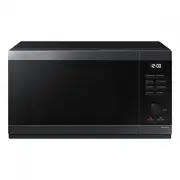
Page 2 - Contents
2 English C ontents Using Home Dessert 14 Using the Auto Cook features 17 Pure steam cooking guide 19 Using the Power Defrost features 21 Using Keep Warm features 22 Using the Deodorization features 23 Using the Lock features 23 Using the Favorite features 23 To use the Favorite setting 24 Switching...
Page 3 - Safety instructions; IMPORTANT SAFETY INSTRUCTIONS
English 3 Safety ins truc tions Safety instructions IMPORTANT SAFETY INSTRUCTIONS READ CAREFULLY AND KEEP FOR FUTURE REFERENCE. WARNING : If the door or door seals are damaged, the oven must not be operated until it has been repaired by a competent person. WARNING : It is hazardous for anyone other ...
Page 5 - General safety
English 5 Safety ins truc tions General safety Any modifications or repairs must be performed by qualified personnel only.Do not heat food or liquids sealed in containers for the microwave function.Do not use benzene, thinner, alcohol, or steam or high-pressure cleaners to clean the oven.Do not inst...
Page 6 - Microwave operation precautions; Limited warranty
6 English Safety ins truc tions Safety instructions Do not use this appliance for other purposes than cooking.Drying of clothing and heating of warming pads, slippers, sponges, damp cloth and similar may lead to risk of injury, ignition or fire.Use this appliance only for its intended use as describ...
Page 7 - Cooking instructions on food packaging
English 7 Safety ins truc tions Correct Disposal of This Product (Waste Electrical & Electronic Equipment) (Applicable in countries with separate collection systems) This marking on the product, accessories or literature indicates that the product and its electronic accessories (e.g. charger, he...
Page 8 - Installation; Accessories; Cooking instructions; Safety Instructions
8 English Installation Installation Accessories Depending on the model that you have purchased, you are supplied with several accessories that can be used in a variety of ways. 01 01 Roller ring , to be placed in the centre of the oven.The roller ring supports the turntable. 02 02 Turntable , to be ...
Page 9 - Installation site; Turntable; Maintenance; Cleaning
English 9 Maint enanc e Installation site A B C C D A. 20 cm above B. 10 cm behind C. 10 cm on the side D. 85 cm above the floor • Select a flat, level surface approximately 85 cm above the floor. The surface must support the weight of the microwave oven. • Secure room for ventilation, at least 10 c...
Page 10 - Microwave oven features; Microwave oven; Care against an extended period of disuse
10 English Micr o w ave ov en f eatur es Microwave oven features Microwave oven 01 02 04 05 08 06 07 9 03 01 Door 02 Ventilation holes 03 Light 04 Door latches 05 Turntable 06 Coupler 07 Roller ring 08 Safety interlock holes 09 Control panel Maintenance Replacement (repair) WARNING This microwave ov...
Page 11 - Control panel; Microwave oven use; How a microwave oven works
English 11 Micr o w ave ov en use Control panel 01 03 05 07 09 10 11 02 04 06 08 12 01 Home Dessert 02 Microwave 03 Auto Cook 04 Power Defrost 05 Keep Warm 06 Deodorization 07 Lock(3 sec) 08 Favorite 09 Dial Knob (weight/serving/time) 10 OK/Clock 11 Stop/Eco 12 Start/+30s Microwave oven use How a mi...
Page 12 - Checking that your oven is operating correctly; Setting the time
12 English Micr o w ave ov en use Microwave oven use Checking that your oven is operating correctly The following simple procedure enables you to check that your oven is working correctly at all times. If you are in doubt, refer to the section entitled "Troubleshooting" on page 27 to 29. NOT...
Page 13 - Power levels and time variations
English 13 Micr o w ave ov en use Cooking/Reheating The following procedure explains how to cook or reheat food. CAUTION ALWAYS check your cooking settings before leaving the oven unattended. Open the door. Place the food in the centre of the turntable. Close the door. Never switch the microwave ove...
Page 14 - Setting the energy save mode; Using Home Dessert; Adjusting the cooking time; Stopping the cooking
14 English Micr o w ave ov en use Microwave oven use Setting the energy save mode The oven has an energy save mode. • Press the Stop/Eco button. Display off. • To remove energy save mode, open the door or press the Stop/Eco button and then display shows current time. The oven is ready for use. NOTE ...
Page 17 - Using the Auto Cook features
English 17 Micr o w ave ov en use Code Food Serving Size Instructions 10 Milk Tea 1 serving Ingredients Black tea bag 2 pcs., Water 60 g, Milk 125 g 1. Mix the black tea bag and water in mug. 2. Pour milk in other mug. 3. Put the tea mixture in the microwave oven and select the Home Dessert [10]. 4....
Page 19 - Pure steam cooking guide
English 19 Micr o w ave ov en use Code/Food Serving Size (g) Instructions 12Bulgur 250 Use the pure steamer with lid.Add double quantity of cold water (250 ml).Cook covered. Stir before standing time and add salt and herbs. Stand for 2-5 minutes. 13Chicken Breasts 300 Rinse pieces and put on a ceram...
Page 21 - Using the Power Defrost features
English 21 Micr o w ave ov en use Food Serving Size (g) Power Levels (W) Cooking time (min.) Handling Stew (Chilled) 400 600 5-6 Bowl + Lid Instructions Put stew into the steam bowl. Cover with lid. Stir well before standing. Stand for 1-2 minutes. Soup (Chilled) 400 750 3-4 Bowl + Lid Instructions ...
Page 22 - Using Keep Warm features
22 English Micr o w ave ov en use Microwave oven use Using Keep Warm features The Keep Warm feature keeps food hot until it’s served. Use this function to keep food warm until ready to serve. NOTE The maximum Keep Warm time is 99 minutes. 1 1. Press the Keep Warm button. 2 3 2. Select the Hot & ...
Page 23 - Using the Deodorization features
English 23 Micr o w ave ov en use Using the Deodorization features Use this features after cooking odorous food or when there is a lot of smoke in the oven interior.First clean the oven interior. Press the Deodorization button after you have finished cleaning. As soon as you press the Deodorization ...
Page 24 - To use the Favorite setting; Switching the beeper off
24 English Micr o w ave ov en use Microwave oven use To use the Favorite setting First, place the food in the centre of the turntable and close the door. 1 1 1. Press Favorite button, then select the program by turning the Dial Knob . P1 : First setting P2 : Second setting 2 2. Press the Start/+30s ...
Page 25 - Cookware guide
English 25 C ookw ar e guide Cookware guide To cook food in the microwave oven, the microwaves must be able to penetrate the food, without being reflected or absorbed by the dish used.Care must therefore be taken when choosing the cookware. If the cookware is marked microwave-safe, you do not need t...
Page 26 - Cooking guide; Microwaves
26 English C ooking g uide Cooking guide Microwaves Microwave energy actually penetrates food, attracted and absorbed by its water, fat and sugar content.The microwaves cause the molecules in the food to move rapidly. The rapid movement of these molecules creates friction and the resulting heat cook...
Page 27 - Troubleshooting and information code; Troubleshooting
English 27 Tr ouble shoo ting and inf ormation c ode Food Serving Size Power (W) Time (min.) Plated Meal (Chilled) 350 g 600 5½-6½ Instructions Plate a meal of 2-3 chilled components on a ceramic dish. Cover with microwave cling-film. Stand for 3 minutes. Pasta (Frozen) (Cannelloni, Macaroni, Lasagn...
Page 29 - Information code
English 29 Tr ouble shoo ting and inf ormation c ode Problem Cause Action Turntable While turning, the turntable comes out of place or stops turning. There is no roller ring, or the roller ring is not properly in place. Install the roller ring and then try again. The turntable drags while turning. T...
Page 30 - Technical specifications
30 English Technic al speci fications Technical specifications Samsung strives to improve its products at all times. Both the design specifications and these user instructions are thus subject to change without notice. Model MS32DG4504G*** Power source 230 V ~ 50 Hz AC Power consumption Microwave 15...
Page 31 - Memo