Page 2 - using this manual; safety instructions; ElEcTrical SafETy
2 _using this manual using this manual Thank you for choosing a SAMSUNG Built-In Oven.This Owner’s Manual contains important information on safety and instructions intended to assist you in the operation and maintenance of your appliance.Please take the time to read this Owner’s Manual before using ...
Page 3 - disposing of the packaging material
safety instructions_ 3 SafETy during OpEraTiOn • This oven has been designed only for the cooking of household foods. • During use, the oven interior surfaces become hot enough to cause burns. Do not touch heating elements or interior surfaces of the oven until they have had time to cool. • Never st...
Page 4 - oven controls; accessory
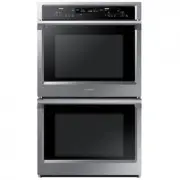
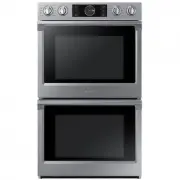
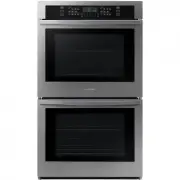
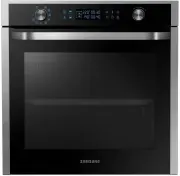
4 _oven controls oven controls Front design The front panel is available in various material and color options including stainless steel, white, black and glass. For purposes of quality improvement, the appearance may be subject to change. accessory Your new Samsung oven comes with a lot of accessor...
Page 6 - test dishes; functions
6 _test dishes test dishes according to standard En 60350 Baking The recommendations for baking refer to preheated oven. Type of Food Dish & Notes Shelf level Cooking Mode Temp. (°C) Cooking time (min.) Small cake Baking Tray 3 Conventional 160-180 15-25 Drippping tray + Baking tray 1 + 4 Convec...
Page 7 - single mode
single mode_ 7 Top Heat + Convection The heat generated by the top heating system and the convection is shared evenly in the oven by fans. This function should be used for roasting crusty dishes like meat.Suggested temperature : 190 °C Bottom Heat + Convection The heat generated by the bottom heatin...
Page 8 - twin cooking
8 _twin cooking twin cooking This oven features the unique twin cooking system. It allows you to prepare two different meals at the same time using two different temperatures in the upper and lower compartment. Or you decide to cook either in the upper or lower compartment, which saves time and ener...
Page 9 - settings; SET cOOKing TiME
settings_ 9 settings The twin cooking mode allows to use different settings for the upper- and lower compartment, such as various end time, cooking times, temperatures and alarm settings. To apply or modify settings in either compartment, press the respective key: Upper compartment Lower compartment...
Page 12 - automatic cooking; SinglE OvEn auTO cOOK prOgraMMES
12 _automatic cooking automatic cooking In auto cook mode you can select 15 Auto Programmes for cooking, roasting and baking. SinglE OvEn auTO cOOK prOgraMMES The following table presents 15 Auto Programmes for Cooking, Roasting and Baking.Those can be used in the single cavity of your oven. Always ...
Page 14 - installation & maintenance; inSTallaTiOn; Technical specifications
14 _installation & maintenance installation & maintenance inSTallaTiOn Safety instructions for the installation This oven may be installed only by an approved electrician. The installer is responsible for connecting the appliance to the mains and in so doing for observing the relevant safety...
Page 15 - iniTial SETup; initial cleaning; TrOuBlEShOOTing
installation & maintenance_ 15 iniTial SETup initial cleaning Before the oven is used for the first time, it should be cleaned thoroughly. Do not use any abrasive cleaning agents, cloths or substances, because they could damage the oven surfaces.Use warm water, detergent and soft clean cloth to ...
Page 16 - infOrMaTiOn cOdES
16 _installation & maintenance infOrMaTiOn cOdES CODE PROBLEM SOLUTION ** 1) Safety shut off. The oven continues operating at the set temperature for a prolonged time. Turn oven off and remove food. Allow oven to cool before using it again. ** 1) Key is pressed for over 10 seconds. Call your loc...
Page 17 - STEaM clEaning
cleaning & care_ 17 cleaning & care STEaM clEaning (OPTIONAL) If your oven is dirty and must be cleaned, you could use the built-in steam cleaning. Steam cleaning will be available after the oven has cooled down. 1. Remove all accessories from the oven. 2. Pour 400 ml (3/4 pint) of water ont...
Page 18 - Oven interior
18 _cleaning & care rapid drying 1. Leave the oven door ajar at approximately 30 °. 2. Set the operation knob to single mode. 3. Press the function button. 4. Select convection with the selector knob. 5. Set a cooking time of about 5 minutes and a temperature of 50 °C. 6. Switch the oven off at ...
Page 19 - dOOr rEMOval; dOOr glaSS rEMOval
cleaning & care_ 19 dOOr rEMOval For normal use, the oven door must not be removed but if removal is necessary, for example, for cleaning purposes, follow these instructions. CAUTION: The oven door is heavy. 1. Open the door and flip open the clips at both hinges completely. 2. Close the door by...
Page 20 - dETaching ThE SidE runnErS
20 _side runners side runners (optional) To clean the interior of the oven, the both side runners can be removed. dETaching ThE SidE runnErS 1. Press central part of the side runner top portion. 2. Rotate the side runner by approximately 45º. 3. Pull and remove the side runner from bottom two holes....
Page 21 - BulB ExchangE; rear oven lamp; Oven side light
side runners_ 21 BulB ExchangE Danger of electric shock! Before replacing any of the oven bulbs, take the following steps: • Switch oven Off. • Disconnect the oven from the mains. • Protect the oven light bulb and the glass cap by laying a cloth on the bottom of the oven compartment. • Bulbs can be ...
Page 22 - memo
memo BQ1D4T081_XEO_00069Y-EN.indd 22 2011-03-22 6:50:20