Page 2 - Connections; Settings; Contents
Connections Connecting to a TVConnecting to an Audio System 8 Method 1: Connecting to an HDMI supported AV receiver 8 Method 2: Connecting to an AV receiver with Optical input Connecting to a Network Router 9 Wired Network 10 Wireless Network Settings The Home ScreenPicture 12 UHD Output 12 3D Setti...
Page 3 - Media Play
33 Teletext Language 33 Primary Teletext Language 33 Secondary Teletext Language 34 RF Bypass Gain 34 Aerial Connection Type 34 Common Interface Network 35 Network Status 35 Network Settings 36 Wired Network 38 Wireless Network 42 Wi-Fi Direct 43 Content Sharing 43 Multimedia Device Settings 43 Shar...
Page 5 - Appendix
Using Samsung Apps 96 The Samsung Apps Screen at a Glance 98 Starting an Application 98 The Option Menu Screen MirroringUsing the Web Browser 101 Link Browsing and Pointer Browsing 102 The Control Panel at a Glance 103 Using the Keyboard Pop-up 104 Options on the Keyboard Pop-Up 105 Using the Settin...
Page 6 - Connecting to a TV
6 Connecting to a TV Except for H8509S, H8909S model For H8509S, H8909S model " Depending on your model, rear panel may be different. For more details, please refer to the user manual of product. " The RF cable connection of this product sends only signals of TV. You must connect the HDMI ca...
Page 9 - Wired Network
8 9 Connecting to a Network Router You can connect your product to your network router using one of the methods illustrated below. Wired Network " Internet access to Samsung’s software update server may not be allowed, depending on the router you use or your ISP’s policy. For more information, c...
Page 10 - Wireless Network
10 Wireless Network " If the wireless router supports DHCP, your product can use a DHCP or static IP address to connect to the wireless network. " Set your wireless router to Infrastructure mode. Ad-hoc mode is not supported. " The product supports only the following wireless security ke...
Page 11 - The Home Screen
11 The Home Screen PLAY DISC FILMS AND TV SHOWS MULTIMEDIA SAMSUNG APPS Audio CD RECOMMENDED MY APPS 1 2 3 WebBrowser e-Manual 3 Recorded TV Schedule Manager Screen Mirroring Settings PLAY DISC : Lets you play photos, videos, or music content from Disc. FILMS AND TV SHOWS : Lets you view Films and T...
Page 12 - D Settings
12 Picture Picture UHD Output Auto 3D Settings TV Aspect Ratio 16:9 Original BD Wise Off Resolution Auto DTV Smart Resolution Off Movie Frame (24fps) Auto UHD Output For BD-H89 series This option outputs HDMI video at UHD (Ultra High definition) resolution. This is only available when Movie Frame is...
Page 13 - D Blu-ray Playback Mode; Screen Size
12 13 3D Blu-ray Playback Mode Try Now Set whether to play 3D Blu-ray disc in 3D or 2D image. ● Auto : Automatically detect if a connected TV has 3D capability and play a Blu- ray 3D disc in 3D or 2D accordingly or a 3D only disc in 3D if the TV supports 3D. 3D only discs will not be played if your ...
Page 14 - TV Aspect Ratio
14 TV Aspect Ratio Try Now Lets you adjust the output of the product to the screen size of your TV. ● 16:9 Original : Select when you connect the product to a 16:9 TV screen. The product will display all content in its original aspect ratio. Content formatted in 4:3 will be displayed with black bars...
Page 15 - Resolution
14 15 " When BD Wise is on, the Resolution setting automatically defaults to BD Wise and BD Wise appears in the Resolution menu. " If the product is connected to a device that does not support BD Wise, you can not use the BD Wise function. " For proper operation of BD Wise, set the BD Wi...
Page 16 - Resolution according to the output mode
16 Resolution according to the output mode ● Blu-ray Disc/E-contents/Digital Contents/DTV/DVD playback For BD-H85 series Resolution Blu-ray Disc E-contents/Digital contents/DTV DVD BD Wise Resolution of Blu-ray Disc 1080p 576i/480i Auto Max. Resolution of TV input Max. Resolution of TV input Max. Re...
Page 17 - DTV Smart Resolution; Fit Screen Size
16 17 DTV Smart Resolution Try Now Use this function to automatically optimise screen resolution for digital broadcasts. ● Auto : Screen resolution is automatically optimised for digital broadcast. ● Off : Turn off DTV Smart Resolution. " When you change your TV channel with this function set to...
Page 18 - HDMI Colour Format; HDMI Deep Colour; Progressive Mode
18 HDMI Colour Format Try Now Set the colour space format for HDMI output, depending on the connected device. ● Auto : Automatically set the optimum format supported by the connected display device. ● YCbCr (4:4:4) : Recommended when connected to a display that supported YCbCr (4:4:4) because most f...
Page 19 - Speaker Settings
18 19 Sound Sound Speaker Settings Digital Output PCM PCM Downsampling On Dynamic Range Control Auto Downmixing Mode Normal Stereo DTS Neo:6 Mode Off Audio Sync 0 ms Speaker Settings Connect the product to a Samsung Network speakers for a richer, clearer sound. Refer to the Samsung Network speaker's...
Page 20 - Digital Output
20 Multiroom Link Set the configuration of the network speaker(s) you connected to your product. Speaker Test Send a test sound to each speaker to make sure your system is working properly. Edit Name You can give each speaker a name. Digital Output Try Now You set the Digital Output to match the cap...
Page 21 - Digital Output Selection; Audio Stream on Blu-ray Disc
20 21 Digital Output Selection Audio Stream on Blu-ray Disc Setup Connection Audio source stream Outputs PCM Up to PCM 7.1ch Dolby Digital Up to PCM 7.1ch Dolby Digital Plus Up to PCM 7.1ch HDMI supported Avreceiver Dolby TrueHD Up to PCM 7.1ch DTS Up to PCM 6.1ch DTSHD High Resolution Audio Up to P...
Page 22 - Audio Stream on DVD
22 Setup Connection Audio source stream Outputs PCM Re-encoded DTS Dolby Digital Re-encoded DTS Dolby Digital Plus Re-encoded DTS Bitstream (Re- encoded DTS) HDMI supported AV receiver or Optical Dolby TrueHD Re-encoded DTS DTS Re-encoded DTS DTSHD High Resolution Audio Re-encoded DTS DTS-HD Master ...
Page 23 - Audio Stream of Broadcast
22 23 Setup Connection Audio source stream Outputs PCM PCM 2ch Bitstream (Re- encoded Dolby D) HDMI supported AV receiver or Optical Dolby Digital Dolby Digital DTS DTS Audio Stream of Broadcast Setup Connection Audio source stream Outputs Dolby Digital Up to PCM 5.1ch Dolby Digital Plus Up to PCM 5...
Page 24 - Definition for Blu-ray Disc
24 Definition for Blu-ray Disc Setup Connection Audio source stream Outputs PCM HDMI supported AVreceiver Any Decodes the main feature audio and BONUSVIEW audio stream together into PCM audio and adds Navigation Sound Effects. Optical Bitstream (Unprocessed) HDMI supported AV receiver Any Outputs on...
Page 25 - Dynamic Range Control
24 25 PCM Downsampling Try Now Set whether to use downsampling processing or not. ● Off : Select when the AV receiver connected to the product is 96kHz compatible. ● On : Select when the AV receiver connected to the product is not 96kHz compatible. 96kHz signals will be down converted to 48kHz. "...
Page 26 - Downmixing Mode; Audio Sync
26 Downmixing Mode Try Now Select Downmix method for stereo output. ● Normal Stereo : Downmixes the multi-channel audio into two channel stereo. Choose when connected to equipment that does not support virtual surround functions such as Dolby Pro Logic. ● Surround Compatible : Downmixes multi-channe...
Page 27 - Connected Device
26 27 Connected Device Try Now Choose an equipment that you have connected to this product to hear the sound in addition to your TV. Loudness of DTV Programme will be adjusted according to your equipment. ● AV Receiver : Select this If you use a general AV Receiver / Home Theatre Equipment or a Tele...
Page 28 - Auto Tuning; Standby Auto Tuning
28 Broadcasting You can configure your TV channels with features such as country and auto tune. Broadcasting Auto Tuning Aerial Terrestrial Channel List Guide Schedule Manager Edit Channel Edit Favourites Auto Tuning Try Now Scans all channels and stores them in the product’s memory. Auto Tuning Con...
Page 29 - Cable Search Option; Aerial; Channel List; Guide
28 29 Cable Search Option Except for H8509S, H8909S, H8500A, H8900A model Configure search settings, such as frequency and symbol rate, for cable network. Wake-up Timer Schedule timer to turn the TV on and scan channels automatically. " This menu can be available when country set to Hungary, Fin...
Page 30 - Schedule Manager; Edit Channel; Edit Favourites; Channel Settings
30 Schedule Manager Try Now It can manager lists for schedule viewing or recording. " Depending on your country, this menu function may not be supported. Edit Channel Try Now It is provided to edit functions for channel. Edit Favourites Try Now It is provided to make and edit favourite lists for...
Page 31 - Manual Tuning; Transfer Channel list; Delete CAM operator profile
30 31 Manual Tuning Try Now Scans for a channel manually and stores in the product. When scanning has finished, channels are updated in the channel list. Transfer Channel list Try Now This function can import or export the channel map. You should connect a USB storage to use this function. ● Import ...
Page 32 - Primary Subtitle Language; Audio Language; Primary Audio Language
32 Channel Lock Try Now Prevent your children from accessing harmful content by locking channels. When "Channel Lock" set to "on", navigate to the "Edit Channel" Screen, select the channels you wish to lock, select the "Lock", and then enter the PIN code. This locks t...
Page 33 - Secondary Audio Language; Programme Rating Lock; Data Service; Digital Text; Primary Teletext Language; Secondary Teletext Language
32 33 Secondary Audio Language Try Now Select the Secondary Audio language. Programme Rating Lock Try Now Block some programmes. (Depending on the country) " Password : Enter the desired 4-digit password using the number buttons. 1) Belgium, France, Italy, Norway : You can not set the password t...
Page 34 - RF Bypass Gain; Aerial Connection Type
34 RF Bypass Gain For BD-H8500N, H8900N model When the TV and product are connected together with a RF cable, this function prevents the distortion of the broadcast signal when watching a TV channel while the product is powered off. " Power consumption will be increased when you use this functio...
Page 35 - Network Settings
34 35 Network When you connect this product to a network, you can use network based applications and functions, and upgrade the product's software through the network connection. To use network services, you must connect the product to the network. Network Network Status Network Settings Wi-Fi Direc...
Page 43 - Content Sharing; Multimedia Device Settings; Set Remote Access; Register to Samsung Link
42 43 Content Sharing Multimedia Device Settings Allow other devices on your network, like smart phones and tablets, to share content with your product. Share Hard Drive Set whether to share content from this product with other network connected devices, such as smart phone. " If this menu is se...
Page 44 - Device Name; BD-Live Internet Connection; Delete BD Data
44 Device Name Lets you input a name for the product that will identify it on your networks. BD-Live Settings Try Now Set various BD-Live function. BD-Live allows you to access extra features available on some Blu-ray discs if you are connected to the Internet. BD-Live Internet Connection Try Now Le...
Page 45 - Smart Hub; Apps Settings; Auto Ticker
44 45 Smart Hub Set your preferences for using Apps. Smart Hub Apps Settings VOD Rating Lock Off Terms & Policy Samsung account Terms and Conditions, Privacy Policy Reset Smart Hub Apps Settings Lets you configure App notification settings and view basic info about your Apps. Auto Ticker This au...
Page 46 - VOD Rating Lock; Reset Smart Hub
46 VOD Rating Lock You can lock access to Video on Demand (VOD) content based on its rating. " Depending on your country, this menu function may not be supported. " If you haven't logged into your Samsung account, this function is not available. Terms & Policy You must review and agree t...
Page 47 - Language; Device Manager
46 47 System System Setup Language Device Manager Clock Storage Device Manager Auto Power Off Off Security Setup Try Now Sets the channels and the time when setting up this product for the first time or when resetting it. Language Try Now You can select the language you prefer for the On-screen menu...
Page 48 - Keyboard Settings; Mouse Settings
48 Keyboard Settings Try Now Lets you configure a wireless USB keyboard connected to the product. Mouse Settings Try Now Lets you configure a wireless USB mouse connected to the product. You can use the mouse in the product's menu in the same way you use a mouse on your PC. To use a mouse with the p...
Page 49 - Clock; Storage Device Manager; Format Device; Check Device; Device Performance Test
48 49 Clock Try Now Sets the current date and time. " If Schedule Viewing and Schedule Recording is set using GUIDE, Channel List, or Info menu, It will work based on the time information of the TV programme. If you set the Clock Mode to Manual and change time manually, Schedule Viewing and Sche...
Page 50 - Select Device for Recording; Auto Power Off; Security; BD Parental Rating
50 Select Device for Recording Change the location of where you store recorded files. Auto Power Off Try Now Saves power by turning off your product automatically when no user operation is received for setting time(4hours, 6hours, 8hours). " This function isn't available when Share Hard Drive is...
Page 51 - General; Advanced Music Copy; Menu Transparency; DivX® Video On Demand
50 51 General Try Now You can change the options listed below to match your preferences. Advanced Music Copy Try Now When you copy music files, information can be updated automatically. The copying time may be increased. " This feature is available only when the product is connected to the netwo...
Page 52 - Software Update
52 Support Support Remote Management e-Manual Software Update Contact Samsung Reset Remote Management Try Now Remote management lets our Call Centre access your Samsung product remotely to troubleshoot a problem. e-Manual Check the E-manual stored in the device to get troubleshooting tips. Software ...
Page 54 - Auto Update; Manage Satellite Channels
54 Auto Update You can set the Auto Update function so that the product downloads new upgrade software when it is in Auto Update mode. In Auto Update mode, the product is off, but its Internet connection is active. This allows the product to download upgrade software automatically, when you are not ...
Page 55 - Contact Samsung; Reset
54 55 9. Unzip the zip archive to your computer. You should have a single folder with the same name as the zip file. 10. Copy the folder to a USB flash drive. 11. Make sure no disc is inserted in the product, and then insert the USB flash drive into the USB port of the product. 12. In the product’s ...
Page 56 - Playing Commercial Discs
56 Your product can play content located on Blu-ray/DVD/CD discs, USB devices, and PCs. To play content located on your PC, you must connect your PC and the product to your network and Visit the http://link.samsung.com site to download and install the Samsung-link program. Playing Commercial Discs 1...
Page 59 - Allowing Connection with a Mobile Device
58 59 Allowing Connection with a Mobile Device ( HOME → Settings → Network → Content Sharing ) To play the media content stored on a mobile device, you must allow the connection between the mobile device and the product. " You can connect to a mobile device on any DLNA DMC device. DLNA DMC funct...
Page 61 - Playback related buttons
60 61 Samsung Link For more information, visit the Samsung Content & Service portal (http://link.samsung.com). " You may experience compatibility issues when attempting to play media files via a third-party DLNA server. Controlling Video Playback You can control the playback of video content...
Page 65 - Using the View & Options Menus; Using the View Menu
64 65 ● Angle : Lets you view a scene from another angle. The Angle option displays the number of angles available to view. When a Blu-ray Disc/DVD contains multiple angles of a particular scene, you can change angle. ● Information : Lets you to view video file information. ● BONUSVIEW Video , BONUS...
Page 66 - Using the Options Menu; Controlling Music Playback
66 Using the Options Menu On a file screen containing video files, select and then press the E button. ● Play Selected : Play Selected lets you select specific file to play. It works essentially the same for all media. ● Send : Select Send to upload selected files to a web site (Picasa, Facebook etc...
Page 69 - Repeating Tracks on an Audio CD; Shuffling Tracks on an Audio CD
68 69 Repeating Tracks on an Audio CD You can set the product to repeat tracks on an audio CD (CD-DA/MP3). 1. On the Playback screen, use the ▲▼◀▶ buttons to select in the lower left corner of the screen, and then press the E button. 2. Use the ▲▼ to select the repeat mode you want - Off , One Song ...
Page 70 - Creating a Playlist from an Audio CD
70 Creating a Playlist from an Audio CD 1. With the Playback screen displayed, select the button and then press the E button. The Settings menu appears. 2. Use the ▲▼ buttons to select Play Selected , and then press the E button. The Selection Play screen appears. 3. Use the ▲▼ buttons to select a t...
Page 71 - Ripping
70 71 Ripping 1. Insert a USB device into the USB jack on the front of the product. 2. With the Playback screen displayed, select the button and then press the E button. The Settings menu appears. 3. Use the ▲▼ buttons to select Ripping , and then press the E button. The Ripping screen appears. 4. U...
Page 72 - Playing Photo Contents
72 Playing Photo Contents You can play photo contents located on a DVD, USB, mobile device or PC. Using the Tools Menu (During Playback) During playback or in pause mode, press the TOOLS button. Use the ▲▼◀▶ buttons to select the button, and then press the E button. ● Slideshow Settings : Select to ...
Page 74 - Watching TV Channels; Using the channel option; Using the remote control buttons
74 Watching TV Channels After Tuning is completed, you can watch TV channel. (Please refer to "Broadcasting" to search channel.) Using the channel option Using the remote control buttons Press the below buttons while you are viewing a channel. ● NUMBER buttons : To move TV channel directly, ...
Page 75 - Using the Tools Button
74 75 Using the Tools Button Press the TOOLS button while you are viewing a channel. ● Picture Mode : Select this to set the picture mode. – Dynamic : Choose this setting to increase Sharpness. – Standard : Choose this setting for most viewing applications. – Movie : This is the best setting for wat...
Page 79 - EPG & Schedule Manager; Using the Guide Screen option
78 79 EPG & Schedule Manager The EPG (Electronic Programme Guide) information is provided by broadcasters. Using channel schedules provided by broadcasters, you can specify channels you want to watch in advance so that the channel automatically changes to the selected channel at the specified ti...
Page 80 - Using the Teletext Service
80 Using the Teletext Service If DTV programme supports teletext signal, you can use teletext service. For Teletext information is displayed correctly, channel reception must be stable. Otherwise, information may be missing or some pages may not be displayed. 1. Press TTX/MIX button while you are vi...
Page 81 - Typical Teletext page
80 81 Typical Teletext page Part Contents A Selected page number. B Broadcasting channel identity. C Current page number or search indications. D Date and time. E Text. F Status information. FASTEXT information. " Teletext TTX/MIX control is available only when the DTV programme support teletext...
Page 82 - Recording; Checking Available Storage Size; Notes on HDD capacity
82 Recording Checking Available Storage Size Please check the default recording device and available storage size in storage device for recording. (please refer to "Storage Device Manager".) " At least 100 MB of free space is required for recording. " Recording will stop if the stora...
Page 83 - To pause recording; To stop recording
82 83 Recording the current TV channel you are watching 1. Press the PROG or number buttons to select a TV Channel you want to record. 2. Press the REC button. 3. Select the desired length of the recording, then press the E button. " Maximum length of one recording is limited to 360 minutes. If ...
Page 84 - Simultaneous Recording; Simultaneous Recording of Two TV Channels
84 6. ∑ button : Pause the scene while keeping recording progress. 7. ' button : If you are watching the past scene, the playback point will jump to the same scene with Live TV. If you are watching same scene with Live TV, recording will be stopped. Watching other channels during Recording a TV chan...
Page 85 - If you are watching a TV channel which is under recording; Simultaneous Operation
84 85 Watching different TV channels that is not under recording You can watch yet another channel while recording two TV channels at the same time. 1. Press the CH LIST button to check which TV channel is possible to watch. Blue coloured TV Channel in Channel List is what you can move without stopp...
Page 86 - Timeshift function; Start Timeshift with PLAY button
86 Timeshift function You can pause a live TV or start watching the TV programme from the beginning point you started Timeshift function. Start Timeshift with PLAY button 1. When you are watching a TV channel, press the ∂ button. 2. The Timeshift function starts and the Timeshift bar will appear. Li...
Page 87 - To stop Timeshift
86 87 Playback control button during Timeshift function is enabled 1. † … buttons : Search the desired scene. Each time this button is pressed, playback speed will change. … 1 → … 2 → … 3 → … 4 → … 5 † 1 → † 2 → † 3 → † 4 → † 5 2. € button : Return to the beginning of Timeshift. 3. ‚ button : Shows ...
Page 88 - Playing the Recorded Title
88 Playing the Recorded Title 1. Select the Recorded TV on the Home screen, then press the E button. The Recorded TV List will be displayed. 2. Select the desired device, then press the E button. 3. Select the title you want to play, then press the E button. The selected title will be played back. &...
Page 90 - Editing the Recorded Title
90 Editing the Recorded Title Splitting a Section of a Title (Divide into two) ( Recorded TV → Options → Split ) 1. In the Recorded TV screen, select the Options , then press the E button. 2. Select the Split , then press the E button. 3. Select the title you want to edit. 4. Using the playback-rela...
Page 91 - Send files; Copying Videos, Music or Photos
90 91 Send files Copying Videos, Music or Photos Contents DISC/HDD/ Network Device/ Cloud Service → USB DISC/USB/ Network Device/ Cloud Service → HDD DISC/HDD/ Network Device → Cloud Service DISC/HDD/ Cloud Service → Cloud Network Device Music Supported Supported Supported Supported Photos Supported...
Page 92 - D Functions; Viewing DTV with the 3D effect
92 3D Functions Viewing DTV with the 3D effect You can experience 3D effect with live TV and recorded TV programme with 3D contents. 1. During watching the TV programme or playing recorded TV programme, press the 3D button on your remote control. The 3D menu will appear. ● Side by Side : Displays tw...
Page 93 - Creating a Samsung Account
92 93 Creating a Samsung Account Create a Samsung account so you can take advantage of all Samsung has to offer on line. Set up accounts for each household member so each member can access their own accounts on Facebook, Twitter, etc. You also need a Samsung account if you want to download for-pay a...
Page 94 - Before Using Samsung Apps
94 Before Using Samsung Apps If you haven’t set up Smart Hub, when you use Samsung Apps for the first time, the product will ask you to perform the Smart Hub set up procedure. 1. On the Home screen, select either SAMSUNG APPS , and then press the E button. If you have selected SAMSUNG APPS , go to S...
Page 95 - Using Films and TV Shows
94 95 Using Films and TV Shows If you haven’t set up Smart Hub, when you use Films and TV Shows for the first time, the product will ask you to perform the Smart Hub set up procedure. You can stream Films and TV Shows and view them on your TV. FILMS AND TV SHOWS Recommended Favourites Featured Films...
Page 97 - Downloading an App
96 97 ● Recommended : Displays recommended contents managed by Samsung. You cannot delete Recommended Apps. ● My Apps : Displays your personal gallery of applications modifiable on the My Apps screen. ● Most Popular , What’s New and Categories : Select to view and download additional apps. The first...
Page 98 - Starting an Application; Move; Delete
98 Starting an Application 1. Select SAMSUNG APPS on the Home screen, and then press the E button. 2. On the SAMSUNG APPS screen, use the ▲▼◀▶ buttons to select an app, and then press the E button. The app starts. The Option Menu Move 1. On the My Apps screen, select the app you want to move on the ...
Page 99 - Delete Multiple; View Details
98 99 Delete Multiple 1. On the My Apps screen, select an app you want to delete and then press the E button for 3 seconds. The Options menu appears. 2. Select Delete Multiple , and then press the E button. 3. Use the ▲▼◀▶ buttons to select apps you want to delete, and then press the E button. 4. Us...
Page 100 - Screen Mirroring
100 Screen Mirroring The Screen Mirroring function lets you view the screen of your smart phone or android tablet on the TV you have connected to the product. 1. In the Home screen, select Screen Mirroring , and then press the E button. 2. Launch AllShare Cast or Screen Mirroring on your device. 3. ...
Page 101 - Using the Web Browser; Link Browsing and Pointer Browsing
100 101 Using the Web Browser You can access the Internet using the Web Browser application. Select WebBrowser on the Home screen, and then press the E button. " When you run the Web Browser with the product connected by HDMI to a BD Wise compatible TV - and BD Wise is on - the browser is maximi...
Page 102 - The Control Panel at a Glance
102 The Control Panel at a Glance The Control Panel, which runs across the top of the screen, has a series of icons which start a number of useful functions. The icons are described below, starting with the icon on the far left of the screen. ● : Moves to the previous page. ● : Moves to the next web...
Page 103 - Using the Keyboard Pop-up
102 103 ● : Lets you search for information by entering words or characters using the keyboard pop-up. See "Using the Keyboard Pop-up". ● : Lets you enlarge or shrink the screen by various percentages. ● / : Lets you switch between Pointer Browsing and Link Browsing. ● : Lets you configure t...
Page 104 - Options on the Keyboard Pop-Up
104 4. To access symbols and additional punctuation marks, highlight the 123#& button on the left, and then press the E button. 5. To delete a character you entered, move the highlight to the ← button, and then press the E button. 6. To delete all the characters you entered, move the highlight t...
Page 105 - Using the Setting Menu
104 105 Using the Setting Menu The Setting menu contains functions that control how the Browser operates and Browser security functions. To open the Setting menu, highlight the icon in the Control Panel, and then press the E button. To select an option in the setting menu, highlight the option, and ...
Page 108 - Video File Support
108 Supported Formats Video File Support File Extention Container Video Codec Resolution Frame rate (fps) Bit rate (Mbps) Audio Codec MVC 24/25/30 60 *.avi *.mkv Motion JPEG *.asf *.wmv H.264 BP/MP/ HP *.mp4 *.mov AVI MKV Divx 3.11 / 4 / 5 / 6 AC3 *.3gp *.vro ASF MP4 MPEG4 SP/ASP 1920x1080 LPCM *.mp...
Page 110 - Audio decoder; Supported DivX subtitle file formats; Supported Subtitle File Formats
110 Audio decoder – Supports WMA 10 PRO (Up to 5.1). – Does not support WMA lossless audio. – Also supports the M2 profile. – The RealAudio 10 lossless format is not supported by models made for China and Hong Kong. – Does not support QCELP/AMR NB/WB. – Supports vorbis (Up to 2ch). – Supports DD+ (U...
Page 111 - Music File Support
110 111 Music File Support File Extension Type Codec Support Range *.mp3 MPEG MPEG1 Audio Layer 3 - *.m4a *.mpa *.aac MPEG4 AAC - *.flac FLAC FLAC Supports up to two channels. *.ogg OGG Vorbis Supports up to two channels. *.wma WMA WMA For WMA. Supports up to 10 Pro 5.1 channels. WMA lossless audio ...
Page 112 - Picture File Support
112 Picture File Support File Extension Type Resolution *.jpg *.jpeg JPEG 15360x8640 *.png PNG 4096x4096 *.bmp BMP 4096x4096 *.mpo MPO 15360x8640 AVCHD (Advanced Video Codec High Definition) ● This product can play back AVCHD format discs. These discs are normally recorded and used in camcorders. ● ...
Page 113 - Troubleshooting
112 113 Troubleshooting Before requesting service, please try the following solutions. PROBLEM SOLUTION No operation can be performed with the remote control. Check the batteries in the remote control. They may need replacing.Operate the remote control at a distance of no more than 6.1m.Remove the b...


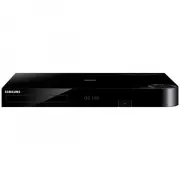 Samsung BD-H8500A
User Manual
Samsung BD-H8500A
User Manual
 Samsung BD-P1000
User Manual
Samsung BD-P1000
User Manual
 Samsung BD-P1400
Manual
Samsung BD-P1400
Manual
 Samsung BD-P1500
Manual
Samsung BD-P1500
Manual
 Samsung DVD-C500
Manual
Samsung DVD-C500
Manual
 Samsung DVD-P380
User Manual
Samsung DVD-P380
User Manual
 Samsung DVD-P380 KT
User Manual
Samsung DVD-P380 KT
User Manual
 Samsung HT-BD2
Manual
Samsung HT-BD2
Manual
 Samsung BD-C5300
User Manual
Samsung BD-C5300
User Manual
 Samsung BD-C5900
User Manual
Samsung BD-C5900
User Manual
 Samsung BD-C7500
User Manual
Samsung BD-C7500
User Manual
 Samsung BD-D5100
User Manual
Samsung BD-D5100
User Manual
 Samsung BD-D5500
User Manual
Samsung BD-D5500
User Manual
 Samsung BD-D6500
Manual
Samsung BD-D6500
Manual
 Samsung BD-D7000
User Manual
Samsung BD-D7000
User Manual