Page 2 - Safety Information; Warning; WARNING
Safety Information Warning TO REDUCE THE RISK OF ELECTRIC SHOCK, DO NOT REMOVE THE COVER (OR BACK). NO USER-SERVICEABLE PARTS ARE INSIDE. REFER SERVICING TO QUALIFIED SERVICE PERSONNEL. CAUTION RISK OF ELECTRIC SHOCK DO NOT OPEN This symbol indicates "dangerous voltage" inside the product th...
Page 3 - Precautions; Important Safety Instructions; Disc Storage & Management
Precautions Important Safety Instructions Read these operating instructions carefully before using the unit. Follow all the safety instructions listed below. Keep these operating instructions handy for future reference. 1. Read these instructions. 2. Keep these instructions. 3. Heed all warnings. 4....
Page 4 - Contents; Using the 3D function
Contents SAfETy INfORMATION Warning ....................................................... 2 Precautions ................................................. 3 Disc Storage & Management ....................... 3 Handling Cautions ....................................... 3 Using the 3D function .......
Page 5 - Getting Started; Before using the User Manual; disc Types and Contents your player can play; disc types your player cannot play; Region Code
Getting Started Before using the User Manual disc Types and Contents your player can play Media Disc Type Details VIDEO Blu-ray Disc 3D Blu-ray Disc BD-ROM or BD-RE/-R recorded in the BD-RE format. DVD-VIDEO DVD-RW DVD-R DVD+RW DVD+R DVD-VIDEO, recorded DVD+RW/DVD-RW(V)/DVD-R/+R that have been recor...
Page 6 - Logos of Discs the player can play; Supported file formats; Notes on the USB connection; Video File Support
Logos of Discs the player can play Blu-ray Disc 3D Blu-ray Disc BD-LIVE DivX PAL broadcast System in U.K., France, Germany, etc. Supported file formats Notes on the USB connection • Your player supports USB storage media, MP3 players, digital cameras, and USB card readers. • The player does not supp...
Page 7 - Supported divx subtitle file formats; Music File Support; AVCHd (Advanced Video Codec High definition); Accessories
• Video decoder - Supports up to H.264 Level 4.1 and AVCHD - Does not support H.264 FMO/ASO/RS and VC1 SP/MP/AP L4 - MPEG4 SP, ASP : Below 1280 x 720 : 60 frames max Above 1280 x 720 : 30 frames max - Does not support GMC 2 or higher • Audio decoder - Supports WMA 7, 8, 9 and STD - Does not support ...
Page 8 - Front Panel; Rear Panel; Tour of the Remote Control; Installing batteries
Front Panel ✎ NOTES ` When the player displays the Blu-ray Disc menu, you cannot start the movie by pressing the Play button on the player or the remote. To play the movie, you must select Play Movie or Start in the disc menu, and then press the v button. ` You can perform software upgrades using th...
Page 9 - Connections; Connecting to a TV; Connecting to an Audio System; Method 1 Connecting to an HdMI supported AV receiver
Connections Connecting to a TV Connect an HDMI cable (not supplied) from the HDMI OUT jack on the back of the product to the HDMI IN jack on your TV. - Do not connect the power cord to the wall outlet until you have made all the other connections. - When you change the connections, turn off all devi...
Page 10 - Connecting to a Network Router; Wired Network; Settings; The Initial Settings Procedure; Menu Navigation
Connecting to a Network Router You can connect your player to your network router using one of the methods illustrated below. To use the DLNA network functionality, you must connect your PC to your network as shown in the illustrations. Wired Network ✎ NOTES ` Internet access to Samsung's software u...
Page 11 - d Settings; Resolution according to the output
• Home Menu 1 Selects Music. 2 Selects Settings. 3 Displays the buttons you can use on the remote to access functions. 4 Selects applications. 5 Selects Videos. 6 Selects Photos. ✎ NOTES ` The Videos, Photos, and Music options require that you have an appropriate disc inserted into the player or a U...
Page 12 - HdMI Colour format; Audio Settings; digital Output; digital Output Selection
• dVd playback Output Setup HDMI / connected HDMI Mode BD Wise 576i/480i Auto Max. Resolution of TV input 1080p 1080p 1080i 1080i 720p 720p 576p/480p 576p/480p ✎ NOTES ` If the TV you connected to the player does not support Movie Frame or the resolution you selected, the message "If no pictures...
Page 13 - PCM downsampling; Network Settings; Manual Network Setup; To enter the Network Settings into your
✎ NOTES ` Be sure to select the correct Digital Output or you will hear no sound or just loud noise. ` If the HDMI device (AV receiver, TV) is not compatible with compressed formats (Dolby Digital, DTS), the audio signal outputs as PCM. ` Regular DVDs do not have BONUSVIEW audio and Navigation Sound...
Page 14 - To download dLNA software; System Settings
8. When done with each field, use the ► button to move to the next field. You can also use the other arrow buttons to move up, down, and back. 9. Enter the IP Address , Subnet Mask , and Gateway values in the same way. 10. Press the ▼ button to go to dNS . 11. Press the ▼ button to go to the first D...
Page 15 - If you forget your password; General Settings; By Online
Bd data Management Enables you to manage the downloaded contents you accessed through a Blu-ray disc that supports the BD-LIVE service and stored on a flash drive. You can check the device’s information including the storage size, delete the BD data, or change the Flash memory device. ✎ NOTES ` In t...
Page 16 - Contact Samsung; Media Play; Playing a Commercially Recorded
By USB To upgrade by USB, follow these steps: 1. Visit www.samsung.com/bluraysupport. 2. Download the latest USB software upgrade zip archive to your computer. 3. Unzip the zip archive to your computer. You should have a single RUF file with the same name as the zip file. 4. Copy the RUF file to a U...
Page 17 - Playing a Disc with User Recorded; To Play Content from your PC; Controlling Video Playback; Buttons on the Remote Control
9. Use the ◄►▲▼ buttons to select a file to view or play, and then press the v button. ✎ NOTES ` Even though the player will display folders for all content types, it will only display files of the Content Type you selected in Step 6 or Step 6-1. For example, if you selected music, you will only be ...
Page 18 - Controlling Music Playback
q q Playback related buttons The player does not play sound in Search, Slow or Step mode. • To return to normal speed playback, press the 6 button. 6 button Starts playback. 5 button Stops playback. 7 button Pauses playback. Fast Motion Play During playback, press the 3 or 4 button. Each time you pr...
Page 19 - Playing Photo Contents; Using the Tools Menu; Appendix; Troubleshooting
5. To change the play list, press the @ or RETURN button to return to the Music List. Repeat Steps 2, 3, and 4. 6. To cancel the play list and return to the Home screen, press the RETURN or ExIT button. ✎ NOTES ` You can create a playlist with up to 99 tracks on Audio CDs (CD-DA). ` If you remove al...
Page 21 - Repairs; Specifications; Compliance and Compatibility Notice
Repairs If you contact us to repair your player, an administration fee may be charged if either: 1. An engineer is called out to your home at your request and there is no defect in the product. 2. You bring the unit to a repair centre and there is no defect in the product. We will provide you with t...
Page 22 - Copy Protection; Network Service disclaimer
• for Blu-ray disc Player progressive scan output : CONSUMERS SHOULD NOTE THAT NOT ALL HIGH DEFINITION TELEVISION SETS ARE FULLY COMPATIBLE WITH THIS product AND MAY CAUSE ARTIFACTS TO BE DISPLAYED IN THE PICTURE. IN CASE OF PROGRESSIVE SCAN PICTURE PROBLEMS, IT IS RECOMMENDED THAT THE USER SWITCH T...
Page 23 - Licence
Licence • Manufactured under licence from Dolby Laboratories. Dolby and the double-D symbol are trademarks of Dolby Laboratories. • Manufactured under licence under U.S. Patent Nos: 5,956,674; 5,974,380; 6,487,535 & other U.S. and worldwide patents issued & pending. DTS, the Symbol & DTS...
Page 24 - Correct disposal of batteries in this product; Correct disposal of This Product
AK68-02285G-02 Contact SAMSUNG WORLd WIdE If you have any questions or comments relating to Samsung products, please contact the SAMSUNG customer care centre. Country Contact Centre Web Site AUSTRIA 0810 - SAMSUNG (7267864, € 0.07/min) www.samsung.com BELGIUM 02-201-24-18 www.samsung.com/be (Dutch...
Page 25 - Danke für den Kauf dieses Samsung Produkts.; Bedienungsanleitung; DEUTSCH
erleben sie die möglichkeiten Danke für den Kauf dieses Samsung Produkts. Registrieren Sie Ihr Produkt unter folgendem Link, und profitieren Sie von unserem umfassenden Kundenservice: www.samsung.com/register Blu-ray™ Disc Player Bedienungsanleitung BD-F5500 BD-F5500E DEUTSCH 02285G-02-BD-F5500,F550...
Page 26 - Sicherheitsinformation; Warnung; WARNUNG
Sicherheitsinformation Warnung ABDECKUNG ODER RÜCKWAND NICHT ÖFFNEN! STROMSCHLAGGEFAHR! TEILE IM GERÄTEINNEREN KÖNNEN VOM BENUTZER NICHT GEWARTET WERDEN. LASSEN SIE REPARATUREN NUR VON QUALIFIZIERTEM FACHPERSONAL DURCHFÜHREN. ACHTUNG STROMSCHLAGGEFAHR! NICHT ÖFFNEN! Dieses Symbol weist auf eine „gef...
Page 27 - Vorsichtsmaßnahmen; Wichtige Sicherheitshinweise; Lagerung und Handhabung der
Vorsichtsmaßnahmen Wichtige Sicherheitshinweise Lesen Sie diese Bedienungsanleitung sorgfältig durch, bevor Sie das Gerät in Betrieb nehmen. Befolgen Sie alle folgenden Sicherheitshinweise. Halten Sie sie diese Bedienungsanleitung zur späteren Einsichtnahme griffbereit. 1. Lesen Sie diese Anweisunge...
Page 28 - Inhalt; D-Funktion verwenden
Inhalt SICHERHEITSINfoRmATIoN Warnung ...................................................... 2 Vorsichtsmaßnahmen .................................. 3 Lagerung und Handhabung der Disks ......... 3 Vorsichtsmaßnahmen für den Betrieb .......... 3 3D-Funktion verwenden............................... 4 ...
Page 29 - Erste Schritte; Vor der Benutzung des Benutzerhandbuchs; Disktypen und Inhalte, die Ihr Player wiedergeben kann; Disktypen und Inhalte, die Ihr Player nicht wiedergeben kann; Regionalcode
Erste Schritte Vor der Benutzung des Benutzerhandbuchs Disktypen und Inhalte, die Ihr Player wiedergeben kann Medium Disktyp Details VIDEO Blu-ray Disc 3D Blu-ray Disc BD-ROM oder BD-RE/-R, aufgezeichnet im BD-RE Format. DVD-VIDEO DVD-RW DVD-R DVD+RW DVD+R DVD-VIDEO, Aufnahme DVD+RW/DVD-RW(V)/DVD-R/...
Page 30 - Logos der vom Player wiedergegebenen Disk-Typen; Unterstützte Dateiformate; Hinweise für den USB-Anschluss; Unterstützte Videodatei
Logos der vom Player wiedergegebenen Disk-Typen Blu-ray Disc 3D Blu-ray Disk BD-LIVE DivX PAL-Fernsehsystem in Großbritannien, Frankreich, Deutschland, usw. Unterstützte Dateiformate Hinweise für den USB-Anschluss • Ihr Player unterstützt USB-Speichergeräte, MP3-Player, Digitalkameras, USB- Kartenle...
Page 31 - Unterstützung der DivX Untertitelformate; Unterstützte Musikdatei; AVCHD (Advanced Video Codec Höchauflösung); Zubehör
• Video Decoder - Unterstützt H.264 bis Level 4.1 und AVCHD - H.264 FMO/ASO/RS und VC1 SP/MP/AP L4 werden nicht unterstützt. - MPEG4 SP, ASP : Unter 1280 x 720 : Max. 60 Bilder Über 1280 x 720 : Max. 30 Bilder - GMC 2 oder höher wird nicht unterstützt • Audio Decoder - Unterstützt WMA 7, 8, 9 und ST...
Page 32 - Vorderseite; Rückseite; übersicht der fernbedienung; Batterien einlegen
Vorderseite ✎ HINWEISE ` Wenn das Gerät das Menü der Blu-ray-Disk anzeigt, kann der Film nicht über die Wiedergabe Taste am Gerät oder der Fernbedienung gestartet werden. Um einen Film abzuspielen, muss Film Wiedergabe oder Start im Menü der Disk ausgewählt und anschließend die v Taste gedrückt werd...
Page 33 - Anschlüsse; Anschluss an ein Fernsehgerät; Anschluss an ein Audiosystem
Anschlüsse Anschluss an ein Fernsehgerät Schließen Sie ein HDMI-Kabel (nicht mitgeliefert) an den HDMI OUT Ausgang auf der Rückseite des Geräts und an den HDMI IN Eingang an Ihrem Fernsehgerät an. - Schließen Sie das Netzkabel erst an, wenn Sie alle anderen Verbindungen hergestellt haben. - Wenn Sie...
Page 34 - Anschließen an einen Netzwerk Router; Kabelnetzwerk; Einstellungen; Ersteinstellungen konfigurieren; Menü Navigation
Anschließen an einen Netzwerk Router Sie können das Gerät mit Hilfe einer der im Folgenden beschriebenen Methoden mit Ihrem Netzwerk Router verbinden. Um die Netzwerk Funktion nutzen zu können, muss Ihr PC, wie in der Abbildung dargestellt, mit einem Netzwerk verbunden sein. Kabelnetzwerk ✎ HINWEISE...
Page 35 - BD Wise (nur bei Samsung; Auflösung nach Wiedergabemodus
• Home-menü 1 Auswahl von Musiktiteln. 2 Auswahl von Einstellungen. 3 Zeigt die Tasten an, die Sie auf der Fernbedienung für den Zugriff auf Funktionen verwenden können. 4 Dient zur Auswahl von Anwendungen 5 Auswahl von Videos. 6 Auswahl von Fotos. ✎ HINWEISE ` Die Video, Foto und Musik Optionen erf...
Page 36 - Progressiver modus; Audio Einstellungen; Auswahl des Digitalausgangs
• DVD-Wiedergabe Ausgang Setup HDMI / verbunden HDMI Modus BD Wise 576i/480i Auto Max. Auflösung des TV-Eingangs 1080p 1080p 1080i 1080i 720p 720p 576p/480p 576p/480p ✎ HINWEISE ` Wenn das Fernsehgerät, an das Sie dieses Gerät angeschlossen haben Film Bildfrequenz oder die eingestellte Auflösung nic...
Page 37 - Dynamikumfangsteuerung; Netzwerkeinstellungen; manuelle Einrichtung des Netzwerks; Um die Netzwerkeinstellungen in Ihren
✎ HINWEISE ` Achten Sie darauf, den richtigen Digitalausgang auszuwählen, da andernfalls kein Ton oder ein Störgeräusch zu hören ist. ` Falls das HDMI-Gerät (AV-Receiver, Fernsehgerät) komprimierte Formate (Dolby digital, DTS) nicht unterstützt, wird das Audiosignal als PCM wiedergegeben. ` Reguläre...
Page 38 - Herunterladen der DLNA-Software; System Einstellungen
8. Wenn jedes Feld ausgefüllt wurde, mit der ► Taste zum nächsten Feld wechseln. Mithilfe der anderen Pfeiltasten können Sie sic nach oben, unten und zurück bewegen. 9. Geben Sie die IP-Adresse , Subnet- maske und das Gateway auf die gleiche Art und Weise ein. 10. Drücken Sie die ▼ Taste, um zu DNS ...
Page 39 - DivX® Videos auf Abruf; Spracheinstellungen; PIN ändern; Wenn Sie Ihr Passwort vergessen haben; Allgemeine Einstellungen; Zeitzone; Unterstützung Einstellungen; Softwareaktualisierung; online
BD-Datenmanagement Mit dieser Funktion können sie die heruntergeladenen Inhalte verwalten, die Sie über eine Blu-ray Disk bezogen haben, die den BD-LIVE Dienst unterstützt, und auf einem angeschlossenen Flash-Speichergerät gespeichert sind. Sie können Geräteinformationen einschließlich der Speicherk...
Page 40 - Samsung kontaktieren; Wiedergabe von kommerziellen
Per USB Um das Update über USB durchzuführen, folgen Sie diesen Schritten: 1. Besuchen Sie www.samsung.com/ bluraysupport. 2. Laden Sie das letzte USB Software Upgrade Zip-Archiv auf Ihren Computer herunter. 3. Entpacken Sie das Zip-Archiv auf Ihrem Computer. Sie sollten eine einzelne RUF-Datei mit ...
Page 41 - Wiedergabe von selbst; Inhalte von Ihrem PC wiedergeben; Steuern der Videowiedergabe; Tasten auf der fernbedienung für
9. Verwenden Sie die ◄►▲▼ Tasten, um eine Datei für die Wiedergabe auszuwählen und drücken Sie die v Taste. ✎ HINWEISE ` Obwohl der Player die Ordner für alle Inhalte anzeigt, werden nur die Dateien von der Art des Inhalts angezeigt, die Sie unter Schritt 6 oder 6-1 ausgewählt haben. Wenn Sie z. B. ...
Page 42 - Steuern der Musikwiedergabe; Wiedergabeliste
q q Tasten für die Wiedergabe Während der Suche, Zeitlupen- oder Einzelbildwiedergabe wird der Ton nicht wiedergegeben. • Um zur normalen Wiedergabegeschwindigkeit zurückzukehren, die 6 Taste drücken. 6 Taste Startet die Wiedergabe. 5 Taste Beendet die Wiedergabe. 7 Taste Anhalten der Wiedergabe. Be...
Page 43 - Anzeigen von Fotos; Extras menü verwenden; Anhang; Problembehebung
5. Um die Wiedergabe Liste zu ändern, die @ oder RETURN Taste drücken, um zur Musik Liste zurückzukehren. Wiederholen Sie die Schritte 2, 3 und 4. 6. Um die Wiedergabeliste zu verlassen und zum Home Bildschirm zurückzukehren, die RETURN oder EXIT Taste drücken ✎ HINWEISE ` Sie können auf Audio CDs (...
Page 45 - Reparaturen; Technische Daten; übereinstimmungs- und Kompatibilitätshinweis
Reparaturen Wenn Sie uns Ihren Player zur Reparatur zusenden, kann eine Verwaltungsgebühr erhoben werden, wenn: 1. Wenn Sie einen Kundendienstmitarbeiter zu sich nach Hause bestellen und kein Defekt am Gerät festgestellt wird. 2. Sie das Gerät zu einem Reparaturdienst bringen und kein Defekt am Gerä...
Page 46 - Kopierschutz; Netzwerkdienst Haftungsausschluss
• Bei Blu-ray Disc-Player Wiedergabe mit progressiver Abtastung : DER BENUTZER WIRD DARAUF HINGEWIESEN, DASS NICHT ALLE HOCHAUFLÖSENDEN FERNSEHGERÄTE VOLLSTÄNDIG MIT DIESEM PRODUKT KOMPATIBEL SIND UND DASS ES DAHER BEI DER WIEDERGABE ZUM AUFTRETEN VON ARTEFAKTEN KOMMEN KANN. FALLS PROBLEME BEI DER W...
Page 47 - Lizenz
Lizenz • Hergestellt unter Lizenz von Dolby Laboratories. Dolby sowie das Doppel-D-Symbol sind Warenzeichen der Dolby® Laboratories. • Hergestellt unter Lizenz, US-Patentnummern : 5,956,674; 5,974,380; 6,487,535 & anderen U.S. und weltweit ausgestellten & angemeldeten Patente. DTS-HD, das Sy...
Page 48 - DEUTSCHLAND; EURoPÄISCHE GARANTIEKARTE
Auf dieses Samsung-Produkt wird vom Hersteller eine vierundzwanzigmonatige Garantie gegen Material- und Verarbeitungsfehler gegeben. Die Garantiezeit beginnt mit dem Kauf des Gerätes beim Fachhändler. Sollte es erforderlich werden, Garantieleistungen in Anspruch zu nehmen, wenden Sie sich bitte an d...
Page 49 - Korrekte Entsorgung der Batterien dieses Produkts; Korrekte Entsorgung von Altgeräten
AK68-02285G-02 Kontakt zu Samsung Falls Sie Fragen oder Anregungen zu Samsung-Produkten haben, freuen wir uns über Ihre Kontaktaufnahme mit der Samsung-Kundenbetreuung Country Contact Centre Web Site AUSTRIA 0810 - SAMSUNG (7267864, € 0.07/min) www.samsung.com BELGIUM 02-201-24-18 www.samsung.com/...


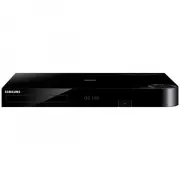 Samsung BD-H8500A
User Manual
Samsung BD-H8500A
User Manual
 Samsung BD-P1000
User Manual
Samsung BD-P1000
User Manual
 Samsung BD-P1400
Manual
Samsung BD-P1400
Manual
 Samsung BD-P1500
Manual
Samsung BD-P1500
Manual
 Samsung DVD-C500
Manual
Samsung DVD-C500
Manual
 Samsung DVD-P380
User Manual
Samsung DVD-P380
User Manual
 Samsung DVD-P380 KT
User Manual
Samsung DVD-P380 KT
User Manual
 Samsung HT-BD2
Manual
Samsung HT-BD2
Manual
 Samsung BD-C5300
User Manual
Samsung BD-C5300
User Manual
 Samsung BD-C5900
User Manual
Samsung BD-C5900
User Manual
 Samsung BD-C7500
User Manual
Samsung BD-C7500
User Manual
 Samsung BD-D5100
User Manual
Samsung BD-D5100
User Manual
 Samsung BD-D5500
User Manual
Samsung BD-D5500
User Manual
 Samsung BD-D6500
Manual
Samsung BD-D6500
Manual
 Samsung BD-D7000
User Manual
Samsung BD-D7000
User Manual