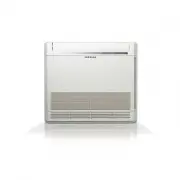
Page 2 - English; Contents; Safety Information; Installation Procedure; Troubleshooting
2 English Contents Safety Information 3 Safety Information Installation Procedure 5 Installation ProcedureStep 1 Checking and preparing accessoriesStep 2 Choosing the installation locationStep 3 Optional: Insulating the body of the indoor unitStep 4 Installing the indoor unitStep 5 Purging inert gas...
Page 3 - General information; Installing the unit; WARNING
3 English Sa fe ty In fo rm at io n WARNING • Hazards or unsafe practices that may result in severe personal injury or death. CAUTION • Hazards or unsafe practices that may result in minor personal injury or property damage. • Carefully follow the precautions listed below because they are essential ...
Page 4 - Step 13 Optional: Extending the; CAUTION; Make sure that you earth the cables.
4 English Sa fe ty In fo rm at io n • After completing the installation, always carry out a functional test and provide the instructions on how to operate the air conditioner to the user. • Do not use the air conditioner in environments with hazardous substances or close to equipment that release fr...
Page 5 - Step 1 Checking and preparing; Step 2 Choosing the installation; Installation location requirements; Do not install the air conditioner in following places.
5 Installation Pr oc edur e English Installation Procedure Step 1 Checking and preparing accessories The following accessories are supplied with the indoor unit. The type and quantity may differ, depending on the specifications. Pattern sheet (1) Drain hose (1) Insulation pipe (Liquid side1, gas sid...
Page 7 - Spacing requirements; Step 3 Optional: Insulating the body of; NOTE
7 Installation Pr oc edur e English Spacing requirements 1500 mm or more Obstruction 1500 mm or more 20 mm 17 mm A (Unit: mm) Model AC052NN4DKH AC071NN4DKH AC090NN4DKH AC100NN4DKH AC120NN4DKH AC140NN4DKH A 251 335 C: 1500 mm or more C C C C CAUTION • The indoor unit must be installed according to th...
Page 8 - Step 4 Installing the indoor unit
8 Installation Pr oc edur e English Installation Procedure Step 4 Installing the indoor unit When deciding on the location of the air conditioner the following restrictions must be taken into account. 1 Place the pattern sheet on the ceiling at the spot where you want to install the indoor unit. NOT...
Page 9 - Step 5 Purging inert gas from the; Step 6 Cutting and flaring the pipes; Slide a flare nut on to the pipe and modify the flare.
9 Installation Pr oc edur e English Step 5 Purging inert gas from the indoor unit The indoor unit comes with nitrogen gas (inert gas) charged at the factory. Therefore, all inert gas must be purged before connecting the assembly piping. Unscrew the pinch pipe at the end of each refrigerant pipe. Liq...
Page 10 - Installation Pr; Step 7 Connecting the assembly pipes; There are two refrigerant pipes of different diameters :
10 Installation Procedure Installation Pr oc edur e English Step 7 Connecting the assembly pipes to the refrigerant pipes There are two refrigerant pipes of different diameters : • A smaller one for the liquid refrigerant.• A larger one for the gas refrigerant. The inside of copper pipe must be clea...
Page 11 - Step 8 Performing the gas leak test
11 Installation Pr oc edur e English Step 8 Performing the gas leak test To identify potential gas leaks on the indoor unit, inspect the connection area of each refrigerant pipe using a leak detector for R-410A.Before recreating the vacuum and recirculating the refrigerant gas, pressurize the whole ...
Page 12 - Step 10 Installing the drain hose and; Tighten the metal clamp as shown in the picture.; • Install air ventilation to drain condensation smoothly.
12 Installation Procedure Installation Pr oc edur e English Pipe Pipe size (mm) Insulation type (heating/cooling) Remarks Standard (Less than 30°C, 85%) High humidity (Over 30°C, 85%) EPDM, NBR Liquid pipe Ø6.35 to Ø9.52 9t 9t The internal temperature is higher than 120°C. Ø12.7 to Ø19.05 13t 13t Ga...
Page 14 - Step 11 Performing the drainage test
14 Installation Procedure Installation Pr oc edur e English Step 11 Performing the drainage test 1 Do a leak test at the connection part of the flexible hose and the drian pipe: a Connect a general hose to the connection part of the flexible hose of the indoor unit, and pour in some water. Hose Flex...
Page 15 - Step 12 Connecting the power and; phase
15 Installation Pr oc edur e English Step 12 Connecting the power and communication cables CAUTION • Always remember to connect the refrigerant pipes before performing the electric connections. When disconnecting the system, always disconnect the electric cables before disconnecting the refrigerant ...
Page 16 - ࣑क़ߥ͔͔࣒; Step 13 Optional: Extending the power
16 Installation Procedure Installation Pr oc edur e English • Since it has the external power supply, refer to the outdoor unit installation manual for MAIN POWER. CAUTION • When installing the indoor unit in a computer room or network room, use the double shielded communication cable (tape aluminum...
Page 18 - Step 14 Setting the indoor unit; Common steps for setting the addresses and
18 Installation Procedure Installation Pr oc edur e English Step 14 Setting the indoor unit addresses and the installation options You cannot set both of the indoor unit addresses and the installation options in a batch: set both of them respectively. Common steps for setting the addresses and optio...
Page 24 - Setting the indoor unit addresses; Common steps for setting the addresses and options
24 Installation Procedure Installation Pr oc edur e English Setting the indoor unit addresses Option No. for an indoor unit address: 0AXXXX-1XXXXX-2XXXXX-3XXXXX Before installing an indoor unit, be sure to set an address for the indoor unit by taking the following steps: 1 Make sure that the power i...
Page 25 - Setting the installation options in a batch; Common
25 Installation Pr oc edur e English Setting the installation options in a batch Installation option no. for an indoor unit: 02XXXX-1XXXXX-2XXXXX-3XXXXX 1 Make sure that the power is supplied to the indoor unit. If the indoor unit is not plugged in, it must include a power supply. F1 1(L) 2(M) F2 V1...
Page 26 - SOFT OFF
26 Installation Procedure Installation Pr oc edur e English Option SEG13 SEG14 SEG15 SEG16 SEG17 SEG18 Function Page Use of external control Setting the output of external control S-Plasma ion Buzzer control Maximum filter usage time Indication and details Indication Details Indication Details Indic...
Page 27 - Changing the addresses and options individually
27 Installation Pr oc edur e English Changing the addresses and options individually When you want to change the value of a specific option, refer to the following table and follow the steps in Common steps for setting the addresses and options on page 18 . Option SEG1 SEG2 SEG3 SEG4 SEG5 SEG6 Funct...
Page 28 - ppendix
28 English A ppendix Troubleshooting Abnormal conditions LED lamp display Remarks Operation Defrost Timer Filter Power reset X X X Error of temperature sensor in the indoor unit (Open/ Short) X X X Error of heat exchanger sensor in the indoor unit (Open/Short) X X Error of fan motor in the indoor un...
Page 29 - Memo