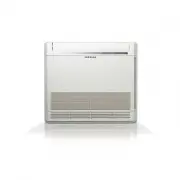
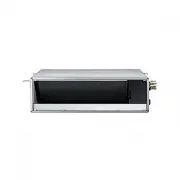
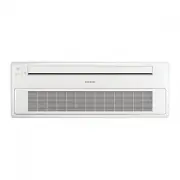
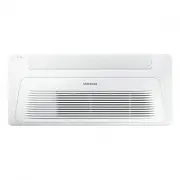
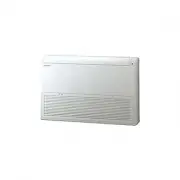
Page 2 - Features of your new air conditioner; Ionizer function; Way air outlet
2 Correct Disposal of This Product (Waste Electrical & Electronic Equipment) (Applicable in countries with separate collection systems) This marking on the product, accessories or literature indicates that the product and its electronic accessories (e.g. charger, headset, USB cable) should not b...
Page 3 - Safety precautions; Important safety symbols and precautions:; Hazards or unsafe practices that may result in; severe personal injury; Hazards or unsafe practices that may result; in minor personal injury; FOR INSTALLATION; WARNING; Extending the power line may result in electric shock or fire.
ENGLISH 3 Safety precautions Before using your new air conditioner, please read this manual thoroughly to ensure that you know how to safely and efficiently operate the extensive features and functions of your new appliance.Because the following operating instructions cover various models, the chara...
Page 4 - This may result in electric shock or fire.; CAUTION
4 Safety precautions FOR INSTALLATION WARNING Do not install this appliance near a heater, inflammable material. Do not install this appliance in a humid, oily or dusty location, in a location exposed to direct sunlight and water (rain drops). Do not install this appliance in a location where gas ma...
Page 5 - FOR POWER SUPPLY; FOR USING
5 ENGLISH FOR POWER SUPPLY WARNING When the circuit breaker is damaged, contact your nearest service center.Do not pull or excessively bend the power line. Do not twist or tie the power line. Do not hook the power line over a metal object, place a heavy object on the power line, insert the power lin...
Page 8 - This may result in property damage.; Failing to do so may result in electric shock or fire.; FOR CLEANING; maintaining the air conditioner’ section.
8 Safety precautions FOR USING CAUTION Do not use this air conditioner to preserve precision equipment, food, animals, plants or cosmetics, or for any other unusual purposes. This may result in property damage. Avoid directly exposing humans, animals or plants from the air flow from the air condit...
Page 9 - Checking before use; Operation ranges; be operated within.
ENGLISH 9 Checking before use Operation ranges The table below indicates the temperature and humidity ranges the air conditioner can be operated within. Refer to the table for efficient use. • The standardized temperature for heating is 7˚C/45˚F. If the outdoor temperature drops to 0˚C/32˚F or below...
Page 10 - Maintaining your air conditioner; Internal protections via the unit control system; Tips on using air conditioner; TOPIC; • Since the air conditioner heats the room by taking heat energy
10 Maintaining your air conditioner Internal protections via the unit control system This internal protection operates if an internal fault occurs in the air conditioner. Type Description Against cold air The internal fan will be off to against cold air when the heat pump is heating. De-ice cycle ...
Page 12 - Main parts; Viewing the parts; Indicator; Mode indicator and Control button
12 Main parts Viewing the parts • Your air conditioner and display may look slightly different from the illustration shown above depending on your model. • Each time you press the button, a short beep will sound and the unit is properly operating. NOTE Indicator Air intake Mode indicator and Control...
Page 13 - Cleaning the exterior; • Do not use Benzene or Thinner. They may damage; Air filter; Cleaning the filter; Cleaning and maintaining the air conditioner
ENGLISH 13 Cleaning the exterior • Do not use Benzene or Thinner. They may damage the surface of the air conditioner and can create a risk of fire. CAUTION Wipe the surface of the unit with a slightly wet or dry cloth when needed. When cleaning the filter, make sure to unplug the power from the unit...
Page 15 - Replacing the filter
15 ENGLISH Replacing the filter Maintaining your air conditioner Replacement filter may be purchased from the retail store or ordered from the dealer where you purchased the unit. If you cannot find one, please call a contact center. Deodorizing filter Deodorizing filter absorbs efficiently cigarett...
Page 16 - detailed information, see the installation part in the manual.; Periodical checks; disconnect the power plug.
16 • The described operations should be performed more frequently if the area of installation is very dusty. NOTE • These operations must always be performed by qualified personnel. For more detailed information, see the installation part in the manual. CAUTION Periodical checks Refer to the followi...
Page 17 - Appendix; Troubleshooting; PROBLEM
ENGLISH 17 Appendix Troubleshooting Refer to the following chart if the air conditioner operates abnormally. This may save time and unnecessary expenses. PROBLEM SOLUTION The air conditioner does not operate immediately after it has been restarted. • Because of the protective mechanism, the applianc...
Page 18 - Model specification (Dimension and weight)
18 PROBLEM SOLUTION The fan speed does not change. • Check if you selected Auto or Dry mode. The air conditioner automatically adjusts the fan speed to Auto in Auto/Dry mode. Timer function does not set. • Check if you press the Power button on the remote control after you have set the time. Odors p...
Page 19 - Memo
Page 20 - QUESTIONS OR COMMENTS?
QUESTIONS OR COMMENTS? SAMSUNG ELECTRONICS CO.,LTD. No.501,Suhong East Road,Suzhou Industrial Park,Jiangsu Province,P.R.China Samsung Electronics Service Department PO Box 12987, Blackrock, Co. Dublin. Ireland or Blackbushe Business Park,Yateley, GU46 6GG. UK COUNTRY CALL OR VISIT US ONLINE AT UK 03...
Page 21 - Console Type; Air Conditioner; user manual; imagine; EN ES FR IT PT DE EL RU
Console Type Air Conditioner user manual imagine the possibilities Thank you for purchasing this Samsung product. DB68-03441A-09 EN ES FR IT PT DE EL RU