Page 2 - Contents; Safety Information
2 English Contents Safety Information 4 Safety Information 4 At a Glance 15 Indoor Unit Overview 15 Display 15 Remote Control Overview 16 Replacing the remote control batteries • Storing the remote control 17 Remote Control Operation 18 Operation modes • Controlling temperature • Controlling fan spe...
Page 3 - Cleaning and Maintenance
3 English Cleaning and Maintenance 30 Cleaning 30 Auto clean function 30 Cleaning the outside of the indoor unit • Cleaning the heat exchanger on the outdoor unit 31 Cleaning the filter 32 Cleaning the Wind-Free panel 33 Maintaining the Air Conditioner 34 Periodical checks 34 Internal protections vi...
Page 4 - Before using your new air conditioner, please read this manual; WARNING
4 Safety Information English Safety Information Before using your new air conditioner, please read this manual thoroughly to ensure that you know how to safely and efficiently operate the extensive features and functions of your new appliance.Because the following operating instructions cover variou...
Page 5 - FOR GENERAL; IMPORTANT; FOR INSTALLATION; • Extending the power line may result in electric shock or fire.
5 English Safety Information FOR GENERAL This appliance is not intended for use by persons (including children) with reduced physical, sensory or mental capabilities, or lack of experience and knowledge, unless they have been given supervision or instruction concerning use of the appliance by a pers...
Page 7 - CAUTION
7 English Safety Information CAUTION Please cover the air conditioner with PE BAG after installation, and remove it when you start to run air conditioner.Install your appliance on a level and hard floor that can support its weight. • Failing to do so may result in abnormal vibrations, noise, or prob...
Page 8 - FOR POWER SUPPLY; • This may result in electric shock or fire.; FOR USING; • Failing to do so may result in electric shock or fire.
8 Safety Information English Safety Information FOR POWER SUPPLY When the circuit breaker is damaged, contact your nearest service centre.Do not pull or excessively bend the power line. Do not twist or tie the power line. Do not hook the power line over a metal object, place a heavy object on the po...
Page 11 - • Water dripping from the indoor unit may result in fire or
11 English Safety Information If any foreign substance such as water has entered the appliance, cut-off the power supply and contact the nearest service center. • Failing to do so may result in electric shock or fire. Do not attempt to repair, disassemble, or modify the appliance yourself. • Do not ...
Page 13 - • This may result in property damage.
13 English Safety Information Do not cut or burn the refrigerant container or pipings.Do not point the air direction to the fireplace or heater.Do not use this air conditioner to preserve precision equipment, food, animals, plants or cosmetics, or for any other unusual purposes. • This may result in...
Page 14 - FOR CLEANING
14 Safety Information English Safety Information FOR CLEANING WARNING Do not clean the appliance by spraying water directly onto it. Do not use benzene, thinner, alcohol or acetone to clean the appliance. • This may result in discoloration, deformation, damage, electric shock or fire. Before cleanin...
Page 15 - At a Glanc; Indoor Unit Overview; Display; At a Glance
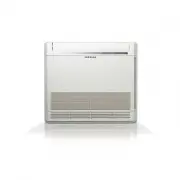
15 English At a Glanc e The appearance of the actual product may differ slightly from the image below. Indoor Unit Overview 01 02 03 08 04 05 07 06 01 Air intake 02 Air filter 03 Wind-Free panel 04 Airflow blade (up and down) 05 Airflow blade (left and right) 06 Power button/Remote control receiver ...
Page 16 - Remote Control Overview
16 Remote Control Overview English At a Glanc e Most operating instructions in this manual require using the remote control. 02 03 04 10 11 13 12 01 14 07 08 17 19 16 05 20 06 15 18 09 01 Set temperature / Timer indicator 02 Timer option indicator 03 Operation mode indicator 04 Options indicator 05 ...
Page 17 - Replacing the remote control batteries; Storing the remote control
17 English At a Glanc e Replacing the remote control batteries When the icon appears in the remote control display, replace the batteries with new ones. Two 1.5V AAA type batteries are required. two 1.5V AAA type batteries Storing the remote control If the remote control will not be used for an exte...
Page 18 - Remote Control Operation; Operation modes
18 Remote Control Operation English At a Glanc e You can use the air conditioner easily by selecting a mode and then by controlling the temperature, fan speed, and air flow direction. Remote Control Operation Operation modes You can change the current mode between Auto, Cool, Dry, Fan, and Heat by p...
Page 19 - Controlling air flow direction
19 English At a Glanc e Controlling air flow direction Selecting air flow direction You can change air flow direction to either vertical or horizontal. In operation ▶ or NOTE • To lock a specific air flow direction, press either the or button when the air flow blades are in the intended position. Ho...
Page 20 - Smar; WindFree Cooling function; Power Smart Features; Smart Features
20 Power Smart Features English Smar t F eatur es WindFree Cooling function Use the WindFree Cooling function to enjoy mild cool breeze exuding from fine holes on the WindFree panel with the air flow blade closed, instead of getting cool wind directly. The automated control of the temperature and fa...
Page 22 - Auto mode; Cool mode
22 Power Smart Features English Smar t F eatur es Auto mode Use the Auto mode when you want the air conditioner to automatically control the mode (Heat or Cool). The air conditioner will provide the most comfortable atmosphere that it can. ▶ ▶ Select Auto. NOTE • You cannot change the fan speed. • W...
Page 23 - Dry mode; Fan mode
23 English Smar t F eatur es Dry mode Use the Dry mode in rainy or humid weather. ▶ ▶ Select Dry. NOTE • You cannot change fan speed in the Dry mode. • The greater the difference between the set temperature and the current temperature is, the greater the amount of air that is dehumidified is. Fan mo...
Page 24 - Heat mode
24 Power Smart Features English Smar t F eatur es Heat mode Use the Heat mode to stay warm. ▶ ▶ Select Heat. NOTE • While the air conditioner warms up, the fan may not operate for a while at the beginning to prevent cold wind. • While the defrost function is running, the indoor unit provides no bree...
Page 25 - Turbo function; Quiet function; Variety Smart Features
25 English Smar t F eatur es Turbo function Use the Turbo function to provide intensive cooling or heating to sharply decrease or increase indoor temperature within 30 minutes. In the Cool or Heat mode ▶ ▶ ▶ Select Turbo. ▶ NOTE • After 30-minute operation, the air conditioner automatically switches...
Page 26 - Beep sound function; Display lighting function
26 Variety Smart Features English Smar t F eatur es Beep sound function Use the Beep sound function to turn on or off the beep sound that plays when you press a button on the remote control. ▶ ▶ Select Beep. ▶ Display lighting function Use the Display lighting function to turn on or off the lighting...
Page 27 - Controlling the indoor units individually; Clearing the filter-cleaning reminder
27 English Smar t F eatur es Controlling the indoor units individually Use the Zone function to choose the indoor unit you want to operate individually. For example, select Zone 1 to control only the indoor unit 1. ▶ Select one from Zone 1 to Zone 4. ▶ NOTE • You can select either one or all of Zone...
Page 28 - Timed on/Timed off function; Energy-Saving Features
28 Energy-Saving Features English Smar t F eatur es Timed on/Timed off function Use the Timed on/Timed off to turn on or off the air conditioner after the time that you set. ▶ (Select On or Off among On, Off and ) ▶ ▶ (Set the on/off time.) ▶ • Press the (Timer) button to change the current function...
Page 29 - good’sleep function
29 English Smar t F eatur es good’sleep function Use the good'sleep function to get a good sleep at night and to save energy. You can select this function in the Cool mode. In the Cool mode ▶ (Select among On, Off and ) ▶ ▶ (Set the operation time.) ▶ • Press the (Timer) button to change the current...
Page 30 - Cl; Cleaning; Auto clean function
30 Cleaning English Cl eaning and Maint enanc e Cleaning Auto clean function Use the Clean function to remove moisture from the inside of the air conditioner for preventing propagation of fungi, bacteria, etc. ▶ ▶ Select Clean. ▶ NOTE • Depending on the condition of the indoor unit, the Clean operat...
Page 31 - Cleaning the outside of the indoor unit; Cleaning the heat exchanger on the
31 English Cl eaning and Maint enanc e Lukewarm wet cloth Soft brush Cleaning the outside of the indoor unit 1 Turn off the air conditioner and wait until the fan stops. 2 Disconnect the power supply. 3 Use a soft brush or lukewarm wet cloth to clean the exterior. WARNING • Do not clean the applianc...
Page 32 - Cleaning the filter
32 Cleaning English Cl eaning and Maint enanc e Cleaning the filter Clean the air filter every two weeks or when the (filter-cleaning reminder) appears on the indoor unit display. The time between cleanings may vary, depending on the usage and environmental conditions. Vacuum cleaner Soft brush 30 m...
Page 33 - Cleaning the; WindFree; panel
33 English Cl eaning and Maint enanc e Cleaning the WindFree panel Clean the WindFree panel at least once a month. 1 Pull the airflow blade open. 2 Hold and pull both sides of the WindFree panel until it comes free from the air conditioner. 3 Use a soft brush or vacuum cleaner to remove any dust. 4 ...
Page 34 - Periodical checks
34 Maintaining the Air Conditioner English Cl eaning and Maint enanc e If the air conditioner will not be used for an extended period of time, dry the air conditioner to maintain in best conditions. 1 Dry the air conditioner thoroughly by operating in Fan mode for 3 to 4 hours and disconnect the pow...
Page 35 - Internal protections via the unit control system
35 English Cl eaning and Maint enanc e Internal protections via the unit control system This internal protection operates if an internal fault occurs in the air conditioner. Type Description Against cold air The internal fan will be off against cold air when the heat pump is heating. Defrost cycle T...
Page 36 - Appendix; Appendix
36 Troubleshooting English Appendix Problem Solution The air conditioner does not work at all. • Check the power status, then operate the air conditioner again. • Switch on the circuit breaker, plug in the power cord, then operate the air conditioner again. • Make sure that the isolator is turned on...
Page 38 - Operation Ranges
38 Operation Ranges English Appendix Operation Ranges The table below indicates the temperature and humidity ranges the air conditioner can be operated within. Refer to the table for efficient use. MODE OPERATIONAL TEMPERATURE INDOOR HUMIDITY INDOOR OUTDOOR Cool 18 ℃ to 32 ℃ - 20 ℃ to 52 ℃ 80% or le...
Page 39 - Information about refrigerant
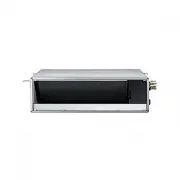
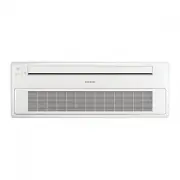
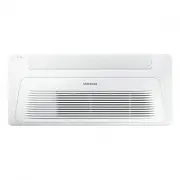
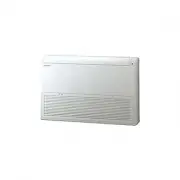
39 English Appendix Type Model Net weight Net dimension (W x D x H) Indoor unit AC026BNAPKG 10.6 kg 889 x 299 x 215 AC035BNAPKG 10.6 kg 889 x 299 x 215 AC052BNAPKG 12.7 kg 1055 x 299 x 215 AC071BNAPKG 12.7 kg 1055 x 299 x 215 Important information: regulation regarding the refrigerant used This prod...