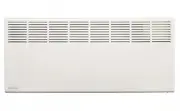
Page 2 - Rinnai; REQUIREMENTS, FEATURES AND OPERATION OF YOUR NEW APPLIANCE.
Rinnai 2 GEPH_OIM BEFORE PROCEEDING WITH THE OPERATION OR INSTALLATION OF YOUR NEW HEATER PLEASE READ THIS MANUAL THOROUGHLY AND GAIN A FULL UNDERSTANDING OF THE REQUIREMENTS, FEATURES AND OPERATION OF YOUR NEW APPLIANCE.
Page 3 - TABLE OF CONTENTS
Rinnai 3 GEPH_OIM WARRANTY, FEATURES & SPECIFICATIONS ................................................................................5 WARRANTY ..................................................................................................................................................... 5...
Page 5 - WARRANTY; Delay Off Timer Function:; SPECIFICATIONS
Rinnai 5 GEPH_OIM WARRANTY, FEATURES & SPECIFICATIONS WARRANTY The benefits to the consumer given by this warranty are in addition to all other rights and remedies of the consumerunder a law in relation to the goods or services to which the warranty relates. Our goods come with guarantees that c...
Page 6 - SAFETY & IMPORTANT POINTS; The package should contain:
Rinnai 6 GEPH_OIM SAFETY & IMPORTANT POINTS UNPACKING THE APPLIANCE If any damage is evident DO NOT INSTALL or OPERATE and contact your supplier for advice. WHAT’S IN THE BOX The package should contain: Heater fitted with flexible cord and plug.A plastic bag containing the Operating and Installa...
Page 7 - HOW TO OPERATE THE HEATER
Rinnai 7 GEPH_OIM HOW TO OPERATE THE HEATER GENERAL DESIGN LAYOUT Control panel console LCD display MAIN POWER Switch POWER `ON´ / `OFF´ button MODE button, temperature/timer setting `UP´ button `DOWN´ button Heater Operation indicator (Red) Delay Off Timer Set indicator (Green) Digital display Degr...
Page 8 - MANUAL OPERATION
Rinnai 8 GEPH_OIM HOW TO OPERATE THE HEATER MANUAL OPERATION To turn the heater on and set the temperature: Ensure heater is plugged in and the power socket outlet is switched on. 1. Turn the main power switch located on the right hand side of the appliance, to the ‘on’ position. The digital LCD Dis...
Page 10 - ANTI-FROST PROTECTION FUNCTION
Rinnai 10 GEPH_OIM HOW TO OPERATE THE HEATER ANTI-FROST PROTECTION FUNCTION If the set temperature is set to 5 °C then the constant frost protection program will be activated and the constant frost protection (snowflake symbol) indicator will be illuminated. This is useful during winter in alpine ar...
Page 11 - CARE AND MAINTENANCE; CARE OF THE HEATER; To remove dust and clean the appliance:; SERVICE AND REPAIR
Rinnai 11 GEPH_OIM CARE AND MAINTENANCE CARE OF THE HEATER Due to the ‘natural convection’ operating principle it is normal that some dust and fluff may build up at the air inletand air outlet louvres over time. This will reduce operating effectiveness and may result in the appliance overheatingif l...
Page 12 - INSTALLATION; GENERAL; commencing wall mounting.; This heater MUST NOT be located immediately below a socket-outlet.
Rinnai 12 GEPH_OIM INSTALLATION GENERAL This heater is suitable for Do It Yourself installation. It can be either wall mounted (fixed installation) or freestandingby mounting castors in accordance with these instructions. A phillips head screwdriver is included for freestandinginstallation. For wall...
Page 13 - FREESTANDING INSTALLATION; Back of heater
Rinnai 13 GEPH_OIM INSTALLATION 4. Secure the mounting bracket to the wall with the 4 mounting screws. For masonry walls use the plastic plugs with screws provided. For plaster walls obtain suitable plasterboard fasteners from a building hardware supplier. 5. Re-attach heater to the mounting bracket...
Page 14 - NOTES
Page 16 - Head Office; CONTACT INFORMATION
Rinnai 16 GEPH_OIM 14_306 Issue 1 06/10/14 Australia Pty. Ltd. ABN 74 005 138 769 Rinnai has a Service and Spare Parts network with personnel who are fully trained and equipped to give the best service on your Rinnai appliance. If your appliance requires service, please call our National Help Line. ...