Page 2 - TABLE OF CONTENTS; FOREWORD; FUNCTIONAL DESCRIPTION; MOTOR SPECIFICATIONS
2 TABLE OF CONTENTS IMPORTANT SAFETY INSTRUCTIONS ...................2 FUNCTIONAL DESCRIPTION .................................2 FEATURES ..............................................................3 SAFETY GUIDELINES - DEFINITIONS ...................4 GENERAL SAFETY RULES ...........................
Page 3 - FEATURES
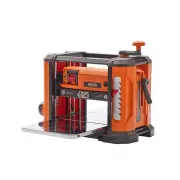
3 FIGURE 1 FEATURES F9 F11 F12 F13 F14 F15 F16 F5 F6 F7 F8 F1 F2 F3 F4 F9 F10 F10 F11 F12 F13 F14 F15 F16 F5 F6 F7 F8 F1 F2 F3 F4 Cutterhead Height Adjusting Handle Micro Adjustment Main Housing Indicator Arrow Base In-feed Table Depth Stop Knob / Lock Material Removal Gauge On/Off Switch Reset Butt...
Page 5 - GENERAL SAFETY RULES
5 1. For your own safety, read the instruction manual before operating the machine. Learning the machine’s application, limitations, and specific hazards will greatly minimize the possibility of accidents and injury. 2. Wear eye and hearing protection and always use safety glasses . Everyday eyeglas...
Page 6 - ADDITIONAL SPECIFIC SAFETY RULES; SAVE THESE INSTRUCTIONS.; Refer to them often and use them to instruct others.; PROPOSITION 65 WARNING:
6 FAILURE TO FOLLOW THESE RULES MAY RESULT IN SERIOUS PERSONAL INJURY. ADDITIONAL SPECIFIC SAFETY RULES SAVE THESE INSTRUCTIONS. Refer to them often and use them to instruct others. 1. DO NOT OPERATE THIS MACHINE until it is completely assembled and installed according to the instructions. A machine...
Page 7 - EXTENSION CORDS; POWER SOURCE
7 DO NOT expose the machine to rain or operate the machine in damp locations. ADDITIONAL SPECIFIC SAFETY RULES 1. All grounded, cord-connected machines: In the event of a malfunction or breakdown, grounding provides a path of least resistance for electric current to reduce the risk of electric shock...
Page 8 - UNPACKING; UNPACKING AND CLEANING; PACKAGE CONTENTS
8 UNPACKING UNPACKING AND CLEANING PACKAGE CONTENTS Carefully unpack the machine and all loose items from the shipping container. Figure 2 illustrates the planer and all loose items supplied with your machine. Refer to the section of this manual titled “REPLACING KNIVES” to remove the cutterhead gua...
Page 9 - ASSEMBLY; HOW TO ATTACH THE CUTTERHEAD LOCK; HOW TO ATTACH THE CUTTERHEAD
9 ASSEMBLY To reduce the risk of injury, turn unit off and disconnect the machine from power source before installing and removing accessories, before adjusting or when making repairs. An accidental start-up can cause injury. ASSEMBLY TOOLS REQUIREDT-handle Torx wrench PC5 (Supplied) 1. Attach the c...
Page 10 - How to Install the Dust Collection; HOW TO PREPARE FOR DUST
10 ASSEMBLY How to Install the Dust Collection Attatchment 1. Using the cutterhead height adjusting handle, raise the main housing up high enough to allow clearance for the T-handle torx wrench. 2. Using the wrench provided, remove the two M6 x 20mm Torx screws and flat washers PC6 that secure the d...
Page 11 - OPERATION; OPERATIONAL CONTROLS AND; How to Start and Stop the Planer; HOW TO FASTEN THE PLANER TO A
11 Before operation, secure the planer to the supporting surface. Four holes (two of which are shown at A Figure 9) are provided for this purpose. Operate the planer on a flat, level surface. OPERATION OPERATIONAL CONTROLS AND ADJUSTMENTS How to Start and Stop the Planer 1. To turn the planer “ON”, ...
Page 12 - How to Use the Cutterhead Lock; How to Use the Material Removal Gauge
12 OPERATION How to Use the Cutterhead Lock The cutterhead lock PC4 Figure 13 helps to eliminate snipe in the board that is being planed. Snipe can also be eliminated by butting boards end to end and feeding them through the planer. Long boards should ALWAYS be supported, when feeding them through t...
Page 13 - RECOMMENDED DEPTH OF CUT; How to Use the Depth Stop
13 NOTE: DO NOT exceed the recommended depth of cut for various widths of material, shown in the “RECOMMENDED DEPTH OF CUT” section below. DO NOT turn the unit “ON” with the workpiece in position. 1/16 inch (1.6mm) 3/32 inch (2.4mm) 1/8 inch (3.2mm) 2 inch (51mm) 4 inch (102mm) SOFT WOOD HARD WOOD R...
Page 14 - How to Use the Adjustable Indexing Ring; Proper Planing Techniques
14 1. Once the initial cut has been made and fine tuning is required, measure the thickness of a planed board. 2. Set the ring A Figure 18 to align the zero with the arrow B . 3. Rotate the handle to the desired depth of cut, as indicated on the ring. Each indicator on the ring is equivalent to 1/12...
Page 15 - To Plane Twisted Wood; To Plane Cupped Wood; MAINTENANCE/ADJUSTMENT; AND REPLACE KNIVES
15 Snipe Snipe is a depression made when an unsupported end of your material drops toward the floor, causing the opposite end to lift up into the cutter head. To Avoid Snipe Feed the workpiece into the planer so it is level and remains flat against the table at all times. Keep the workpiece level th...
Page 17 - How to Adjust the In-Feed and Out-Feed Tables
17 How to Adjust the In-Feed and Out-Feed Tables Your unit has been factory set to eliminate snipe. If your unit loses its adjustment and causes snipe, you can adjust the in-feed and out- feed tables to minimize this condition. 1. Raise the cutter head. 2. Place a dime A Figure 24 at each end of the...
Page 18 - How to Calibrate the Depth Adjustment Scale; Maintenance; Circuit Breaker Reset Button; Replacing the Drive Belt
18 The depth adjustment scale A Figure 26 on your planer is set at the factory. However, with extended use, the depth adjustment scale could show an incorrect measurement. To check the depth adjustment scale, plane a piece of scrap wood, noting the measurement on the depth adjustment scale. Measure ...
Page 19 - ACCESSORIES; TROUBLESHOOTING; FAILURE TO START
19 ACCESSORIES A complete line of accessories is available from your RIDGID ® Supplier, RIDGID ® Factory Service Centers, and RIDGID ® Authorized Service Centers. Please visit our Web Site www.RIDGID.com for an online catalog or for the name or your nearest supplier. Since accessories other than tho...
Page 20 - PARTS, SERVICE OR WARRANTY ASSISTANCE; DPEC; RIDGID
20 PARTS, SERVICE OR WARRANTY ASSISTANCE DPEC 2651 New Cut Road Spartanburg, SC 29303 Proof of purchase must be presented when requesting warranty service. Limited to RIDGID ® stationary power tools purchased 2/1/21 and after. This product is manufactured by DPEC. The trademark is licensed from RIDG...
Page 21 - OPERATOR’S MANUAL; 3 inch Portable Planer; Customer Service Information:
DPEC006493 04-27-21 REV5 OPERATOR’S MANUAL 13 inch Portable Planer R4850 DPEC 2651 New Cut Road Spartanburg, SC 29203 ©2021 RIDGID ® is a registered trademark and used under license. Customer Service Information: For parts or service, do not return this product to the store. Contact your nearest RID...