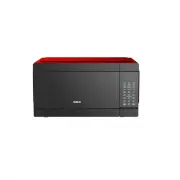
Page 2 - Door seals and sealing surfaces.; CONTENT; PRECAUTIONS TO AVOID POSSIBLE EXPOSURE TO EXCESSIVE MICROWAVE
1 1. Do not attempt to operate this oven with the door-open since open-door operation can result in harmful exposure to microwave energy. It is important not to defeat or tamper with the safety interlocks. 2. Do not place any object between the oven front face and the door or allow soil or cleaner r...
Page 3 - SAVE THESE INSTRUCTIONS; WARNING; - To reduce the risk of burns, electric
SAVE THESE INSTRUCTIONS 2 When using electrical appliances, basic safety precautions should be followed, including the following: WARNING - To reduce the risk of burns, electric shock, fire, injury to persons or exposure to excessive microwave energy: 1. Read all instructions before using the applia...
Page 4 - cord hang over edge of table or counter.; ELECTRICAL REQUIREMENTS; Power Supply Cord
SAVE THESE INSTRUCTIONS 3 cord hang over edge of table or counter. 18. Use only thermometers, which are specifically designed for use in microwave ovens. 19. Do not operate any heating or cooking appliance beneath this appliance. 20. Be certain the glass tray and roller rings are in place when you o...
Page 6 - Plastic; Not Recommended; Glass jars and bottles; TIRRING
5 they are not labeled, test them to make sure they can be used safely. Plastic — Use only if labeled "Microwave Safe". Other plastics can melt. Not Recommended Glass jars and bottles — Regular glass is too thin to be used in a microwave. It can shatter and cause damage and injury. Paper bag...
Page 7 - DDING MOISTURE; Operation Frequency:
6 time to complete cooking in the center without overcooking the outer areas. All liquids, such as soup or hot chocolate, should be shaken or stirred when cooking is complete. Let liquids stand a moment before serving. When heating baby food, stir well at removal and test the temperature before serv...
Page 9 - SIGNALS DURING OVEN SETTINGS; ETTING THE CLOCK
8 SIGNALS DURING OVEN SETTINGS ONE SIGNAL: Oven accepts the entry. TWO SIGNALS: Oven does not accept the entry, check and try again. S ETTING THE CLOCK 1. Touch CLOCK pad. 2. Use the number pads to enter the correct time. You must touch at least three numbers to set the clock(one for hour and two fo...
Page 10 - Cook By Weight Code Description
9 (lower) power level. (Most 2-stage recipes use lower power for second stage.) 3. Touch START/STOP. NOTE: · after total time has elapsed, 4 signals sound and END appears in display. Touch RESET or open oven door to clear END before starting another cooking function. S PEED DEFROST 1. Touch SPEED DE...
Page 11 - POPCORN
10 D EFROST BY WEIGHT 1. Touch DEFROST BY WEIGHT pad. 2. Enter weight. 3. Touch START/STOP pad. NOTE: · Weight must be in pounds and ounces. Ounce weights less than 10 must be preceded by a 0. If label gives weight in pounds only, change the fraction of a pound to ounces using the chart given above....
Page 12 - number pads from 1 to 4.; PIZZA; Reheating a slice of pizza:; Touch PIZZA once. CODE and cooking time; Heating a whole frozen pizza:; Touch PIZZA twice. CODE and cooking time; BEVERAGE; For the larger 7 to 9 oz. cups:; FROZEN; Touch REHEAT pad. CODE and cooking time
11 For the large 6 to 8 oz. potatoes: 1. Touch BAKED POTATO twice. 2. Enter number of potatoes by touching number pads from 1 to 4. 3. Touch START/STOP. PIZZA Reheating a slice of pizza: 1. Touch PIZZA once. CODE and cooking time appears. 2. Touch START/STOP. Heating a whole frozen pizza: 1. Touch P...