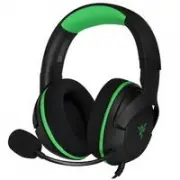
Page 2 - sound. Unlock a third sense for gaming with the; Razer Kraken V3 Pro
F O R G A M E R S . B Y G A M E R S . ™ 1 To reach the ultimate depths of immersion, one must dive beyond sight and sound. Unlock a third sense for gaming with the Razer Kraken V3 Pro — a wireless haptic PC gaming headset powered by Razer HyperSense. With the ability to feel what you hear, gaming ha...
Page 3 - CONTENTS; LET’S GET YOU COVERED
F O R G A M E R S . B Y G A M E R S . ™ 2 CONTENTS 1. WHAT’S INSIDE / WHAT’S NEEDED ........................................................................................................3 2. LET’S GET YOU COVERED ........................................................................................
Page 4 - WHAT’S INSIDE
F O R G A M E R S . B Y G A M E R S . ™ 3 1. WHAT’S INSIDE / WHAT’S NEEDED WHAT’S INSIDE ▪ Razer Kraken V3 Pro A. Adjustable padded headband B. Backlit Razer logo Powered by Razer Chroma TM RGB C. Hybrid fabric and leatherette memory foam cushions D. HyperSense button E. Status indicator F. Micropho...
Page 5 - WHAT’S NEEDED; Product requirements
F O R G A M E R S . B Y G A M E R S . ™ 4 ▪ Type-C to Type-A charging cable ▪ 3.5 mm combo cable ▪ Detachable Razer™ HyperClear Supercardioid Mic ▪ Important Product Information Guide WHAT’S NEEDED Product requirements ▪ [Wireless] USB-A port ▪ [Wired] 3.5 mm audio + mic combined jack Razer Synapse ...
Page 6 - LET’S GET YOU COVERED; You’ve got a great device in your hands, complete with a
F O R G A M E R S . B Y G A M E R S . ™ 5 2. LET’S GET YOU COVERED You’ve got a great device in your hands, complete with a 2-year limited warranty coverage. Now maximize its potential and score exclusive Razer benefits by registering at razerid.razer.com Got a question? Ask the Razer Support Team a...
Page 7 - TECHNICAL SPECIFICATIONS; HEADPHONES
F O R G A M E R S . B Y G A M E R S . ™ 6 3. TECHNICAL SPECIFICATIONS HEADPHONES ▪ Frequency response: 20 Hz – 20 kHz ▪ Impedance: 32 Ω @ 1 kHz ▪ Sensitivity: 96dBSPL/mW@1KHz by HATS ▪ Drivers: Customized Dynamic 50mm Driver ▪ Inner ear cup diameter: 62 x 42mm ▪ Connection type: 2.4GHz wireless and ...
Page 8 - Surround sound: Only available on Windows 10 64-bit; HAPTIC DRIVERS; in each cup; CHARGING YOUR HEADSET; Plug the wireless USB dongle to any of the USB-A ports on your PC.
F O R G A M E R S . B Y G A M E R S . ™ 7 ▪ Wired audio usage: 3.5mm analog ▪ Surround sound: Only available on Windows 10 64-bit HAPTIC DRIVERS ▪ 1 in each cup ▪ Frequency Response: 20-200Hz ▪ Maximum Generated Force: 4.3G 4. GETTING STARTED CHARGING YOUR HEADSET Connect the Razer Kraken V3 Pro to ...
Page 9 - Connected
F O R G A M E R S . B Y G A M E R S . ™ 8 2. Press and hold the power button until the status indicator is lit, or until you hear a tone. 3. Wait until the status indicator briefly becomes static green indicating that the headset is now connected to the wireless USB dongle. Indicator Status Connecte...
Page 11 - ACTIVATE THX SPATIAL AUDIO*; and lifelike experience through Razer Synapse.
F O R G A M E R S . B Y G A M E R S . ™ 10 C. To devices via 3.5 mm audio + mic jack If your device has a 3.5mm audio + mic combined jack, simply plug the 3.5mm combo cable from your headset’s microphone jack to your device’s audio jack. ACTIVATE THX SPATIAL AUDIO* Unleash the full potential of the ...
Page 12 - USING THE HEADSET; POWER BUTTON
F O R G A M E R S . B Y G A M E R S . ™ 11 *Only available on Windows 10 64-bit and above. 5. USING THE HEADSET POWER BUTTON Power on or off the headset by holding the Power button until the status indicator is on; and holding the Power button again to turn off. Two distinct tones will help notify y...
Page 13 - device’s current activity.; BATTERY LEVEL
F O R G A M E R S . B Y G A M E R S . ™ 12 Other power button functions are available when the headset is powered on and connected to your device. These functions operate based on your device’s current activity. BATTERY LEVEL When unplugged and powered on, the status indicator will show the connecti...
Page 14 - VOLUME CONTROL WHEEL; Intensity
F O R G A M E R S . B Y G A M E R S . ™ 13 HyperSense button to cycle through Low intensity, Medium intensity, High intensity , and Disable HyperSense. The headset will briefly vibrate and play a distinct tone as you cycle through its settings. Razer HyperSense also works on 3.5 mm analog connection...
Page 15 - RAZER HYPERCLEAR SUPERCARDIOID MIC; Plug the Razer; Press the mic mute button to mute or unmute the microphone.
F O R G A M E R S . B Y G A M E R S . ™ 14 RAZER HYPERCLEAR SUPERCARDIOID MIC Plug the Razer TM HyperClear Supercardioid Mic to the headphone and bend until it is parallel to your mouth. Make sure the mic diaphragm is in front and the air vent is facing away from your mouth. Press the mic mute butto...
Page 16 - COMFORT; CONFIGURING YOUR RAZER KRAKEN V3 PRO; SYNAPSE TAB
F O R G A M E R S . B Y G A M E R S . ™ 15 COMFORT It’s recommended to gently stretch the headset before placing it over your head to minimize headband stress however, don’t stretch the headset beyond its limits. 6. CONFIGURING YOUR RAZER KRAKEN V3 PRO Internet connection is required for installatio...
Page 18 - AUDIO TAB; icon on the system tray.
F O R G A M E R S . B Y G A M E R S . ™ 17 Global Shortcuts Bind operations or Razer Synapse functions to custom key -combinations from any Razer Synapse-enabled device inputs which apply across all device profiles. Learn more about Profiles O nly R aze r Sy naps e - e na ble d de v ic e input s w i...
Page 26 - Advanced Effects
F O R G A M E R S . B Y G A M E R S . ™ 25 Breathing The lighting will fade in and out of the selected color(s) Select up to 2 colors or randomize colors Spectrum cycling The lighting will cycle between 16.8 million colors indefinitely No further customization required Static The LEDs will remain li...
Page 28 - PROFILES TAB; Devices
F O R G A M E R S . B Y G A M E R S . ™ 27 PROFILES TAB The Profiles tab is a convenient way of managing all your profiles and linking them to your games and applications. Devices View which games are linked to each device’s profiles or which Chroma Effect is linked to specific games using the Devic...
Page 30 - SETTINGS WINDOW; General tab
F O R G A M E R S . B Y G A M E R S . ™ 29 SETTINGS WINDOW The Settings window, accessible by clicking the ( ) button on Razer Synapse, enables you to configure the startup behavior and display language of Razer Synapse, view the master guides of each connected Razer device, or perform factory reset...
Page 32 - SAFETY AND MAINTENANCE; SAFETY GUIDELINES; will void your warranty.; MAINTENANCE AND USE; use soap or harsh cleaning agents.; BATTERY WARNING
F O R G A M E R S . B Y G A M E R S . ™ 31 7. SAFETY AND MAINTENANCE SAFETY GUIDELINES In order to achieve maximum safety while using your Razer Kraken V3 Pro, we suggest that you adopt the following guidelines: Should you have trouble operating the device properly and troubleshooting does not work,...
Page 34 - COPYRIGHT AND INTELLECTUAL PROPERTY INFORMATION; other intellectual property right. The Razer Kraken V3 Pro; LIMITED PRODUCT WARRANTY; the Product. In no event shall Razer’s liability exceed the; GENERAL
F O R G A M E R S . B Y G A M E R S . ™ 33 8. LEGALESE COPYRIGHT AND INTELLECTUAL PROPERTY INFORMATION ©2021 Razer Inc. All rights reserved. Razer, the triple- headed snake logo, Razer logo, “For Gamers. By Gamers.” and “Razer Chroma” are trademarks or registered trademarks of Razer Inc. and/or affi...