Philips SPA7220/12 - Manuals
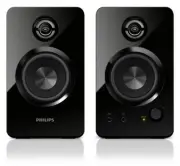
User Manual Philips SPA7220/12


Summary
1 EN Contents 1 Important 2 Impor tant safety instructions 2 Hearing safety 2 2 Notice 3 Disposal of your old product 3 3 Your multimedia speaker 4 4 Installation 4 5 Get started 5 Optional function 5 6 Product information 5 Specifications 5 7 Troubleshooting 6
2 EN 1 Important Important safety instructions • Read and follow all these instructions. • The product shall not be exposed to dripping or splashing and no objects filled with liquids, such as vases, shall be placed on the product. • To completely disconnect the power input, the mains plug of the pr...
3 EN 2 Notice Any changes or modifications made to this device that are not expressly approved by WOOX Innovations may void the user’s authority to operate the equipment. This product complies with the radio interference requirements of the European Community. Disposal of your old product Your produ...
Philips Manuals
-
 Philips 50PFL5907/F7
User Manual
Philips 50PFL5907/F7
User Manual
-
Philips 50PFL5907/F7
Quick Guide
-
 Philips 39PFL2908/F7
User Manual
Philips 39PFL2908/F7
User Manual
-
Philips 39PFL2908/F7
Quick Guide
-
 Philips 55PFL5907/F7
Quick Guide
Philips 55PFL5907/F7
Quick Guide
-
Philips 40PFL4908/F7
User Manual
-
Philips 40PFL4908/F7
Quick Guide
-
 Philips 29PFL4908/F7
User Manual
Philips 29PFL4908/F7
User Manual
-
Philips 29PFL4908/F7
Quick Guide
-
Philips 42PFL5907/F7
Quick Guide
-
 Philips 32PFL5708/F7
Manual
Philips 32PFL5708/F7
Manual
-
Philips 39PFL5708/F7
Manual
-
 Philips 50PFL5708/F7
User Manual
Philips 50PFL5708/F7
User Manual
-
Philips 50PFL5708/F7
Manual
-
 Philips 20PT643R
User Manual
Philips 20PT643R
User Manual
-
 Philips 30PW862H
Manual
Philips 30PW862H
Manual
-
 Philips 30PW850H
Manual
Philips 30PW850H
Manual
-
 Philips HTS6500
User Manual
Philips HTS6500
User Manual
-
Philips HTS6500
Manual
-
 Philips 37PF9631D/37
User Manual
Philips 37PF9631D/37
User Manual