Page 6 - Deutsch
6 table of contents Einführung 6 Wichtig 6 Allgemeine Beschreibung 15 Laden 15 Das BlueTouch Pain Relief Patch verwenden 17 Reinigung 23 Umwelt 23 Garantie und Kundendienst 24 Fehlerbehebung 24 Technische Daten 25 einführung Lesen Sie diese Bedienungsanleitung aufmerksam durch, bevor Sie das BlueTou...
Page 7 - Achtung
- Das BlueTouch Pain Relief Patch sollte nicht von Personen unter 18 Jahren und von Personen mit eingeschränkten physischen, sensorischen oder psychischen Fähigkeiten verwendet werden. - DIES IST EIN MEDIZINTECHNISCHES GERÄT. HALTEN SIE DAS GERÄT AUSSERHALB DER REICHWEITE VON KINDERN. - Lassen Sie K...
Page 9 - gegenanzeigen
gegenanzeigen Verwenden Sie das BlueTouch Pain Relief Patch nicht in folgenden Situationen: - Wenn Sie Hautverbrennungen oder einen Sonnenbrand haben. - Wenn Sie Fieber haben. - Wenn Sie eine bekannte Sonnenallergie haben. - Wenn Sie allergisch auf die Oberflächenmaterialien des BlueTouch Pain Relie...
Page 13 - Adapter; - Dieses Symbol bedeutet, dass der Adapter zweifach isolier t ist; Rückenbänder; - Dieses Symbol bedeutet: Bei einer Temperatur von maximal 30 Grad
Adapter - Dieses Symbol bedeutet, dass der Adapter zweifach isolier t ist (Klasse II). - Dieses Symbol bedeutet, dass der Adapter nur im Haus verwendet werden darf. - Dieses Symbol bedeutet: Nicht unter fließendem Wasser reinigen. - Dieses Symbol bedeutet: Nicht mit dem normalen Hausmüll entsorgen. ...
Page 14 - Öko-Tex® Standard 100 geprüft worden ist.
- Dieses Symbol bedeutet: Nicht bleichen. - Dieses Symbol bedeutet: Nicht im Trockner trocknen. - Dieses Symbol bedeutet: Nicht bügeln. - Dieses Symbol bedeutet: Nicht chemisch reinigen. - Dieses Symbol bedeutet, dass das Material auf schädliche Stoffe gemäß Öko-Tex® Standard 100 geprüft worden ist....
Page 15 - laden; Öffnen Sie die Abdeckung des Anschlussfelds.
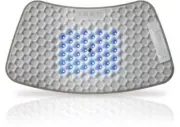
- Dieses Symbol bedeutet, dass dieses Rückenband zur Verwendung am unteren Rücken geeignet ist. - Dieses Symbol bedeutet, dass dieses Rückenband zur Verwendung am oberen Rücken geeignet ist. Allgemeine Beschreibung (Fig. 23) 1 BlueTouch Pain Relief Patch (außen) 2 Anschlussfeld 3 Anschluss für den k...
Page 16 - zu 8 Stunden in Anspruch nehmen.
3 Stecken Sie den Adapter in die Steckdose (100 V-240 V). , Wenn der kleine Stecker ordnungsgemäß verbunden ist, piepst das BlueTouch Pain Relief Patch einmal und zeigt damit an, dass das Aufladen begonnen hat. , Die Ladeanzeige auf dem Anschlussfeld blinkt langsam und regelmäßig während das BlueTou...
Page 17 - für zwei Behandlungen von 15 Minuten, 20 Minuten oder 30 Minuten
, Die Ladeanzeige auf dem Anschlussfeld blinkt langsam und kontinuierlich während das BlueTouch Pain Relief Patch aufgeladen wird. 4 Sobald die Akkus des BlueTouch Pain Relief Patch vollständig aufgeladen sind, leuchtet die Ladeanzeige ununterbrochen. 5 Ziehen Sie den Stecker des Micro-USB-Kabels au...
Page 18 - Behandlungsmodi, Dauer und intensität; Stufen; Behandlungsmodi; Drücken Sie die Modus-Taste einmal oder mehrmals, um einen der drei
Behandlungsmodi, Dauer und intensität Stufen Anzahl Behandlungen pro Tag und Behandlungsdauer Intensität 1: Niedrig 2 x 30 Min. 50 % 2: Mittel 2 x 20 Min. 75 % 3: Hoch 2 x 15 Min. 100 % Behandlungsmodi Behandlungsmodi auswählen Das BlueTouch Pain Relief Patch hat drei Modi und eine AUS-Einstellung. ...
Page 19 - Das Bluetouch Pain Relief Patch für den gebrauch vorbereiten; Am besten befestigen Sie das Pain Relief Patch mit einem der
Das Bluetouch Pain Relief Patch für den gebrauch vorbereiten Am besten befestigen Sie das Pain Relief Patch mit einem der Rückenbänder am Körper. Ein Band ist speziell für die Behandlung des oberen Rückens und eins für die Behandlung des unteren Rückens vorgesehen. Hinweis: Tragen Sie nicht mehrere ...
Page 20 - Behandlungsverfahren
3 Legen Sie das Rückenband für den oberen Rücken so auf Ihren Rücken, dass die Öffnung zum Rücken zeigt. Hinweis: Vergewissern Sie sich, dass sich das BlueTouch Pain Relief Patch im Rückenband auf der zu behandelnden Körperpartie befindet und der LED- Bereich Hautkontakt hat. 4 Schließen Sie den Tai...
Page 21 - ausgewählten Modus eingeschaltet.; Die Behandlung unterbrechen; Pain Relief Patch automatisch aus.; Ausschalten; Patch ab und drücken die Modus-Taste, um die Behandlung früher zu
Berühren Sie den Sensor in der Mitte des BlueTouch Pain Relief Patch nicht absichtlich, wenn das Patch eingeschaltet ist.Hinweis: Sie können das Rückenband auch auf den Rücken legen und dann die Bedienungstaste drücken, um den Behandlungsmodus auszuwählen. In diesem Fall wird das BlueTouch Pain Reli...
Page 23 - Reinigung; Rückenband, bevor Sie das Band zur Reinigung in die Waschmaschine; umwelt; Stoffe, die die Umwelt schädigen können. Die Akkus können nicht
2 Wenn die Ladeanzeige 5 Minuten lang zweimal blinkt, das Blinken unterbricht und danach erneut zweimal blinkt, und Sie alle 30 Sekunden einen Piepton hören, nachdem Sie die Bedienungstaste gedrückt haben, ist der Akkustand nicht ausreichend, um die Behandlung for tzusetzen. Das Piepsen wird erst be...
Page 24 - Problem
- Geben Sie das BlueTouch Pain Relief Patch am Ende der Gebrauchsdauer nicht in den normalen Hausmüll. Bringen Sie das Gerät zum Recycling zu einer offiziellen Sammelstelle. Auf diese Weise tragen Sie zum Umweltschutz bei. garantie und Kundendienst Benötigen Sie weitere Informationen oder treten Pro...
Page 26 - technische Daten; Modell
technische Daten Modell PRP6100 Nennspannung (V) 100 – 240 Nennfrequenz (Hz) 50 - 60 Nenneingangsleistung (W) 15 Class Medizinische Geräteklasse: IIa Klassifizierung Risikogruppe 1 Eintreten von Wasser IP22 Maximale Tagesdosis (J/cm²) < 90 bei Befolgung des Behandlungsplans Batterietyp Li-Ion Bet...
Page 27 - english
27 table of contents Introduction 27 Impor tant 27 General description 35 Charging 35 Using your BlueTouch Pain Relief Patch 37 Cleaning 42 Environment 43 Guarantee and ser vice 44 Troubleshooting 44 Specifications 45 introduction Read this user manual carefully before you use the BlueTouch Pain Rel...
Page 28 - caution
- Always adhere to the treatment schedule in chapter ‘Using your BlueTouch Pain Relief Patch’. Do not treat more than two times a day. - Only charge the BlueTouch Pain Relief Patch with the adapter supplied or with a micro USB cable, which is not supplied. - Always check the BlueTouch Pain Relief Pa...
Page 33 - Philips logo and wordmark.; - This symbol indicates that the adapter may only be used indoors.
- This symbol means ‘Manufactured by’ and is displayed together with the Philips logo and wordmark. Adapter - This symbol indicates that the adapter is double insulated (Class II). - This symbol indicates that the adapter may only be used indoors. - This symbol means: Do not clean under a running ta...
Page 34 - straps
straps - This symbol means: Wash at a temperature of 30°max. - This symbol means: Do not bleach. - This symbol means: Do not tumble-dr y. - This symbol means: Do not iron. - This symbol means: Do not dr y clean. english 34
Page 35 - charging
- This symbol means that the material has been tested for harmful substances according to Oeko-Tex® standard 100. - This symbol means that this strap is to be used on the lower back. - This symbol means that this strap is to be used on the upper back. general description (Fig. 23) 1 BlueTouch Pain R...
Page 36 - charging with the adapter; hours to fully charge the BlueTouch Pain Relief Patch.; charging using the micro usB socket; Charging with a micro USB cable can take up to 8 hours.
charging with the adapter When you charge the BlueTouch Pain Relief Patch with the adapter, it takes 2.5 hours to fully charge the BlueTouch Pain Relief Patch. 1 Open the cover of the connection panel. 2 Insert the small plug of the adapter into the socket for the small plug on the BlueTouch Pain Re...
Page 37 - using your Bluetouch Pain Relief Patch; Modes; treatment modes
4 When the batteries of the BlueTouch Pain Relief Patch are fully charged, the charging light lights up continuously. 5 Remove the plug of the micro USB cable from the micro USB socket on the BlueTouch Pain Relief Patch. using your Bluetouch Pain Relief Patch treatment schedule Always stick to the t...
Page 38 - Preparing the Bluetouch Pain Relief Patch for use; the upper back and a special strap for treatment of the lower back.
1 Mode 1 (low): press once 2 Mode 2 (medium): press twice 3 Mode 3 (high): press three times 4 O (OFF): press four times Note: If you want to switch from mode 3 to mode 1 or 2 or from mode 2 to mode 1, you have to press the mode button as many times as required to reach the mode you want to select. ...
Page 39 - Positioning the lower back strap; free from creams, lotions and other cosmetics.
Positioning the lower back strap To place the BlueTouch Pain Relief Patch in the strap, follow the steps below. 1 Put the lower back strap and the BlueTouch Pain Relief Patch in front of you on a table. Slide the left side of the BlueTouch Pain Relief Patch behind the elastic edge of the opening in ...
Page 40 - treatment procedure; Patch switches on in the selected mode within five seconds.
Note: Make sure the BlueTouch Pain Relief Patch in the strap is located on the area to be treated and the LED area is in contact with the skin. 4 Fasten the waistband with the Velcro fasteners and fasten the shoulder straps to the two parts of waistband with the Velcro fasteners. Note: You can also ...
Page 41 - Note: The number of times you have to press the mode button until the
4 The BlueTouch Pain Relief Patch automatically switches off after the treatment time in the selected mode has elapsed. For the treatment times, see section ‘Treatment schedule’. interrupting treatment 1 If you want to interrupt the treatment briefly, simply remove the Pain Relief Patch from the ski...
Page 43 - cleaning; on the air and not in the tumble dryer. Do not iron the straps.
cleaning Do not immerse the BlueTouch Pain Relief Patch in water or rinse it under the tap.Always remove the BlueTouch Pain Relief Patch from the strap before you put the strap in the washing machine to clean it. 1 Clean the BlueTouch Pain Relief Patch with a damp cloth. Caution: Clean the infrared ...
Page 46 - Specifications; Model
english 46 Specifications Model PRP6100/02 Rated voltage (V) 100-240 Rated frequency (Hz) 50-60 Rated input (W) 15 Class Medical device Class IIa Classification Risk Group 1 Ingress of water IP22 Max. daily dose (J/cm²) < 90 if treatment schedule is followed Batter y type Li-Ion Operation conditi...