Page 2 - Contents
3 Contents 1 Important 8 Impor tant safety instructions 8 Notice 10 2 Your portable DVD player 12 Introduction 12What’s in the box 12 Over view of the main unit 13 Over view of the remote control 14 3 Get started 15 Charge the batter y 15 Install remote control batter y 16 Connect additional equipme...
Page 3 - Important; Important safety instructions
4 1 Important Important safety instructions a Read these instructions. b Keep these instructions. c Heed all warnings. d Follow all instructions. e Do not use this apparatus near water. f Clean only with dry cloth. g Do not block any ventilation openings. Install in accordance with the manufacturer’...
Page 4 - Hearing safety
5 Warning Never remove the casing of this apparatus. • Never lubricate any par t of this apparatus. • Never place this apparatus on other electrical equipment. • Keep this apparatus away from direct sunlight, naked fl ames or heat. • Never look into the laser beam inside this apparatus. • Ensure tha...
Page 5 - Notice; Recycling
6 Notice Any changes or modi fi cations made to this device that are not expressly approved by Philips Consumer Lifestyle may void the user’s authority to operate the equipment. This product complies with the radio interference requirements of the European Community. This product complies with the r...
Page 6 - Your portable DVD player; Introduction
7 Always bring your product to a professional to remove the built-in batter y. The making of unauthorized copies of copy-protected material, including computer programs, fi les, broadcasts and sound recordings, may be an infringement of copyrights and constitute a criminal offence. This equipment sh...
Page 7 - What’s in the box
8 DVD-Video Video CD Audio CD MP3 CD DivX Discs with JPEG fi les What’s in the box Check and identify the contents of your package: Por table DVD player • Remote control • AC power adaptor, DSA-9W-09 F (DVE) or AY4132 (Philips) • Car adaptor • AV cables • User Manual • Quick Star t Guide • EN PET941...
Page 8 - Overview of the main unit
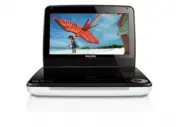
9 Overview of the main unit a SETUP Accesses or exits the setup menu. • b Adjusts brightness of the screen backlight. • c Stops disc play. • d , Skips to the previous or next title, chapter, or track. • e , , , Navigates through the menus. • , • Searches backward/forward at different speeds. / OK Co...
Page 10 - Overview of the remote control
11 n Headphone jack. • o DC IN Power supply socket • Overview of the remote control i j k l m e f h a b c d g English EN PET941D_EN.indd Sec1:11 PET941D_EN.indd Sec1:11 4/21/2009 9:33:00 AM 4/21/2009 9:33:00 AM
Page 12 - Charge the battery
13 3 Get started Caution Use the controls only as stated in this user manual. • Always follow the instructions in this chapter in sequence. If you contact Philips, you will be asked for the model and serial number of your player. The model number and serial number are on the bottom of your player. W...
Page 13 - Install remote control battery; Connect additional equipment
14 Install remote control battery Caution Risk of explosion! Keep batteries away from heat, sunshine or fi re. Never discard • batteries in fi re. Risk of decreased batter y life! Never mix different brands or types of batteries. • Risk of product damage! When the remote control is not used for long...
Page 14 - Use your player; Turn on; TV
15 Tip To conser ve energy, press • AV MODE to turn off the front panel display. 4 Use your player Turn on Slide the POWER ON / OFF switch to the ON position. The » indicator turns on. Select OSD language You can choose a different language for the on-screen display text. 1 Press SETUP . The setup m...
Page 15 - Play discs; Play options
16 Play discs 1 Slide OPEN on the player. 2 Inser t the disc with label side facing up. 3 Push down to close the disc compar tment. Play star ts automatically. If not, press » / OK . If a menu appears, select an item, then press • / OK to star t play. To pause, press • / OK . Press again to resume p...
Page 16 - Adjust brightness of screen backlight; Adjust
17 Adjust brightness of screen backlight Note You can adjusts brightness of the screen backlight to match lighting conditions. • During play, press repeatedly to select an option. • [Bright] • [Normal] • [Dim] Tip To achieve the longest playtime, select • [Dim] . To achieve the best view, select • [...
Page 17 - Product
18 [-- Battery Life Setup Page --] [LCD Backlight] Adjust the default brightness level of screen backlight. [-- Preference Page --] [Audio] Select audio language. [DVD Subtitle] Select DVD subtitle language. [DivX Subtitle] Select DivX subtitle language. [Disc Menu] Select disc menu language. [Paren...
Page 18 - Troubleshooting
19 EN Frequency response 20Hz-20KHz ± 1dB Signal/noise ratio 80 dB Audio distor tion + noise -80 (1KHz) Channel separation 80 dB Dynamic range 80 dB Audio out (analog audio) Output level: 2V ± 10% Load impedance 10 K Video out Output level: 1Vp - p ± 20% Load impedance 75 7 Troubleshooting Warning R...