Page 2 - safety; *Additional Benefits
Registering your model with PHILIPS makes you eligible for all of the valuable benefits listed below, so don't miss out.Complete and return your Product Registration Card at once, or register online at www.philips.com/welcome to ensure: Return your Product Registration Card or register online at www...
Page 3 - of the; AC Polarized; IMPORTANT SAFETY INSTRUCTIONS
1. Read these instructions. 2. Keep these instructions. 3. Heed all warnings. 4. Follow all instructions. 5. Do not use this apparatus nearwater. 6. Clean only with dry cloth. 7. Do not block any ventilationopenings. Install in accordance withthe manufacturer´s instructions. 8. Do not install near a...
Page 4 - Protect the power cord; from being; Only use attachments/accessories; specified by the manufacturer.; Use only with the cart,
A polarized plug has two blades with onewider than the other. A grounding type plughas two blades and a third grounding prong.The wide blade or the third prong areprovided for your safety. If the provided plugdoes not fit into your outlet, consult anelectrician for replacement of the obsoleteoutlet....
Page 5 - CAUTION
13. Unplug this apparatus during lightning storms or when unused for long periods oftime. 14. Refer all servicing to qualified ser vice personnel. Ser vicing is required when theapparatus has been damaged in any way,such as power-supply cord or plug isdamaged, liquid has been spilled or objectshave ...
Page 9 - Canada; English; des Communications du Canada.
Canada English This digital apparatus does not exceed the ClassB limits for radio noise emissions from digital apparatus as set out in the Radio Interference Regulations ofthe Canadian Department of Communications. Français Cet appareil numérique n'émet pas de bruitsradioélectriques dépassant les li...
Page 12 - FUNCTIONAL OVERVIEW; ) search backward/forward in a disc at different; Left of player ( see figure
English FUNCTIONAL OVERVIEW Congratulations on your purchase and welcome to Philips!To fully benifit from the support that Philips offers, register your productat www.philips.com/welcome. Main unit controls ( see figure 1 ) 1 SETUP .................... Switch the aspect ratio between 16:9 or 4:3. 2 ...
Page 14 - • Portable DVD player; Placement
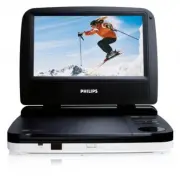
INTRODUCTION Your portable DVD player Your portable DVD player plays digital video discs conforming to the universalDVD Video standard. With it, you will be able to enjoy full-length movies withtrue cinema picture quality, and stereo or multichannel sound (depending on thedisc and on your playback s...
Page 15 - Precautions related to battery recharge; Playable disc formats; R and DVD; CD with JPEG files; You can also view JPEG still photos on this player.
INTRODUCTION About Built-in Rechargeable Battery Precautions related to battery recharge 1 Once the battery is fully discharged, immediately recharge it (regardless ofwhether you plan to use the battery or not) in order to maximize the batterylife. 2 To charge the battery, please directly connect th...
Page 17 - heated. This is normal
GENERAL INFORMATION Power Sources This unit operates on a supplied AC adapter and car adapter. • Make sure that the input voltage of the AC adaptor is in line with the local volt- age. Otherwise, the AC adaptor and unit may be damaged. • Do not touch the AC adaptor with wet hands to prevent electric...
Page 18 - Listen at a moderate volume:; • Using headphones at a high volume can impair your hearing. This; To establish a safe volume level:
GENERAL INFORMATION Hearing Safety Listen at a moderate volume: • Using headphones at a high volume can impair your hearing. This product can produce sounds in decibel ranges that may cause hearingloss for a normal person, even for exposure less than a minute. Thehigher decibel ranges are offered fo...
Page 20 - Using the AC / DC adaptor; Using the car adapter; the same or equivalent type.
PREPARATIONS Power supply Using the AC / DC adaptor Turn off the player before connecting the supplied adapter to it and the main power supply (as shown). The player must be turned off when the battery charges. TIP To avoid damage to the player, switch off before plugging or unplugging the AC adapto...
Page 21 - Connect the headphones into the; Connecting additional equipment
PREPARATIONS Remove the battery if the remote control is not to be used for a long time. Connections Connecting headphones Connect the headphones into the p jack of your set. Connecting additional equipment • Turn off your set before connecting to any additional equipment.• You can connect the playe...
Page 22 - ENTER
GENERAL EXPLANATION About this manual This manual gives the basic instructions for operating this DVD player. Some DVD discs however are produced in a way that requires specific oper-ation or allows only limited operation during playback. In these cases theplayer may not respond to all operating com...
Page 24 - Playing an audio or video CD disc
BASIC FUNCTIONS Playing a DVD disc After switching on, inserting the disc and closing the door, playback starts auto-matically. The screen shows the type of disc loaded. The disc may invite you toselect an item from a menu. Use the 3 , 4 , 11 , 22 keys to highlight your selec- tion,and press ENTER ....
Page 25 - Playing a JPEG discs; MENU
BASIC FUNCTIONS Playing an MP3 CD The following playback features are available for MP3 CDs. Please refer to the corresponding sections for more information.Volume control, skipping tracks, searching, repeat, shuffle, etc.Use the 3 , 4 keys to highlight your selected music folder. Press ENTER to pla...
Page 27 - GENERAL FEATURES; AUDIO; ZOOM; REPEAT
GENERAL FEATURES Changing the audio output (for VCD/CD) Press AUDIO repeatedly for the following audio options. x 1 Mono left x 2 Mono right x 3 Stereo TIP This key is used to select audio languages during DVD playback. ZOOM The Zoom function allows you to enlarge the video image and to pan through ...
Page 28 - TIP; Volume Control
GENERAL FEATURES TIP The repeat function is also available for JPEG. The actions may vary for dif-ferent media being played. Repeat A - B To repeat or loop a sequence in a title:• Press A - B at your chosen starting point; A appears on the screen. • Press A - B again at your chosen end point; AB app...
Page 29 - DISPLAY
GENERAL FEATURES DISPLAY Press DISPLAY on the remote repeatedly for the following display options: DVD CD/VCD x 1 Title elapsed Single elapsed x 2 Title remained Single remained x 3 Chapter elapsed Total elapsed x 4 Chapter remained Total remained X5 Display off Display off TIP During JPEG operation...
Page 32 - Note: Before using the
SETUP OPERATIONS To maximize your playback experience, use SETUP to fine tune your settings. Use the 3 , 4 , 11 , 22 keys to highlight your selection, and press ENTER . 1 Press SETUP . A list of features is shown. 2 Use the 3 4 keys to highlight your selection. When the cursor highlights these setti...
Page 33 - Password Setup Page; Preference Page
SETUP OPERATIONS Video Setup Page When the cursor highlights these settings, press ENTER to: Brightness select brightness level Contrast select contrast level Press 11 to abort current settings or go back to previous menu level Password Setup Page When the cursor highlights these settings, press ENT...
Page 34 - TROUBLESHOOTING
TROUBLESHOOTING If it appears that the DVD-Video player is faulty, first consult this checklist. It may be that something has been overlooked. WARNINGUnder no circumstances should you try to repair the set yourself as thiswill invalidate the guarantee.If a fault occurs, first check the points listed...
Page 36 - TECHNICAL DATA
TECHNICAL DATA Dimensions 210 x 178 x 39 mm8.3 x 7.0 x 1.5 inches Weight 0.79 kg / 0.36 pounds Power supply DC 9V 1.0A Power Consumption 9W Operating temperature range 0 - 45°C Laser wavelength 650nm Video system NTSC Frequency response 20Hz ~ 20KHz ± 1dB Signal/noise ratio ≥ 80dB Audio distortion +...
Page 37 - Printed in China
CLASS 1 LASER PRODUCT Printed in China wk804 Specifications are subject to change without notice. Trademarks are the property of Koninklijke Philips Electronics N.V. or their respective owners 2007© Koninklijke Philips Electronics N.V. All rights reserved. PET702_37_CCR_English 2/18/08 16:15 Page 37