Philips MCM704D/37 - Manuals
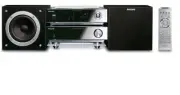
Philips MCM704D/37 – User Manual, Quick Guide in PDF format online.
Manuals:
User Manual Philips MCM704D/37


Summary
2 Canada English: This digital apparatus does not exceedthe Class B limits for radio noiseemissions from digital apparatus as setout in the Radio InterferenceRegulations of the CanadianDepar tment of Communications. Français: Cet appareil numérique n'emet pasde br uits radioélectriques dépassantles ...
6 IMPORTANT SAFETY INSTRUCTIONS Class II equipment symbol This symbol indicates that the unit has a double insulation system Clean only with dry cloth. materials pg001-031_MCM704D_37-Eng 2007.4.7, 14:50 6
7 English F rançais Español Index English ------------------------------------------------ 8 Français -------------------------------------------- 34 Español --------------------------------------------- 68 pg001-031_MCM704D_37-Eng 2007.4.7, 14:50 7
Quick Guide Philips MCM704D/37


Summary
3 1 2 5 4 Connect the speaker cables. Connect the FM and AM antennas. Connect the control cable. Connect the docking cradle. Connect the power cord of the system. iPod portable player Docking cradle Docking cable Speaker (right) Speaker (left) FM antenna AM antenna AC power cord Tip See the User Man...
1 2 3 4 In standby mode, press and hold CLOCK on the remote. When the hour digits flash, turn VOLUME-/+ on the system or press VOL+/- on the remote to set the hours. Press CLOCK again and the minute digits flash. Then turn VOLUME-/+ on the system or press VOL+/- on the remote to set the minutes. Pre...
PDCC-JS/JW-0714 1 2 3 Insert the USB device’s USB plug into the socket on the set. Press SOURCE once or more (or USB on the remote control) to select USB . Play the USB’s audio files as you do with the albums/tracks on a CD. Playing a USB mass storage device With the Hi-Fi system, you can use USB fl...
Philips Manuals
-
 Philips 50PFL5907/F7
User Manual
Philips 50PFL5907/F7
User Manual
-
Philips 50PFL5907/F7
Quick Guide
-
 Philips 32PFL4508/F7
User Manual
Philips 32PFL4508/F7
User Manual
-
Philips 32PFL4508/F7
Quick Guide
-
 Philips 39PFL2908/F7
User Manual
Philips 39PFL2908/F7
User Manual
-
Philips 39PFL2908/F7
Quick Guide
-
Philips 55PFL5907/F7
User Manual
-
Philips 55PFL5907/F7
Quick Guide
-
Philips 46PFL5907/F7
User Manual
-
Philips 46PFL5907/F7
Quick Guide
-
Philips 40PFL4908/F7
User Manual
-
Philips 40PFL4908/F7
Quick Guide
-
Philips 40PFL4708/F7
User Manual
-
Philips 40PFL4708/F7
Quick Guide
-
Philips 40PFL1708/F7
User Manual
-
Philips 29PFL4908/F7
User Manual
-
Philips 29PFL4908/F7
Quick Guide
-
Philips 42PFL5907/F7
User Manual
-
Philips 42PFL5907/F7
Quick Guide
-
 Philips 32PFL5708/F7
User Manual
Philips 32PFL5708/F7
User Manual