Philips MCM398D/05 - Manuals
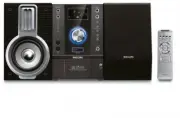
Philips MCM398D/05 – User Manual, Quick Guide in PDF format online.
Manuals:
User Manual Philips MCM398D/05


Summary
2 Important notes for users in theU.K. Mains plug This apparatus is fitted with an approved 13Amp plug. To change a fuse in this type of plugproceed as follows: 1 Remove fuse cover and fuse. 2 Fix new fuse which should be a BS1362 5 Amp,A.S.T.A. or BSI approved type . 3 Refit the fuse cover. If the ...
4 English Contents General Information Supplied accessories ............................................ 5Environmental information ................................ 5Safety information ................................................ 5About MP3 disc .....................................................
English 5 General Information This product complies with the radiointerference requirements of the EuropeanCommunity. Supplied accessories – 2 speaker boxes– remote control– FM wire antenna– Docking kit - 1 dock for Apple iPod- 8 dock adaptor s for different iPod types Environmental Information All ...
Quick Guide Philips MCM398D/05


Summary
Connect the speaker cables. Connect the FM antenna. Connect the AC power cord of the system. 1 2 3 Tip See the User Manual for how to connect otherequipment to this system. FM wire antenna AC power cord Speaker (left) Speaker (right) DOCK IN 2 1 3 MCM398D QUGG_Eng 2007.5.8, 13:58 2
Enjoy C Playing a disc 1 2 3 Press OPEN/CLOSE ç to open the disc tray and load in a disc, then press the same button again to close the disc tray. ➜ Make sure the label side of the disc is facing up. Press ÉÅ to start playback. To stop playback, press 9 . Setting the clock 1 2 3 4 IMPORTANT!– To set...
Enjoy C 1 2 3 Insert the USB device’s USB plug into the socket on the set. Press SOURCE once or more (or USB/AUX on the remote control) to select USB . Play the USB’s audio files as you do with the albums/tracks on a CD. Playing a USB mass storage device With the Hi-Fi system, you can use USB flash ...
Philips Manuals
-
 Philips 50PFL5907/F7
User Manual
Philips 50PFL5907/F7
User Manual
-
Philips 50PFL5907/F7
Quick Guide
-
 Philips 32PFL4508/F7
User Manual
Philips 32PFL4508/F7
User Manual
-
Philips 32PFL4508/F7
Quick Guide
-
 Philips 39PFL2908/F7
User Manual
Philips 39PFL2908/F7
User Manual
-
Philips 39PFL2908/F7
Quick Guide
-
Philips 55PFL5907/F7
User Manual
-
Philips 55PFL5907/F7
Quick Guide
-
Philips 46PFL5907/F7
User Manual
-
Philips 46PFL5907/F7
Quick Guide
-
Philips 40PFL4908/F7
User Manual
-
Philips 40PFL4908/F7
Quick Guide
-
Philips 40PFL4708/F7
User Manual
-
Philips 40PFL4708/F7
Quick Guide
-
Philips 40PFL1708/F7
User Manual
-
Philips 29PFL4908/F7
User Manual
-
Philips 29PFL4908/F7
Quick Guide
-
Philips 42PFL5907/F7
User Manual
-
Philips 42PFL5907/F7
Quick Guide
-
 Philips 32PFL5708/F7
User Manual
Philips 32PFL5708/F7
User Manual