Philips DS8300/10 - Manuals
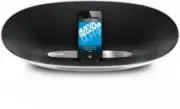
User Manual Philips DS8300/10


Summary
1 EN Contents 1 Important 2 Safety 2 Compliance 2 Care of the environment 2 Notice 3 2 Your Docking Entertainment System 4 Introduction 4 What's in the box 4 Over view of the main unit 4 3 Get started 5 Prepare the remote control 5 Connect power 6 Turn on 6 4 Play 7 Play from iPod/iPhone/iPad 7 Play...
2 EN 1 Important Safety • Only use attachments/accessories specified by the manufacturer. • Use only power supplies listed in the user manual. • The product shall not be exposed to dripping or splashing. • Do not place any sources of danger on the product (e.g. liquid filled objects, lighted candles...
3 EN Your product is designed and manufactured with high quality materials and components, which can be recycled and reused. When this crossed-out wheeled bin symbol is attached to a product it means that the product is covered by the European Directive 2002/96/ EC.Please inform yourself about the l...
Philips Manuals
-
 Philips 50PFL5907/F7
User Manual
Philips 50PFL5907/F7
User Manual
-
Philips 50PFL5907/F7
Quick Guide
-
 Philips 39PFL2908/F7
User Manual
Philips 39PFL2908/F7
User Manual
-
Philips 39PFL2908/F7
Quick Guide
-
 Philips 55PFL5907/F7
Quick Guide
Philips 55PFL5907/F7
Quick Guide
-
Philips 40PFL4908/F7
User Manual
-
Philips 40PFL4908/F7
Quick Guide
-
 Philips 29PFL4908/F7
User Manual
Philips 29PFL4908/F7
User Manual
-
Philips 29PFL4908/F7
Quick Guide
-
Philips 42PFL5907/F7
Quick Guide
-
 Philips 32PFL5708/F7
Manual
Philips 32PFL5708/F7
Manual
-
Philips 39PFL5708/F7
Manual
-
 Philips 50PFL5708/F7
User Manual
Philips 50PFL5708/F7
User Manual
-
Philips 50PFL5708/F7
Manual
-
 Philips 20PT643R
User Manual
Philips 20PT643R
User Manual
-
 Philips 30PW862H
Manual
Philips 30PW862H
Manual
-
 Philips 30PW850H
Manual
Philips 30PW850H
Manual
-
 Philips HTS6500
User Manual
Philips HTS6500
User Manual
-
Philips HTS6500
Manual
-
 Philips 37PF9631D/37
User Manual
Philips 37PF9631D/37
User Manual