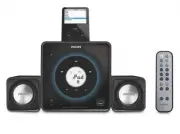
Page 2 - AVISO IMPORTANTE; México; Minisistema de Audio; No de Serie; LEA CUIDADOSAMENTE ESTE INSTRUCTIVO
2 1 AVISO IMPORTANTE Philips Mexicana, S.A. de C.V. no se hace responsable por daños o desperfectos causados por: – Maltrato, descuido o mal uso, presencia de insectos o roedores (cucarachas, ratones etc.). – Cuando el aparato no haya sido operarado de acuerdo con el instructivo del uso, fuera de lo...
Page 5 - Return your Product Registration Card or register online at; or register online at; Notification; For Customer Use; Know these; safety; symbols
5 Return your Product Registration Card or register online at www.philips.com/welcome toda y to get the very most from your purchase. Registering your model with PHILIPS makes you eligible for all of the valuable benefits listed below, sodon't miss out. Complete and return your Product Registration ...
Page 6 - IMPORTANT SAFETY INSTRUCTIONS; Clean only with dry cloth.; CAUTION; - Danger of explosion if
6 IMPORTANT SAFETY INSTRUCTIONS Clean only with dry cloth. Where the MAINS plug or an appliance coupler is used as the disconnet device, the disconnet device shall remain readily operable. materials 9 CAUTION - Danger of explosion if batter y is incorrectly replaced. Replace only with the same or eq...
Page 7 - Index; Canada; English; rançais; Español
English 7 Index English ------------------------------------------------ 8 Français -------------------------------------------- 28 Español --------------------------------------------- 48 Canada English: This digital apparatus does not exceedthe Class B limits for radio noiseemissions from digital ...
Page 8 - Contents
8 English Contents General Information Environmental Information ................................ 9Supplied accessories ............................................ 9Safety Information ................................................ 9Hearing Safety .....................................................
Page 9 - General Information; Environmental Information; Supplied accessories
English 9 General Information Congratulations on your purchase and welcome to Philips! To fully benefit from the suppor t that Philips offers, register your product at www.philips.com/welcome. Environmental Information All unnecessar y packaging has been omitted. We have tried to make the packaging ...
Page 10 - Hearing Safety; Listen at a moderate volume.; Listen for reasonable periods of time:
10 English General Information Hearing Safety Listen at a moderate volume. ● Using headphones at a high volume can impairyour hearing. This product can produce soundsin decibel ranges that may cause hearing loss fora normal person, even for exposure less than aminute . The higher decibel ranges are ...
Page 11 - Preparations; Rear connections; Power
English 11 Preparations Rear connections The type plate is located at the rear of thesystem. A Power ● Before connecting the AC power adaptor to thewall outlet, ensure that all other connectionshave been made. WARNING!– For optimal performance, use only theoriginal AC power adaptor.– Never make or c...
Page 12 - Optional connections; Connecting other equipment to your; Before using the remote control
12 English Preparations D Optional connections The optional equipment and connecting cords are not supplied. Refer to the operating instructionsof the connected equipment for details. Connecting a USB device or memorycard By connecting a USB mass storage device (including USB flash memory, USB flash...
Page 13 - Controls; Main unit
English 13 Controls (illustrations on page 3) Main unit 1 IR – remote sensor 2 ÉÅ – (iPod/USB) star ts or interr upts playback. 3 S / T iPod/ USB .......... fast searches back and forward within a track (press and hold). ................................. skips to the beginning of a current/previous/...
Page 14 - Remote Control
14 English Controls Remote Control 1 y – switches on the system to the last sound sourceplayed. – switches the system to standby mode. 2 iPod – selects the sound source for your iPod player. 3 TUNER – selects the sound source for FM radio. 4 9 (USB devices only) – stops playback. – cancels programme...
Page 15 - Basic Functions; Switching the system on
English 15 Basic Functions Important!Before you operate the system, completethe preparation procedures. Switching the system on ● Press STANDBY-ON B (or B on the remote control). ➜ The system will switch to the last selected source. ● Press either USB/AUX , iPod or TUNER on the system /remote contro...
Page 16 - USB playback functions; Programming track numbers; Erasing the program
16 English USB playback functions Different play modes: SHUFFLEand REPEAT You can select and change the various play modes before or during playback. The REPEATmodes can also be combined with PROGRAM. 1 To select your play mode, press REPEAT/ SHUFF before or during playback until the display shows t...
Page 17 - Radio Reception; Tuning to radio stations; TUNER; Programming radio stations; Automatic programming; Tuning to preset radio stations
English 17 Radio Reception Tuning to radio stations 1 Press TUNER to select the tuner source. 2 Hold S / T and then release the button. ➜ The system will star t searching for a radio station with sufficient signal strength. 3 Repeat step 2 if necessar y until you find the desired station. ● To tune ...
Page 18 - External Sources; Using a non-USB device; Using a USB mass storage device; no AUdIO
18 English External Sources Playing a USB mass storage deviceCompatible USB mass storage devices You can use:– USB flash memor y (USB 2.0 or USB1.1)– USB flash player s (USB 2.0 or USB1.1)– memor y cards (requires an additional card reader) INFORMATION REGARDING USBDIRECT:1. Compatibility of the USB...
Page 20 - Clock setting; Stopping the alarm; Sleep timer setting; OFF
20 English Clock/Sleep Timer Clock setting The clock uses the 12-hour mode. 1 In standby mode, press PROG/CLOCK for more than two seconds. ➜ The clock digits flash. 2 Press ALBUM/PRESET 3 4 to set the minutes. 3 Press S / T to set the hour s. 4 Press PROG/CLOCK to confir m the time. Setting the Alar...
Page 21 - To deactivate the sleep timer; SLEEP; STANDBY ON
English 21 Note:– If you press SLEEP again, this will change your sleep time period to the next shor ter preset option. To deactivate the sleep timer ● Press SLEEP repeatedly until " 0FF " is displayed, or press STANDBY ON 2 . Clock/Sleep Timer pg001-025_DC199_37-Eng 2007.11.22, 15:52 21
Page 22 - iPod Dock; Compatible iPod players; Using the dock adaptors; iPod
22 English iPod Dock Compatible iPod players ● Most Apple iPod models with 30-pin dockconnectors as follows: 20GB , 40GB, 20/30GBPhoto, 40/60GB Photo, 30GB Video, 60GB Video,80GB Video, Mini, Nano and Nano 2ndgeneration. Selecting the correct dockadaptor ● 8 iPod dock adaptors of different type, asi...
Page 23 - Specifications; AMPLIFIER
English 23 Specifications AMPLIFIER Output power ........................................................................ .................. 2 x 7.5W (satellite), 15W (sub-woofer) Signal-to-noise ratio ....................................... ≥ 70 dBA Frequency response ...... 50 Hz – 20 KHz, ± 3 dBI...
Page 24 - Troubleshooting; “NO USb” is displayed.; Problem
24 English Troubleshooting WARNINGUnder no circumstances should you try to repair the system yourself, as this will invalidate thewarranty. Do not open the system as there is a risk of electric shock. If a fault occurs, first check the points listed below before taking the system for repair. If youa...
Page 25 - PHILIPS LIMITED WARRANTY
English 25 Philips, P.O. Box 671539, Marietta, GA. 30006-0026 PHILIPS LIMITED WARRANTY ONE (1) YEAR WARRANTY COVERAGE:PHILIPS warranty obligation is limited to the terms set forthbelow. WHO IS COVERED: Philips warrants the product to the original purchaser or the per-son receiving the product as a g...
Page 26 - CLASS 1
English F rançais Por tuguês Español Deutsch Nederlands Italiano Svenska Dansk Suomi P olski Printed in China PDCC-JS-JW-0747 CLASS 1 LASER PRODUCT PHILIPS CONSUMER ELECTRONICS NORTH AMERICA P.O. Box 671539, Marietta, GA. 30006-0026 Meet Philips at the Internet http://www.philips.com http://www.phil...