Page 3 - Contents
1 EN Contents 1 Important 2 2 Your Bluetooth speaker 3 Introduction 3 What's in the box 3 Over view of the speaker 4 3 Get started 5 Power supply 5 Turn on/off 6 Adjust volume 6 4 Use Bluetooth devices 7 Connect a device 7 Play from Bluetooth device 8 Control your phone call 8 Disconnect a device 8 ...
Page 4 - Important; Important safety instructions
2 EN 1 Important Warning • Never remove the casing of this speaker. • Never lubricate any par t of this speaker. • Never place this speaker on other electrical equipment. • Keep this speaker away from direct sunlight, naked flames or heat. Important safety instructions a Read these instructions. b K...
Page 5 - Introduction
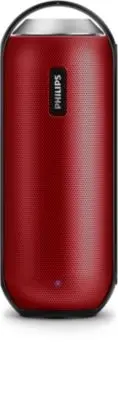
3 EN 2 Your Bluetooth speaker Congratulations on your purchase, and welcome to Philips! To fully benefit from the suppor t that Philips offers, register your product at www.philips.com/welcome. Introduction This speaker has passed splash-proof test (IPX4) and can be used near water. With this speake...
Page 6 - Overview of the speaker
4 EN Overview of the speaker a PAIRING • Enter Bluetooth pairing mode. • Disconnect Bluetooth connection. • Answer or reject an incoming call. • End the current phone call. • Transfer the call to your mobile device. b NFC • Connect a NFC compatible device through Bluetooth. c • Charge the built-in b...
Page 7 - Get started; Power supply; Option 1: Battery power
5 EN 3 Get started Always follow the instructions in this chapter in sequence. Power supply Either AC power or batter y can be used as power supply of this product. Option 1: Battery power The speaker can operate on the built-in rechargeable batter y. Note • Rechargeable batter y has a limited numbe...
Page 8 - Switch to standby mode; Adjust volume
6 EN • Connect the adapter to: • the socket on the speaker. • the power outlet. Turn on/off OFF ON • To turn the speaker on or off, rotate the knob clockwise or anticlockwise until you hear a click. » When the speaker is turned on, the blue LED indicator flashes. » When the speaker is turned off, th...
Page 9 - Connect a device; Option 1: Connect a device through
7 EN 4 Use Bluetooth devices With this speaker, you can listen to audio from Bluetooth-enabled devices and control the incoming call through Bluetooth. Connect a device Note • The speaker can memorize a maximum of four paired devices. The fifth paired device will replace the first one. • Make sure t...
Page 10 - Play from Bluetooth device; Control your phone call; Disconnect a device; Reconnect a device
8 EN 3 Select [Philips BT6000] displayed on your device for pairing. If necessar y, input “0000” as the pairing password. » After successful connection, the speaker beeps twice, and the LED indicator turns solid blue. • If you fail to find [Philips BT6000] on your device for pairing, press and hold ...
Page 12 - Specifications; Amplifier
10 EN 6 Product information Note • Product information is subject to change without prior notice. Specifications Amplifier Rated Output Power 12 W RMSFrequency Response 40 -20000 Hz, ±3 dBSignal to Noise Ratio > 65 dBAAudio In 600 mV (RMS), 22 kohm Speaker Speaker Impedance 8 ohm Speaker Driver 1...
Page 13 - Troubleshooting; General
11 EN 7 Troubleshooting Warning • Never remove the casing of this device. To keep the warranty valid, never tr y to repair the system yourself. If you encounter problems when using this device, check the following points before requesting ser vice. If the problem remains unsolved, go to the Philips ...
Page 14 - Notice; Care of the environment
12 EN 8 Notice Any changes or modifications made to this device that are not expressly approved by Gibson Innovations may void the user’s authority to operate the equipment.This product is designed to be waterproof in compliance with IEC 60529 IPX4. Notice for the USA and Canada This device complies...
Page 15 - Trademark notice
13 EN Always bring your product to a professional to remove the built-in batter y. Environmental information All unnecessar y packaging has been omitted. We have tried to make the packaging easy to separate into three materials: cardboard (box), polystyrene foam (buffer) and polyethylene (bags, prot...