Page 3 - Contents
1 EN Contents 1 Important 2 2 Your Bluetooth speaker 3 Introduction 3 What's in the box 3 Over view of the speaker 4 3 Get started 5 Place the speaker 5 Charge the built-in batter y 5 Turn on/off 5 4 Use Bluetooth devices 6 Connect a device 6 Connect two Bluetooth devices simultaneously 7 Play from ...
Page 4 - Important
2 EN 1 Important Warning • Never remove the casing of this speaker. • Never lubricate any par t of this speaker. • Never place this speaker on other electrical equipment. • Keep this speaker away from direct sunlight, naked flames or heat. • Do not use this speaker near water. • Make sure that there...
Page 5 - Introduction
3 EN 2 Your Bluetooth speaker Congratulations on your purchase, and welcome to Philips! To fully benefit from the suppor t that Philips offers, register your product at www.philips.com/welcome. Introduction With this speaker, you can • enjoy audio from your Bluetooth-enabled devices or other externa...
Page 6 - Overview of the speaker
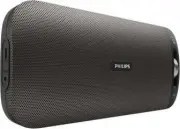
4 EN Overview of the speaker a DC IN • Recharge the built-in batter y. b AUDIO IN • Connect an external audio device. c MULTIPAIR • Press and hold for two seconds to enter pairing mode. • Press and hold for two seconds to clear idle Bluetooth devices connected to the speaker. • Press to answer an in...
Page 7 - Get started; Place the speaker; Charge the built-in battery
5 EN 3 Get started Always follow the instructions in this chapter in sequence. Place the speaker To place the speaker on a flat surface, pull out the retractable stand from the backside of the speaker. Charge the built-in battery The speaker is powered by the built-in rechargeable batter y. Note • B...
Page 8 - Connect a device; Connect a device through NFC; Connect a device manually
6 EN 4 Use Bluetooth devices With this speaker, you can listen to audio from Bluetooth-enabled devices and control the incoming call through Bluetooth. Connect a device Note • Before pairing a device with this speaker, read its user manual for Bluetooth compatibility. • The speaker can memorize a ma...
Page 9 - Play from Bluetooth device; Control your phone call
7 EN Connect two Bluetooth devices simultaneously The speaker can connect to two Bluetooth devices at the same time. 1 Connect one Bluetooth device. 2 Press and hold MULTIPAIR for two seconds. » The speaker is ready to pair with one more Bluetooth device. » The LED indicator flashes blue. 3 Connect ...
Page 11 - Amplifier; General information
9 EN 6 Product information Note • Product information is subject to change without prior notice. Specifications Amplifier Rated Output Power 2 X 5 W RMS Signal to Noise Ratio > 62 dBA Audio-in Input 600 mV Bluetooth Bluetooth Version V4.1 Suppor ted Profiles A2DP, AVRCP, HSP/ HFP Range 10 m (Free...
Page 12 - Troubleshooting; General; About Bluetooth device
10 EN 7 Troubleshooting Warning • Never remove the casing of this device. To keep the warranty valid, never tr y to repair the system yourself. If you encounter problems when using this device, check the following points before requesting ser vice. If the problem remains unsolved, go to the Philips ...
Page 13 - Notice; Compliance
11 EN 8 Notice Any changes or modifications made to this device that are not expressly approved by Gibson Innovations may void the user’s authority to operate the equipment. Compliance Hereby, Gibson Innovations declares that this product is in compliance with the essential requirements and other re...
Page 14 - Trademark notice
12 EN Trademark notice The Bluetooth word mark and logos are registered trademarks owned by Bluetooth SIG, Inc. and any use of such marks by Gibson is under license. Other trademarks and trade names are those of their respective owners. The N Mark is a trademark or registered trademark of NFC Forum,...