Page 3 - Contents
1 EN Contents 1 Important 2 Hearing safety 2 2 Your CD Soundmachine 3 Introduction 3 What's in the box 3 Over view of the main unit 4 Over view of the remote control 5 3 Get started 7 Prepare the remote control 7 Connect power 7 Turn on 8 Turn off 8 4 Play 9 Play CD 9 Play from USB devices 9 Play fr...
Page 4 - Important; Hearing safety
2 EN 1 Important Warning • Never remove the casing of this apparatus. • Never lubricate any par t of this apparatus. • Never look into the laser beam inside this apparatus. • Never place this apparatus on other electrical equipment. • Keep this apparatus away from direct sunlight, naked ÁDPHVRUKHDW ...
Page 5 - Introduction
3 EN 2 Your CD Soundmachine Introduction With this CD Soundmachine, you can: • listen to FM radio; • enjoy audio from tapes, USB device, Bluetooth devices, and other external audio devices; • program the play sequence of tracks. 7KHXQLWRIIHUV\RX'\QDPLF%DVV%RRVW'%% DQG'LJLWDO6RXQG&RQWURO'6&WR...
Page 6 - Overview of the main unit
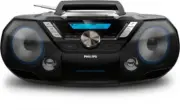
4 EN Overview of the main unit a FM antenna • Improve FM reception. b • Headphone socket. c AUDIO-IN • Connect an external audio device. d • Turn the unit on or off. e Tape controls • Star t tape play. • / Fast rewind or fast forward the tape. Stop tape play or open the tape door. • Pause tape play....
Page 9 - Get started; Prepare the remote control; Connect power; Option 2: Battery power
7 EN 3 Get started Caution • Use of controls or adjustments or performance of procedures other than herein may result in hazardous laser exposure or other unsafe operation. Always follow the instructions in this chapter in sequence. If you contact Philips, you will be asked for the model and serial ...
Page 10 - Turn on; Turn off
8 EN Turn on Press . » The unit switches to the last selected source. Tip • To select a source, press SOURCE repeatedly or the source selection buttons on the remote control. Turn off Press again. » The backlight on the display panel turns off.
Page 11 - Play; Play CD; Play from USB devices; Play from Bluetooth-enabled
9 EN 4 Play Play CD 1 Press CD to select the disc source. 2 Press OPEN•CLOSE to open the disc tray. 3 Inser t a disc with the printed side facing up, then close the disc tray. » Play star ts automatically. Play from USB devices Note • Make sure that the USB device contains playable audio content. 1 ...
Page 12 - Disconnect the Bluetooth-enabled; Connect another Bluetooth-enabled; Play tape
10 EN 2 On your Bluetooth device, enable Bluetooth and search for Bluetooth devices UHIHUWRWKHXVHUPDQXDORIWKHGHYLFH 3 Select [Philips AZB798T] on your device for pairing. If necessar y, enter default password “0000”. » After successful pairing and connection, the product beeps twice, and [CONNECTED]...
Page 13 - Play from an external device
11 EN • To rewind or fast-forward, press / on CD sound machine . • To stop play, press . » The CD sound machine turns off automatically. Note • In playback mode, cassette will be stopped automatically when playback reaches the end. • There is no display on the LCD screen in tape mode. Play from an e...
Page 14 - Play options; Control play; Program tracks
12 EN 5 Play options Control play In CD or USB mode, you can control play through the following operations. / Press and hold to fast-forward or fast-reverse the track during playback, then release to resume play. / Skip to the previous or next MP3 album. / Skip to the previous or next track.Star t o...
Page 15 - Tune to FM radio stations; Store radio stations; Store radio stations manually; Select a preset radio station
13 EN 6 Listen to FM radio Tune to FM radio stations Note • For optimal reception, fully extend and adjust the position of the FM antenna. 1 Press FM/DAB repeatedly to select FM radio source. 2 Press and hold / for 2 seconds. » [SEARCH] VHDUFKLVGLVSOD\HG » The product tunes to a station with strong ...
Page 16 - Listen to DAB radio stations; Program radio stations; Display DAB information; Use DAB menus
14 EN 7 Listen to DAB radio stations Listen to DAB radio stations Note • For optimal reception, fully extend the antenna and adjust its position. • You can program a maximum of 20 DAB radio stations. • Check with local retailer or go to www.WorldDAB.org for applicable DAB radio frequencies in your a...
Page 17 - Tune to a station manually; Remove invalid stations; System menus
15 EN Re-scan for stations Full scan is used to perform a wide range search for DAB radio stations. • Press OK to activate the automatic search. » This product automatically stores radio VWDWLRQVZLWKVXIÀFLHQWVLJQDOVWUHQJWK Tune to a station manually :LWKWKLVIHDWXUH\RXFDQWXQHWRDVSHFLÀF channel/freque...
Page 18 - Reset the product; Check the current software
16 EN 8 Use system menus With the system menus, you can: • [RESET] : Reset the product to factor y default status. • [UPGRADE] : Upgrade the software. • [SW VER] : Check the version of current software of this product. Reset the product 1 Press OK to display the options. 2 Press / to select an optio...
Page 19 - Other features; Set the sleep timer; Adjust the display brightness; Listen through the headphone
17 EN 9 Other features Set the sleep timer This unit can switch to standby automatically after a preset period. When the unit is turned on, press SLEEP repeatedly to select the sleep timer period (in PLQXWHV » When the sleep timer is activated, appears. To deactivate sleep timer: • Press SLEEP repea...
Page 20 - information; Disc
18 EN 10 Product information Note • Product information is subject to change without prior notice. Max Output Power Total 12 W Frequency Response 63 -20 KHz, +/-3dB Signal to Noise Ratio >72 dBA Total Harmonic Distor tion <1 % Audio-in Input 650 mV RMS 22kohm Disc Laser Type Semiconductor Disc...
Page 21 - Maintenance
19 EN Supported MP3 disc formats • ISO9660, Joliet • Maximum title number : 512 (depending on ÀOHQDPHOHQJWK • Maximum album number : 255 • Suppor ted sampling frequencies: 32 kHz, 44.1kHz, 48 kHz • 6XSSRU WHG%LWUDWHVaNESV variable bit rates USB playability information Compatible USB devices: • 86%ÁD...
Page 23 - 1 Troubleshooting
21 EN 11 Troubleshooting Warning • Never remove the casing of this device. To keep the warranty valid, never tr y to repair the system yourself. If you encounter problems when using this device, check the following points before requesting ser vice. If the problem remains unsolved, go to the Philips...
Page 24 - Compliance; Declaration of conformity; Care of the environment; Trademark notice
22 EN 12 Notice device that are not expressly approved by MMD Hong Kong Holding Limited may void the user’s authority to operate the equipment. Compliance Declaration of conformity Hereby, TP Vision Europe B.V. declares that this product is in compliance with the essential requirements and other rel...