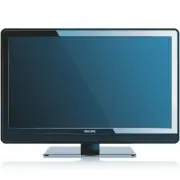
Page 2 - Notification; Congratulations on your purchase,; Return your Product Registration Card or register online at
EN-1 ENGLISH FRANÇAISE ESP AÑOL Know these safety symbols This “bolt of lightning” indicates uninsulated material within your unit may cause an electrical shock. For the safety of everyone in your household, please do not remove product covering. The “exclamation point” calls attention to features f...
Page 3 - Important safety instructions; Read before operating equipment; Example of Antenna Grounding as per
EN-2 ENGLISH FRANÇAISE ESP AÑOL Important safety instructions 1. Read before operating equipment Read these instructions.Keep these instructions.Heed all warnings. Follow all instructions.Do not use this apparatus near water.Clean only with a dry cloth.Do not block any of the ventilation openings. I...
Page 4 - 008 © Koninklijke Philips Electronics; Modifications; Copyright
EN-3 ENGLISH FRANÇAISE ESP AÑOL 2008 © Koninklijke Philips Electronics N.V. All rights reser ved. Specifications are subject to change without notice. Trademarks are the proper ty of Koninklijke Philips Electronics N.V. or their respective owners. Philips reser ves the right to change products at an...
Page 5 - Table of contents
EN-4 ENGLISH FRANÇAISE ESP AÑOL Table of contents 1. Important safety instructions . . . . . . . . . 2 2. Important . . . . . . . . . . . . . . . . . . . . . . . . . 5 2.1 Product information . . . . . . . . . . . . . . . . . . . . . . . 52.2 Screen care. . . . . . . . . . . . . . . . . . . . . . . ...
Page 6 - Important; WARNING; To reduce the risk of fire or electric shock, this
EN-5 ENGLISH FRANÇAISE ESP AÑOL Important 2. Congratulations on your purchase and welcome to Philips! To fully benefit from the support that Philips offers, register your product at www.philips.com/welcomeRegistering your model with Philips makes you eligible for all of the valuable benefits listed ...
Page 7 - Your TV; TV overview; Side controls and indicators; POWER; Side connectors; Rear connectors; Note; Section 8 Connect devices; Remote control; Remote control over view; section
EN-6 ENGLISH FRANÇAISE ESP AÑOL Your TV 3. This section gives you an overview of commonly- used TV controls and functions. TV overview 3.1 Side controls and indicators 5 4 3 2 1 AV 1 75 Ω HDMI 1 HDMI 2 / PC IN AV 2 Cable AV 1 75 Ω HDMI 1 HDMI 2 / PC IN AV 2 CHANNEL MENU VOLUME POWER POWER 1. CHANNEL...
Page 8 - Get started; Step 3 Connect cables.
EN-7 ENGLISH FRANÇAISE ESP AÑOL Get started 4. This section describes how to position and connect your TV, and how to perform your first-time installation. 4.1 Position the TV WARNING B Do not insert the power plug into the wall • socket before all the connections are made.Large screen TVs are heavy...
Page 9 - SATELLITE; Section 8 Connect devices.
EN-8 ENGLISH FRANÇAISE ESP AÑOL Install the remote control 4.3 batteries A A A A A A Open the battery cover on the back of the 1. remote control.Insert the 2 batteries supplied. Make sure the 2. + and - ends of the batteries line up correctly. (inside of case is marked).Close the cover. 3. Connect t...
Page 12 - Use your TV; TV is never powered off completely
EN-11 ENGLISH FRANÇAISE ESP AÑOL Use your TV 5. This section helps you perform basic TV operations. Switch your TV on or to standby 5.1 To Switch the TV on If the standby indicator is off, press • . POWER at the side of the TV. If the standby indicator is on, press • . on the remote control. CHANNEL...
Page 14 - Use more of your TV; Set the clock section.
EN-13 ENGLISH FRANÇAISE ESP AÑOL Use more of your TV 6. This section describes the advanced features of your TV. 6.1 Remote control overview 1 23 4 5 6 7 8 9 10 11 12 13 14 15 16 17 18 19 20 1. . POWER Switches the TV on from standby or back to standby. SOURCE 2. Selects connected devices. SLEEP 3. ...
Page 16 - Change picture format; Automatic
EN-15 ENGLISH FRANÇAISE ESP AÑOL Change picture format Press 1. FORMAT on the remote control to enter the Picture format menu. Press 2. Î or ï to select a picture format. Automatic • (Not for HD and PC) Enlarges the picture automatically to fill the screen. The subtitles remain visible. • Super zoom...
Page 19 - Use the TV ratings lock; Set or change you PIN
EN-18 ENGLISH FRANÇAISE ESP AÑOL Enter you PIN. 2. Press 3. Î or ï to select the channel or device you want to lock or unlock.At each selection, press 4. OK to lock or unlock the channel or device. An box with • X indicates that the channel is locked.An empty box indicates that the channel is • not ...
Page 21 - Set or change your PIN; OK; Summar y of caption ser vice; Display
EN-20 ENGLISH FRANÇAISE ESP AÑOL Use the region ratings lock This section describes how to control access to digital programs based on downloaded region ratings.Before you download a ratings table, ensure that regional ratings are broadcast. Press 1. MENU on the remote control and select Parental co...
Page 22 - Change picture settings; Tip
EN-21 ENGLISH FRANÇAISE ESP AÑOL Summary of caption services CC-1, CC-2, CC-3, and CC-4 • Dialog and descriptions for the action on the captioned TV program show on screen. Usually CC 1 is the most used. CC 2 can be used for alternate languages if they are being transmitted. T-1, T-2, T-3 and T-4 • ...
Page 23 - Change your TV installation; Set or change your PIN section
EN-22 ENGLISH FRANÇAISE ESP AÑOL Change your TV installation 7. The first time you switch on your TV you select the language for the TV menus and make basic choices for picture and sound settings. Use this chapter to reinstall the TV, to set preferences in the TV menus, or to tune new TV channels. S...
Page 24 - Connect devices; Connection; Rear; connectors; SPDIF Out; HDMI 3
EN-23 ENGLISH FRANÇAISE ESP AÑOL 8. Connect devices Connection 8.1 overview AV 1 75 Ω HDMI 1 HDMI 2 / PC IN AV 2 1 3 4 2 VIDEO IN L - AUDIO - R 5 S- VI DE O H D M I 3 SI D E A V AV 1 75 Ω HDMI 1 HDMI 2 / PC IN AV 2 3 6 7 Rear connectors Antenna input / 75 1. Ω SPDIF Out 2. Digital audio out. AV1 / A...
Page 25 - Select connection quality; HDMI; Composite - Basic quality; HDMI
EN-24 ENGLISH FRANÇAISE ESP AÑOL Select connection quality 8.2 This section describes how you can enhance your audio visual experience by connecting your devices with the best possible connectors. HDMI - Highest quality Component videored, gree, blue Audio L/Rred, white S-video Composite audio/video...
Page 26 - Warning
EN-25 ENGLISH FRANÇAISE ESP AÑOL Connect devices 8.3 This section describes how to connect a selection of devices with different connectors. Note that different types of connectors may be used to connect a device to your TV. The following sections describe examples only, other configurations are pos...
Page 28 - Regulatory; Reorient or relocate the receiving antenna.
EN-27 ENGLISH FRANÇAISE ESP AÑOL 9. Regulatory FEDERAL COMMUNICATIONS COMMISSION (FCC) NOTICE (U.S. ONLY) This equipment has been tested and found to comply with the limits for a Class B digital device, pursuant to Part 15 of the FCC Rules. These limits are designed to provide reasonable protection ...
Page 29 - FCC Declaration of Conformity
EN-28 ENGLISH FRANÇAISE ESP AÑOL FCC Declaration of Conformity Trade Name: Philips Responsible Party: P&F USA, Inc. PO Box 2248 Alpharetta, Georgia 30023 USA 1-888-PHILIPS (744-5477) Declaration of Conformity for Products Marked with FCC Logo, United States Only. This device complies with Part 1...
Page 30 - Glossary
EN-29 ENGLISH FRANÇAISE ESP AÑOL Glossary 10. Aspect Ratio The ratio between the width and height of the TV picture on the screen. In a normal TV set the aspect ratio is 4 to 3 (4:3). The new aspect ratio in HDTV is 16:9 which resembles the aspect ratio in a movie theatre (Widescreen). New TV system...
Page 31 - Troubleshooting
EN-30 ENGLISH FRANÇAISE ESP AÑOL 11. Troubleshooting Symptoms Possible cause What should you do No power or indicator light. The TV is not connected to the power. 1. Press POWER at the side of the TV, or press . on the remote control. 2. Ensure the AC power cord is connected tightly to the TV power ...
Page 32 - Technical specifications
EN-31 ENGLISH FRANÇAISE ESP AÑOL 11.1 Technical specifications Model no. 32PFL3403D 32HFL3330D PICTURE/DISPLAY Aspect Ratio 16:9 Resolution 1366 x 768p Brightness 500 cd/m2 (typ.) Response Time (G to G) 8ms (typ.) Viewing Angles (V/H) 178 by 178 (typ.) SOUND ENHANCEMENT Sound Output (RMS Watts) 5W x...
Page 33 - Index; Channel
EN-32 ENGLISH FRANÇAISE ESP AÑOL Index 12. A AC power cord 10Alternative 16Antenna 6Auto mode 16 B Batteries 8Brightness 14 C Cable 8Care Environment 5Screen 5 Channel Install 10 Channel lock 17Connect devices 23 D DBS 9Dynamic contrast 14 F Favorite channels list 16 H HDMI cable 24 I Installation 7...
Page 34 - LIMITED WARRANTY
EN-33 ENGLISH FRANÇAISE ESP AÑOL 2 P&F USA, P.O. Box 2248, Alpharetta, GA. 30023 LIMITED WARRANTY ONE (1) YEAR WARRANTY COVERAGE: This warranty obligation is limited to the terms as set forth below. WHO IS COVERED: This product warranty is issued to the original purchaser or the person receiving...