Philips 26PFL4507/F7 - Manuals
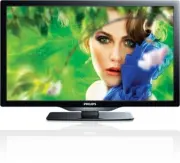
Philips 26PFL4507/F7 – User Manual, Quick Guide in PDF format online.
Manuals:
User Manual Philips 26PFL4507/F7


Summary
English 2 Contents 1 Notice 5 2 Important 6 PositioningtheTV 6 Regulator ynotices 6 Environmentalcare 6 3 Get started 7 Features 7 Suppliedaccessories 7 SymbolsusedinthisUserManual 7 Attachingthebase 8 Mountingtheunitonyourfurniture 8 Managingcables 8 Installingtheremotecontrolbatteries 8 Remotecont...
English 3 Know these safety symbols The lightning flash with arrowhead symbol, within an equilateral triangle, is intended to aler t the user to the presence of uninsulated “dangerous voltage” within the apparatus’s enclosure that may be of sufficient magnitude to constitute a risk of electric shock...
English 4 Important Safety Instructions 1. Readtheseinstructions. 2. Keeptheseinstructions. 3. Heedallwarnings. 4. Followallinstructions. 5. Donotusethisapparatusnearwater. 6. Cleanonlywithdr ycloth. 7. Donotblockanyventilationopenings.Installinaccordancewiththe manufacturer’sinstructions. 8. Donoti...
Quick Guide Philips 26PFL4507/F7


Summary
TV Connectivity at a glance One set of Audio L/R Inputs are shared by Component, Composite, VGA and HDMI-DVI Video Input. Un juego de Entradas de Audio L/R se compar ten con las Entradas de Componente, Compuesto, Video VGA o Entrada de Video HDMI-DVI.Un ensemble de prises d'Entrée Audio G/D avec Com...
Connection over view ES Descripción general de las conexiones FR Présentation de la connexion Data input from USB memory stick only. Do not connect any device to this terminal such as; Digital camera, keyboard, mouse, etc. Sólo entrada de datos de dispositivos de memoria USB: No conecte a este termi...
What’s in the box ES Qué hay en la caja FR Contenu de la boîte AAA AAA Warranty information Información sobre la garantíaInformation de garantie Quick Start Inicio rápidoDémarrage rapide Instruction book libro de instruccionesManuel d'instruction 22” 26” – 32” Mount base onto TV ES Acople la base al...
Philips Manuals
-
 Philips 50PFL5907/F7
User Manual
Philips 50PFL5907/F7
User Manual
-
Philips 50PFL5907/F7
Quick Guide
-
 Philips 32PFL4508/F7
User Manual
Philips 32PFL4508/F7
User Manual
-
Philips 32PFL4508/F7
Quick Guide
-
 Philips 39PFL2908/F7
User Manual
Philips 39PFL2908/F7
User Manual
-
Philips 39PFL2908/F7
Quick Guide
-
Philips 55PFL5907/F7
User Manual
-
Philips 55PFL5907/F7
Quick Guide
-
Philips 46PFL5907/F7
User Manual
-
Philips 46PFL5907/F7
Quick Guide
-
Philips 40PFL4908/F7
User Manual
-
Philips 40PFL4908/F7
Quick Guide
-
Philips 40PFL4708/F7
User Manual
-
Philips 40PFL4708/F7
Quick Guide
-
Philips 40PFL1708/F7
User Manual
-
Philips 29PFL4908/F7
User Manual
-
Philips 29PFL4908/F7
Quick Guide
-
Philips 42PFL5907/F7
User Manual
-
Philips 42PFL5907/F7
Quick Guide
-
 Philips 32PFL5708/F7
User Manual
Philips 32PFL5708/F7
User Manual