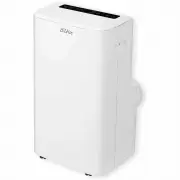
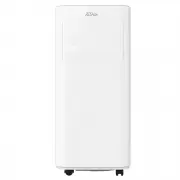
Page 2 - Table of Contents
2 Table of Contents Table of Contents.......................................................................... 2 Important Safeguards ................................................................... 3-4 Placement and Installation ............................................................ 5-6 P...
Page 3 - Important Safeguards; Please read this manual
3 Important Safeguards Please read this manual Inside you will find many helpful hints on how to use and maintain your unit properly. Just a little preventative care on your part can save you a great deal of time and money over the life of your unit. You will find many answers to common problems ins...
Page 4 - ENERGY SAVING
4 • Always contact an authorized qualified service agent to carry out repairs. • If the supply cord is damaged it must be repaired by a qualified repairer • Keep the area clear around the unit. There needs to be an air path of a Minimum of 50cm all around the unit from walls, furniture and curtains....
Page 5 - Placement; Placement and Installation; Installation
5 Placement Placement and Installation Place the on flat and dry ground, and keep at least 50 cm from walls etc. (figure 1) Installation • Spin slide bar connector into exhaust hose first, then spin the exhaust hose into exhaust connector (counter-clockwise). • Put slide bar connector into adjustabl...
Page 7 - Parts List
Page 8 - Control Panel
8 Control Panel 1. POWER: press this key to turn unit On or Off. After unit turns on, default value is cooling mode with low fan speed. 2. OPERATION MODE BUTTON : after unit turns on, for cooling only model, press this key to select the other modes: Fan, Dry/dehumidify, Cool or Auto. 3. FAN SPEED : ...
Page 9 - Auto Mode; Cooling Mode
9 Remote Control Operation Methods Auto Mode According to the current room temperature, once you select AUTO it automatically selects the relevant mode. Cooling Mode • After machine turns on, the unit will revert to setting that was lastused. • Press “OPERATING MODE BUTTON”” to select cooling mode, ...
Page 11 - Water Drainage; used to cool down the condenser, which not only improves cooling
11 Water Drainage This unit has an auto-water-evaporating system. Condensed-water cycle is used to cool down the condenser, which not only improves cooling efficiency, but also saves energy. • If inner water tank is full, “W.F” indicator will flash on the screen, after 8 seconds the machine goes int...
Page 12 - Maintenance; Cleaning; Filter; Note
12 Maintenance Note: in order to avoid electric shocks, please turn off at the control panel, switch off the power point then unplug the appliance before cleaning Cleaning • Please switch off at the control panel, then at the power point then unplug before cleaning. • Use soft semi-dry cloth to clea...
Page 13 - Seasonal Cleaning; Troubleshooting; Trouble
13 Seasonal Cleaning If the unit is not being used for a long time, please follow these steps. • Pull out drainage plug upper / lower to empty any water out. • Let the unit run under fan mode for 2 hours to dry out the machine internals • Turn off the unit, switch off the power point and remove the ...
Page 14 - Circuit Diagram
14 Technical Data Model OAPC 127 Cooling capacity BTU/h 1 2 000 Mains 220-240V/50Hz/1Ph Power consumption W 1345 Current A 6 Refrigerant R410A Compressor Rotary Fan speeds 3 Thermostat ℃ 16-31 Timer h 0-24 Dimensions(W*H*D) mm 470 x 715 x 335 Gross weight kg 25 Appendix A Circuit Diagram